This release fixes a number of issues in and around the characteristics of campaign assets.
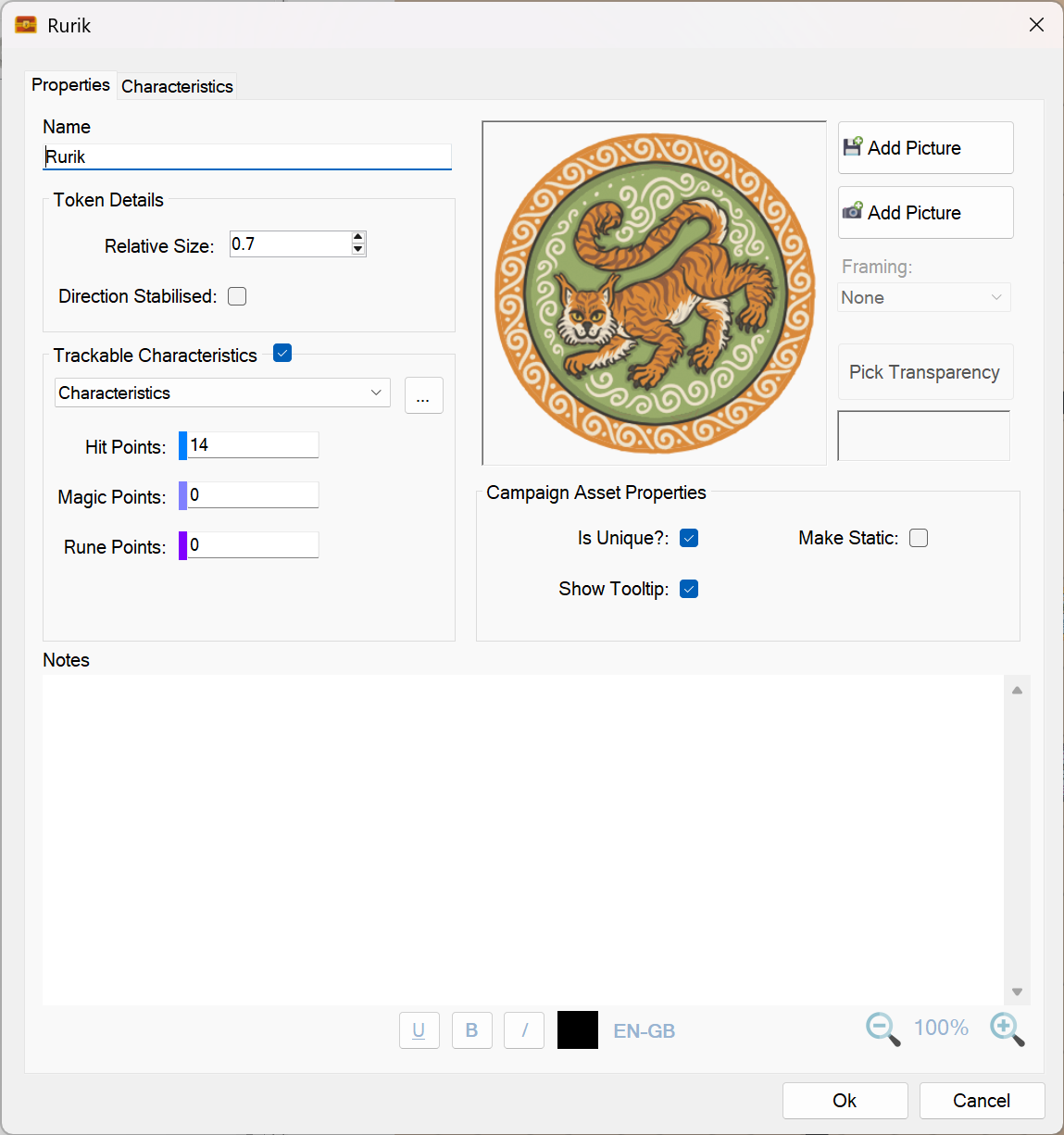
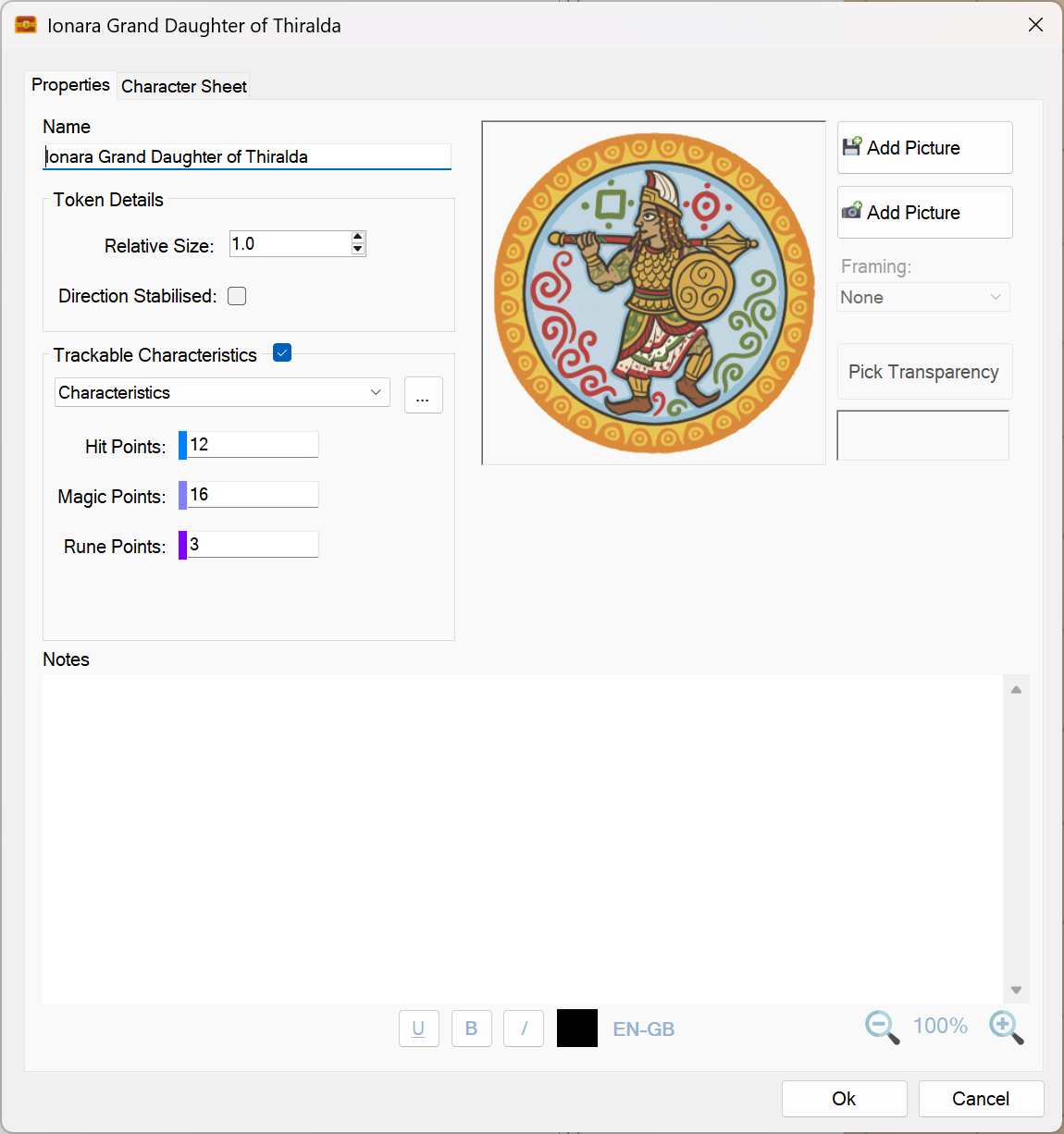
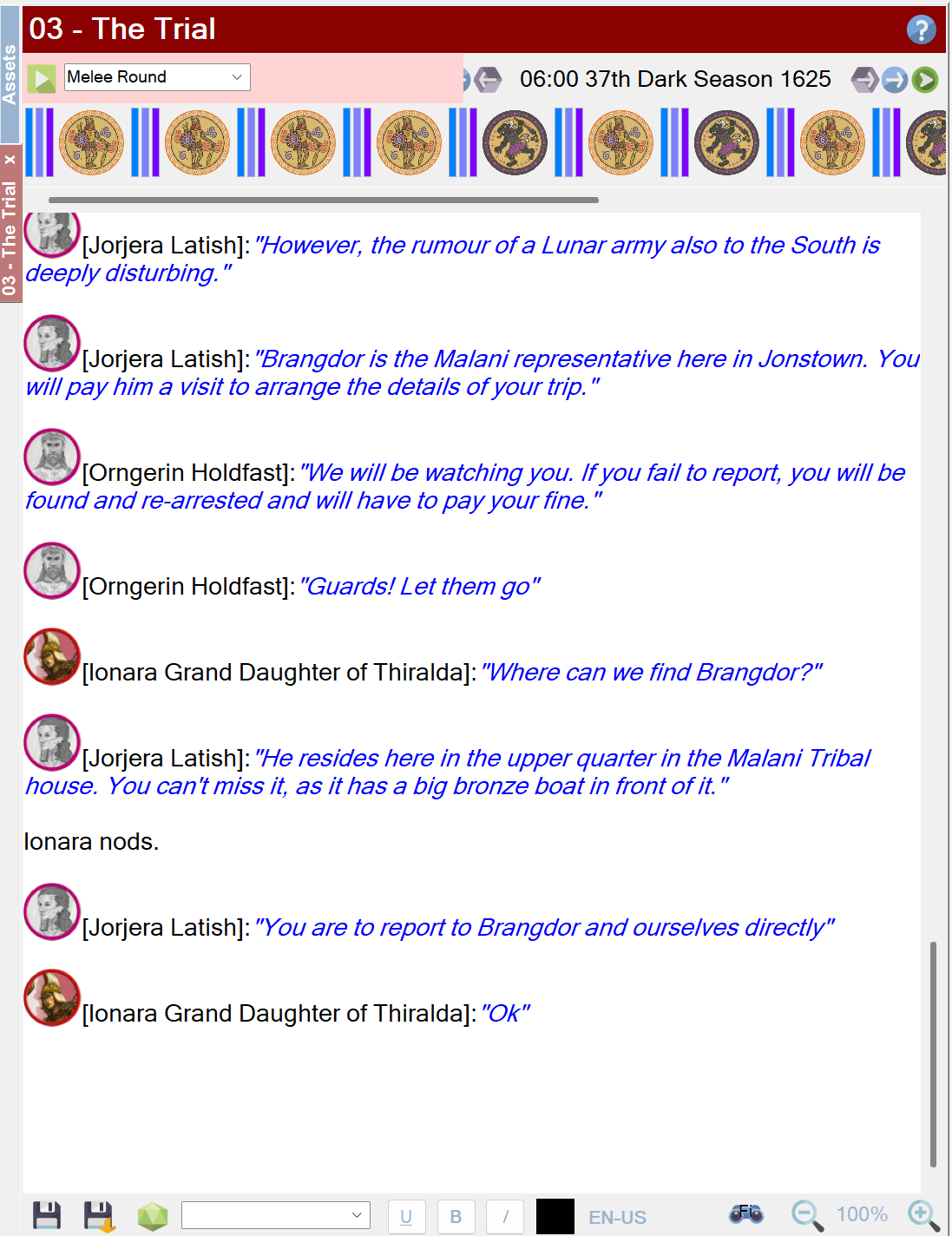
Campaign assets are quite complex in that they can either be unique or non-unique (see the screenshot above). This setting has a direct impact on how characteristics work for a campaign asset.
In general, unique campaign assets can only have one instance per map. When its characteristics are altered, the same alteration will propagate to all maps and journals.
Non unique campaign assets have characteristics that are completely independent and will never change because of an alteration made to another on-map instance.
Here is a list of the actual fixes that were implemented:
Changing the characteristic of a unique campaign asset will now affect all maps equally. For example if you have a unique spacecraft and reduce its hit points from 20 to 14 on one map, all other maps will be updated to reflect that spacecraft’s new hit point total.
Non-Unique campaign assets are all completely independent and can have multiple instances per map. Changing their characteristics never alters the characteristics of other instances.
Editing campaign assets no longer resets their on-map characteristics. Note, this fix will only kick in for existing on-map campaign assets after their on-map characteristics have been altered by the player with version 1.6.20.0 of Sojour**.
Editing the maximum value for a characteristic of a non-unique campaign asset will only affect newly dragged campaign assets to a map. Existing on-map campaign assets retain their current values. (This is the same behaviour as tokens)
Editing the maximum value for a characteristic of a unique campaign asset will alter all on-map versions to the new maximum value, regardless of which maps they appear on. (Again, the same behaviour as tokens)
** I did think of adding a data updater to update internal campaign asset values so that this fix would kick in right away. However, I decided against this approach as older versions of Sojour could have unique campaign assets on multiple maps, each with differing characteristic values. For that case, which value would the updater use? It would have to pick one at random, which might make on-map alterations that the user does not want – hence why I abandoned this approach.
This update includes a single critical fix, and all customers are strongly encouraged to upgrade.
The issue affected character, token, and campaign‑asset images when Sojour’s data folder was located on a network drive or a cloud‑synced folder such as OneDrive.
In earlier versions, if that drive was slow to update, Sojour could crash when you changed or added an image for a character, token, or campaign asset.
This is a small release that fixes an issue with Turn Sequences when they are used in various environments with different monitor counts.
The older system would try and restore the Turn Sequence windows to their last saved positions without taking into account the number of available monitors.
This could result in the Turn Sequence windows being restored off screen where a newer environment has fewer, or smaller monitors.
The fix now checks if the saved coordinates are off screen. If they are, it will restore the Turn Sequence windows to the main monitor.
This release focuses on giving users the ability to change the language Sojour uses when spell‑checking journals and documents.
Until now, Sojour has always defaulted to Windows 11’s system language — and there was no way for you to change it. Now you can!
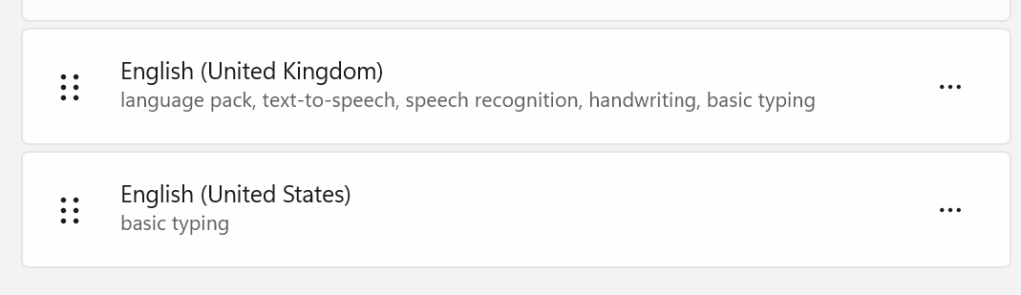
There is one caveat: you can only choose from languages that are already installed on your operating system. For example, I currently have English (United Kingdom) and English (United States) installed:
My installed languages
Most Windows 11 installations allow you to add as many additional language packs as you need.
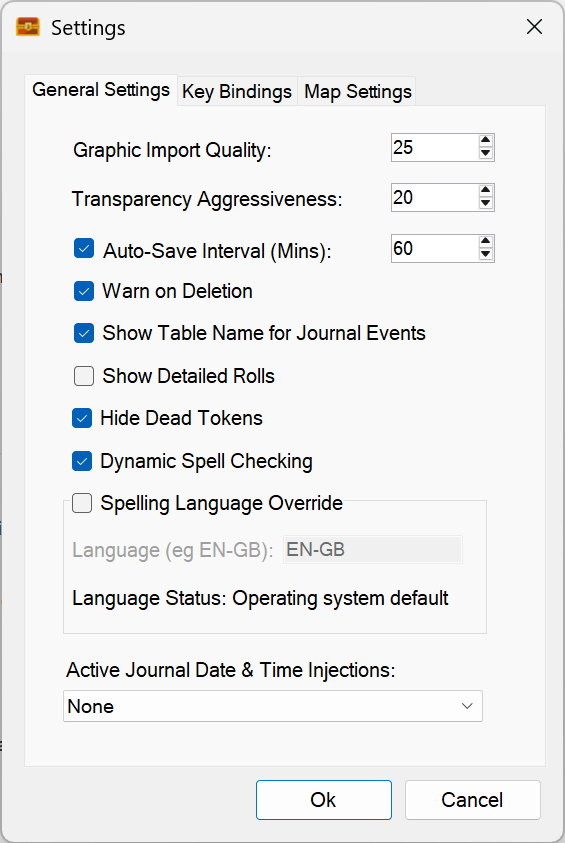
If you open Sojour’s Settings, you’ll now see a new option:
We can now override the default spelling language!
A new setting called “Spelling Language Override” has been added. It defaults to using the operating system’s language, and it will tell you which one that is — in my case, EN‑GB (English – Great Britain).
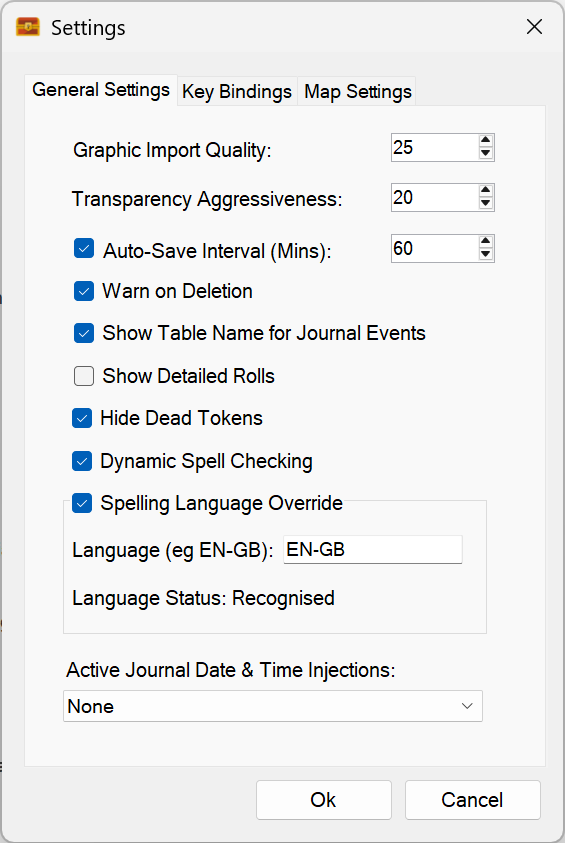
If you want to change the language, simply tick the checkbox:
Override ticked! – We can now type in the language we want to use.
Once enabled, you can type in the shorthand name of the language you want to use.
Unfortunately, .NET provides no reliable way to detect which language packs are installed, so the best I can do is give you a text field. To help, Sojour will tell you whether the language you typed is recognised.
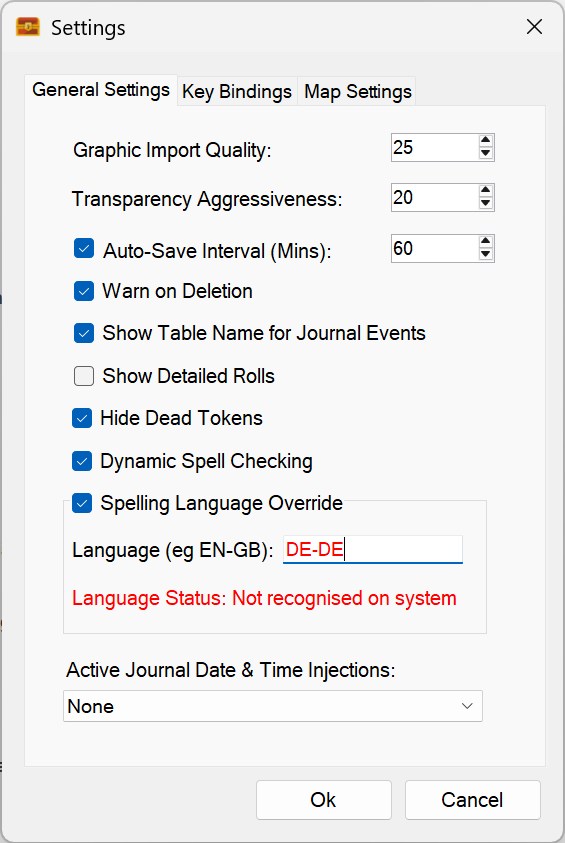
In the screenshot above, EN‑GB is recognised. If I type “DE-DE” (German), it fails on my machine:
Sojour does not recognise the language!
This isn’t because the name is wrong — it’s because I don’t have German installed. Windows reports that the language isn’t available, and Sojour highlights the field in red to let you know.
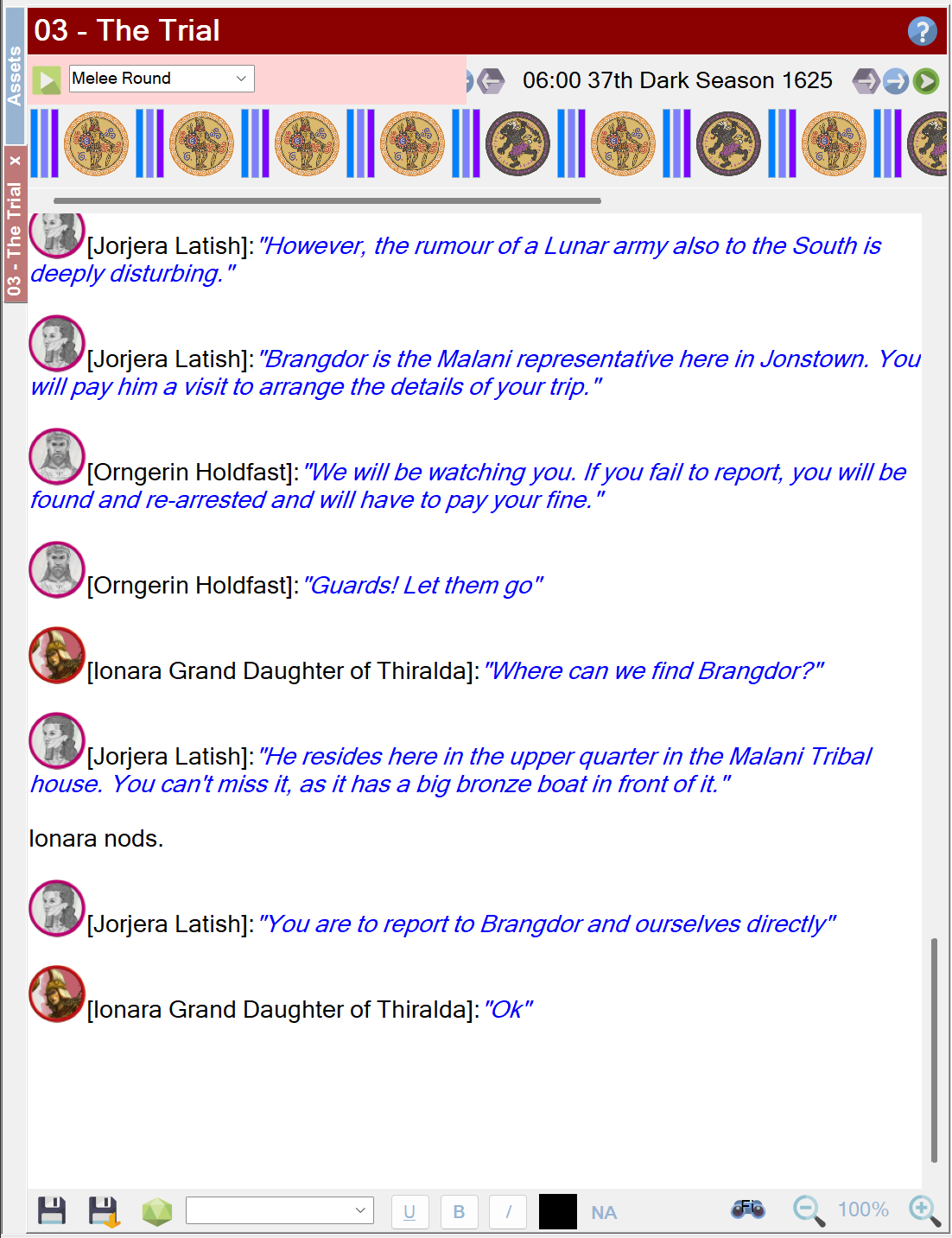
If you select a language that isn’t recognised, spell checking will be disabled. You’ll see this when viewing a journal:
No valid spell check language! – this is represented by NA (Not applicable) in the lower pane.
Once a valid language is selected, the indicator at the bottom of all RTF panes will update to show the chosen language:
I have now selected English US.
If you untick the override checkbox, Sojour will revert to the operating system’s default language.
Other small changes
A spelling fix in the helper windows
Updated to the latest version of WebView2 (used for PDF viewing)
First up, a customer has reported issues with Sojour starting to crash on them. An investigation of their sent logs seems to indicate a potential failure mode in the tooltips system for characters and NPCs. I have made a number of code changes which should fix this, but, alas, I cannot reproduce the issue locally, so I’m coding a little blind. Will await customer feedback for this one! (Update! Customer has just got back to me and it did fix the issue! 😊 )
Speaking of which, if any customers are experiencing bugs, please contact me at the email address at the front of the manual and I’ll queue up your issue in my issue management system. 😊
Next up, Sojour has always allowed you to drag characters and tokens onto maps that don’t belong to that character’s or token’s ruleset or campaign.
This works fine and this functionality has been retained. However, deleting characters or tokens would initially remove them from maps that belong to that character’s campaign (or token’s ruleset) – you would then need to manually reload the other maps to get the token removed. This has now been fixed. Deleting a character or token removes it from all maps, irrespective of map ownership.
Finally, I have been noticing a few issues with Windows 11 which can impact Sojour’s file-sync system. Sometimes moving a file between two folders that you own, even when not on a network, can result in a ‘Unauthorised Access Exception’.
If this happens when creating a new token or character, there is a chance that their images will disappear from Sojour’s user interface. The cause being Windows 11’s file copying attempts failing. Sojour does provide a generous 36 re-attempts of all file operations. However, I have seen these file operations fail for all 36 attempts! (No data is lost, these are file operations from local to your chosen data directory.)
To get around this issue, Sojour now looks for character or token images in Sojour’s data folder location. If the image is not there due to a file sync issue, Sojour will grab the image from local storage instead. This ensures that the image file is aways available, no matter what Windows 11 is doing.
Dorian is now almost on par with it’s POC (Proof of Concept) in terms of outward functionality.
It now supports skyboxes – that is the sky domes that you see in games.
Unlike the POC, Dorian’s skyboxes can be rotated and Dorian can detect where the sun is and automatically setup the appropriate directional lighting!
For those that don’t know yet, I have had to write this new graphics engine because the one currently in Sojour is no longer supported by Microsoft’s development tools because it is 32 bit only.
This is why producing a new 64 bit graphics engine is critical to taking Sojour forward, even if it seems like a diversion.
Dorian now supports skyboxes and auto-light source detection! (Best watched on You-Tube at 4k)
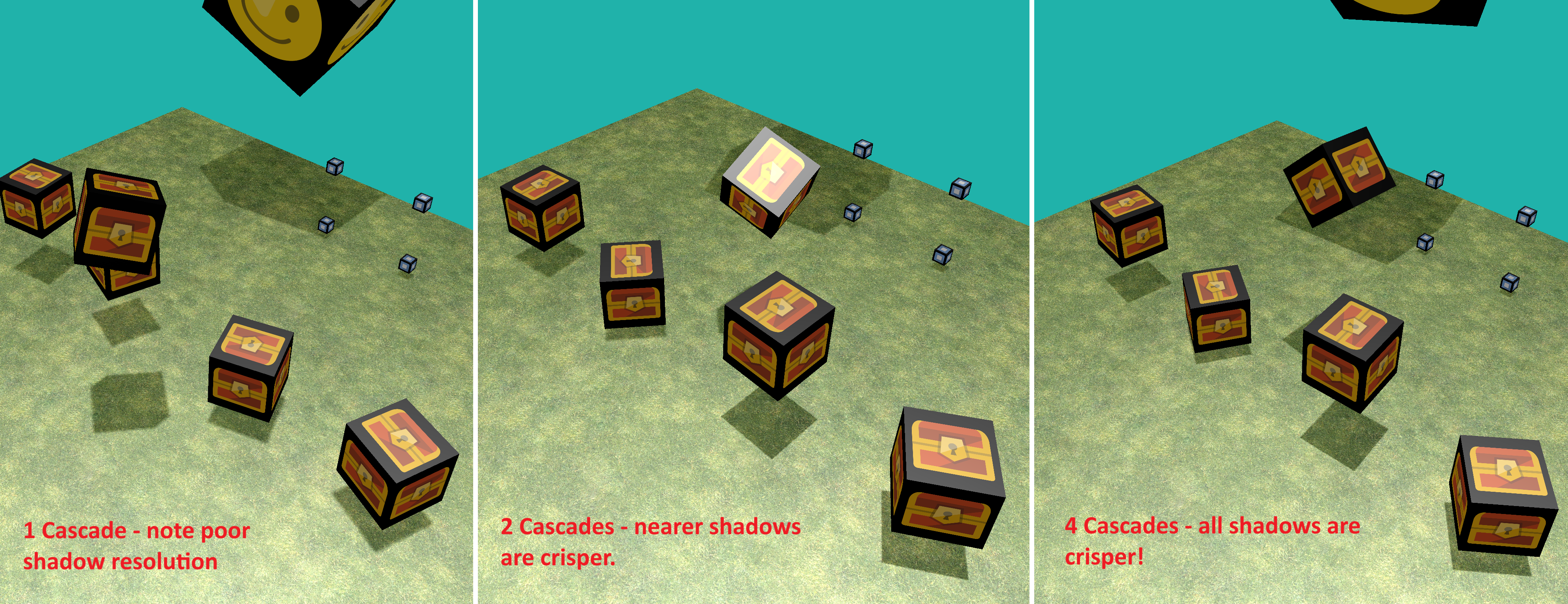
Dorian now supports cascading shadow maps for better quality shadows! (Click to see full size!)
What are Cascading Shadow Maps (CSM) and what does it achieve?
Shadow map based systems create a depth texture representing the scene depth from a light source’s point of view. This depth texture is then sampled across a whole scene from the camera’s point of view to work out what’s in shadow and what isn’t.
The issue with shadow maps is that the greater the range of depth that you are dealing with, the more the depth texture has to be stretched in terms of its depth to cover all possible values. ie you are trying to squeeze larger ranges of depth information into the fixed number values that a single pixel can hold. This can then lead to sub-par shadows.
You’ve probably seen these low resolution shadows in some commercial games where the shadows have jagged triangular looking edges.
Dorian’s CSM system gets around this by creating multiple depth textures that are range dependent. These are called cascades. Each cascade is responsible for creating shadows over a specific depth range.
Having multiple depth textures in cascades reduces how much each one is stretched out to fill the scene depth. What’s more, these cascades are tuned so that the nearer cascades have smaller overall depth ranges (less stretching). This results in pin sharp shadows!
Medium to long distance cascades have larger depth ranges which results in fuzzier shadows, but in these cases the objects are far enough away that a player won’t notice.
The overall impression that the player gets is one of pin sharp shadows!
The image at the top of this post shows the effect of ramping up the cascades – Dorian supports differing numbers of cascade on a per light source basis.
The one cascade image on the left is what a typical shadow mapped engine looks like. The shadows don’t look too bad in that example, but the bigger the world, the worse it gets – and the demo world above is very small.
Note that as I add more cascades, the shadow quality improves
I’m happy with the shadows system but I still have a lot more work to do and this work should be done now whilst the iron is hot.
Why?
I tend to forget hard won knowledge unless I continually work at it. I had the same issue with Ionian – the previous graphics engine. That graphics engine lasted over twenty years – but it was so reliable that I rarely had to look at its code, which resulted in my graphical knowledge draining away.
It’s the driving reason why Dorian’s capabilities will be taken to a much higher level than Sojour needs, as the expectation is that once it’s done, I’ll rarely touch the actual code again – which means lost knowledge. Hence my determination to strike whilst the iron is hot!
That said, Ionian which is currently used in Sojour is no slouch. It can do real-time shadows – using shadow volumes, real time reflections, skyboxes and bill-boarding:
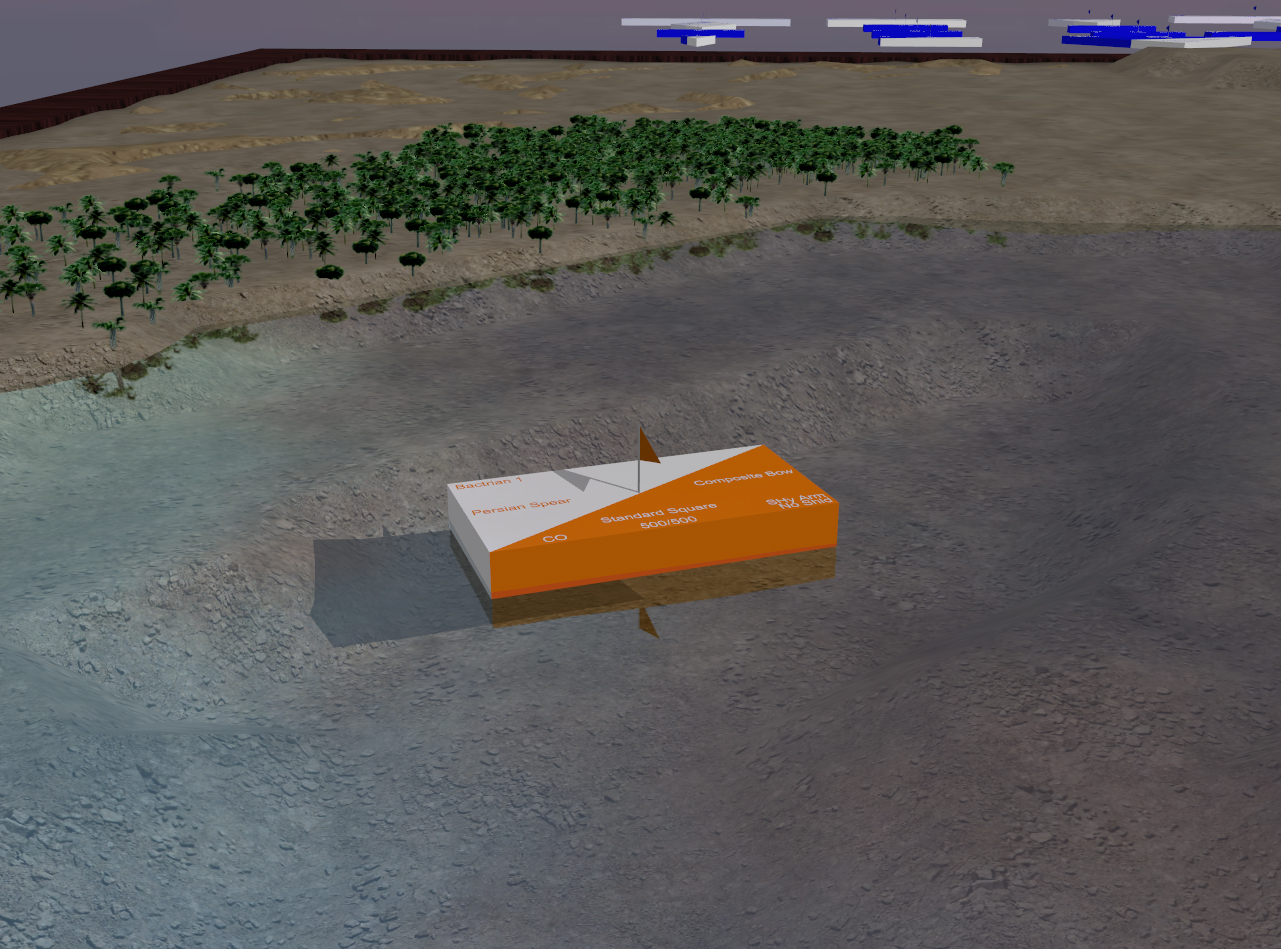
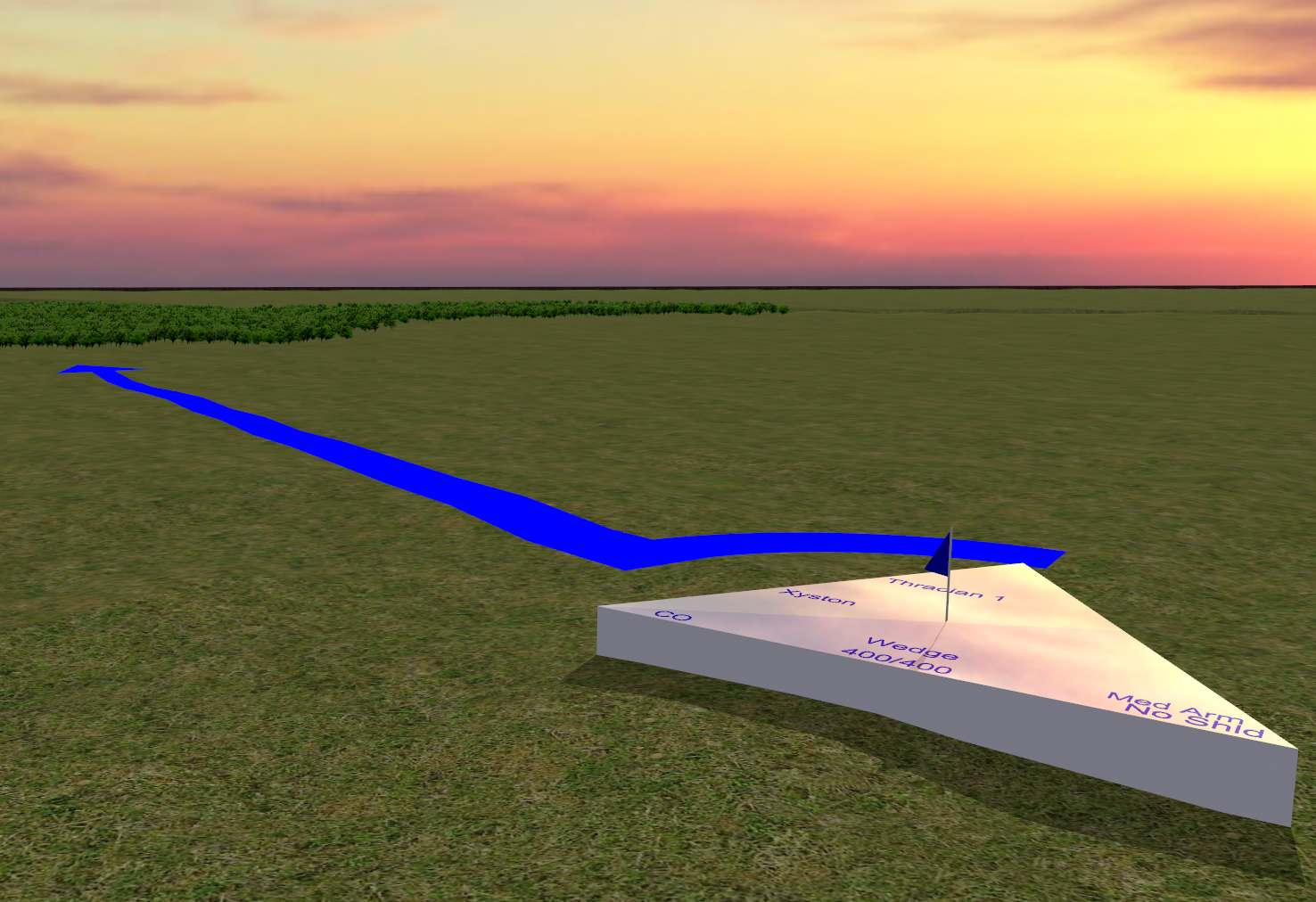
Ionian – Sojour’s current graphics engine as used in an early version of Ancient Armies (circa early 2000’s). Another shot of Ionian in action. The real-time shadows and reflections are especially apparent here.
I will need to get Dorian to a point where it can do everything that Ionian can do at the very minimum. Though my plans are for a lot more!
Working on a graphics engine seems like a diversion but it is critical for Sojour as the latest Visual Studio will not build 32 bit apps. Alas, Sojour’s current graphics engine, Ionian, is 32 bit only – hence the re-write.
On the plus side, Dorian is way more powerful 🙂
Dorian strutting its stuff! (Best viewed on You-Tube in 4K)
The ECS system in Dorian makes all the animations and camera movements completely trivial. It really is a joy to work with!
This is a video of the first version of it’s shadow system. It has one more iteration which is to make it use Cascading Shadow Maps then we are done with shadows and can then work on the next features!
Most of my focus is to get Sojour ported to 64 bit and running on a .net 10 platform.
If I pull this off, you get extra performance and I will get access to additional tools that will allow me to do things with Sojour that I have always wanted to do!
The big hold up has been Ionian, Sojour’s custom graphics engine. I wrote it a long time ago for another project of mine called Ancient Armies. It’s not a bad engine, but it is 32 bit and it can only render to one window at a time.
A few posts back I showed off some of my work with Dorian – Ionian’s replacement.
What was probably not made too clear, is that it was a POC:
The original POC! Best viewed on You-Tube to see it in 4k!
What’s a POC?
A POC is a Proof Of Concept. The idea being that for complex tasks – like a graphics engine – you knock up a quick and dirty system purely as a learning exercise. That way when you work on the real thing, you will have a lot more relevant experience under your belt.
The key point of a POC is that you learn what you need to learn, de-risk what needs de-risking and then you effectively throw it away. The lessons learned are then applied to creation of the full enterprise system.
For the last month or so I have been doing just this – working on the real Dorian Engine and not the POC.
The actual engine is way more powerful, expressive and scalable when compared to the POC. It doesn’t look as good – at least not yet – simply because it is at an earlier point in its life cycle.
The biggest difference between Dorian and the POC is that Dorian uses an enterprise grade architecture known as ECS (Entities, Components & Systems).
I think it would be fair to say that ECS takes a bit of getting used to. However, it is massively scalable, simple to use and expressive in ways that are only limited by your own imagination.
I should probably warn you that the next section of this post is going to take the geek factor up to 100! Those of a nervous disposition might well want to bail out about now 😊 (I need to go technical in order to show you the main highlights of Dorian’s ECS system.)
Dorian is now at a point where its architecture is all in place – all I need to do is keep adding features to it – which the new architecture makes exceedingly easy to do.
Here is a short video of me testing three different cameras all pointed at the same world using Dorian. Each window is showing exactly the same thing but from three different perspectives.
This is the real Dorian engine in action. You can see me showing off dynamic window resizing and me trying my best to upset the chase camera, but to no avail! Still work in progress! Best viewed on You-Tube to see it in 4k. (It’s a little dark and flat because YouTube converted a HDR recording to an SDR recording!)
What the video shows are three dynamically resizable windows (Ionian in Sojour can only render to a single window) where each window is pointed at the same world. Dorian allows a lot of flexibility here. You could for example have a few windows rendering world number 1 and another few rendering world number 2 and so forth.
The left hand pane in the video shows the cubes’ actual movement because the camera is not moving. The ones on the right show things from the perspective of the treasure chest cube – one is a follow camera, the other is a first person camera.
In a standard engine like Ionian, coding the animation of all the cubes and the advanced camera behaviours such as the chase camera would have been quite difficult. But, with Dorian’s ECS system it is almost trivial.
What is ECS precisely?
It’s a system where you have Entities and that these entities can represent anything – cameras, models, sound, AI, animations, environments – absolutely anything you can think of.
The key concept of ECS is that they are all treated the same.
The way it works is that the entities are just an Id and that’s it!
Id’s alone don’t do much. However, ECS allows you to dynamically attach (or detach) Components to any entity and these components contain just data. The idea being that if your entity needs to store some specific data, you just attach the appropriate component to it that can store that specific data.
Ok, so you now have entities with data. How is that useful?
Well, the next thing you can do is attach or detach behavioural tags to an entity. Systems within Dorian look out for these tags and operate on the entities that have them using the data stored in the attached components. (I told you we were getting technical!)
This makes the engine very simple to use and incredibly expressive. If you want something to behave in a certain way, just attach the appropriate tag! And that’s it. Very, very simple, but very very powerful.
I don’t normally show my code because it is closed source, but I will make an exception here so that you can see how clean and easy Dorian is to work with – please bear in mind these are very early days!
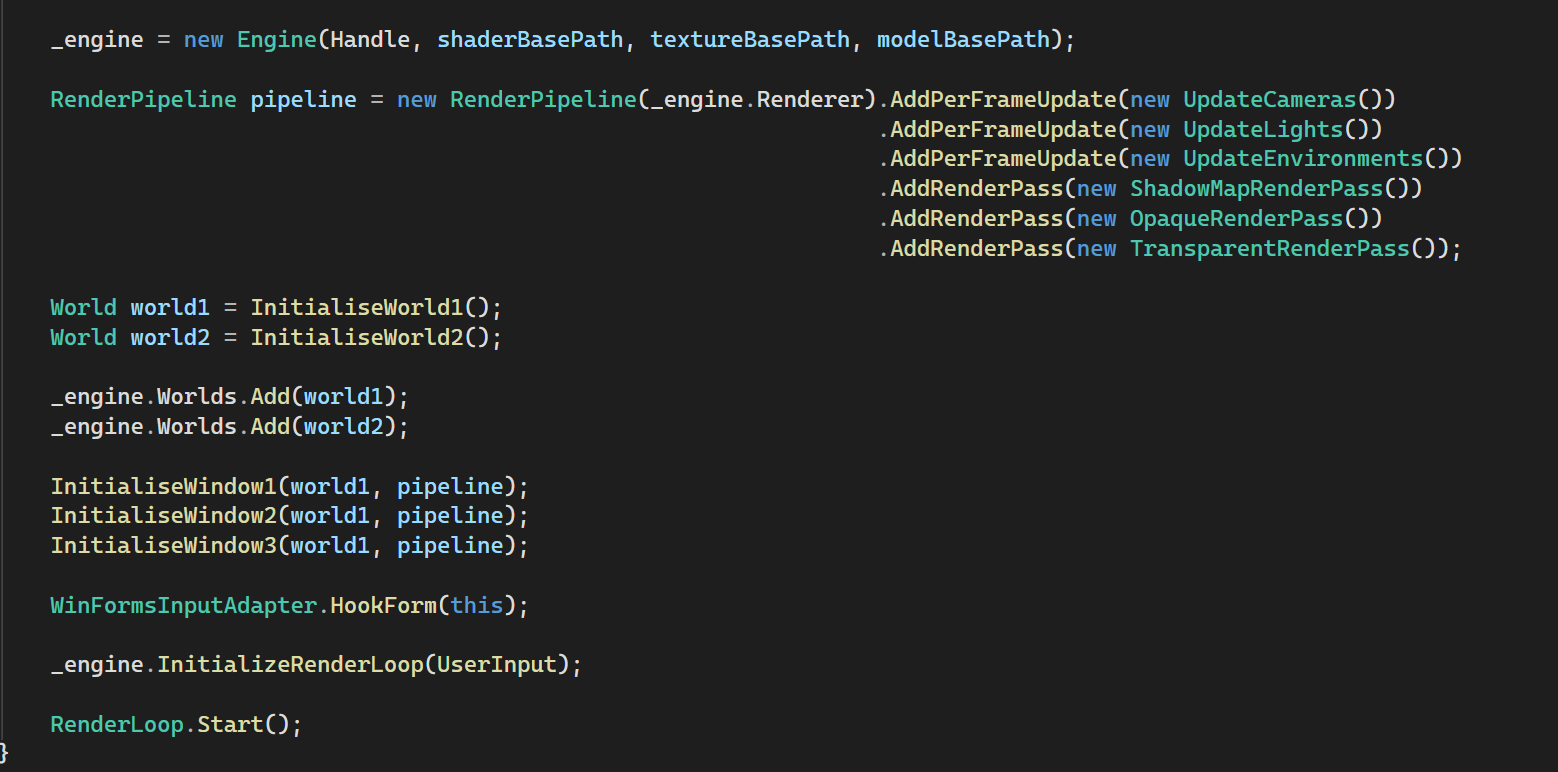
First up initialisation:
This is how you initialise Dorian – Pretty simple – even for a multi-window, multi-world app!
Dorian is incredibly flexible. Rather than offering a fixed rendering pipeline, it allows the caller to precisely define their own rendering pipeline and they can create as many as they need – though in this example I use the same pipeline for all three windows.
This means that developers can precisely pick what they need to go into their pipeline and they can precisely order it how they want. They can even add their own custom pipeline systems – they are not constrained by what Dorian provides.
It’s flexible in that if I wanted reflections for instance, I could just dynamically add a ReflectionsCubeMapRenderPass and the whole thing would just work!
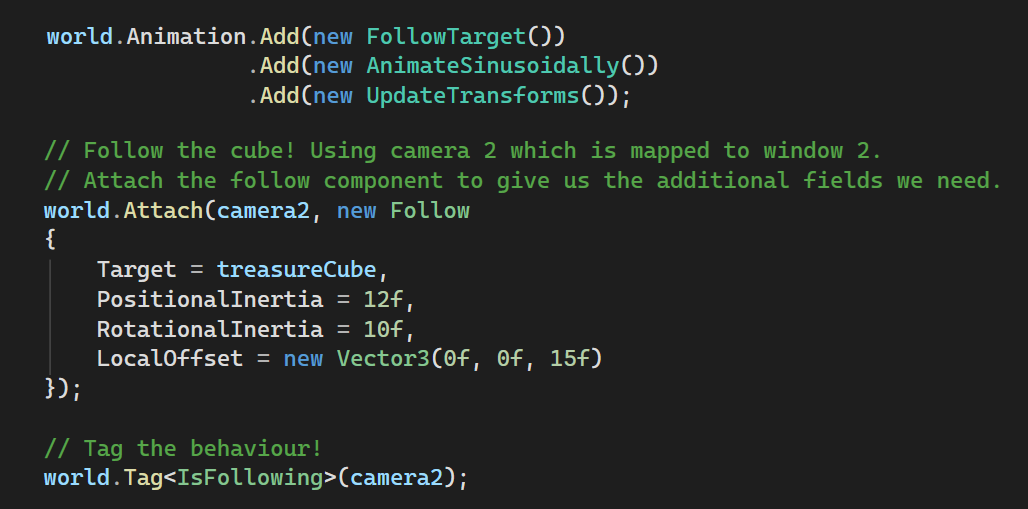
The other thing Dorian provides that neither Ionian nor the POC offer are simulation (not shown) and animation pipelines. Both of these run independently of the rendering pipelines and are just as configurable:
Setting up an animation pipeline and making camera 2 follow the treasure cube!
The code above sets up an animation pipeline precisely the way I want it.
One of the features I added to it is the ability to process ‘Follow’ behaviour – that is to have one entity follow another. I do this by adding a FollowTarget system to the animation pipeline.
This system will be querying Dorian’s ECS system for the relevant entities and then it will act upon them.
For camera 2, we use the FollowTarget system by attaching a ‘Follow’ component to the camera. I have attached this component to the camera as I want the camera to obtain the additional parameters it needs to allow it to follow another entity (the camera itself is an entity)
Finally, the last line adds a behavioural tag to the camera which invokes the follow system for this camera.
That’s it! That’s all the coder has to do to make any entity in Dorian follow any other entity, no matter how complex the movements. It makes the system incredibly easy to use.
If you want the camera to stop following, just remove the tag. You could even change what it’s following and do all of this dynamically.
The beauty of the system is that each entity can have as many behaviours as you want and that these behaviours can be dynamically attached or detached whenever you want and that the same behaviours can be applied to any entity.
For example, you could pretty much use the same code to make one model follow another…
Here is another example of Dorian’s ECS system in action:
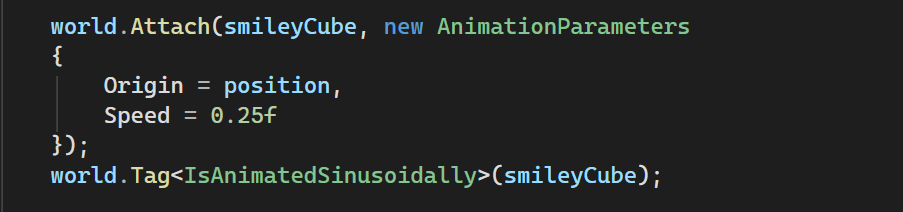
A few lines of code to completely animate a cube!
Here we have another entity, this time the cube you see floating in the demo with the big smiley face.
Once more, we attach a data component to give the entity (the smiley cube) the additional parameters it needs to support animations.
Next, we tag it with the IsAnimatedSinsoidally tag to make it rotate and move. That is all I need to do!
If I want the cube to stop moving I remove the tag.
To top it off, that particular animation is a custom one that I added as a developer using Dorian (as opposed to being the developer coding Dorian).
Dorian allows you to add custom Systems, Tags and Components, so you are not limited by what Dorian can do out of the box.
Dorian is an entity based system, so I could just as easily tag a camera with the same tag as above and have the camera automatically move around like the cube! No additional code required.
It’s this feature that makes Dorian so expressive and so powerful.
Finally, one more code example, but this time it is a structural connection:
Three lines of code to create a camera and turn it into a first person camera.
Dorian allows you to connect (or disconnect) any entity to any other entity! Here it happens to be a camera to a cube model, but that’s just a coincidence.
I could have, for example, connected one of the cubes to another cube! (everything in Dorian is an entity) If that other cube was the parent, the cube we just connected would automatically move along with it. That is the expressive power of Dorian.
Dorian also features its own querying system to allow a developer to easily get at any type of entity that they want.
For example, maybe they want Dorian to return all entities with a Follow component, marked with an IsFollowing behavioural flag and that is in possession of the matrices and vectors to position it in space. This is all you would need to do:
Dorian’s query system in action!
It is an odd architecture to work with until you get used to it.
For example in Ionian and in the POC you had an actual camera class, whereas Dorian doesn’t have cameras. It just has entities that happen to have a camera tag and a world transform component attached to it and that’s it. Together this dynamic composition makes a camera – along with the associated system to operate on its data.
I know this post won’t make a lot sense to most people, but hopefully it gets across two things:
Firstly, I’m still hard at work!
And secondly, that what I’m creating – Dorian – is something of an architectural marvel. It will be the jewel in Sojour’s crown.
Dorian will allow Sojour to have multiple map panes open and visible at the same time. You could even use it to send a ‘players’ map to another monitor when using Sojour as a GM assistant.