

For those that have bought Sojour, you should be getting an email from DriveThru RPG alerting you to the update plus the relevant release notes! If not, please check your junk mail folders.
For those interested in buying Sojour it costs a one off payment of $10 usd and can be bought at Drive Thru RPG. If you need more information, pop over to Sojour’s You-Tube Channel.
Firstly, I’d like to thank John Herald over on Reddit for his great ideas and also for spotting the range scale bug. His feedback has been most valuable. Many of the enhancements shown in this post are his idea 🙂
So what’s changed?
Campaign assets can now be made static on the maps and you can even disable their map tooltips.

These new settings will allow the user to add Campaign Assets that represent new permanent features on the map discovered by the party. Once added, their graphic becomes a part of and indistinguishable from the map!
Of course one can still add an associated document to enable users to get more information by right clicking the Campaign Asset on the map.
If the user decides that they wish to move the Campaign Asset again, they can simply change the settings and the changes will ripple through Sojour to all instances that are out on the maps!
What else got changed?
The settings dialog window. It now uses a tabbed control:
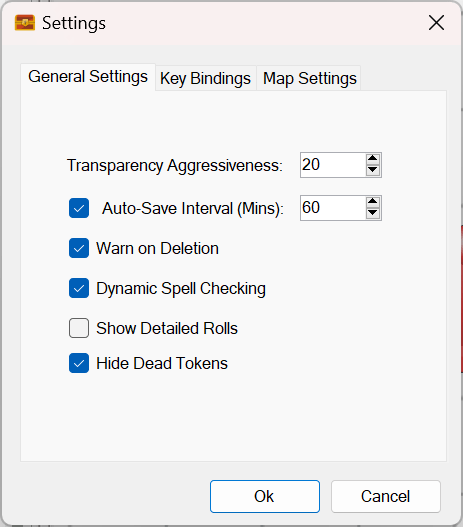
This was necessary because the number of settings have now become too large for a single page.
The eagle eyed amongst you will have noticed a brand new setting called ‘Hide Dead Tokens’. This allows the user to toggle whether dead tokens are removed from the maps and initiative trackers.
Sojour documents have also had a few bugs fixed and their user interface updated to make them a little easier to use.
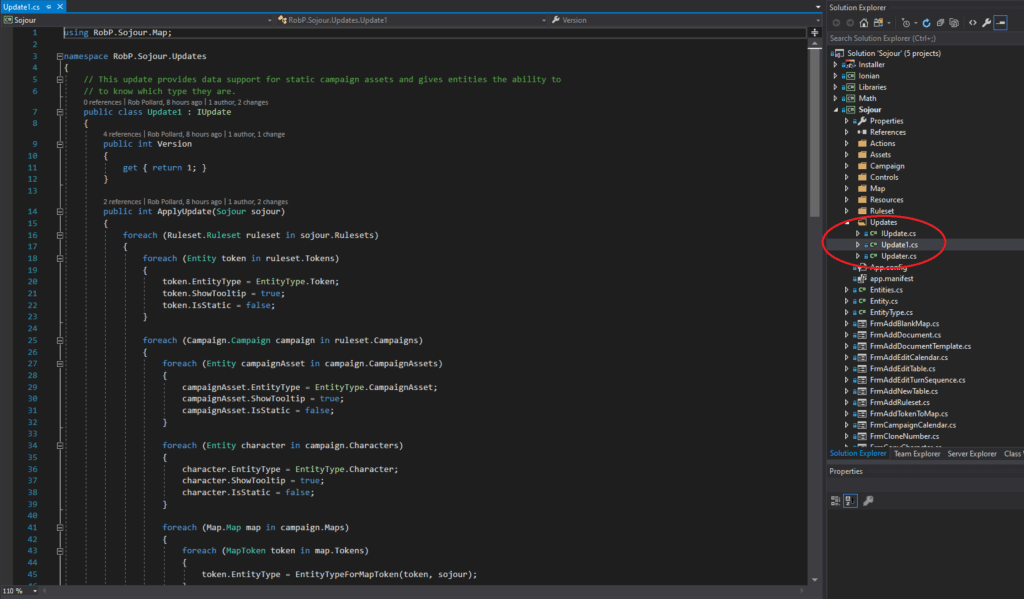
Under the hood I have also added the ability for Sojour to be able to automatically convert old save files to new versions compatible with the latest changes! The system is quite advanced in that all I need do is drop in a new update class file and the system automatically detects it and applies the changes if required:
The final tweak was to the window that’s used for registering map scales. It’s internal native measurements now match the user’s selected settings:
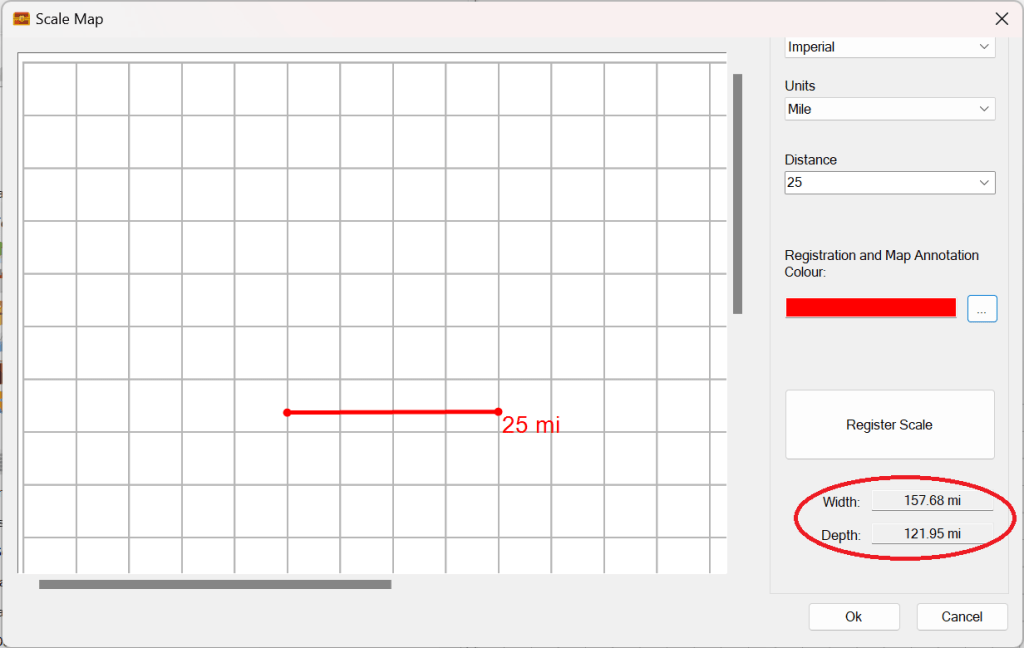
In the above screenshot the user chose miles, which results in the map size registration calculation also being displayed in miles (on the right). In the past it would always display as metres as that’s what Sojour was using under the hood.
This change should make the map range scales more accurate and if I’m lucky, it will fix an outstanding issue with said range scales. Alas, I will only know once I get feedback from my customers.
Laters
RobP
 Sojour