

Before I start with this post proper, I’ll just go over the results of a question I asked in my previous blog post:
“Would you prefer a slower release cycle – say once a month – to allow for more testing? Or do you prefer the current weekly cadence with an increased risk of bugs being introduced?”
Thank you all for your responses – it’s been much appreciated.
The result was that an overwhelming majority of you – 84% – wanted me to stay with the current release cycle.
To quote from one of the respondents:
“I like the current “Elon Musk like” fail forward releases. Your hard work is very much appreciated.”
This fills me with some relief, as one of the issues of being a lone software developer is the perpetual dread of dropping ‘that’ release that breaks everything.
Whilst the perpetual dread is probably a good thing, it’s good to know that my customers are allowing me some slack to occasionally drop the ball in the name of progress.
I know the results aren’t going to make everyone happy, but on the plus side, you could just skip a few releases. Sojour’s built in updaters are designed to automatically work from any prior version, so skipping releases will not present an issue – you will not miss out on anything!
Now back to the release!
v1.2.28.0 saw Sojour’s filing system getting a massive upgrade thanks to feedback from many customers.
In the past, you were stuck with having your data saved under Documents/PollySoft/Sojour.
Not any more! 🙂
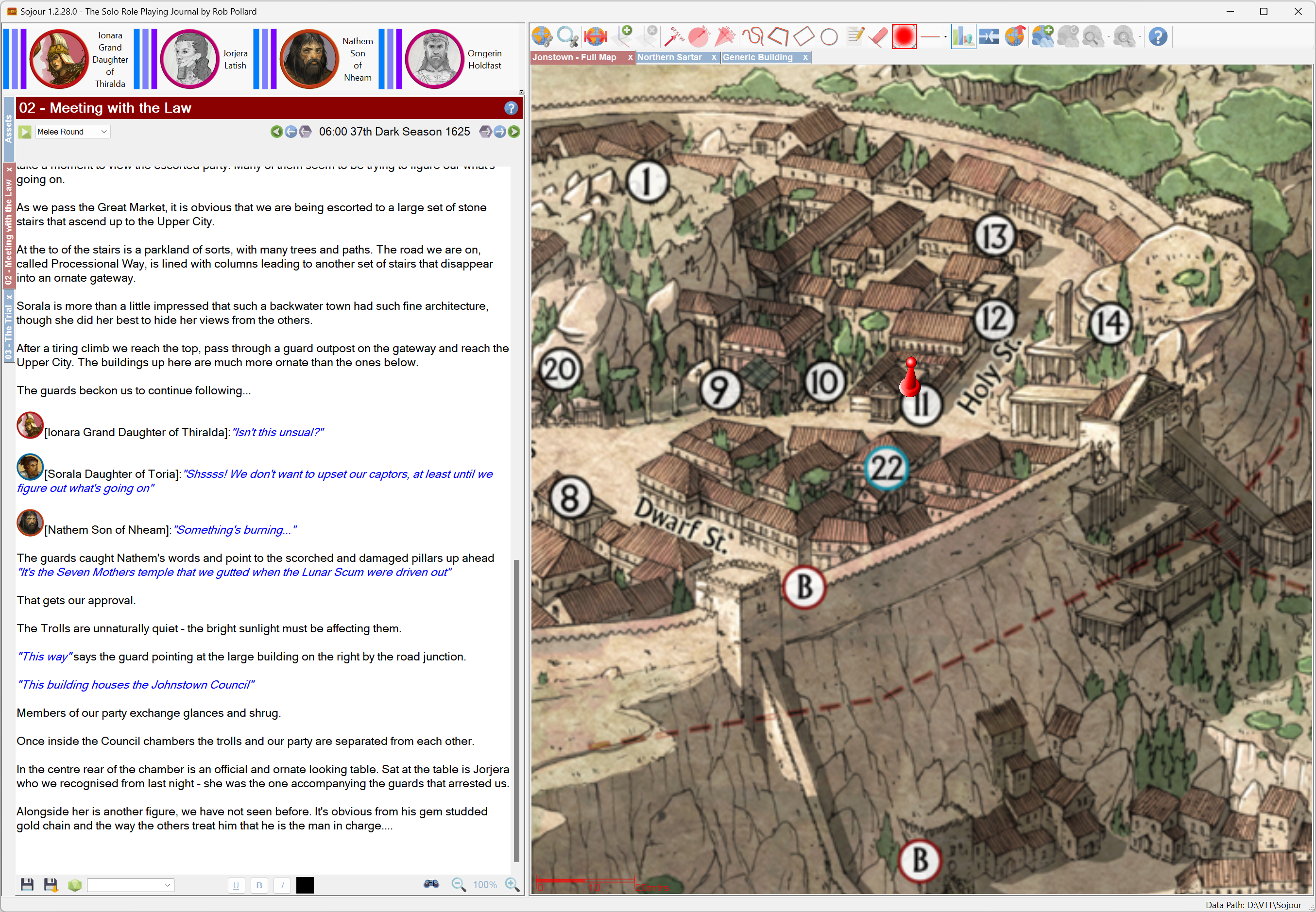
If you closely examine the above screenshot you will notice that the status bar now shows where Sojour is accessing its data from! In this case I’m using some folders on my D:\ drive.
Sojour’s data can now be stored practically anywhere. Sojour will perform the relevant checks to see if it can access your chosen folder and if it can, that folder is in!
When you first start Sojour you will be presented with this screen (if it can’t find any data):

Most users will click ‘Yes‘ and have Sojour store its data in the usual place of Documents/Pollysoft/Sojour.
However, if this is not a suitable location, you can click ‘No‘ whereupon you are presented with this dialog window:
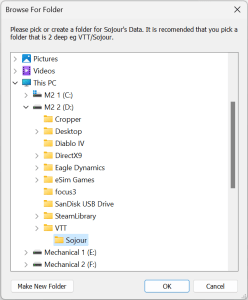
From here you can pick or create a folder for Sojour to use anywhere that your system can access!
But that’s not all….
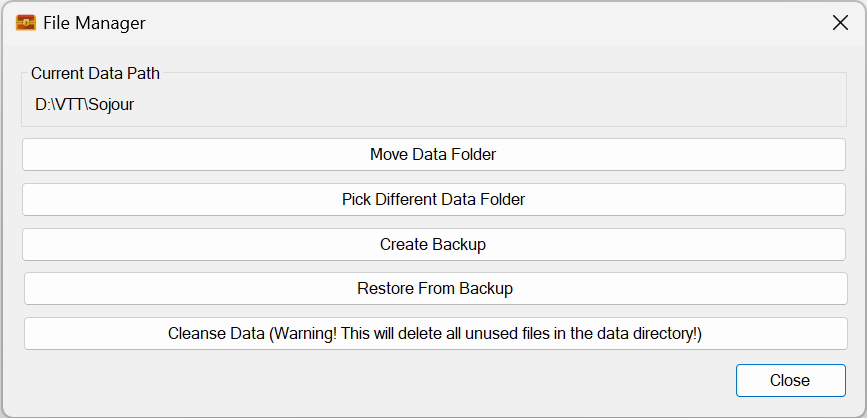
Sojour now has a new File Manager:

This file manager lets you do many things! You can move your current data somewhere else, you can back up and restore data and you can even point Sojour to a different set of data files!
The latter would allow power users to have several sets of Sojour data and allow them to switch between them at will!
Alas, this was no easy feature to code, it took a lot of effort to implement:

22 code commits over 29 hours of coding! (each day is 8 hours)
The reason it took so long was in part, due to some poor initial design choices from my previous self! (As an aside, my previous self has a lot to answer for and if I could go back in time, I would be having some serious words with him! :p )
With the original design, I had encapsulated the ability for each object within Sojour to know where its data was stored. This was a good thing. However, I had coded this system to use rooted paths rather than relative paths. This was a really bad design choice as one cannot move data around with rooted paths!
Undoing the above and designing a new system that would work with both the old and new filing systems really pushed my brain into overdrive! But it’s now done and I think Sojour is all the better for it.
The new functionality is really flexible, so to that end I have produced a You-Tube video that will take you folks through some of the things the new filing system can do!
The full list of changes in this release is:
- RPG-354 New enhanced file system, which adds a whole bunch of new features and additional flexibility to Sojour.
- RPG-358 Tokens no longer show their health bars when dragged from or to a map that has them disabled.
- RPG-363 A tentative code alteration that may alleviate occasional crashes when using the screenshot tool.
Have Fun!
RobP
 Sojour