


I spent most of last week on the unscheduled refactoring work alluded to in the last post.
Doing a big code refactor is always a scary experience that can be likened to renovating a house.
You start off by ripping things out, moving them around and then trying to re-wire everything back up. It all feels like a real mess that could never ever work again!
It’s at this point, with a multitude of compiler errors, that one experiences the temptation to just scrap the refactor and go back to the original code. However, with a little fortitude, patience and a large dollop of luck, one can see it through to the end and reap the benefits!
One of the benefits for me is that the amount of code in the main window almost got halved!
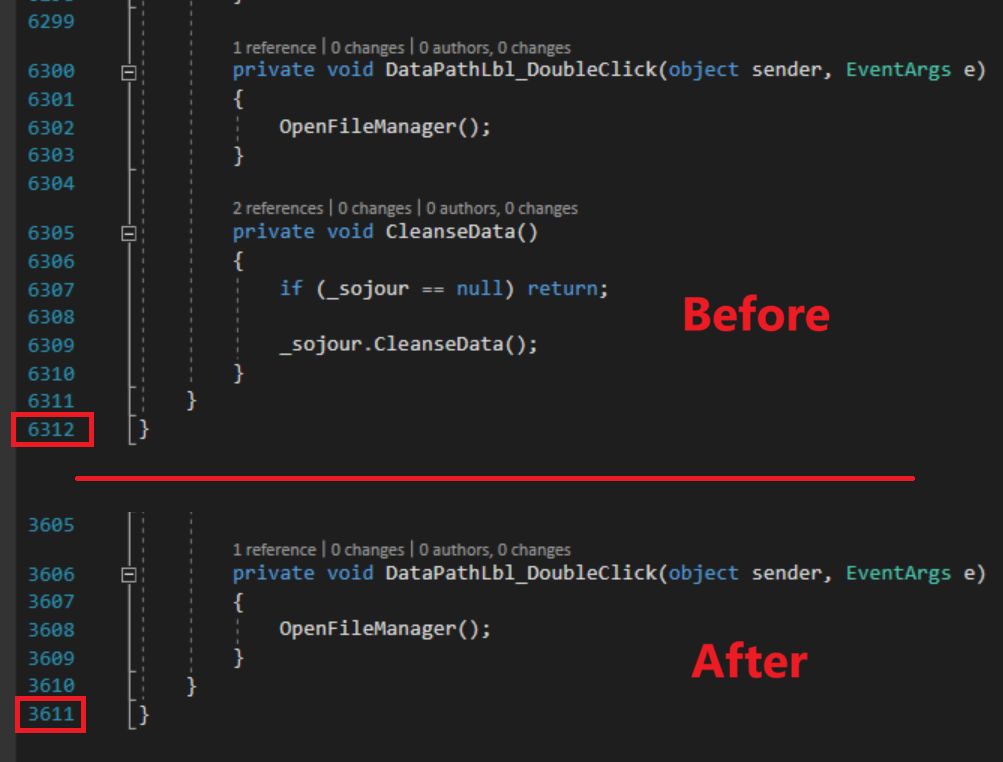
The removed code was taken away and componentised by functional area. So all the map actions are now in one place as are all the journal actions etc. They are no longer intermingled in the main window’s code. This makes it much easier to locate and understand the code I need to work on!
The refactor has also enabled me to create a custom context menu component which allows for the addition of the custom functionality to support user defined folders.
For example, every user defined folder’s context menu now inherits functionality from its parent asset:


If you examine the two images above, you will see that the folder under journals inherits journal functionality, whilst the folder under tables inherits the tables functionality. This will work for all other asset types too.
Custom behaviour such as this would have been a right royal pain to do inside the main window’s code – hence the refactor.
Now that the refactor is behind me, work has re-commenced with user defined folders – itself a distraction from Calendars Mk2 – but we will be going back to that too!
The result is that we are now at a point where one can now perform most of the standard operations that one would expect to be able to perform on the new user defined folders.
For example, here is a screenshot showing a whole bunch of journal and map folders that I created:
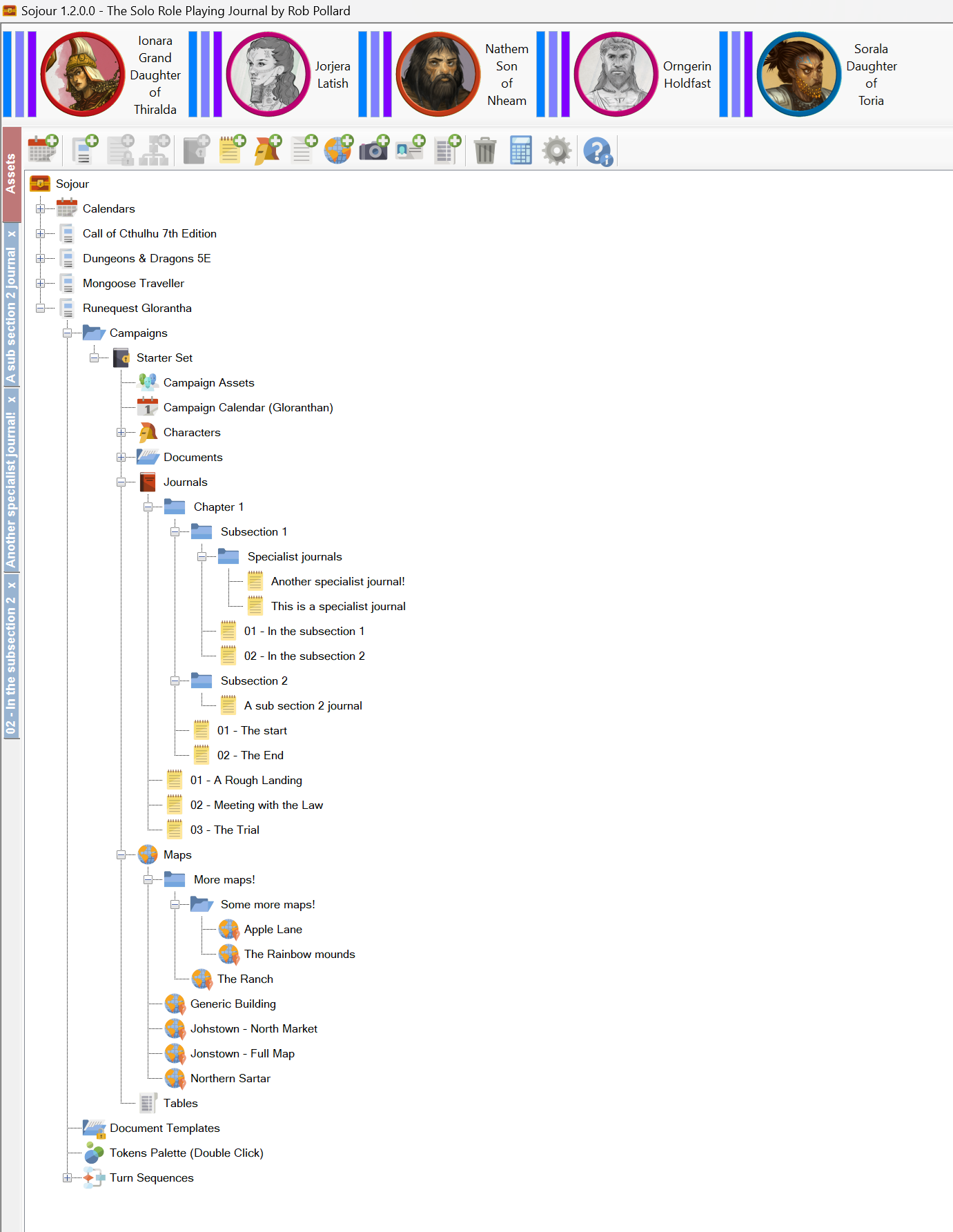
All your existing data and games will work with the new folders system – Sojour will automatically update your data to be compatible. (It will also create a backup of your data too!)
What’s left to do?
Firstly, I need to get the whole thing to work with drag and drop – this can be non-trivial.
Next up, I will be refining the deletion code. Right now there isn’t a lot of warning if you delete a top level folder containing a lot of your precious work. I want to make sure that such deletions cannot happen accidently.
Once that’s done, I’ll need to look at character activations and deactivations, as these got a little more complicated under the new folder structures.
Finally, I’ll need to update the manual and accompany that with a lot of testing.
So a fair bit to go, but the hard stuff is now out of the way!
Alas, I can’t give a release date for this as there are simply too many variables at play, but hopefully, the screenshots above will provide some assurances as to how far along we are.
That’s it for this post!
Have Fun!
RobP
 Sojour