


It’s with a little excitement and some trepidation that Sojour 1.3.0.0 has finally been released!
The reason for the trepidation is that this release also includes a huge refactor of the code in the User Interface layer. I think my testing has covered everything, but with such an extensive change, it always feels that whatever testing I do, it will never be enough!
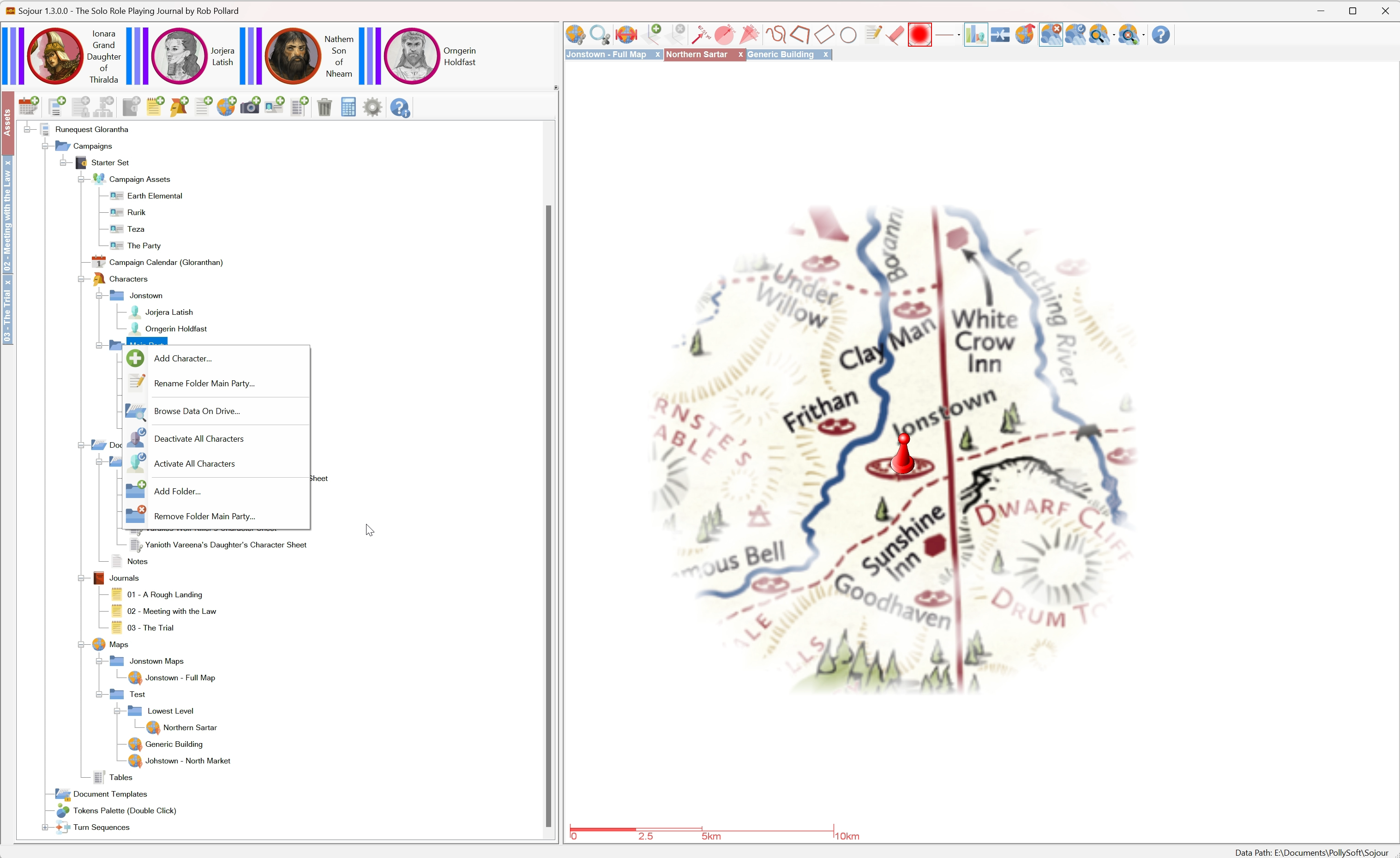
This release is primarily about providing the new custom folders feature for customers.
Other features and fixes are also included. The full list is below:
RPG-360 Sojour now supports custom folders! That is, the ability for users to create their own folder structures under a variety of nodes in the assets browser. This story also included a massive coding refactor of the UI layer.
RPG-407 Sojour now provides the option to activate or deactivate all characters under a folder or node, including all of its sub-folders, with just a single mouse click.
RPG-411 Reenabled the use of the enter key to close simple dialog windows. This functionality was originally disabled due to useability issues. However, it turns out those issues only affected the larger dialog windows (the user would accidently shut them when hitting enter whilst typing text entries). This functionality was re-enabled after a customer request.
RPG-412 Moving the mouse cursor off map whilst the fog of war torch is on, will temporarily switch off the torch until the mouse cursor returns over the map.
RPG-414 Fixed a rare bug (which bit me) for the Restore functionality. In the bad old days if you squirreled away your old saves folder before the time of Sojour’s file manager being introduced, and then changed your Windows Documents directory, then tried to restore that saves folder, it would lead to missing maps and tokens. This has now been fixed.
RPG-416 The Microsoft WebView component has been upgraded to the latest version. This is used for viewing PDFs.
RPG-417 Sojour now hides and re-shows the token palette for more of its functionality. This is to prevent soft locks caused by the palette appearing over other dialog windows.
Here is the obligatory You-Tube video covering off the main new features:
I hope you good folk will find the new folders functionality beneficial for your games! 🙂
That’s it for this release!
Have Fun!
RobP
 Sojour