

This is a release that contains a number of minor enhancements as requested by customers. The intent is to get as many customer requests in before the Christmas Holiday, then switch back to the Calendar Mk2 work which will take a significant amount of my time and thus reduce my public output.
This release contains the following enhancements:
RPG-423 Added a new global setting to allow users to enable or disable automatic token centering. The option can be viewed under Settings->Map Settings:

This setting affects character centering when waving the mouse over a character in the main toolbar, NPC centering when waving the mouse over an NPC in a journal toolbar and also token centering from any running turn sequence.
When disabled, the focused character / NPC will still have a focus ring drawn around them, it’s just that the map will not move to centre them:
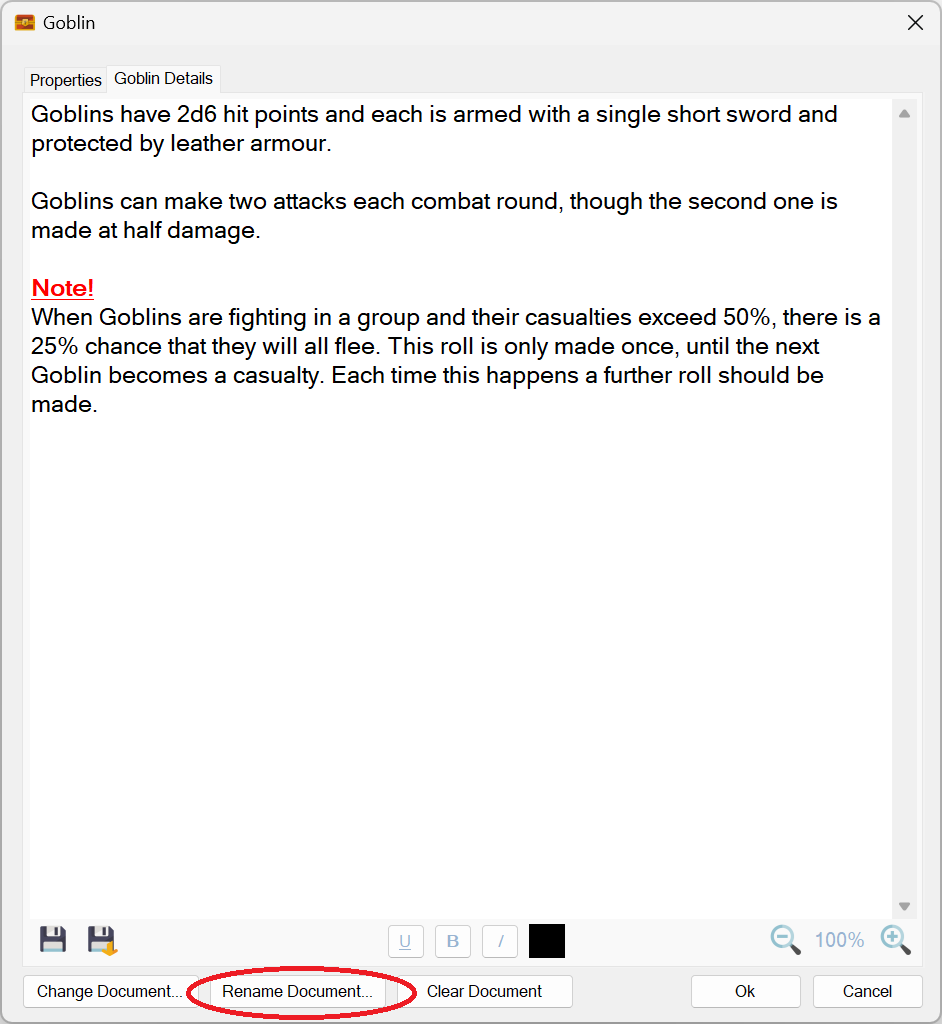
RPG-426 Documents already attached to characters, tokens and campaign assets can now be renamed using a new button:
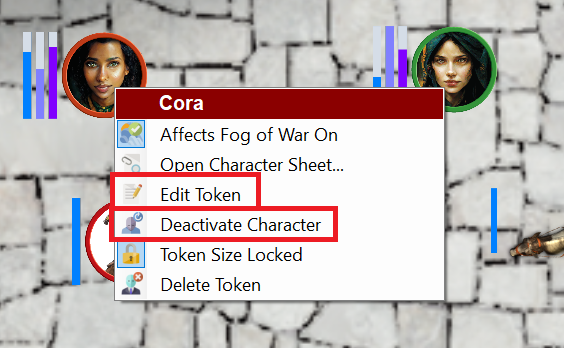
RPG-427 The on-map context menu now has additional context sensitive options that more closely align with other context menus used in Sojour. The new menu options are highlighted in red rectangles:
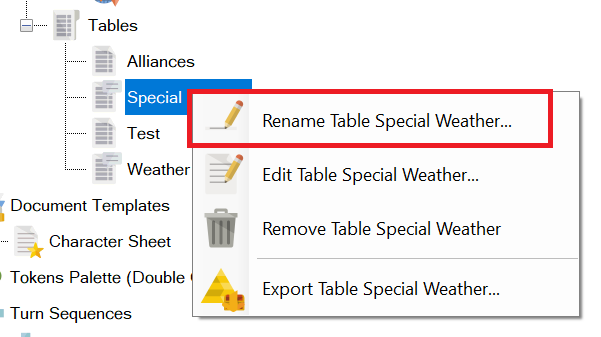
RPG-432 The assets browser’s ‘Rename’ option in the context menu is now consistently shown for all assets. In the past, assets that had an associated editor window would not offer this option – the thinking being that a user would just click ‘Edit’. However, ‘Rename’ is now offered for all assets including those with editors.
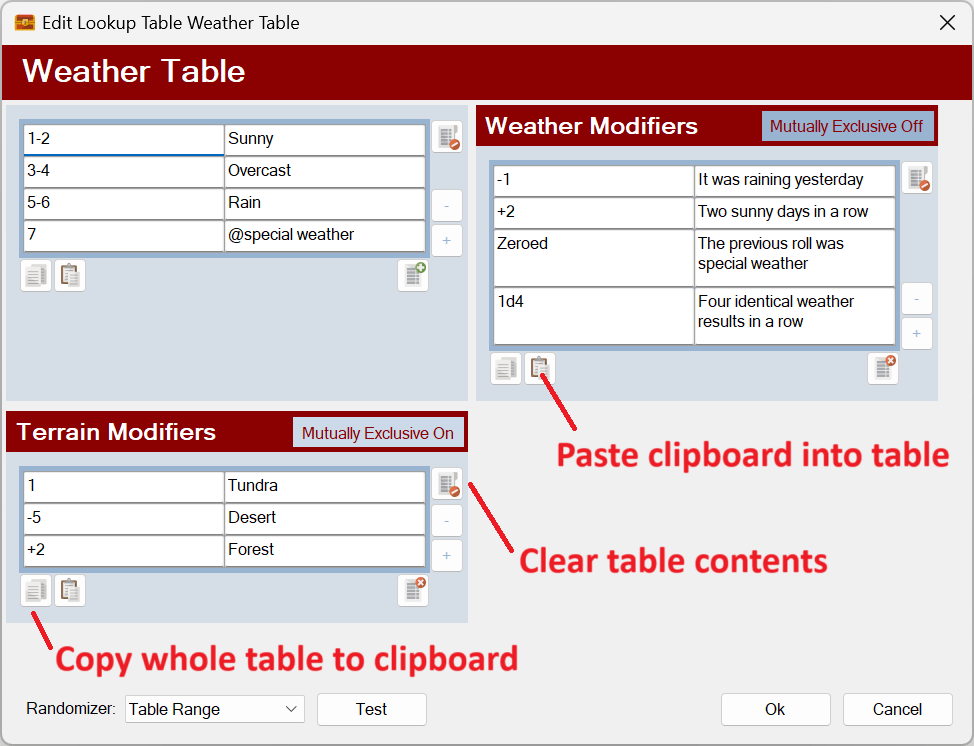
RPG-433 Three new buttons have been added to all Sojour tables that will let you do the following:
- Paste data into a Sojour table from the clipboard. Tables will automatically expand their sizes to accommodate any additional pasted rows or columns. Note that modifier and event tables will never expand their column count as these are always two column tables. However, their rows will expand to accommodate new data. Data is pasted in so that the top left of the data is inserted into the currently selected cell.
- Copy all data from a Sojour table to clipboard.
- Clear a Sojour table.
The new buttons are as follows:
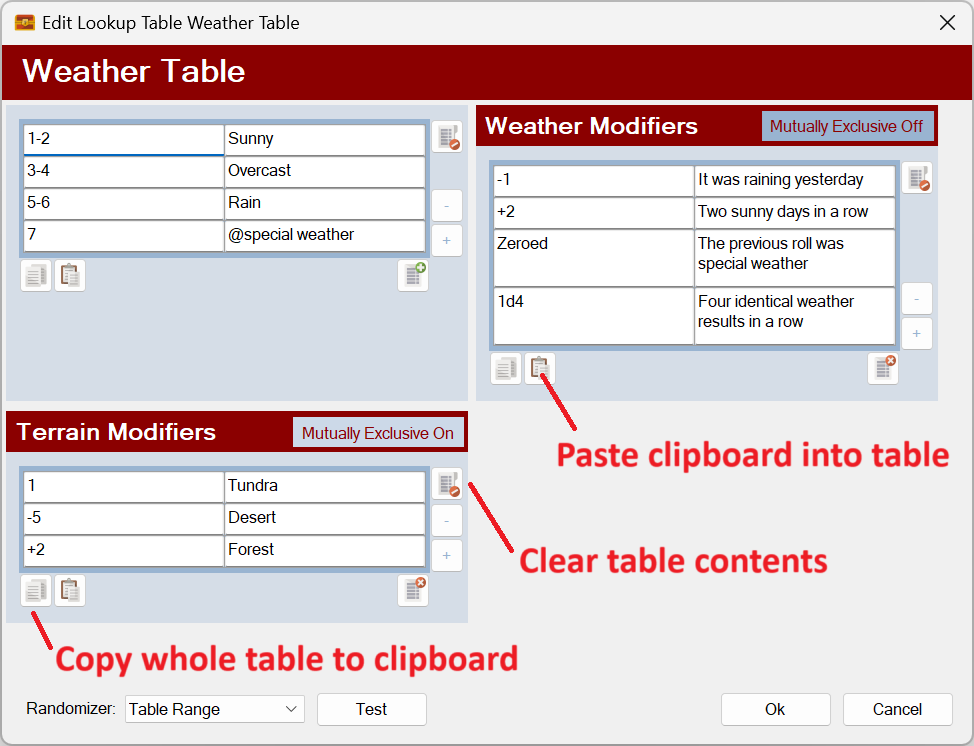
Note keyboard shortcuts have also been coded to support CTRL-V for paste, CTRL-C for copy whole table.
Users might experience issues pasting tables from PDFs as these are not real tables in a programmatic sense. An easy way to tell is to try and paste those ‘tables’ into a spreadsheet such as Excel and observe the behaviour! (Just mitigating potential bug reports ahead of time!)
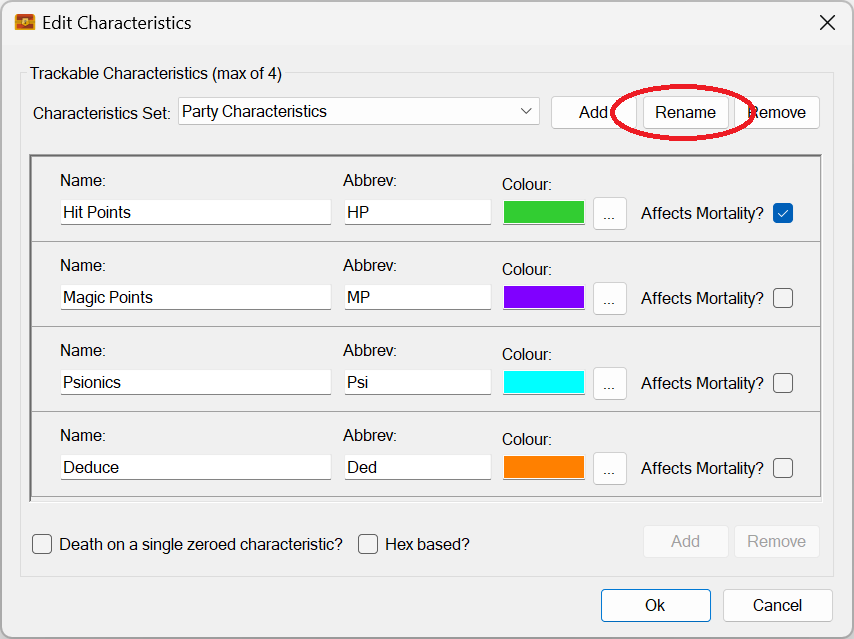
RPG-435 Characteristics sets can now be renamed using a new button:
RPG-436 Tidied up assets browser context menu by ensuring that the correct number of menu separators are shown at all times. The folder rename menu has also been moved to be near the other folder commands and has had a new icon assigned to it:

That’s it for this release! If you need further information on the new functionality, please consult the updated PDF manual.
Before I go, I’d like to take this opportunity to thank all the customers that took the time to contact me with these requests!
Have Fun!
RobP
 Sojour