-
Work has been underway on Sojour 2.0 for quite some time now — most of it focused on the new 64‑bit graphics engine, Dorian.
The video linked above walks through the high‑level plan for Sojour 2.0 and should give you a clearer picture of what’s coming next.
Key Points
- Development has been ongoing for a while, with the majority of work centred on the new Dorian 64 bit graphics engine.
- This is a full rewrite, so it won’t be quick — current estimates put the timeline at around two years.
- When Sojour reaches version 2.0, the price will increase to a one‑time cost of $20 USD. The video explains the reasoning behind this.
- Until 2.0 is released, Sojour will remain at $10 USD.
- Existing customers will receive Sojour 2.0 for free.
- The 1.6.x branch will continue to receive bug fixes and small quality‑of‑life improvements.
- Bug fixes for 1.6.x will take priority over 2.0 development.
If you have any questions, feel free to post them here, on Reddit r/Sojour, or on the YouTube video — I’ll do my best to answer everything.
That’s all for now.
Have fun!
RobP
-
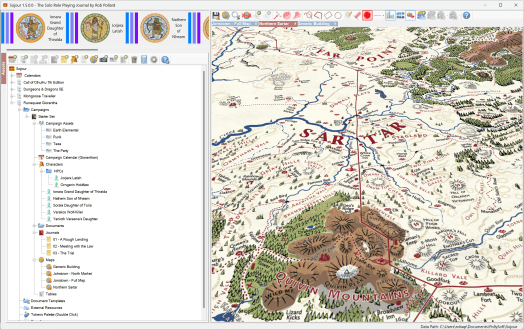
This is a minor release that addresses two issues:
- Drawing tools no longer working. This was caused by the new left mouse drag for the map functionality – I had completely forgotten about the drawing tools! The map drag functionality is now compatible with them!
- All windows including Sojour itself that memorise their last position, now check that this memorised position is still a valid screen location when re-opened again. This is to prevent some windows getting opened off screen when external monitors are disconnected or the screen resolution is altered.
As for the future, I have been getting a few reports about issues when Sojour’s data directory is set to a ‘Cloud’ drive such as One-Drive or Google-Drive.
The core problem is that cloud drives will occasionally take charge of various files, either to synchronise them or move them around. Once they have a file locked, there is nothing Sojour can do about it. This can lead to Sojour crashing out as it tries to write data to a file it thinks it has sole ownership of.
For the moment, I would recommend not pointing Sojour’s data directory at a cloud drive.
My intent is to work out a technical solution for this.
I already have one idea, and that is some kind of file synchronisation manager which will let Sojour simply retry file tasks at a future point in time if the files are locked.
I have been through the code and so far I know it will be possible, but non-trivial.
This piece of functionality has pipped its way to the top of my priorities list as I want my customers to be able to use their cloud drives for Sojour’s data
In the meantime
Have Fun!
RobP
-
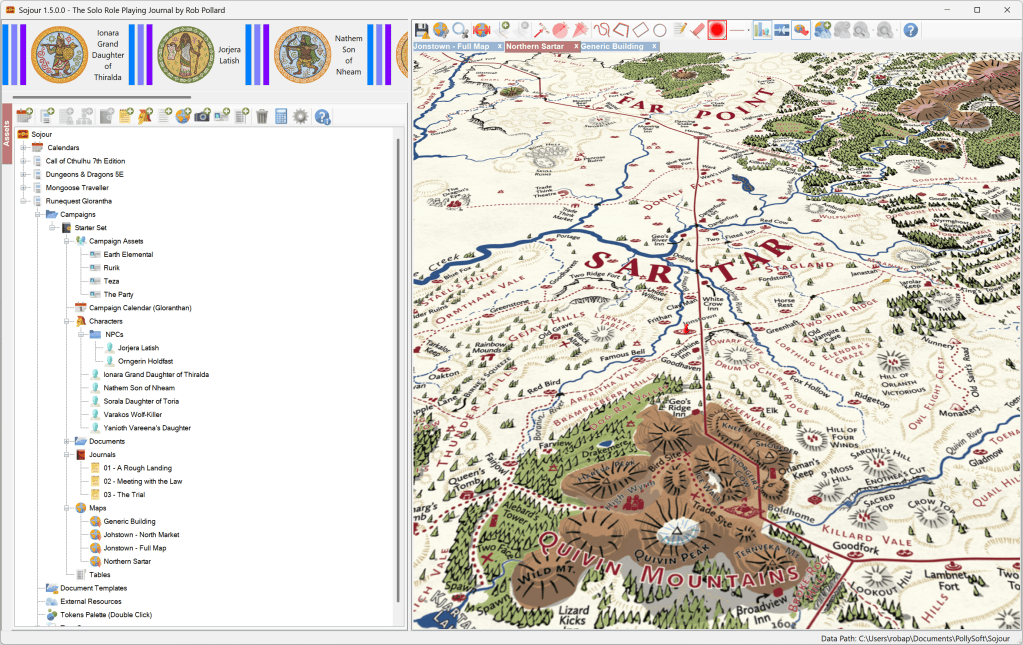
Sojour 1.5.0.0 has now been released! Tokens and map from Chaosium’s RuneQuest Starter Set and RuneQuest Adventure Tokens pack. This is the first release from my new build and release system (I migrated from JIRA/Confluence/TeamCity to Azure DevOps earlier in the year). Hopefully, there will be no issues, but this is something to be aware of!
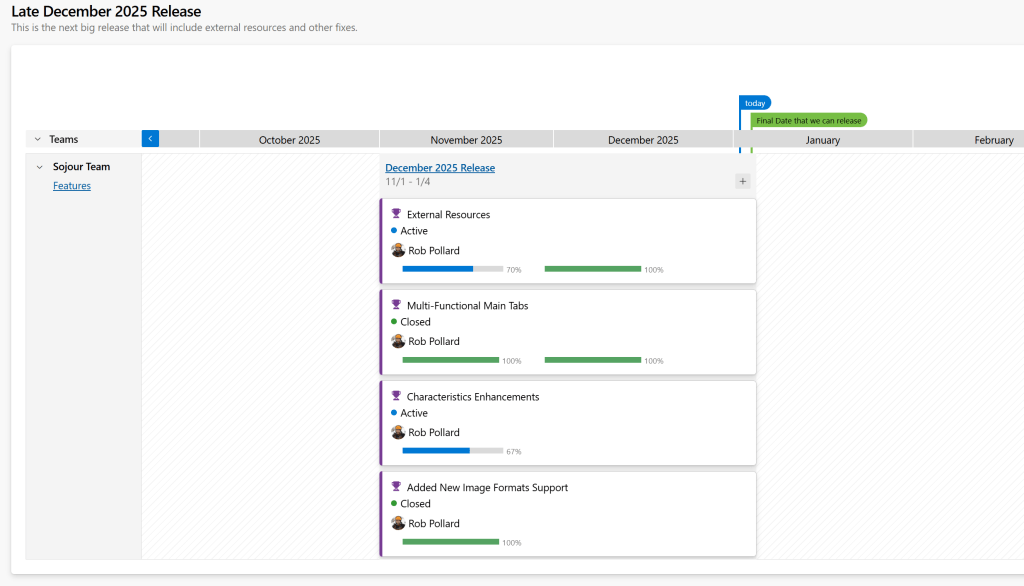
The new Azure Devops System scaring the willies out of me! Is that really how much time I have left? Before we get to the list of changes, I’d like to point out that I’m now working in iterative sprints where the stories are a lot smaller than they used to be. The upshot is that it is no longer worth publishing the story numbers like I used to do with the old RPG-XXX format.
The reason for this is that the number of stories per release has increased dramatically. This release alone as over 30 of them. I’m pretty sure you don’t want to know about all the details!
What are the changes?
At a high level, they can be broken down as follows:
- Added support to add external web pages to Sojour as either a tab within Sojour’s main window or as a separate standalone window.
- Added a dice rolling trigger to enable web pages to trigger rolls on Sojour’s tables. Note, this is an early version, in that right now it only works by inspecting network traffic. I do have an upgrade in the pipeline which will also analyse the web page itself. Until then, JavaScript only apps might not work with this system.
- Sojour’s tokens and maps now support three additional image formats: GIF, WEBP and AVIF.
- Sojour’s map can now be panned by left clicking and dragging the mouse directly on the map – you would not believe how hard this was to do – especially in 3d!
- Trackable Characteristics now support as many characteristics as you want to add! This used to be limited to four, but I have now lifted the limitation. However, the health-bars displayed on the maps and toolbars can only show these characteristics in groups of four at a time. You can switch between groups by using the left and right keyboard arrows when hovered over the health bar for a token.
- Fixed an issue where computers with touch pads or touch screens could force Sojour’s maps into an infinite zoom.
- Campaign Assets are now always rendered underneath other tokens with Static Campaign assets being at the lowest level. This is because these tend to represent map features, so other tokens should appear above them.
- The File Manager now performs a ‘Save All’ prior to performing some of its operations. (A necessity after Sojour’s file system got changed in the previous release.) The File Manager has also been updated to aggressively close down and free all memory allocated by WebView2 – this is to prevent crashing when restoring from a backup due to WebView’s cache being locked.
- Fixed a bug where changing External Characteristics on a player character didn’t propagate to all maps.
- Opening Characters, Campaign Assets or Tokens and then shutting them now returns focus back to Sojour properly. This is a WebView2 message queue and threading bug!
- All external components used by Sojour have been upgraded to latest – if I have done this right, you won’t notice any changes!
That’s it for this release. Please do get in touch if there are any issues (email is in the front of the manual). I have done a lot of testing, but I’m a little on edge as this is my new development environment’s first real public release!
Here is a video covering off the main features!
Have Fun!
RobP
-

Merry Christmas! I’d like to take this opportunity to wish everyone a Merry Christmas and Happy New Year!
I’m currently targeting a new release for 4th January which will contain external resources and a few other bits and pieces.
The external resources functionality is coming on in leaps and bounds and we can now target them to external windows or tabbed controls. Sojour remembers external window sizes and positions from instance to instance too.
Here is a screenshot from the latest development build:

External resources can now be opened in separate windows too! 🙂 That’s it for this year. I’m hoping to post again early in the New Year with the new release!
Have Fun!
RobP
-
Here is a link to a preview video of the updated External Resources system. Hopefully you good folk find it much improved!
Have Fun!
RobP
-

This was not a post I was expecting to write.
A few weeks back my build server got hacked by ransomware, this is why there has been a delay in releasing the External Resources functionality.
In terms of your customer data, there is no danger at all. I don’t store any customer data whatsoever – that’s what my publisher does.
In terms of Sojour, it crippled the automated development environment that has resulted in the loss the following systems:
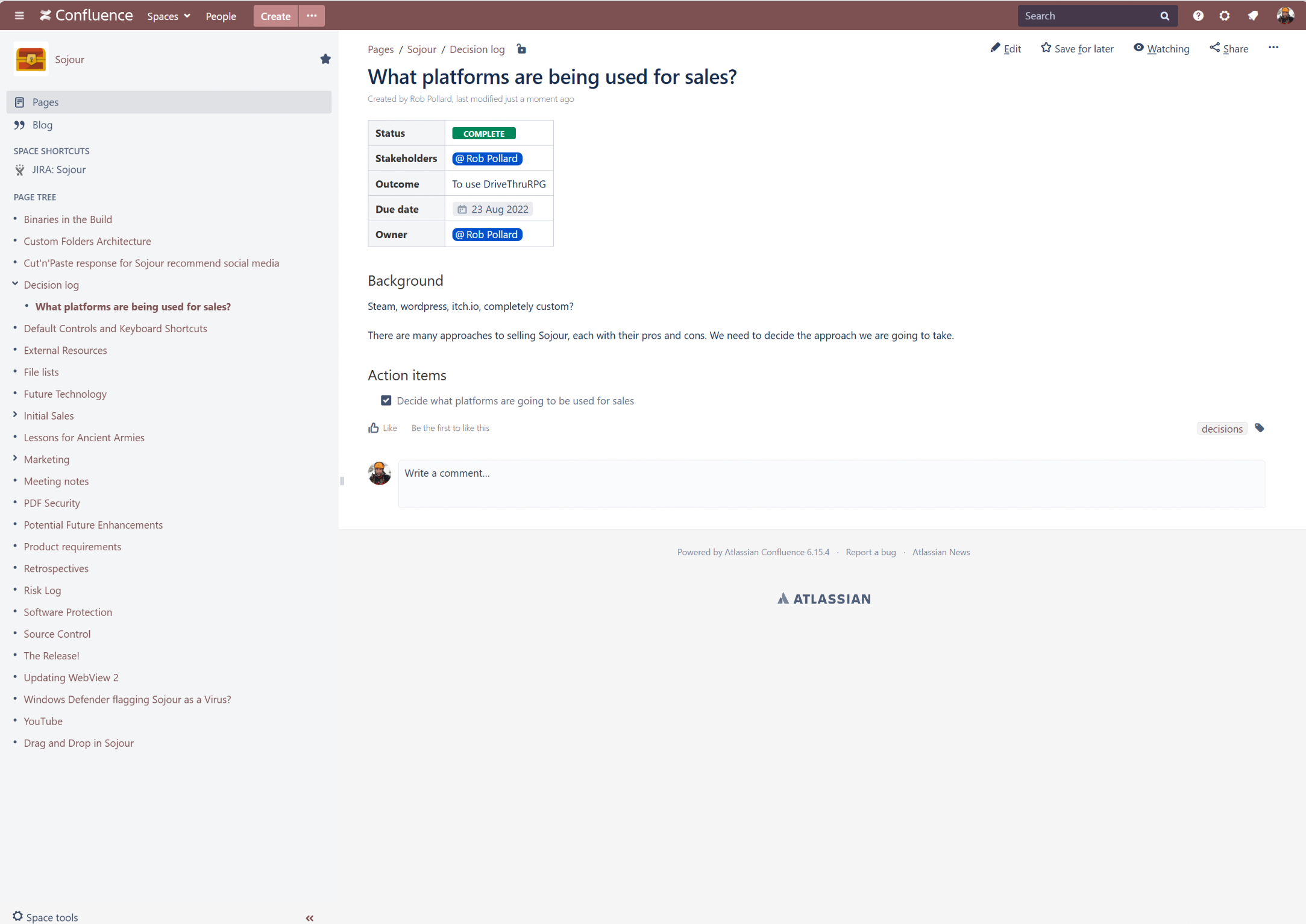
Confluence: My Wiki. This had a lot of information on architecture and many How-To-Do articles written from the experience gained of writing Sojour & Ancient Armies.
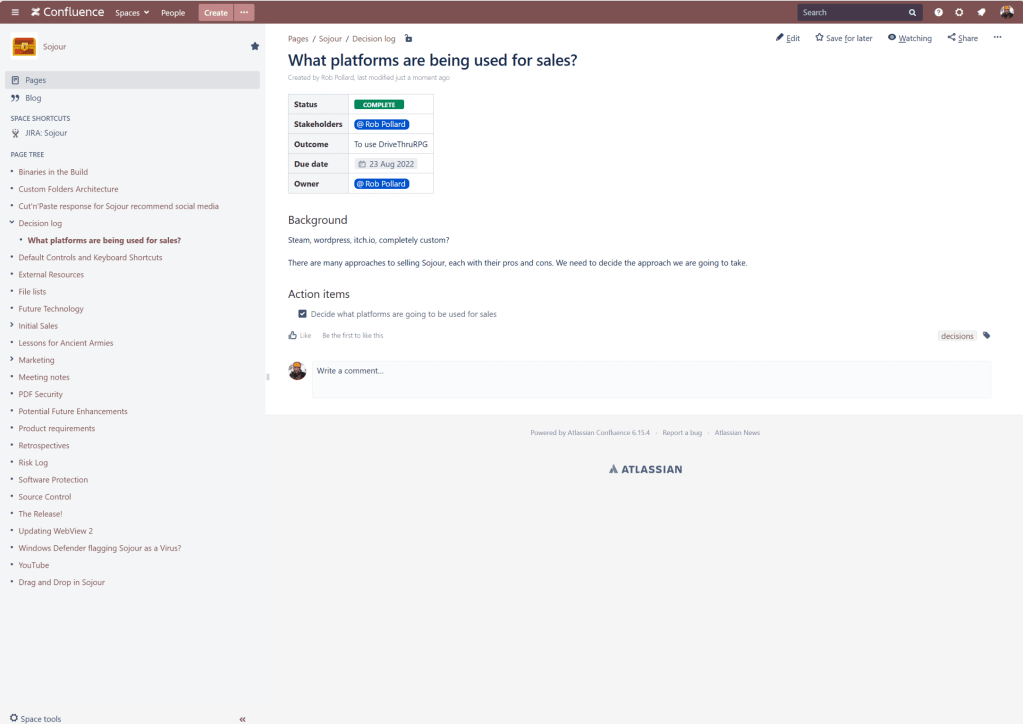
The old Confluence Wiki JIRA: Stories and Task Management. This stored all of my stories and tasks. In Sojour’s updates you would have seen these as RPG-XXXXX. These are now all gone and I will discuss the implications later.
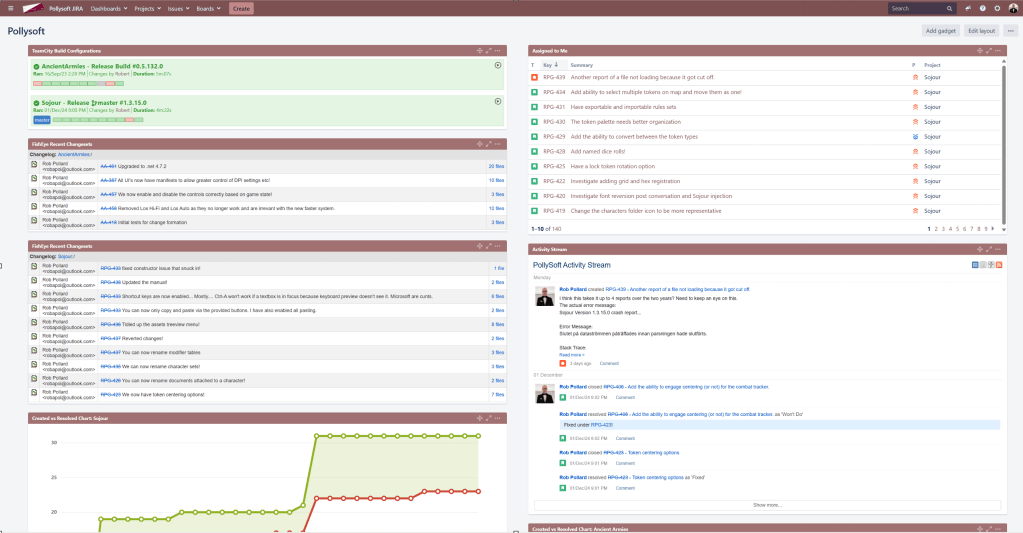
The old JIRA system! Team City: Automated Builds. This system ran Sojour’s automated builds. It carried out a lot of tasks fully autonomously. These tasks ranged from automatic versioning, running tests, code obfuscation and the production of Sojour’s installers.
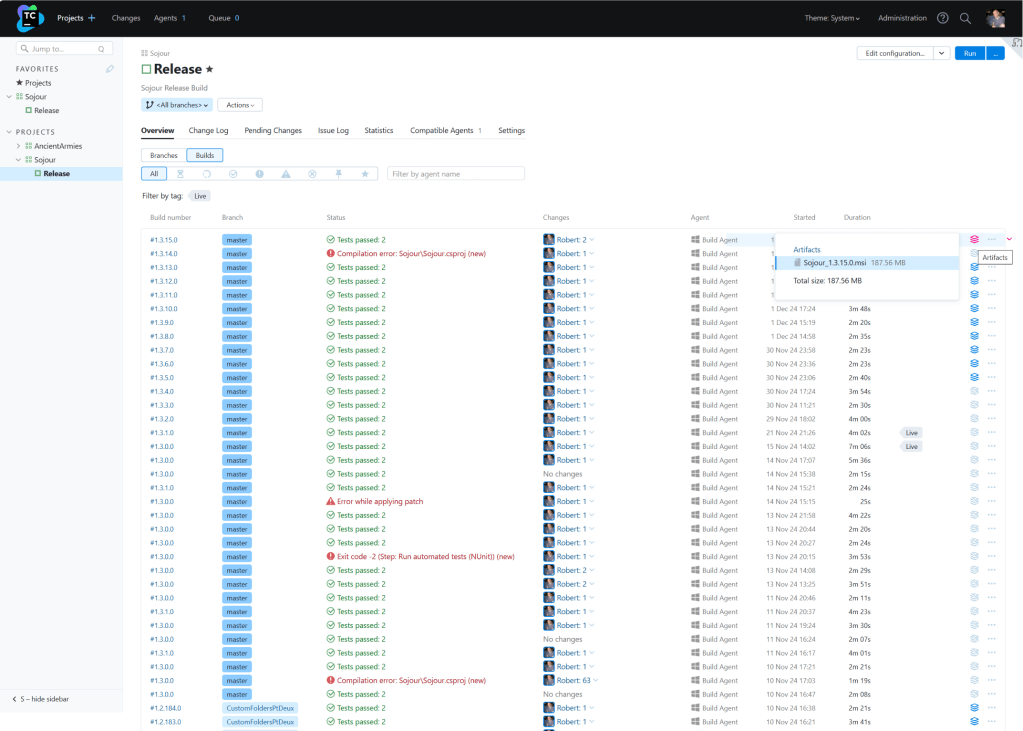
Team City – the heart of the old build system! Other ancillary development systems were hit too.
How did it happen?
Most people are probably thinking that I visited a dodgy web site, or that I clicked a dodgy link or perhaps that I clicked or opened something in a dodgy email. But, none of these things happened.
The root cause of the security breach was simply an out of date Windows 10 installation, a weak implementation of the RDP protocol, and vulnerabilities in older versions of my development tools.

RIP – the old build server! I had basically gone to visit the parents over a weekend, came back, and then noticed that I couldn’t raise any of my development systems through the browser.
I then RDP’d into the build server and at that point I realised something was very wrong.
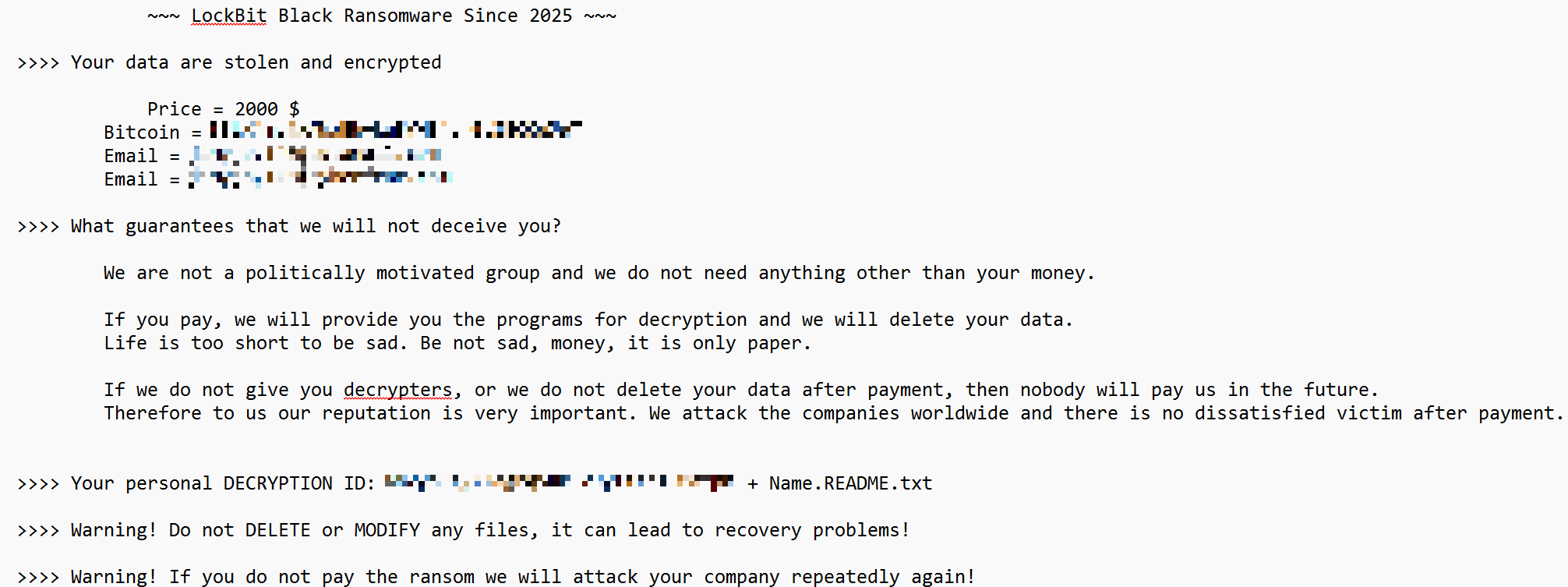
The services running the various systems had disappeared and within each critical directory I found readme files like this one:
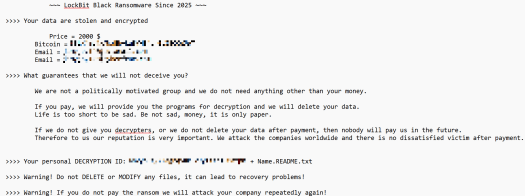
The ransom note! To re-iterate, I did nothing active to allow this hack. It was a lapse on my part with regard to keeping my systems up to date. In the case of the build server, it was a tiny computer that was out of sight and out of mind. It just worked, so I had no cause to ever visit it – until this incident that is.
The only real oddity is that LockBit don’t normally target small businesses like mine, they tend to go after the much larger corporate entities. I guess that when they see an easy target like this, they just go for it.
Obviously, this has massively impacted Sojour as a project. The only saving grace is that the source code and its history were untouched.
I’ve been spending the last few weeks trying to get a development environment up and running and re-securing all my current systems.
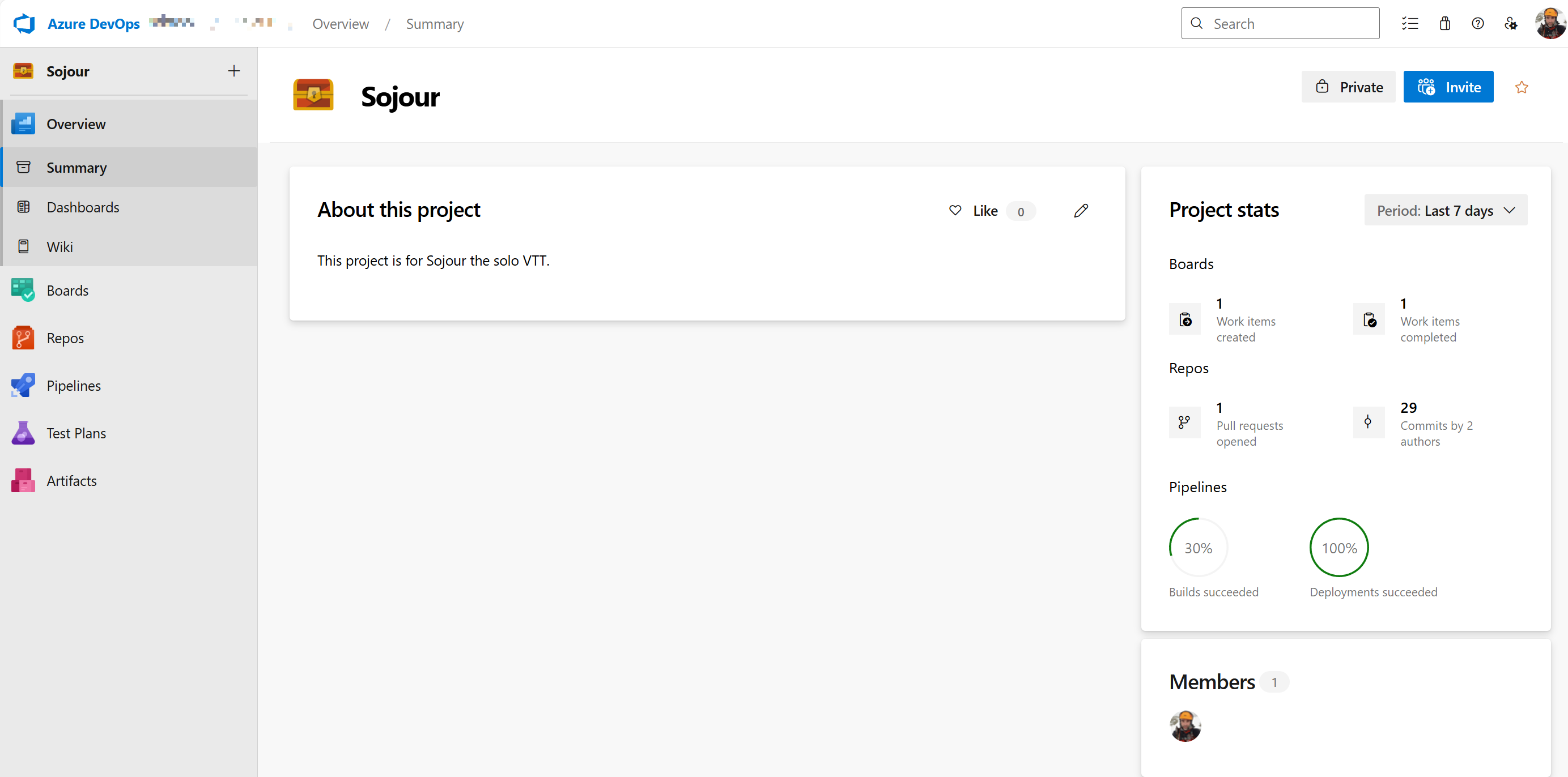
In the end, after many false starts, I decided to move everything into the Cloud using Microsoft’s Azure DevOps system. This provides me with a fully integrated development environment and a hopefully more secure one when compared to my home-based one.

Sojour is now in the cloud! Getting Azure DevOps to perform everything that my previous system could do took a lot of time and effort. In fact, I had taken for granted just how much my previous system did for me, until this migration that is!
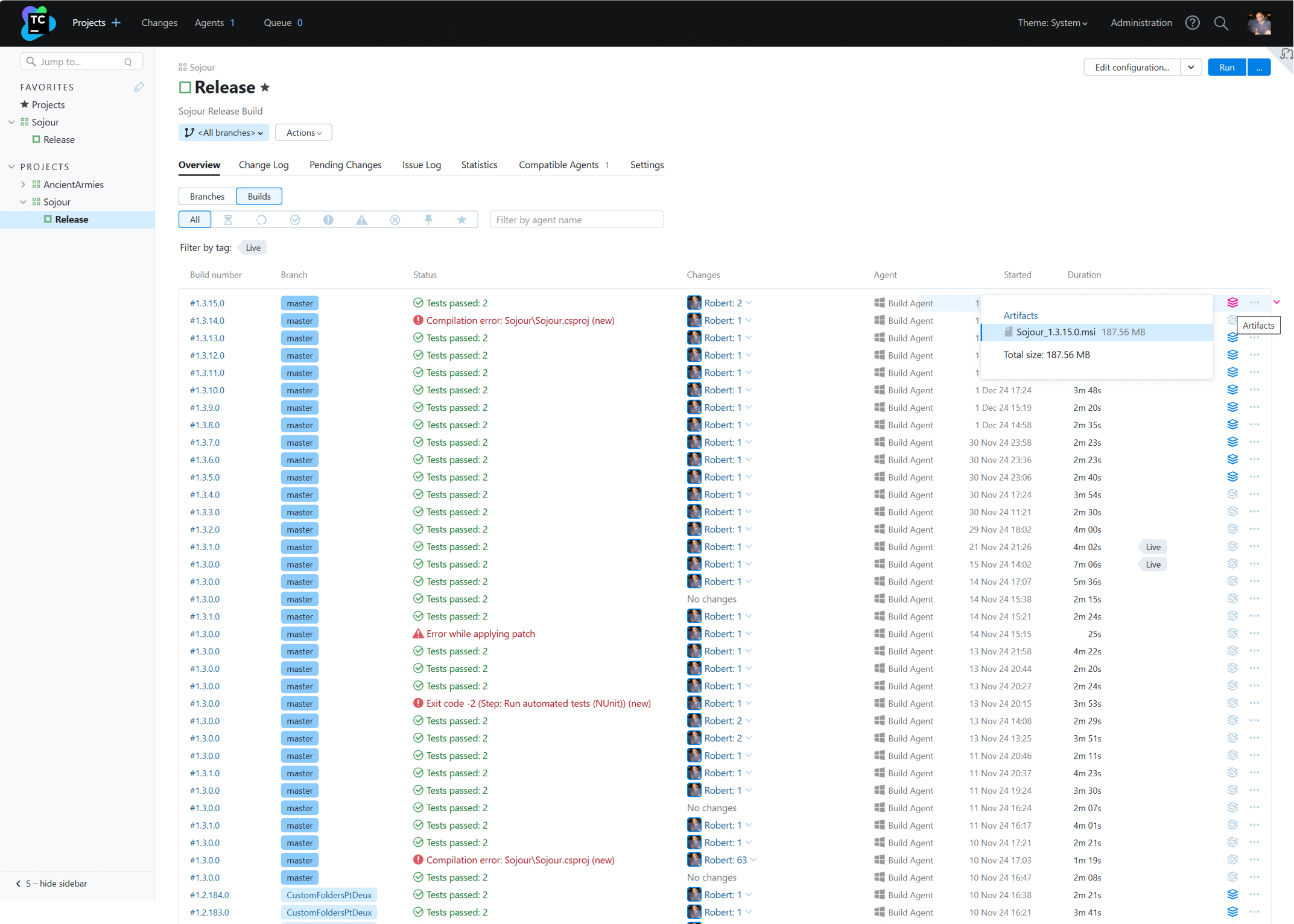
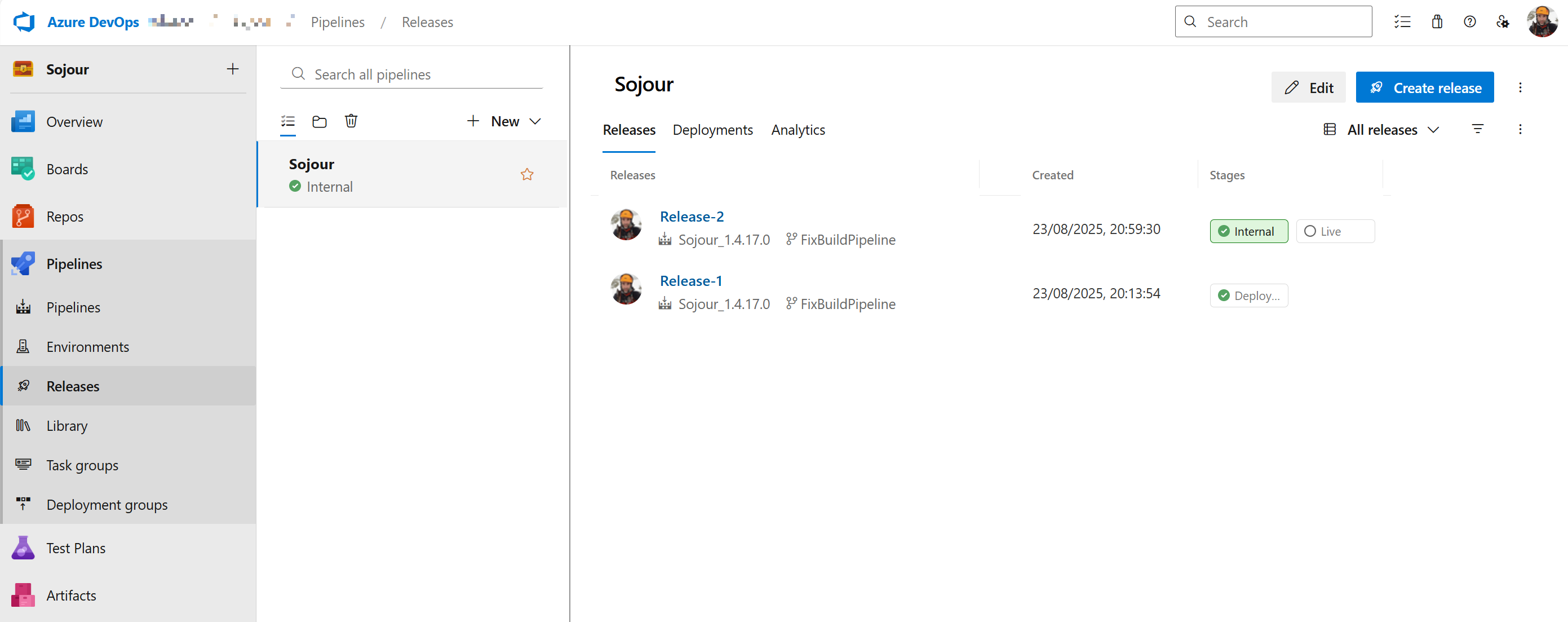
After a lot of time spent, I can now generate versioned installer releases much like with my previous system:
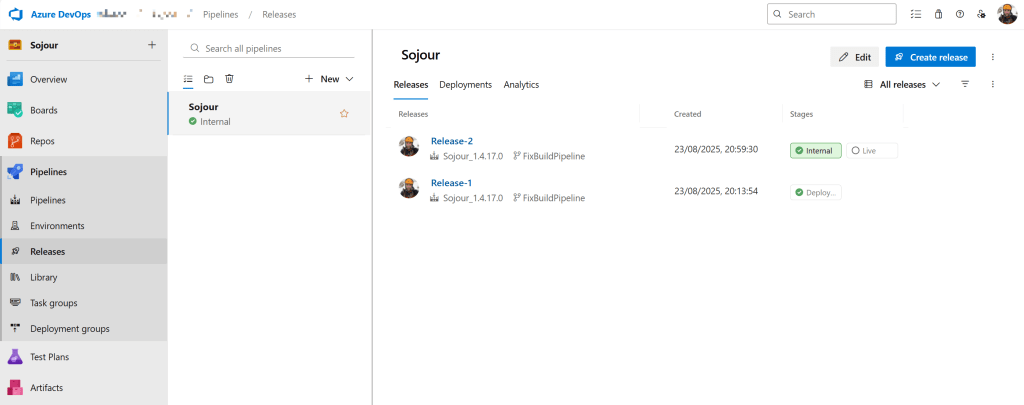
My first DevOps releases (pre-merge) Every cloud has a silver lining. In this case, it’s the way that I have configured Azure DevOps. It provides me with a lot more power and flexibility over my previous system and as a bonus it allows me to work remotely.
There is still a little more tweaking to do, but the system is pretty much there, which means that I can soon get back to software development again!
In terms of implications going forward, the main issue is that I have now lost all my stories – this means that any feature requests will be lost. If you had any, please let me know and I will add them to the new development system (there is an email address at the front of the manual or alternatively use Sojour’s Discord).
The other more minor issue is that without my Wiki, I’m going to have to relearn many of my processes, such as ‘How do I create Sojour’s manual?’. This will slow things down, but as I rediscover my old processes, they will get re-documented within Azure DevOps.
Apologies for the hack – that was on me for not taking security seriously enough.
I guess that the morale of the story is that if you have unpatched operating systems, such as Windows 10 (which is now out of support), make sure you switch to a supported operating system and that you keep it up to date. Otherwise, this could easily happen to you too!
Have Fun!
RobP
-
Howdy Folk!
This is post to give you a preview for what’s coming to Sojour.
The screenshots and video are from a very early build and there is still much more to do, but, hopefully you good folk will see some value in it.
Firstly, what do I mean by external resource?
An external resource is any web based resource.
Right now the system is coded to deal with just web pages, but in the future it will support direct API communications for the more advanced users here.
I guess the next question is, what can I do with external resources?
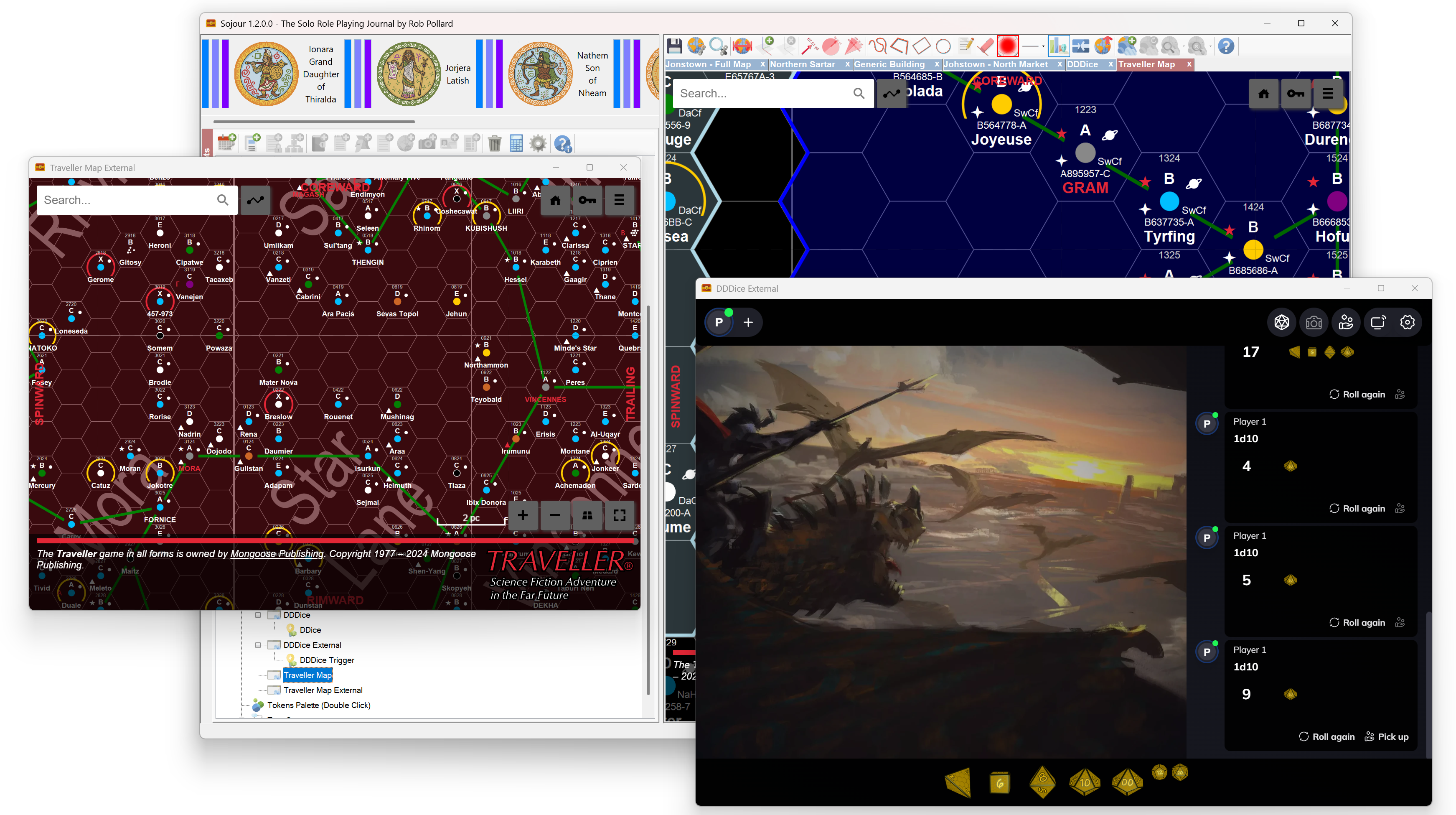
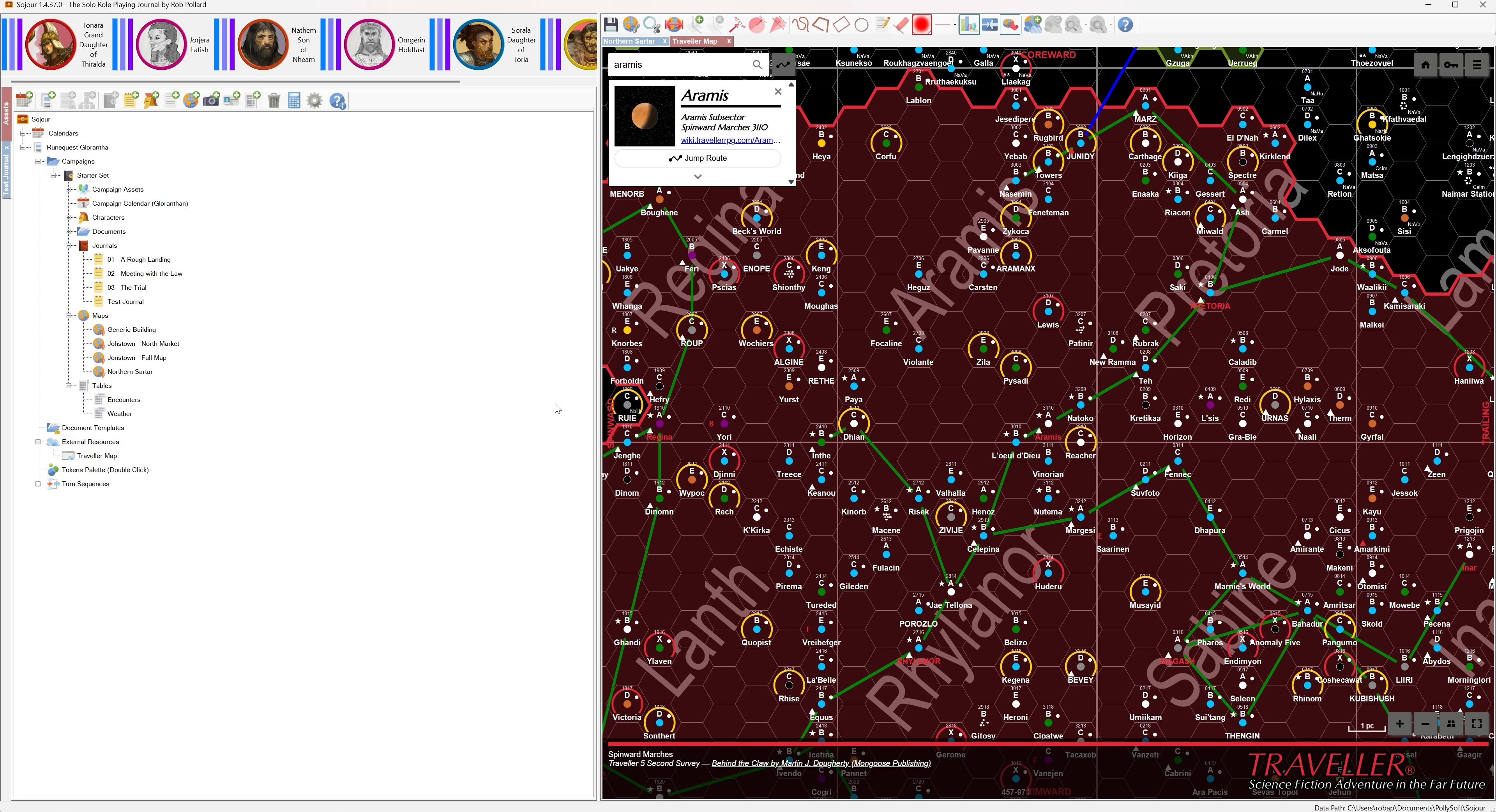
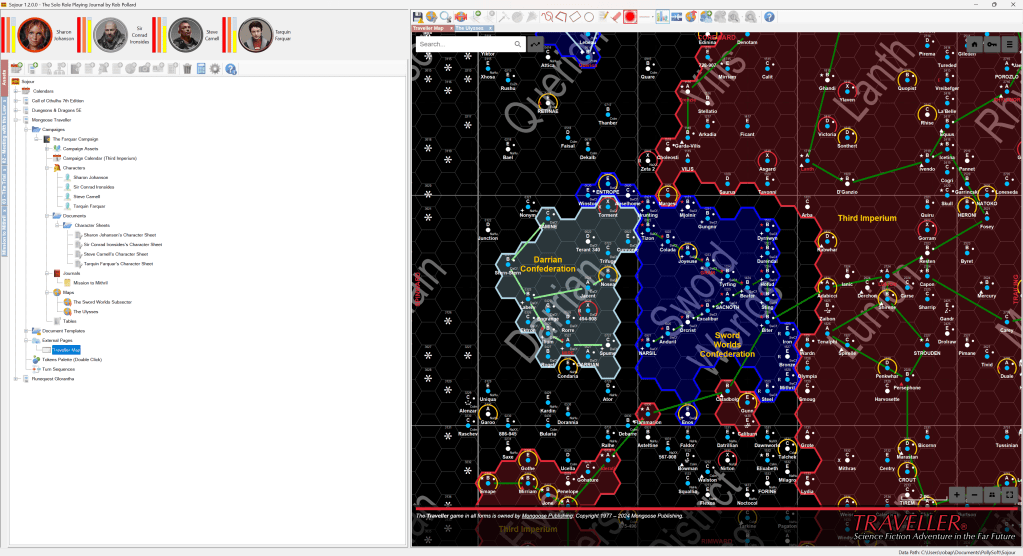
At their most basic level you will be able to embed web pages into Sojour as an asset:
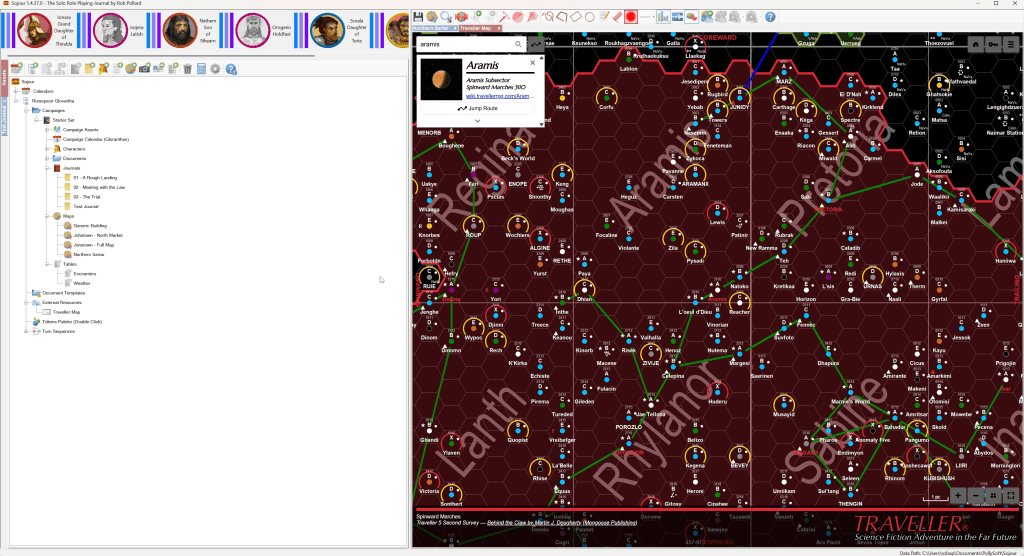
TravellerMap.com embedded within Sojour! External resources have several advantages over using a web browser.
Firstly, the resource is easier to find and you don’t need yet-another-window open to use that resource.
Secondly, if the resource tab is left open and Sojour is closed down and restarted, it will reload that resource from exactly where you left off. In the above example it would remember your last map position.
Ok, we have established that we can embedded external resources into Sojour, but can it do anything else?
Yes. Yes it can!
Sojour’s external resources can have one or more triggers added to them. These triggers allow functionality within Sojour to be triggered based on various criteria from the external resource.
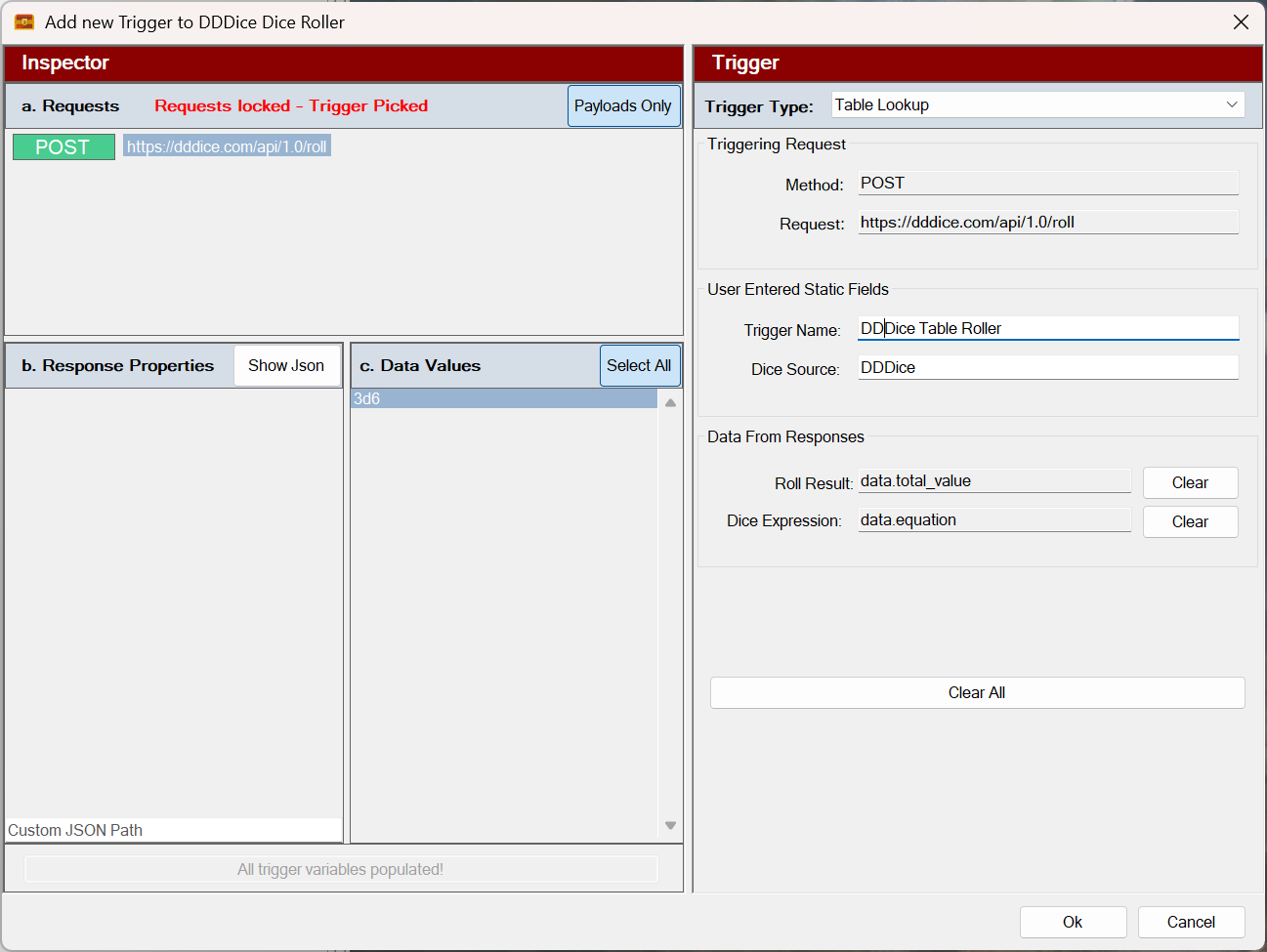
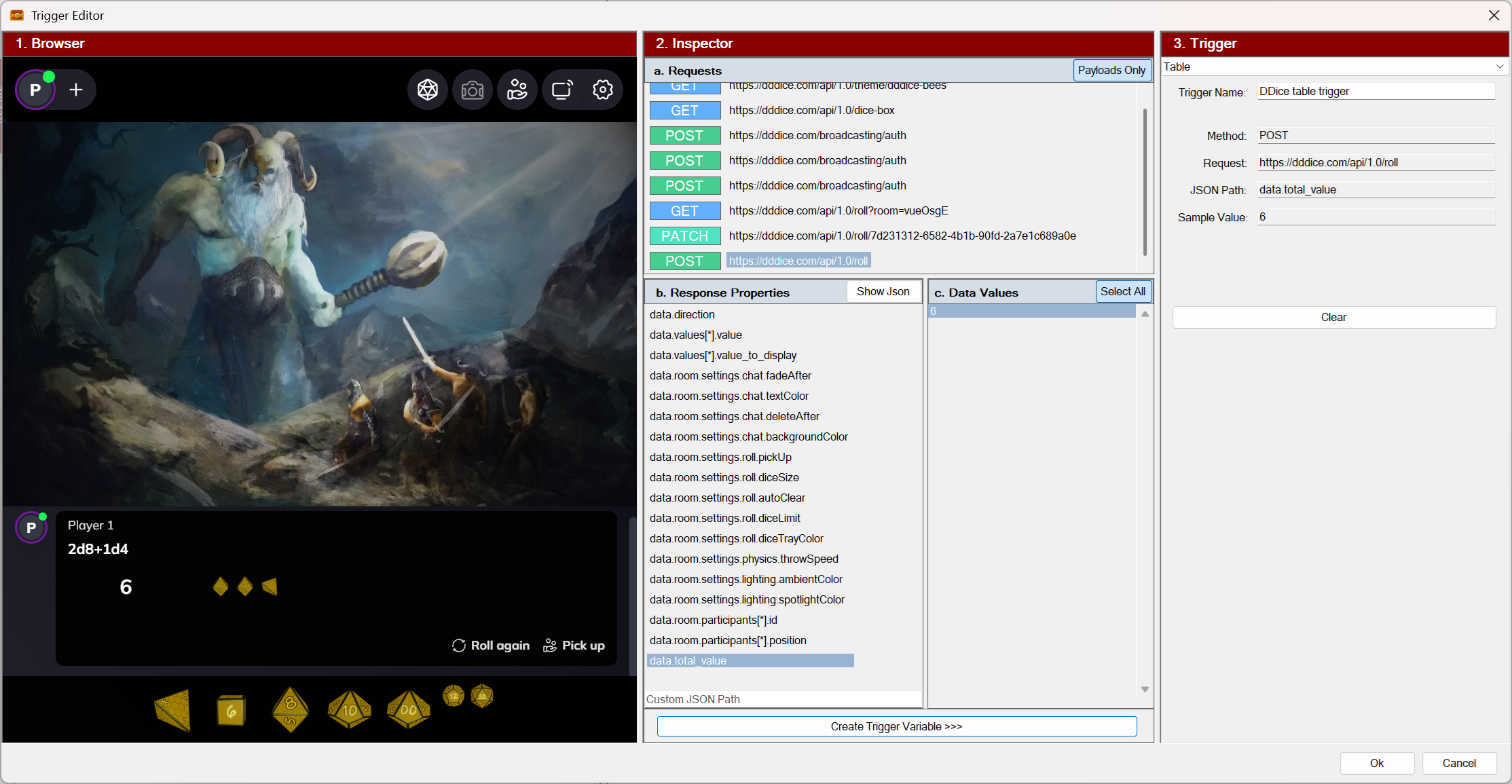
For example, if I wanted to integrate a third party dice roller, say DDDice, I could add a trigger to look out for when a dice is rolled in DDDice:
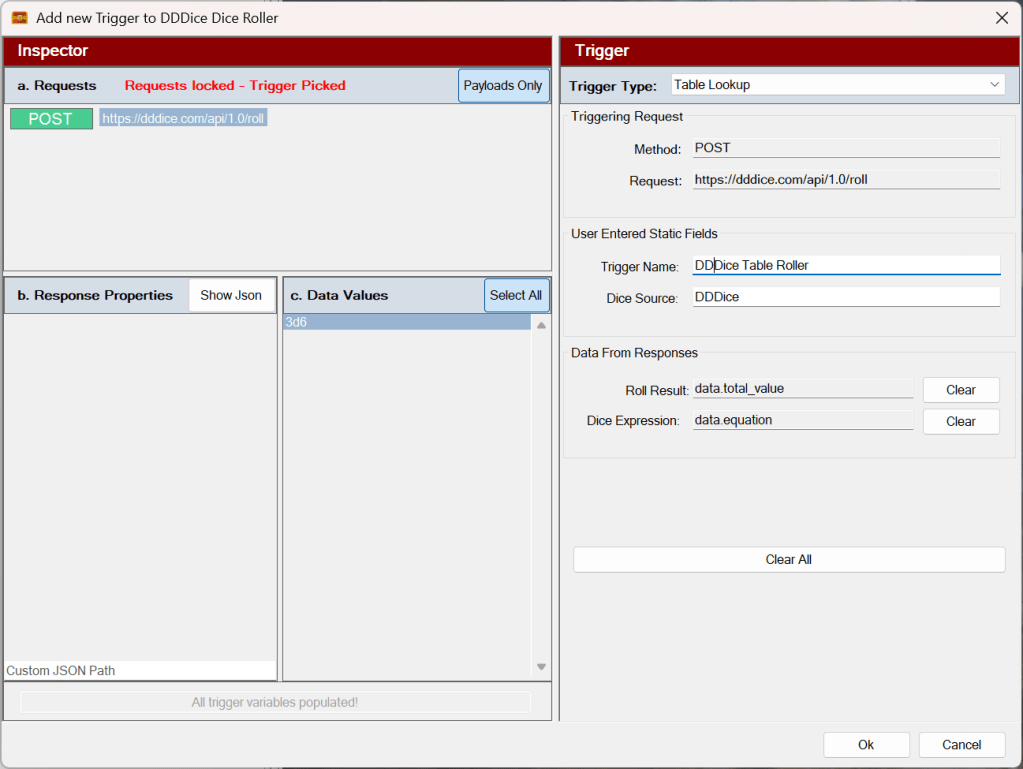
The trigger editor for external resources. This is DDDice being wired into Sojour! More triggers can be added or the existing ones edited by using the assets browser:
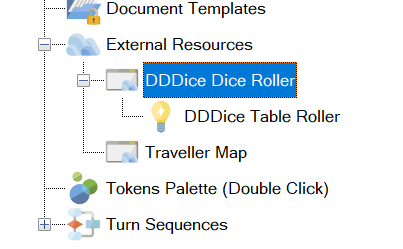
The updated tree view. Now that DDDice is wired in, I can roll dice in it and have them trigger table rolls in Sojour automatically!
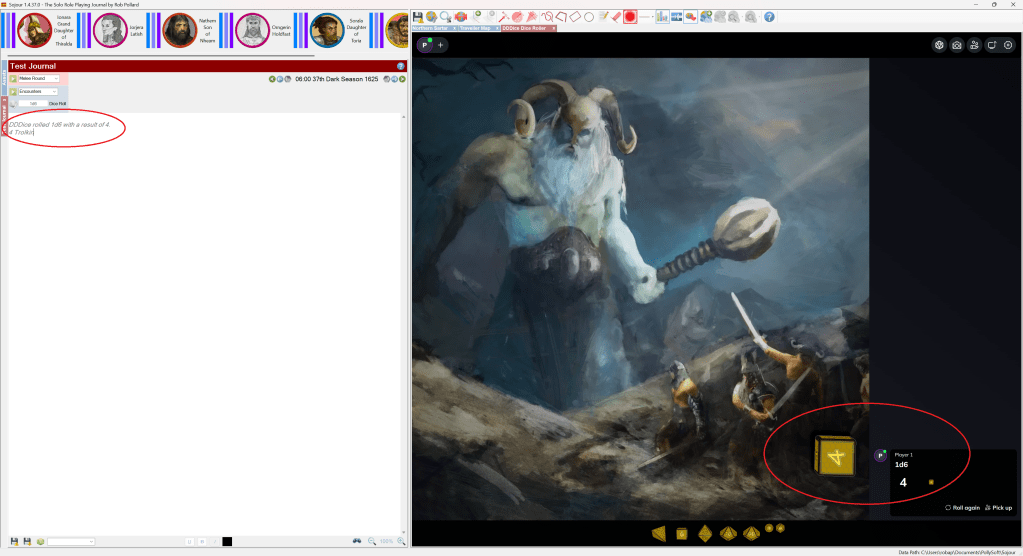
DDDice fully integrated! Make the roll and see the result in Sojour! Sojour will initially support two types of trigger: A table roll trigger and a journal injection trigger. There are plans for a further 6 trigger types, but the implementation of these is further off.
Obviously, DDDice is just an example. This system can be used to integrate any web resource that uses HTTP/S! 😎
You can see external resources in action by watching the You-Tube video below:
That’s it for this post!
Please bear in mind that it’s an early preview of a very early iteration of brand new functionality. This will only get better as we go down the road!
Have Fun!
RobP
-
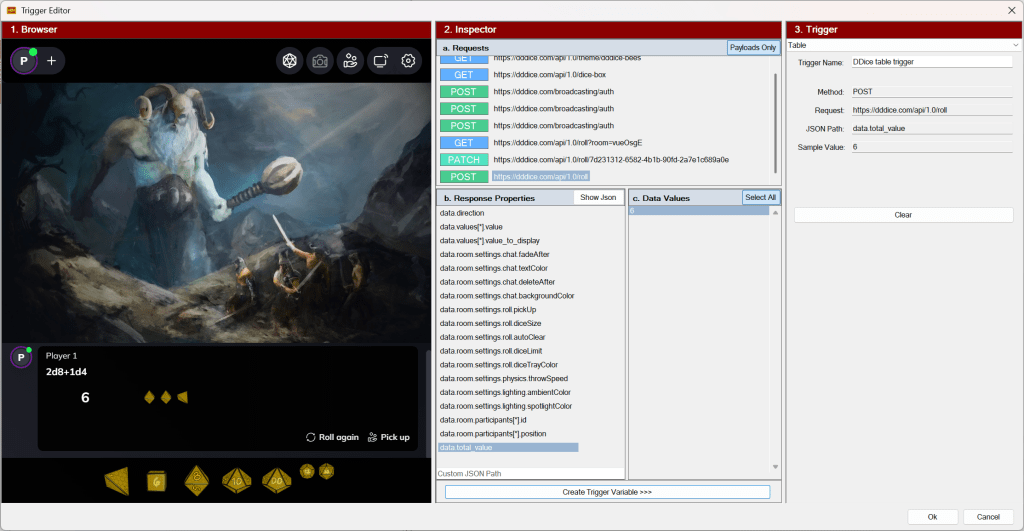
Another image from the new incoming feature! If all goes well, I should have a video to show you good folk this weekend.
I’m pretty sure you will be very impressed with what Sojour can now do! 😎
Remember ‘Keep Mum!’
Have Fun
RobP
-
What’s coming next… Work is underway for a new feature.
I think you might like it 😎
Have Fun!
RobP
-
If the last post was unexpected, this one is really unexpected!
This hotfix addresses this issue:
RPG-470 [Fix]: This fixes an issue with the conversations system crashing if there are no NPC’s on the journals. The system tries to focus on the first NPC there, and fails because there isn’t one, which results in a crash. This is now fixed!
Once again, apologies for the hassles! Hopefully this is the last hotfix!
Have Fun!
RobP
-
This is an unexpected post!
It turns out that the new save system was having issues on completely fresh installs – notably, it was complaining about missing files.
RPG-469 [Fix]: This fixes a bug where Sojour will complain if you attempt to save on a completely clean installation.
This issue shouldn’t affect existing users, just new installations.
Either way I recommend all users upgrade.
Have Fun!
RobP

Sojour
The solo virtual table top