Sojour Version 1.4.0.0 has now released!

Sojour 1.4.0.0

Sojour 1.4.0.0 has finally been released!

This release contains many enhancements, though the primary one is a much more robust save and loading system, which should make your data a lot safer.

Changes to 1.4.0.0:

RPG-465 [Upgrade]: Upgraded Sojour to latest .net framework version – 4.8.1. In the rare case that your Windows system does not have this, you will need to pop over to https://dotnet.microsoft.com/en-us/download/dotnet-framework/net481 and download the runtime.

RPG-462 [Enhancement]: A new global setting has been added for event tables to toggle on or off the injection of the table name into journals.

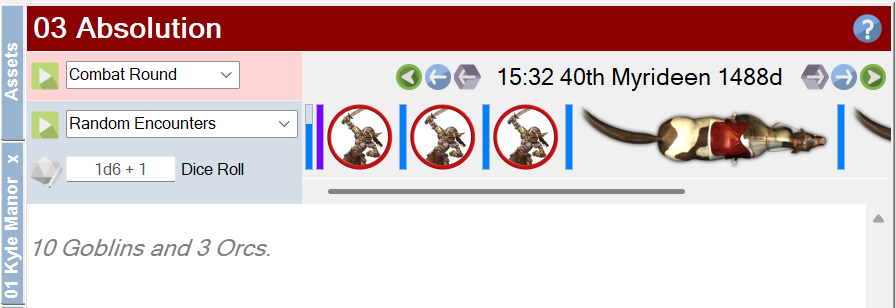
RPG-461 [Enhancement ]: The main character toolbar and NPC toolbars now include a horizontal scroll bar that will appear when there are too many characters/npcs to display at once. Hovering over a character/npc on a map will scroll the character/npc into focus on the relevant toolbar.

RPG-460 [Enhancement]: Event tables can now be hidden from journals.

RPG-455 [Upgrade]: The WebView component has been upgraded to the latest version.

RPG-453 [Enhancement]: Sojour now has a new Save button that is supported by a very robust saving system. This system automatically creates backups and it also verifies a new file’s data before overwriting the original. In the event that the original is corrupted, Sojour will offer the user a chance to use the backup instead.

RPG-452 [Fix]: Ctrl-Clicking tokens and characters on the map now toggles conversations again. (This was broken in the big UI refactor release)

RPG-451 [Enhancement]: Sojour now compresses all images imported into it which should make the system more stable. It defaults to reducing an image’s in-memory size down to 25% of its original size! This setting can be altered under settings. In addition, Sojour now performs backups prior to all map imports to protect your data in the event of a Windows GDI crash.

RPG-450 [Fix]: Changing a character’s character sheet should now update the preview pane immediately.

RPG-449 [Fix]: The scaling token can now be moved on the map again! Also reduced the minimum size a token can be from 1 metre to 10 cms.

RPG-448 [Enhancement]: The find dialog for journals now incorporates a find previous button.

RPG-447 [Fix]: Sojour no longer assumes a mouse and keyboard are connected to the computer.

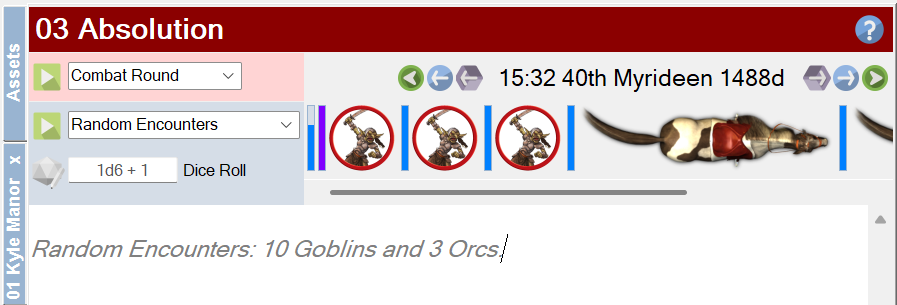
RPG-446 [Enhancement]: Users can now use physical dice when rolling on Sojour’s tables. There is a new field to allow the user to enter their dice roll with modifiers.

RPG-443 [Enhancement]: Dice expressions can now be included in table results to allow for some variability in numbers. Sojour also supports the use of dice expressions for table re-directs too.

In addition, there are many other undocumented fixes that got put in as a result of testing the enhancements above.

More information on the release can be viewed in the preview video which can be found here:

A few additional features were snuck into Sojour after the preview video was published. I’ll quickly go over these below.

First up, the main character toolbar got the same enhancements as the new NPC toolbar:

The character toolbar can now be scrolled!

This means that a new scroll bar is included for when the number of characters overflow the space available. In addition, highlighting a character on the map now auto-scrolls the toolbar to focus on that character.

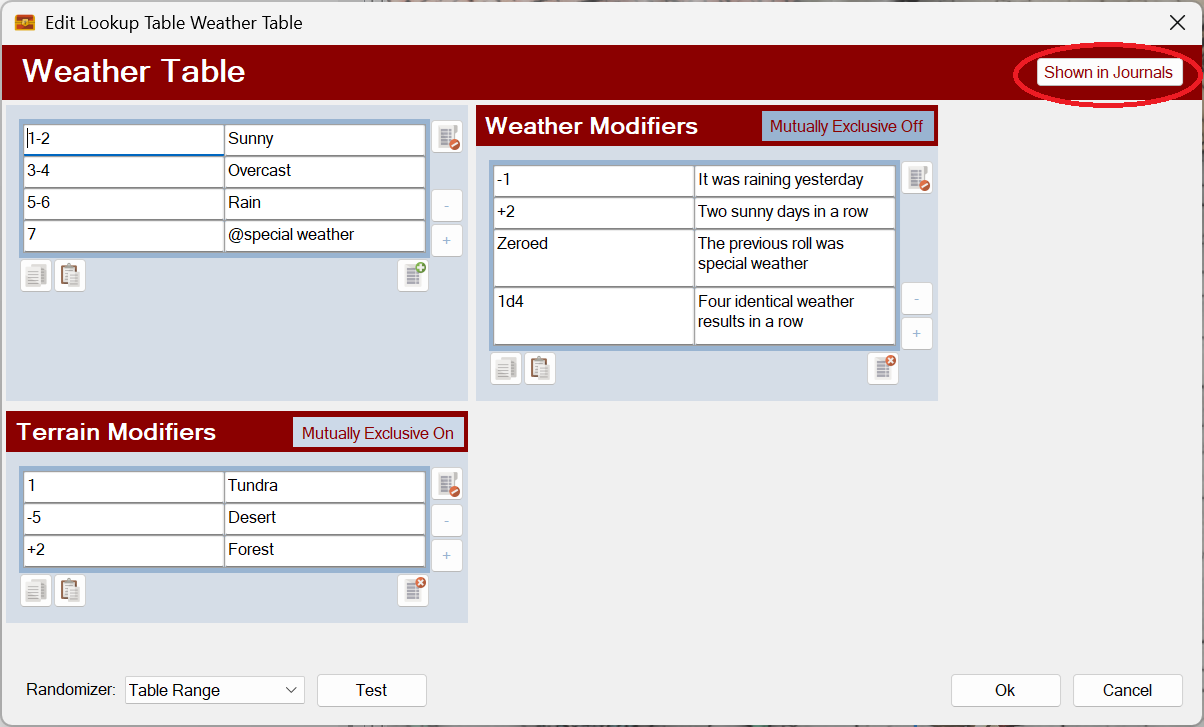
Event tables can now be hidden from the journal using a new toggle button:

A new ‘Shown in Journals’ toggle button!

This new button will allow users to hide sub tables from showing in the journal drop downs (unless they want them to show).

You also get a new global option to hide or show table names when events are injected into journals:

A new option!

The above setting is on by default.

When switched on, journal table entries are pre-fixed with the table name:

An injected table event with the table’s name.

The same journal entry with this setting turned off:

Table names turned off for injected events!

That’s it for this post!

I hope you all have a lot of fun with 1.4.0.0 😊

RobP

Sojour 1.3.15.0 has been released!

This is a release that contains a number of minor enhancements as requested by customers. The intent is to get as many customer requests in before the Christmas Holiday, then switch back to the Calendar Mk2 work which will take a significant amount of my time and thus reduce my public output.

This release contains the following enhancements:

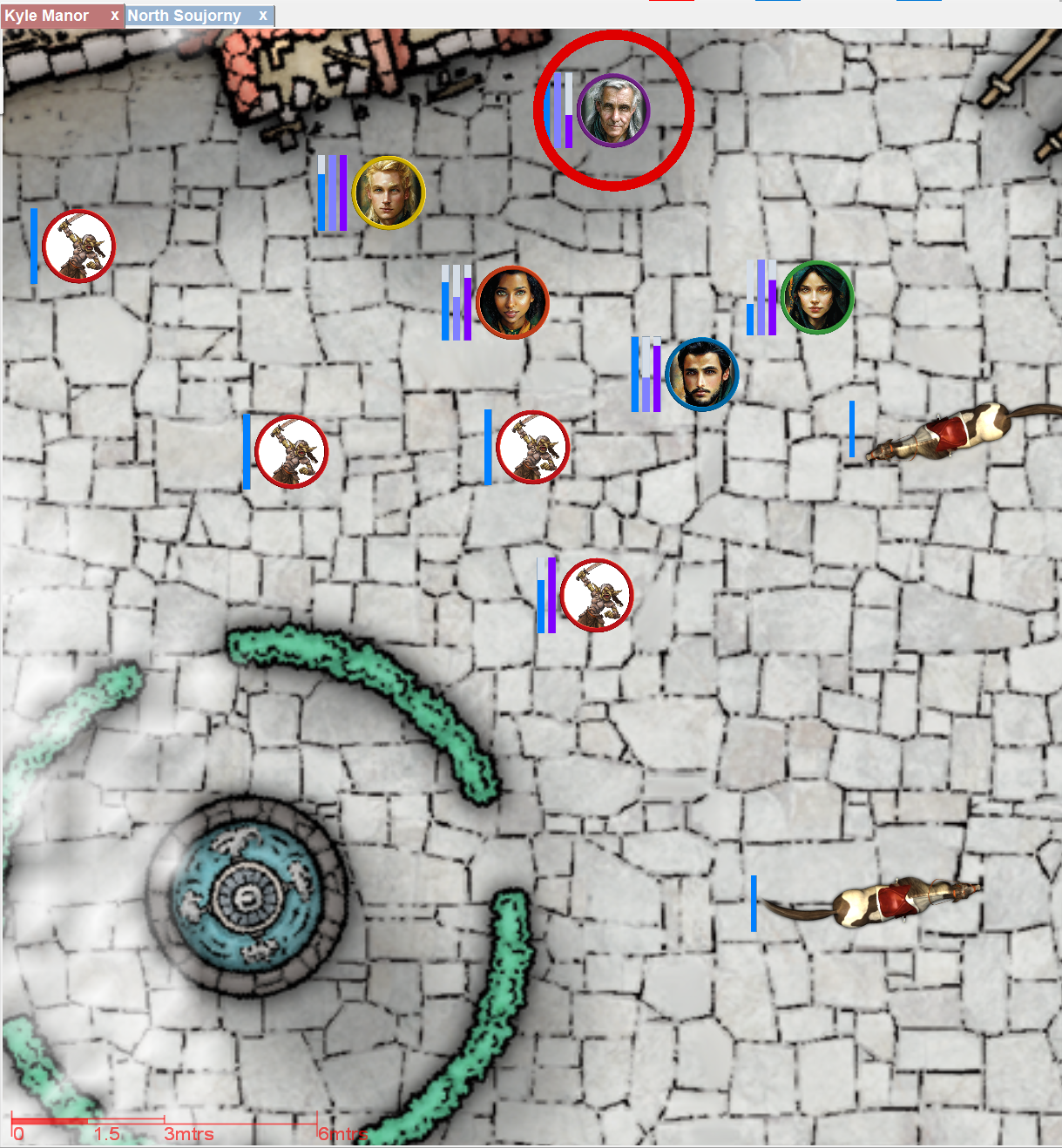
RPG-423 Added a new global setting to allow users to enable or disable automatic token centering. The option can be viewed under Settings->Map Settings:

You can now choose to enable or disable auto-token centering! (Click for larger image)

This setting affects character centering when waving the mouse over a character in the main toolbar, NPC centering when waving the mouse over an NPC in a journal toolbar and also token centering from any running turn sequence.

When disabled, the focused character / NPC will still have a focus ring drawn around them, it’s just that the map will not move to centre them:

When centering is disabled the map will still show the focus ring, but will no longer centre the map on that token.

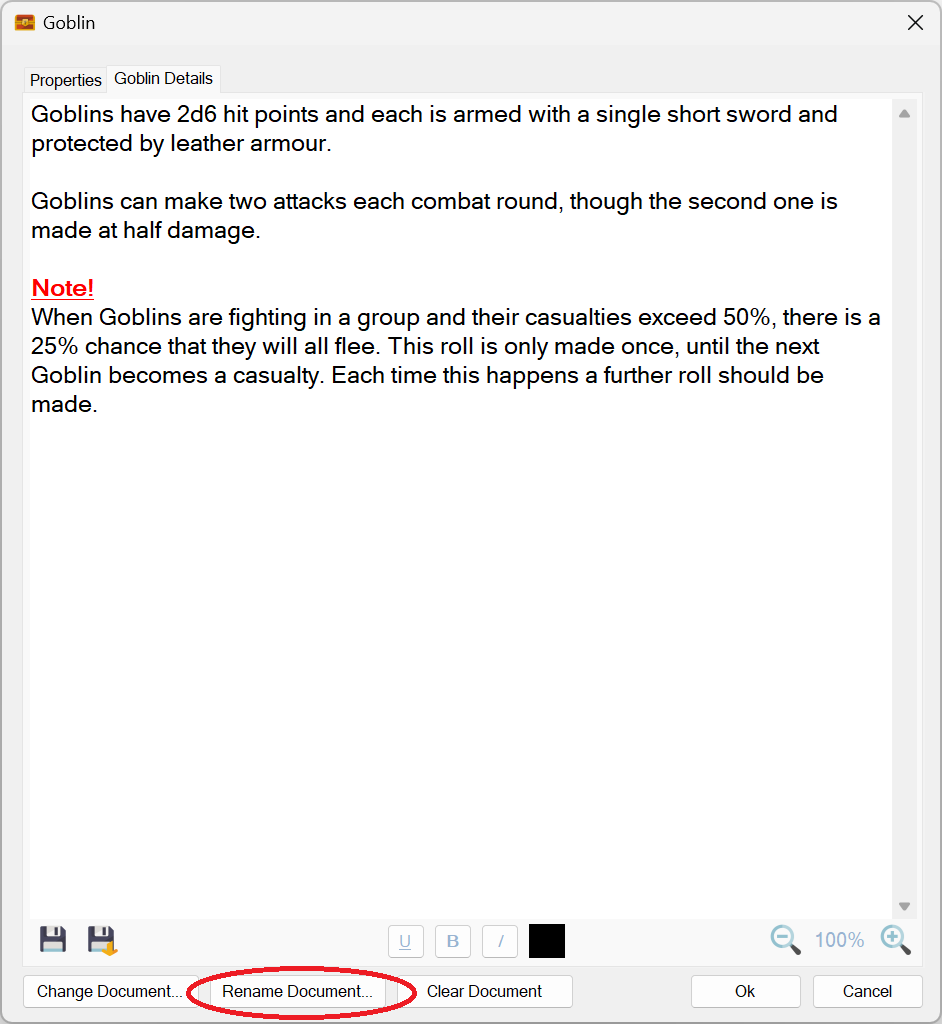
RPG-426 Documents already attached to characters, tokens and campaign assets can now be renamed using a new button:

A new rename document button has been provided!

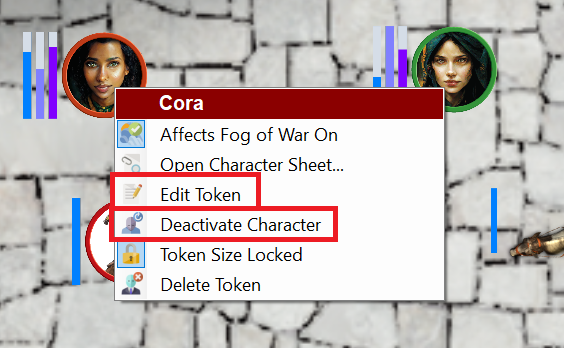
RPG-427 The on-map context menu now has additional context sensitive options that more closely align with other context menus used in Sojour. The new menu options are highlighted in red rectangles:

Two new context sensitive menu options from the map context menu!

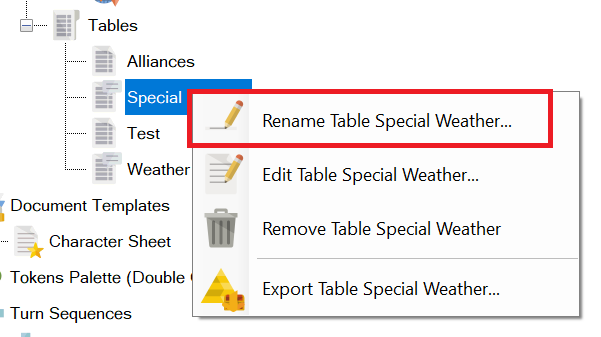
RPG-432 The assets browser’s ‘Rename’ option in the context menu is now consistently shown for all assets. In the past, assets that had an associated editor window would not offer this option – the thinking being that a user would just click ‘Edit’. However, ‘Rename’ is now offered for all assets including those with editors.

The Rename menu option is now available for everything!

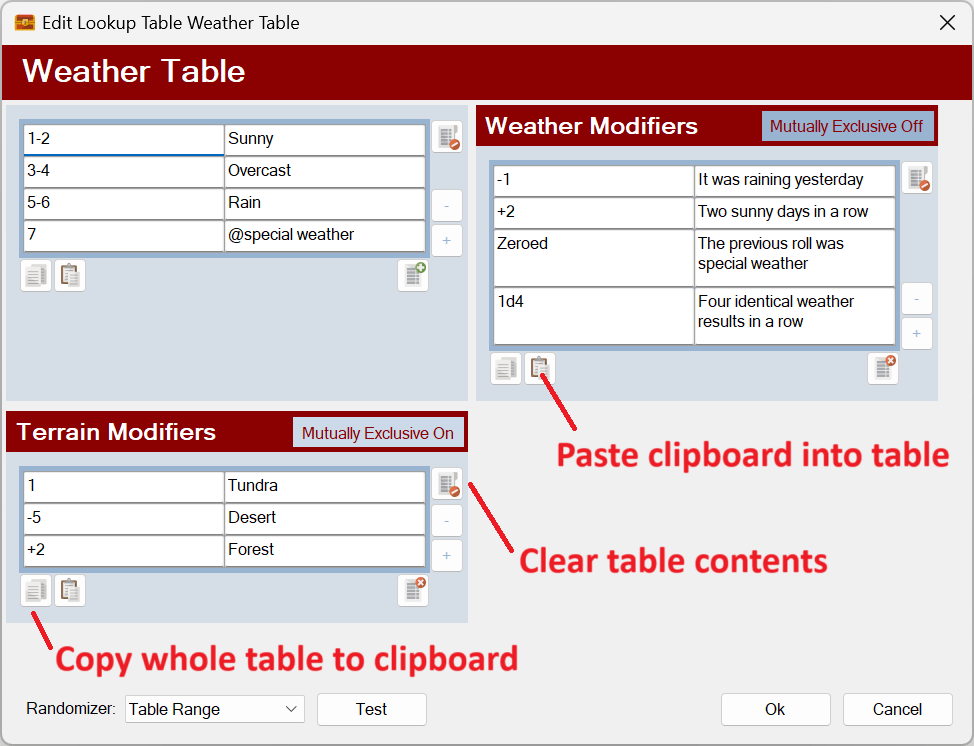
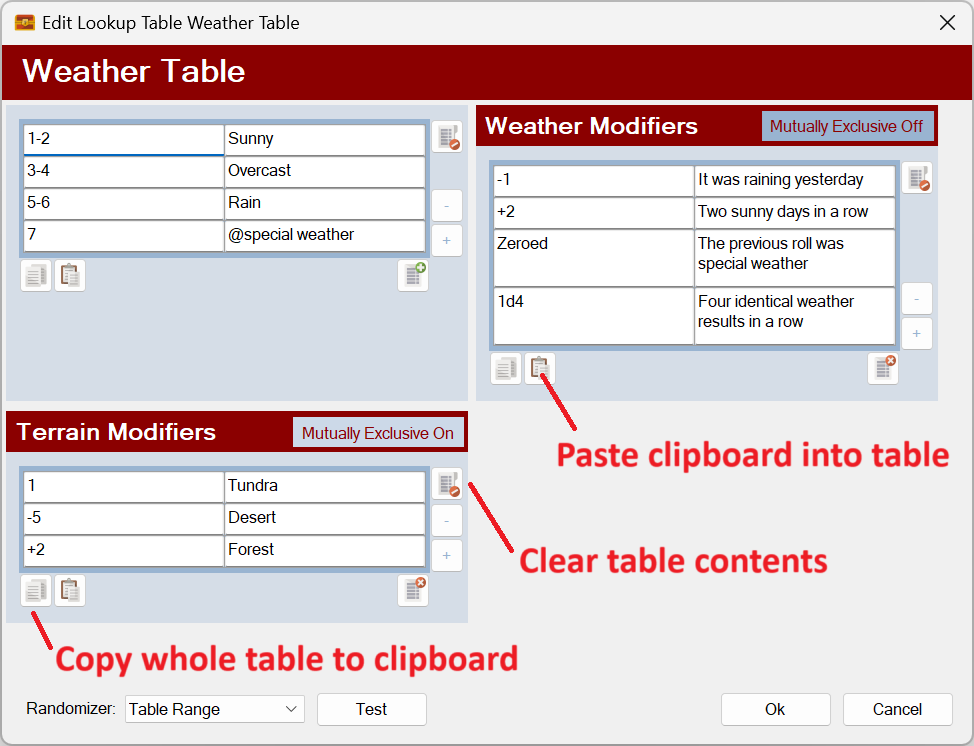
RPG-433 Three new buttons have been added to all Sojour tables that will let you do the following:

  1. Paste data into a Sojour table from the clipboard. Tables will automatically expand their sizes to accommodate any additional pasted rows or columns. Note that modifier and event tables will never expand their column count as these are always two column tables. However, their rows will expand to accommodate new data. Data is pasted in so that the top left of the data is inserted into the currently selected cell.
  2. Copy all data from a Sojour table to clipboard.
  3. Clear a Sojour table.

The new buttons are as follows:

Three new buttons! (Click for larger image)

Note keyboard shortcuts have also been coded to support CTRL-V for paste, CTRL-C for copy whole table.

Users might experience issues pasting tables from PDFs as these are not real tables in a programmatic sense. An easy way to tell is to try and paste those ‘tables’ into a spreadsheet such as Excel and observe the behaviour! (Just mitigating potential bug reports ahead of time!)

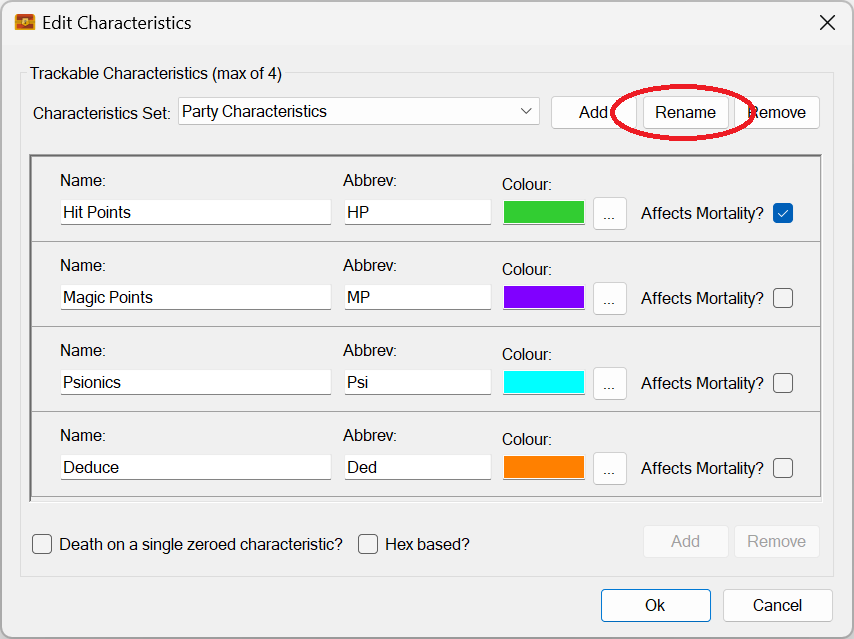
RPG-435 Characteristics sets can now be renamed using a new button:

Characteristic sets can now be renamed!

RPG-436 Tidied up assets browser context menu by ensuring that the correct number of menu separators are shown at all times. The folder rename menu has also been moved to be near the other folder commands and has had a new icon assigned to it:

Neater context menus!

That’s it for this release! If you need further information on the new functionality, please consult the updated PDF manual.

Before I go, I’d like to take this opportunity to thank all the customers that took the time to contact me with these requests!

Have Fun!

RobP

Sojour 1.3.0.0 Custom folders has been released!

Sojour 1.3.0.0 Custom Folders is finally here!

It’s with a little excitement and some trepidation that Sojour 1.3.0.0 has finally been released!

The reason for the trepidation is that this release also includes a huge refactor of the code in the User Interface layer. I think my testing has covered everything, but with such an extensive change, it always feels that whatever testing I do, it will never be enough!

This release is primarily about providing the new custom folders feature for customers.

Other features and fixes are also included. The full list is below:

RPG-360 Sojour now supports custom folders! That is, the ability for users to create their own folder structures under a variety of nodes in the assets browser. This story also included a massive coding refactor of the UI layer.

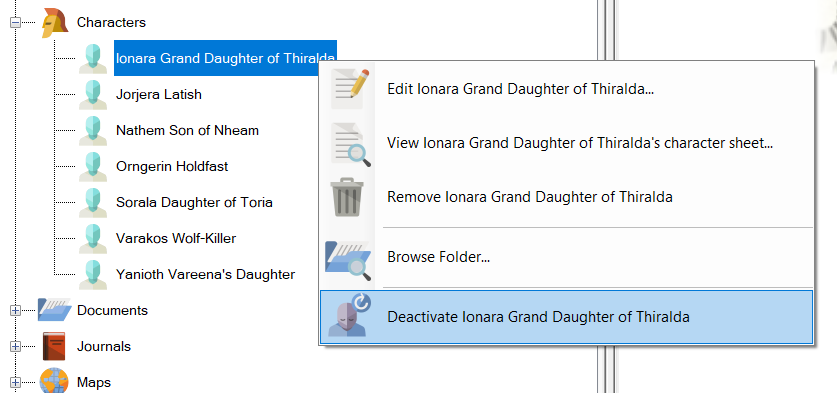
RPG-407 Sojour now provides the option to activate or deactivate all characters under a folder or node, including all of its sub-folders, with just a single mouse click.

RPG-411 Reenabled the use of the enter key to close simple dialog windows. This functionality was originally disabled due to useability issues. However, it turns out those issues only affected the larger dialog windows (the user would accidently shut them when hitting enter whilst typing text entries). This functionality was re-enabled after a customer request.

RPG-412 Moving the mouse cursor off map whilst the fog of war torch is on, will temporarily switch off the torch until the mouse cursor returns over the map.

RPG-414 Fixed a rare bug (which bit me) for the Restore functionality. In the bad old days if you squirreled away your old saves folder before the time of Sojour’s file manager being introduced, and then changed your Windows Documents directory, then tried to restore that saves folder, it would lead to missing maps and tokens. This has now been fixed.

RPG-416 The Microsoft WebView component has been upgraded to the latest version. This is used for viewing PDFs.

RPG-417 Sojour now hides and re-shows the token palette for more of its functionality. This is to prevent soft locks caused by the palette appearing over other dialog windows.

Here is the obligatory You-Tube video covering off the main new features:

I hope you good folk will find the new folders functionality beneficial for your games! 🙂

That’s it for this release!

Have Fun!

RobP
Custom Folders Update!

Before I discuss this update, I’d firstly like to thank each and every one of you that have bought Sojour! We have now reached the 500 sales mark and have earned the coveted Gold Best Seller Tag:

We reached 500! 🙂 (Click for larger image)

With that excitement out of the way here is the custom folders update.

Custom folders has reached a milestone – All of the functionality is now coded!

The tasks that I have left are to update the manual and to conduct extensive testing and fix any issues that are found.

During the final coding phase of custom folders I had to change the way that the deactivated character feature worked. Though now that it is done, I think it’s a change for the better!

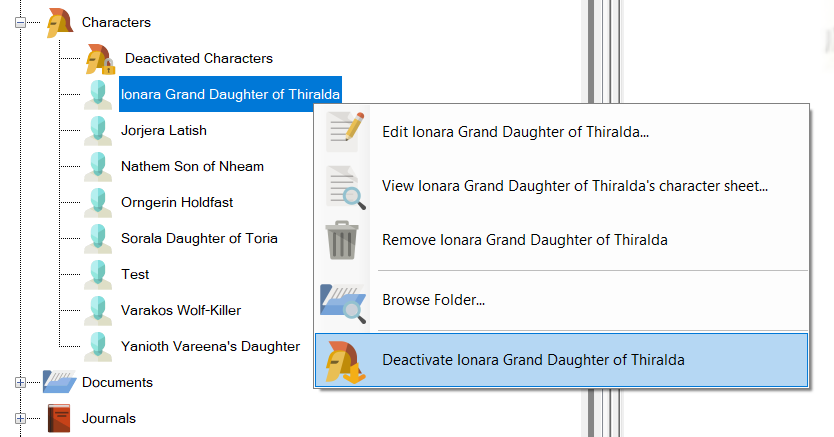
In the past, when you deactivated a character, it would be moved to a special Deactivated Characters folder within the Assets Browser:

Before Deactivation (current system):

Before deactivation Ionara appears under the Characters folder. (Click for larger image)

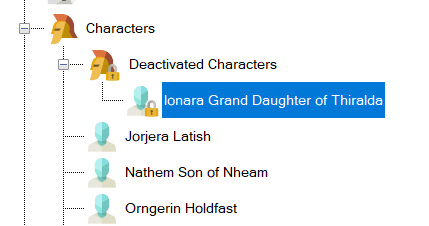
After Deactivation (current system):

After deactivation Ionara has been moved to the Deactivated Characters folder. (Click for larger image)

This has now changed. The Deactivated Characters folder is no more!

In the new system, when you deactivate a character, rather than moving folder, its iconography will change instead:

Before Deactivation (new system):

Before deactivation. Note that there is no deactivated characters folder! (Click for larger image)

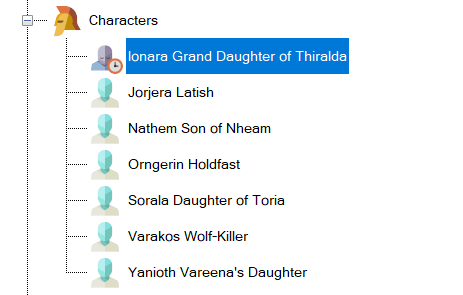
After Deactivation (new system):

After deactivation. Ionara stays in place, but her iconography has changed! (Click for a larger image)

But wait, that’s not all that’s changed!

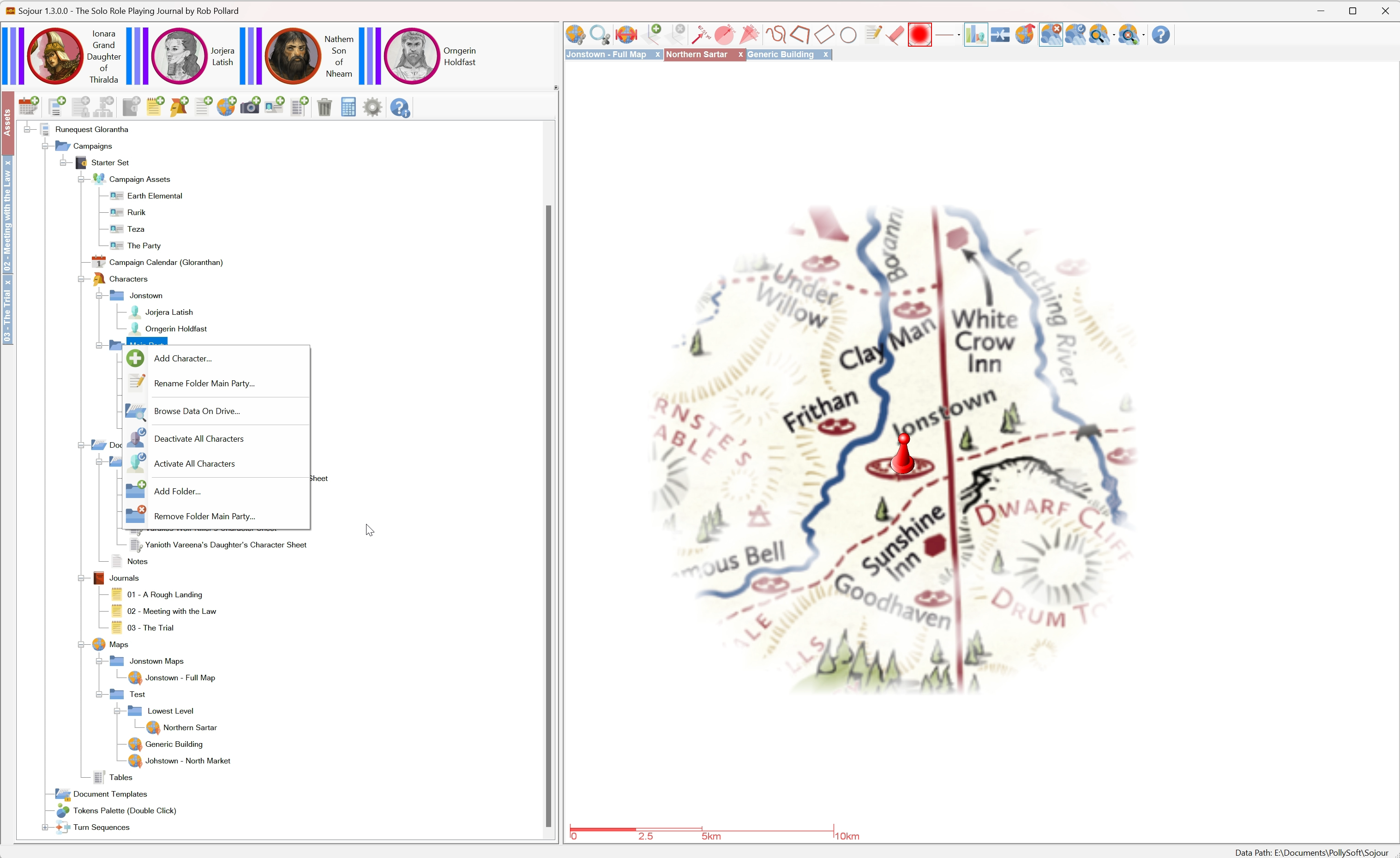
Given that we now have the ability to create folders within the characters folder, I decide to add the option to be able to activate and deactivate all characters within a folder and its sub-folders with a single mouse click!

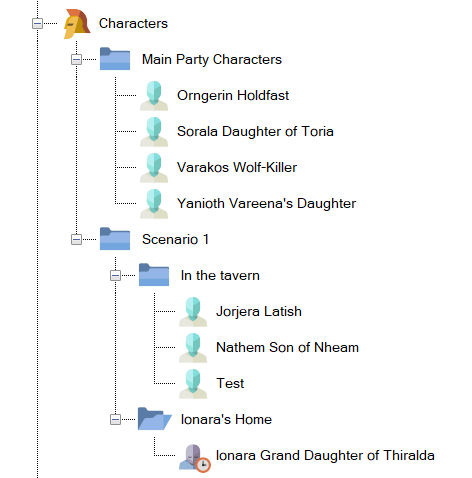
For example, here I have created a number of folders to represent my core characters and various places within a scenario:

Here we have created a number of folders to categorize our characters. (Click for larger version)

Our party is currently in the tavern. All the characters associated with the tavern are activated, whilst, conversely, the character in Ionara’s home is deactivated.

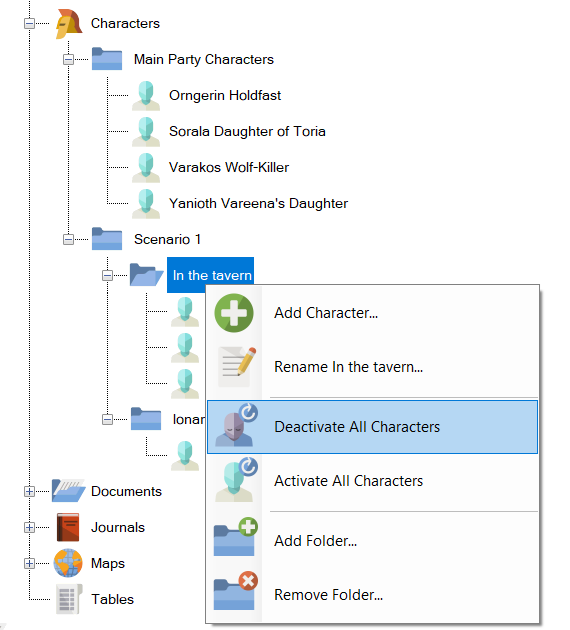
When the party eventually moves to Ionara’s home, we could activate Ionara by activating all characters under Ionara’s home, then we could deactivate all characters under the ‘In the Tavern’ folder using just one mouse click:

Here we are about to deactivate all characters that are ‘In the tavern’ using the new menu options. (Click to view larger image)

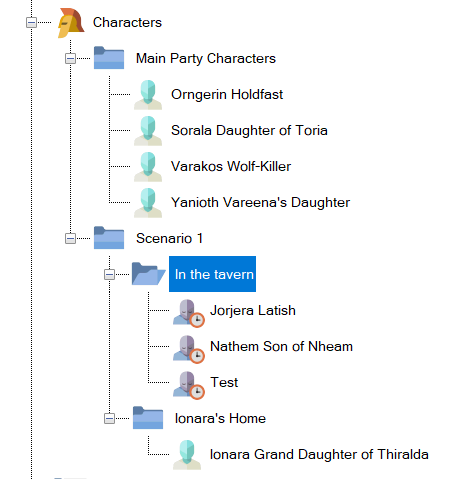
The end result of deactivating everyone under ‘In the tavern’:

All the tavern residents are now disabled by a single menu item! (Click for a larger image)

In addition, if one wanted to, one could activate or deactivate all characters under the Scenario 1 folder (and sub-folders) or alternatively all characters in the entire campaign by selecting the correct folder level.

Plus, one still has the option to individually activate or deactivate characters.

This new functionality should make it much easier to organize and manage your characters in large campaigns.

That’s it for this update. I hope you all like what you see!

Have Fun!

RobP
Sojour 1.2.155.0 has been released!

I’ll start by saying that this is NOT the custom folders release. Work is still ongoing for that release, but I do have a video of it in action!

Instead, this release is focused on bug fixing and maintenance that addresses the following issues:

RPG-396 When Sojour crashes (on load), we should not be overwriting the main save files: This is an important one. I have had 3 reports over the last year of customer’s save games being corrupted.

When I examined their saved games, it looked like the save files had become partial save files. I finally traced a potential use-case where this can occur…

There are occasions where Sojour could crash during loading resulting in incomplete data being resident in memory. The global exception handler would then try and save that data resulting in partially complete saved files.

This will no longer happen. In addition, I have changed the code for closing down Sojour post crash so that it more reliably closes its process down.

RPG-397 Sojour shouldn’t crash if there are missing data directories on load. A week or two back I had a customer report that their Sojour game was crashing during loading and there was nothing they could do.

On investigation, I discovered that some of the customer’s data folders were missing. This upset Sojour and caused it to crash.

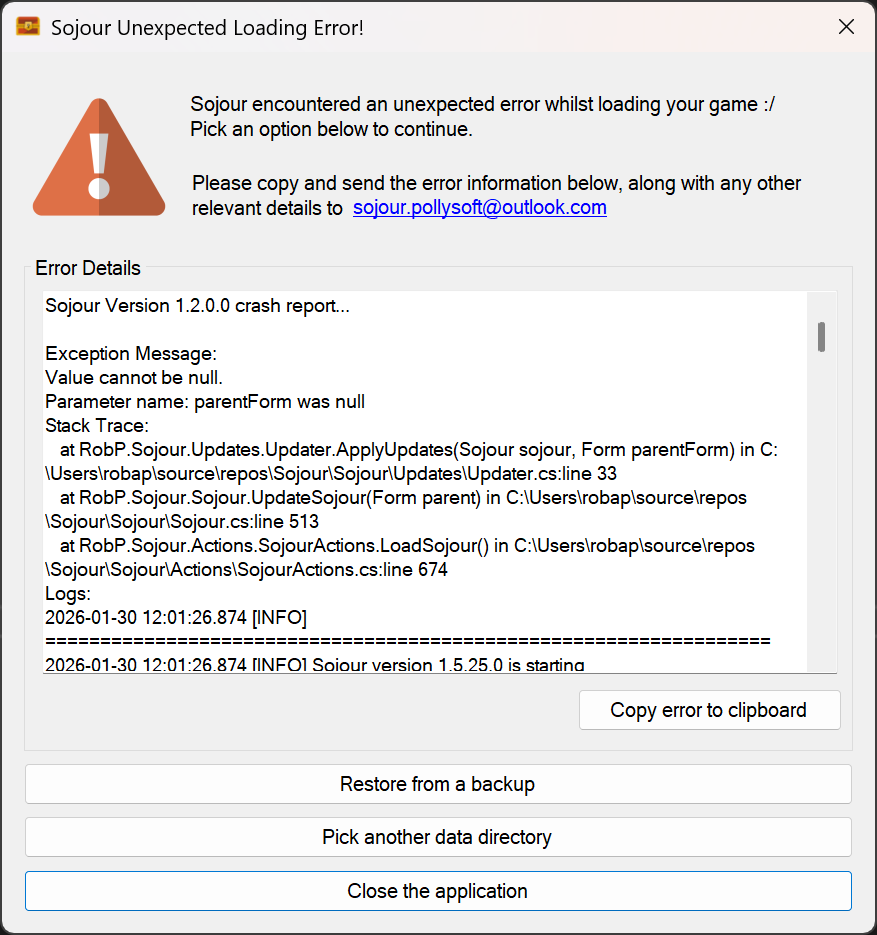
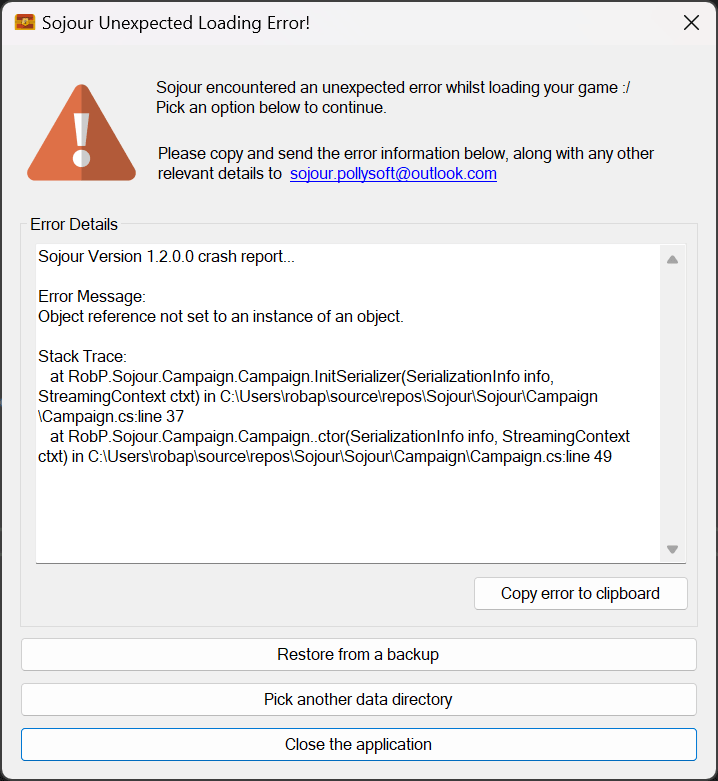
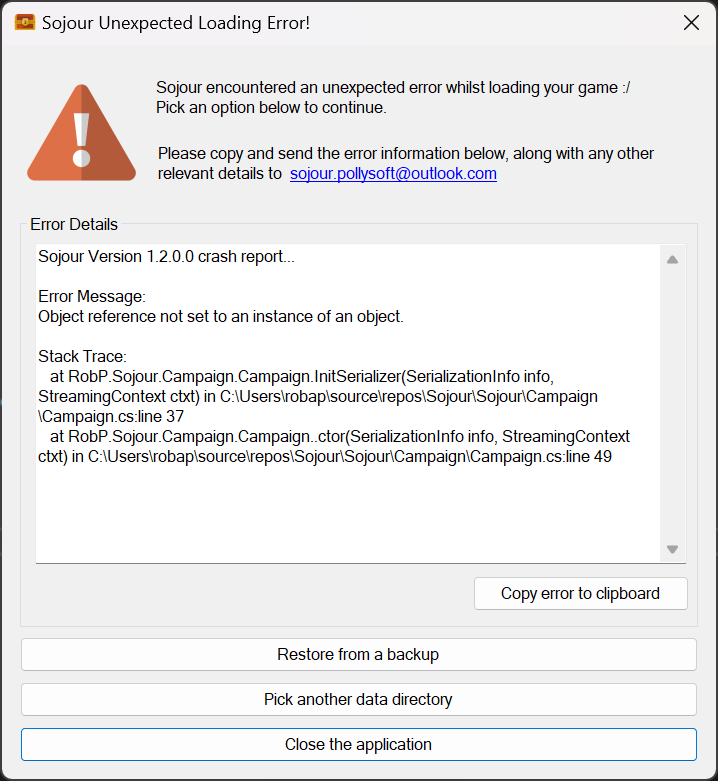
Sojour is now a lot more tolerant with regard to missing folders or data. In addition, if a crash is detected whilst loading, Sojour will now offer the option to pick a different data directory, restore from a back up, or simply exit:

The new exception handler for failed loading! (Click the image to see a larger version)

RPG-399 Sojour crashing when dragging character to map with journal open. This was an odd one in that the investigation had found some corrupt internal data within the customer’s save file which, alas, I hadn’t been able to reproduce.

This corrupt data was centred around token characteristics. All token characteristics code has now been updated to be more fault tolerant.

RPG-400 Adding or editing a map-link with no campaign selected crashes Sojour. Sojour used to use the assets browser to get the current campaign or ruleset. The flaw with this approach is that if a user selects a different campaign, or no campaign at all, it can lead to Sojour having problems.

This code has been entirely re-written and all places that used to rely on the assets browser for the active ruleset or campaign, no longer do so, and instead, use the updated code.

RPG-401 Adding or editing a map-link when the map is set to show all, doesn’t show them! This is a minor issue where adding or editing a map-link would result it in not respecting the current map’s Show Map Links option. This has now been fixed!

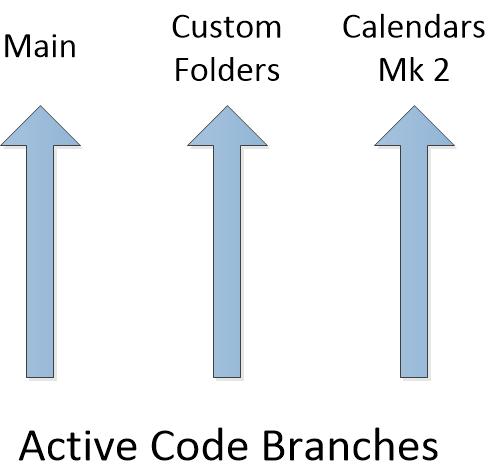
Work has been slowed down a little by the fact that Sojour currently has three work streams associated with it:

The three main work streams / branches!

Having three streams of parallel work means that any issues I find in one of them has to be merged into the others. This is normally pretty easy using my source control system.

However, the fly in the ointment is that the Custom Folders branch sports a radically different UI architecture from the other two branches, which means that some fixes have to be hand coded as opposed to merged!

Normally I try to work on one thing at a time, but I soon realised that if I stayed on the calendar work, my customers would see very little new from me as that work is such a large undertaking.

Custom folders sprung up as a result of many customer requests and of seeing Lord Gwydion struggle with his data during the live streams. As with most things software related, I had thought it would be a quick and easy update, but it has turned out to be a little more complex. Hopefully the video above will provide ample evidence that we are headed the right way.

Finally we have the main branch where all the hot-fixes and high priority changes go.

My end game is to get back to one branch again, but this is predicated on me delivering the Mk2 Calendar and Custom Folders functionality! 🙂

That’s it for this post!

Have Fun!

RobP