It’s with a little excitement and some trepidation that Sojour 1.3.0.0 has finally been released!
The reason for the trepidation is that this release also includes a huge refactor of the code in the User Interface layer. I think my testing has covered everything, but with such an extensive change, it always feels that whatever testing I do, it will never be enough!
This release is primarily about providing the new custom folders feature for customers.
Other features and fixes are also included. The full list is below:
RPG-360 Sojour now supports custom folders! That is, the ability for users to create their own folder structures under a variety of nodes in the assets browser. This story also included a massive coding refactor of the UI layer.
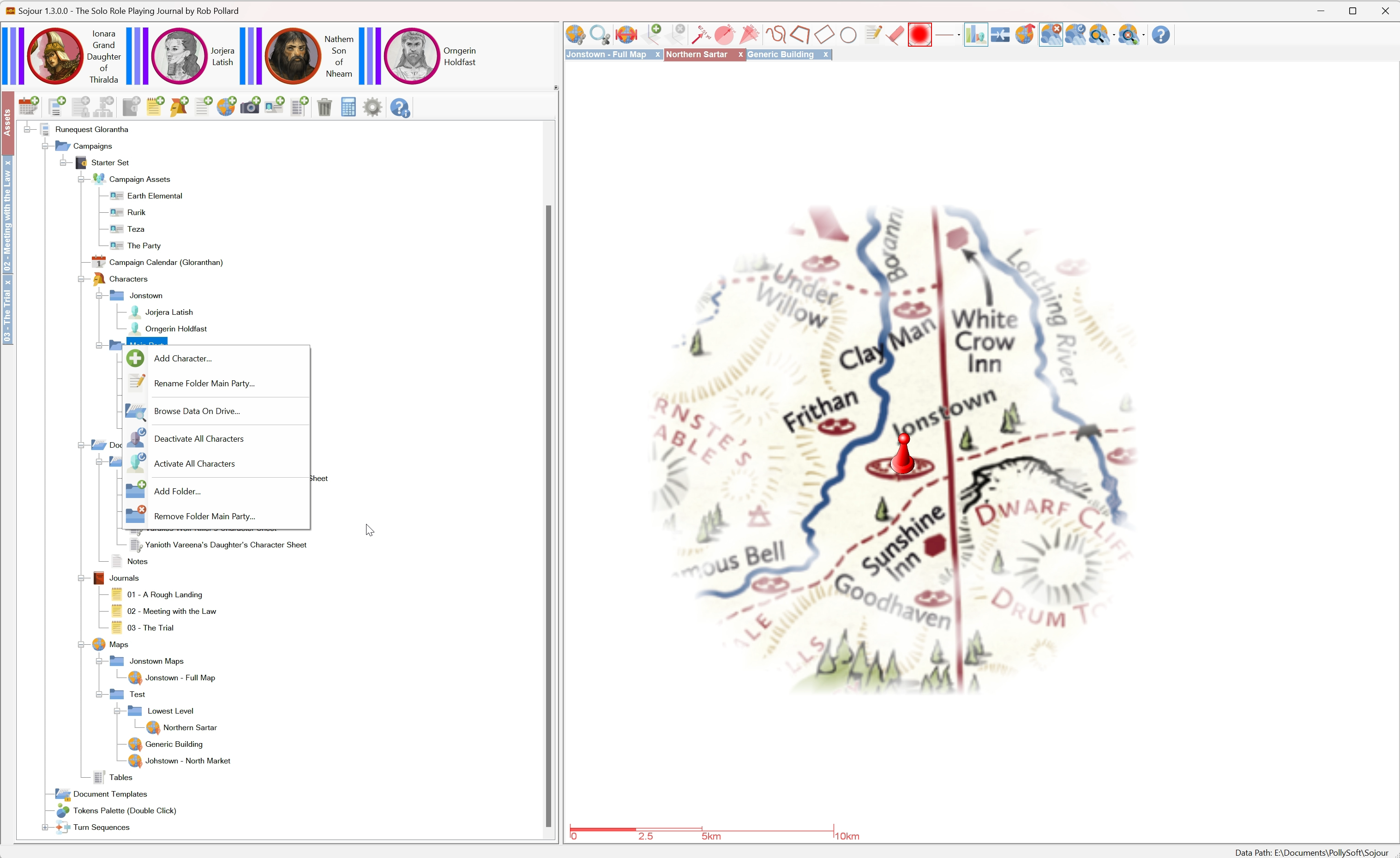
RPG-407 Sojour now provides the option to activate or deactivate all characters under a folder or node, including all of its sub-folders, with just a single mouse click.
RPG-411 Reenabled the use of the enter key to close simple dialog windows. This functionality was originally disabled due to useability issues. However, it turns out those issues only affected the larger dialog windows (the user would accidently shut them when hitting enter whilst typing text entries). This functionality was re-enabled after a customer request.
RPG-412 Moving the mouse cursor off map whilst the fog of war torch is on, will temporarily switch off the torch until the mouse cursor returns over the map.
RPG-414 Fixed a rare bug (which bit me) for the Restore functionality. In the bad old days if you squirreled away your old saves folder before the time of Sojour’s file manager being introduced, and then changed your Windows Documents directory, then tried to restore that saves folder, it would lead to missing maps and tokens. This has now been fixed.
RPG-416 The Microsoft WebView component has been upgraded to the latest version. This is used for viewing PDFs.
RPG-417 Sojour now hides and re-shows the token palette for more of its functionality. This is to prevent soft locks caused by the palette appearing over other dialog windows.
Here is the obligatory You-Tube video covering off the main new features:
I hope you good folk will find the new folders functionality beneficial for your games! 🙂
This is a very quick update post to let you folks know where we are!
After 14 hours and 30 minutes, the custom folders detailed testing is now complete!
Many interesting issues were found and all have been resolved.
In addition, I also needed to tidy up a few things. For example, the context menu now looks a lot more professional with the functional areas being properly separated into groups:
Nicer looking menus! (Click for larger image!)
The code for custom folders has now been merged into the main code branch, so there is no turning back now – the next release has to include custom folders! This release will be version 1.3.0.0.
The only thing left to do now is to update the manual.
This will be a fairly significant revision as there is a lot you can do with custom folders, plus, I also need to cover off the upgraded character activation-deactivation system.
Total time on this feature has been pretty high:
Total time on custom folders! (Click for larger image)
Each day is the equivalent of 8 hours, so in total I have worked 70 hours and 57 minutes on custom folders and this total does not include the additional effort needed to update the manual.
Not long to go now! (Honest!)
Hopefully this update will be in your hands in the next week or so. Thank you for your patience!
Before I discuss this update, I’d firstly like to thank each and every one of you that have bought Sojour! We have now reached the 500 sales mark and have earned the coveted Gold Best Seller Tag:
We reached 500! 🙂 (Click for larger image)
With that excitement out of the way here is the custom folders update.
Custom folders has reached a milestone – All of the functionality is now coded!
The tasks that I have left are to update the manual and to conduct extensive testing and fix any issues that are found.
During the final coding phase of custom folders I had to change the way that the deactivated character feature worked. Though now that it is done, I think it’s a change for the better!
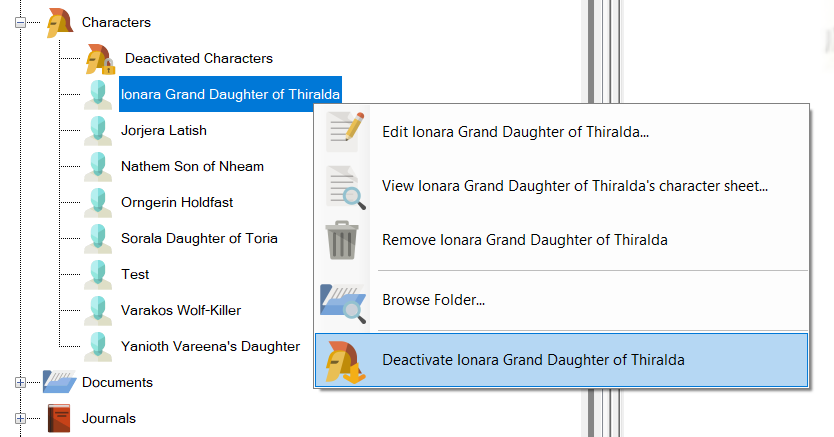
In the past, when you deactivated a character, it would be moved to a special Deactivated Characters folder within the Assets Browser:
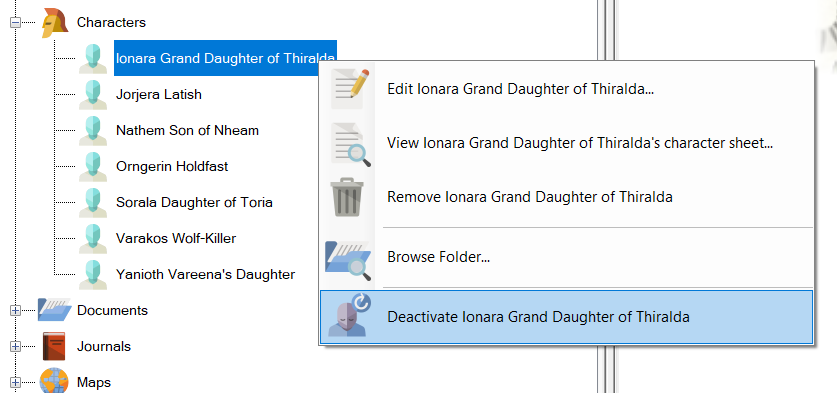
Before Deactivation (current system):
Before deactivation Ionara appears under the Characters folder. (Click for larger image)
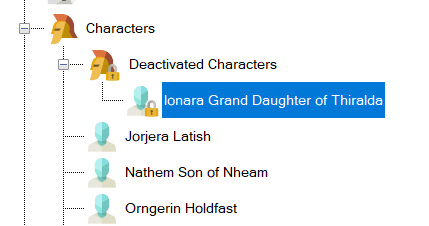
After Deactivation (current system):
After deactivation Ionara has been moved to the Deactivated Characters folder. (Click for larger image)
This has now changed. The Deactivated Characters folder is no more!
In the new system, when you deactivate a character, rather than moving folder, its iconography will change instead:
Before Deactivation (new system):
Before deactivation. Note that there is no deactivated characters folder! (Click for larger image)
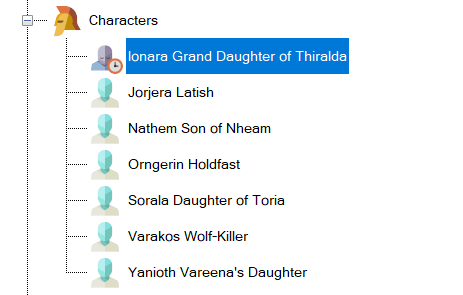
After Deactivation (new system):
After deactivation. Ionara stays in place, but her iconography has changed! (Click for a larger image)
But wait, that’s not all that’s changed!
Given that we now have the ability to create folders within the characters folder, I decide to add the option to be able to activate and deactivate all characters within a folder and its sub-folders with a single mouse click!
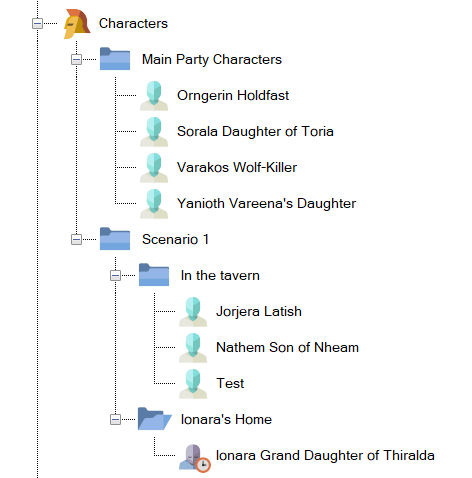
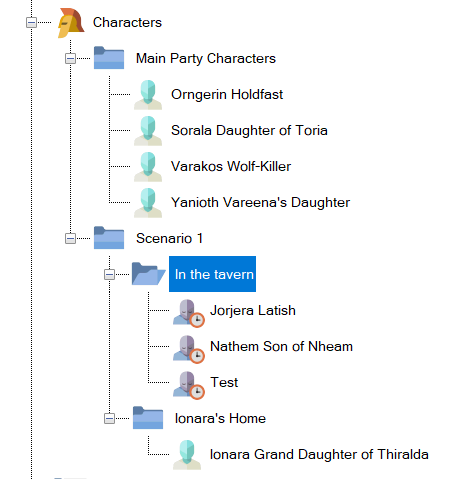
For example, here I have created a number of folders to represent my core characters and various places within a scenario:
Here we have created a number of folders to categorize our characters. (Click for larger version)
Our party is currently in the tavern. All the characters associated with the tavern are activated, whilst, conversely, the character in Ionara’s home is deactivated.
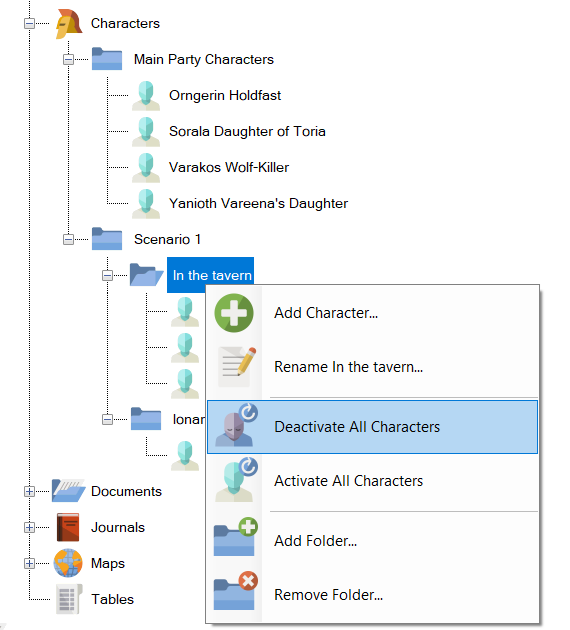
When the party eventually moves to Ionara’s home, we could activate Ionara by activating all characters under Ionara’s home, then we could deactivate all characters under the ‘In the Tavern’ folder using just one mouse click:
Here we are about to deactivate all characters that are ‘In the tavern’ using the new menu options. (Click to view larger image)
The end result of deactivating everyone under ‘In the tavern’:
All the tavern residents are now disabled by a single menu item! (Click for a larger image)
In addition, if one wanted to, one could activate or deactivate all characters under the Scenario 1 folder (and sub-folders) or alternatively all characters in the entire campaign by selecting the correct folder level.
Plus, one still has the option to individually activate or deactivate characters.
This new functionality should make it much easier to organize and manage your characters in large campaigns.
That’s it for this update. I hope you all like what you see!
This is a very minor tweak to the load-save mechanisms that were themselves updated in the previous release under RPG-396.
The reason for this adhoc release is that a customer has reported on Drive-Thru that Sojour wasn’t saving their data. I couldn’t replicate this issue, no matter how hard I tried, but I was paranoid enough to go over the updated load-save code with a fine toothcomb.
This examination resulted in a few minor tweaks. I don’t think these tweaks will affect anyone, but I’d personally feel a lot happier if customers use this release rather than 1.2.155.0. As a result I have taken down 1.2.155.0 and replaced it with 1.2.160.0.
If anyone else sees any data saving issues, please contact me at sojour.pollysoft@outlook.com.
I’ll start by saying that this is NOT the custom folders release. Work is still ongoing for that release, but I do have a video of it in action!
Instead, this release is focused on bug fixing and maintenance that addresses the following issues:
RPG-396 When Sojour crashes (on load), we should not be overwriting the main save files: This is an important one. I have had 3 reports over the last year of customer’s save games being corrupted.
When I examined their saved games, it looked like the save files had become partial save files. I finally traced a potential use-case where this can occur…
There are occasions where Sojour could crash during loading resulting in incomplete data being resident in memory. The global exception handler would then try and save that data resulting in partially complete saved files.
This will no longer happen. In addition, I have changed the code for closing down Sojour post crash so that it more reliably closes its process down.
RPG-397 Sojour shouldn’t crash if there are missing data directories on load. A week or two back I had a customer report that their Sojour game was crashing during loading and there was nothing they could do.
On investigation, I discovered that some of the customer’s data folders were missing. This upset Sojour and caused it to crash.
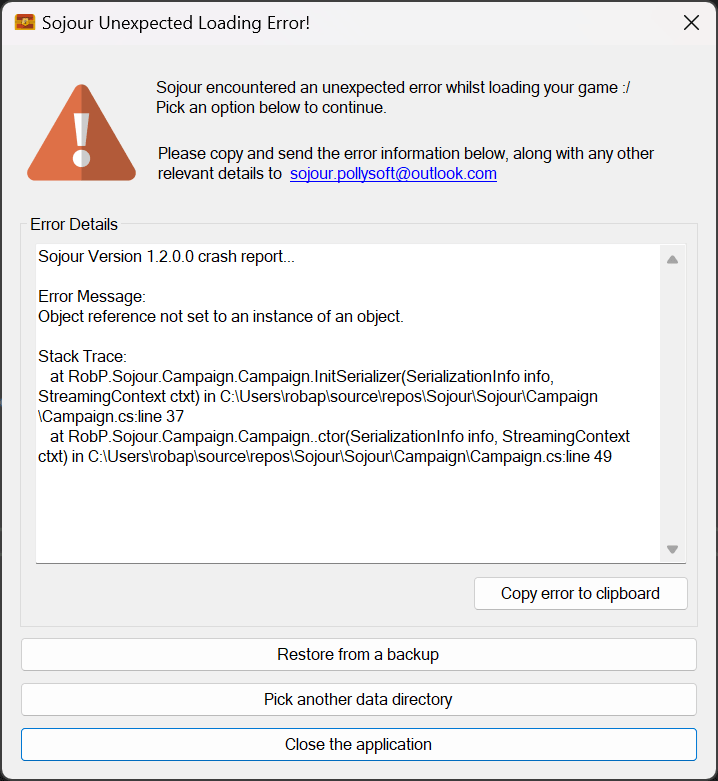
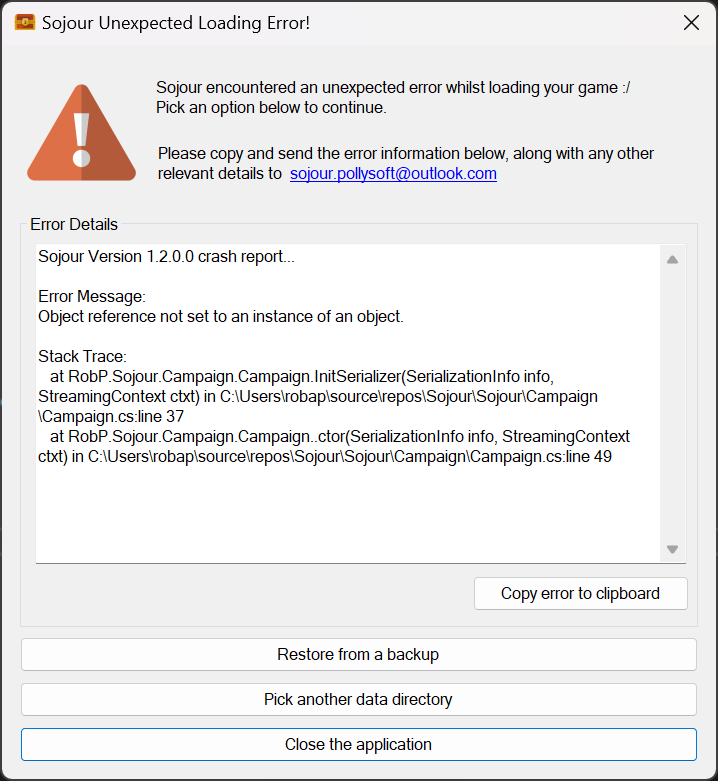
Sojour is now a lot more tolerant with regard to missing folders or data. In addition, if a crash is detected whilst loading, Sojour will now offer the option to pick a different data directory, restore from a back up, or simply exit:
The new exception handler for failed loading! (Click the image to see a larger version)
RPG-399 Sojour crashing when dragging character to map with journal open. This was an odd one in that the investigation had found some corrupt internal data within the customer’s save file which, alas, I hadn’t been able to reproduce.
This corrupt data was centred around token characteristics. All token characteristics code has now been updated to be more fault tolerant.
RPG-400 Adding or editing a map-link with no campaign selected crashes Sojour. Sojour used to use the assets browser to get the current campaign or ruleset. The flaw with this approach is that if a user selects a different campaign, or no campaign at all, it can lead to Sojour having problems.
This code has been entirely re-written and all places that used to rely on the assets browser for the active ruleset or campaign, no longer do so, and instead, use the updated code.
RPG-401 Adding or editing a map-link when the map is set to show all, doesn’t show them! This is a minor issue where adding or editing a map-link would result it in not respecting the current map’s Show Map Links option. This has now been fixed!
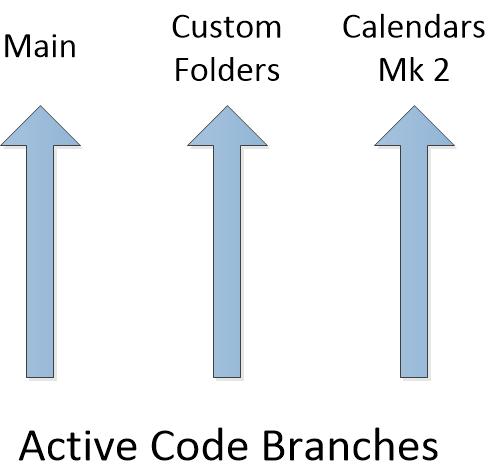
Work has been slowed down a little by the fact that Sojour currently has three work streams associated with it:
The three main work streams / branches!
Having three streams of parallel work means that any issues I find in one of them has to be merged into the others. This is normally pretty easy using my source control system.
However, the fly in the ointment is that the Custom Folders branch sports a radically different UI architecture from the other two branches, which means that some fixes have to be hand coded as opposed to merged!
Normally I try to work on one thing at a time, but I soon realised that if I stayed on the calendar work, my customers would see very little new from me as that work is such a large undertaking.
Custom folders sprung up as a result of many customer requests and of seeing Lord Gwydion struggle with his data during the live streams. As with most things software related, I had thought it would be a quick and easy update, but it has turned out to be a little more complex. Hopefully the video above will provide ample evidence that we are headed the right way.
Finally we have the main branch where all the hot-fixes and high priority changes go.
My end game is to get back to one branch again, but this is predicated on me delivering the Mk2 Calendar and Custom Folders functionality! 🙂
I spent most of last week on the unscheduled refactoring work alluded to in the last post.
Doing a big code refactor is always a scary experience that can be likened to renovating a house.
You start off by ripping things out, moving them around and then trying to re-wire everything back up. It all feels like a real mess that could never ever work again!
It’s at this point, with a multitude of compiler errors, that one experiences the temptation to just scrap the refactor and go back to the original code. However, with a little fortitude, patience and a large dollop of luck, one can see it through to the end and reap the benefits!
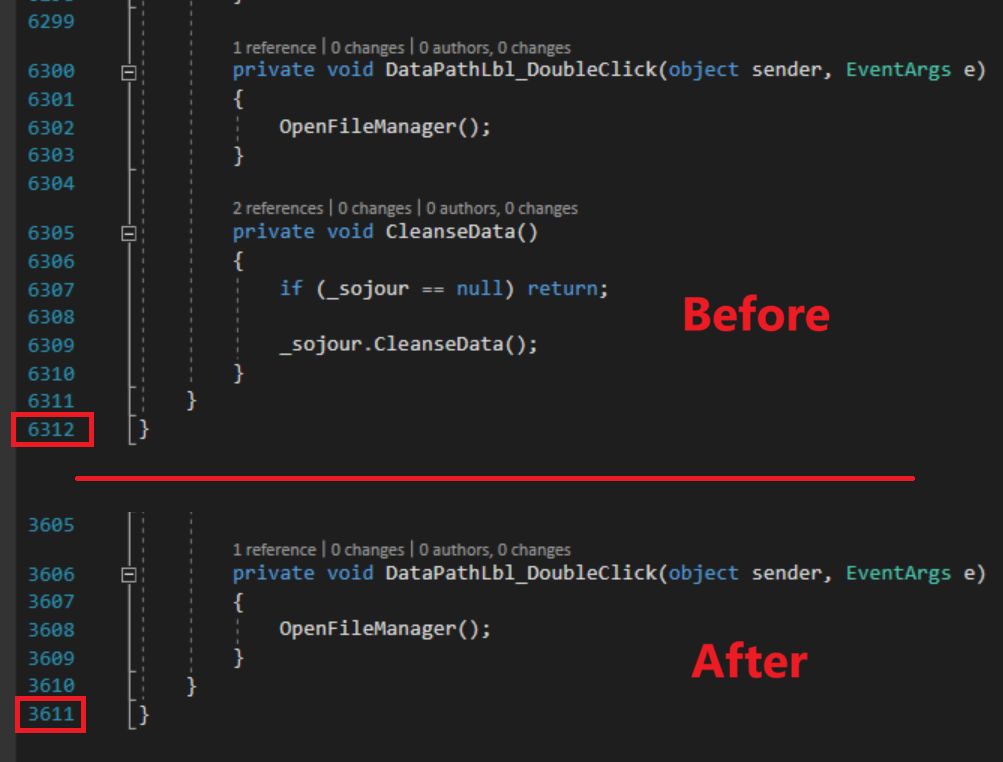
One of the benefits for me is that the amount of code in the main window almost got halved!
From over 6000 lines of code to around 3600 lines of code! (Click for larger image)
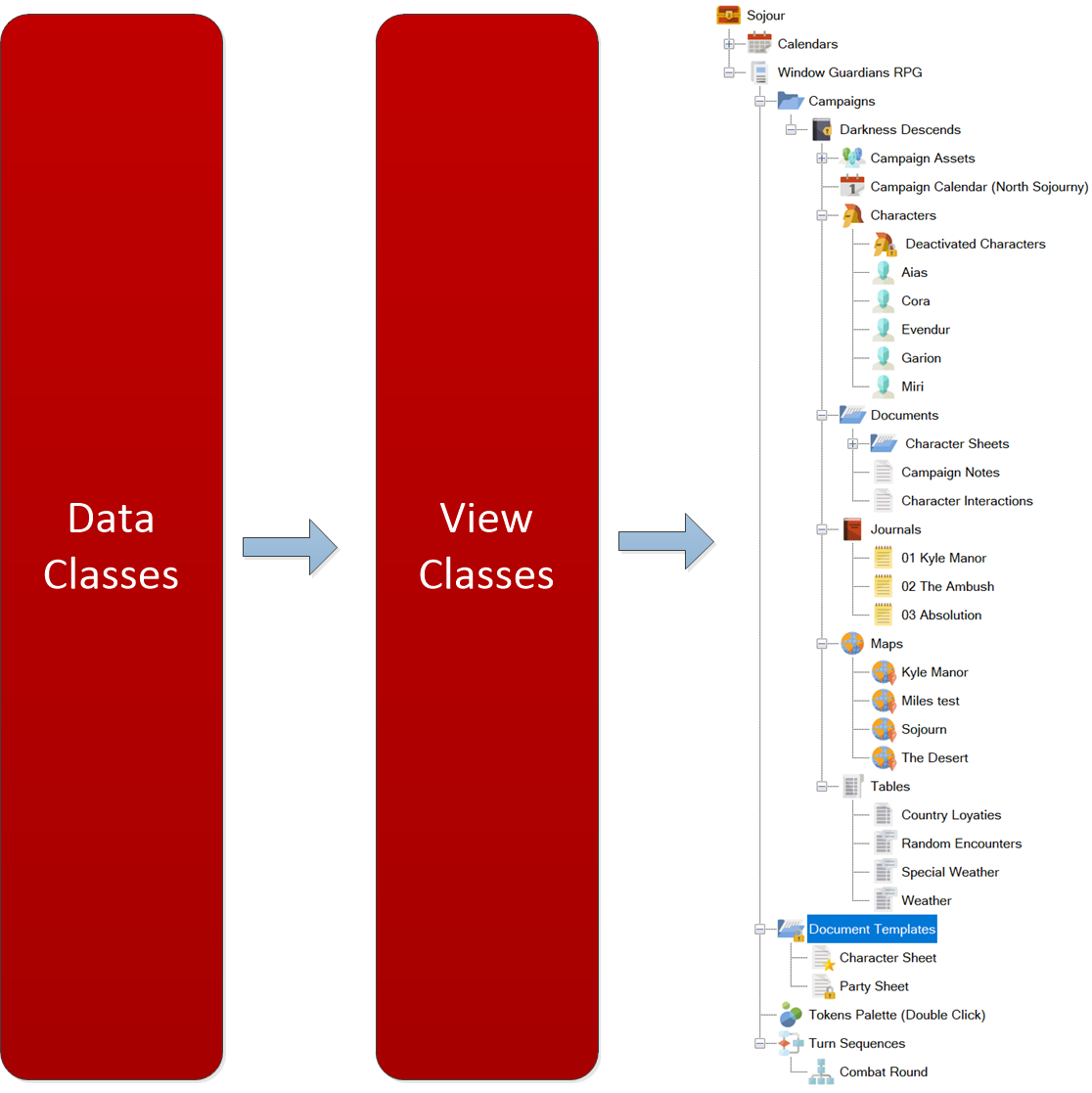
The removed code was taken away and componentised by functional area. So all the map actions are now in one place as are all the journal actions etc. They are no longer intermingled in the main window’s code. This makes it much easier to locate and understand the code I need to work on!
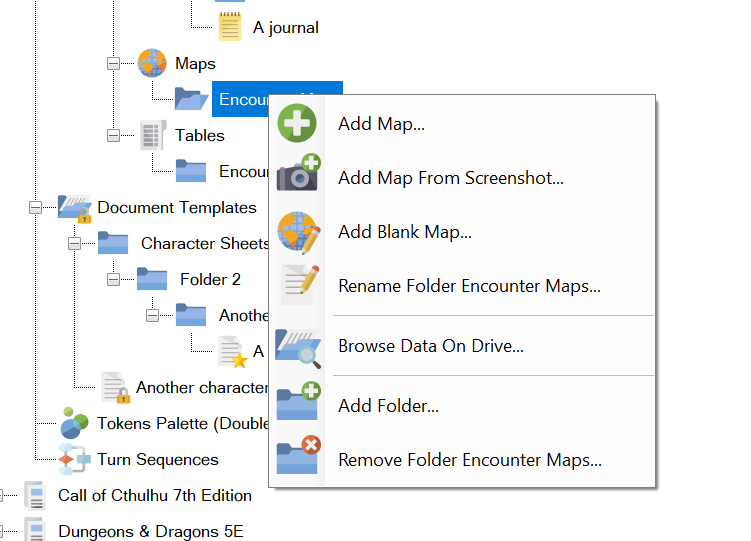
The refactor has also enabled me to create a custom context menu component which allows for the addition of the custom functionality to support user defined folders.
For example, every user defined folder’s context menu now inherits functionality from its parent asset:
The context menu on a folder under Journals. (Click for larger image)
The context menu on a folder under Tables. (Click for larger image)
If you examine the two images above, you will see that the folder under journals inherits journal functionality, whilst the folder under tables inherits the tables functionality. This will work for all other asset types too.
Custom behaviour such as this would have been a right royal pain to do inside the main window’s code – hence the refactor.
Now that the refactor is behind me, work has re-commenced with user defined folders – itself a distraction from Calendars Mk2 – but we will be going back to that too!
The result is that we are now at a point where one can now perform most of the standard operations that one would expect to be able to perform on the new user defined folders.
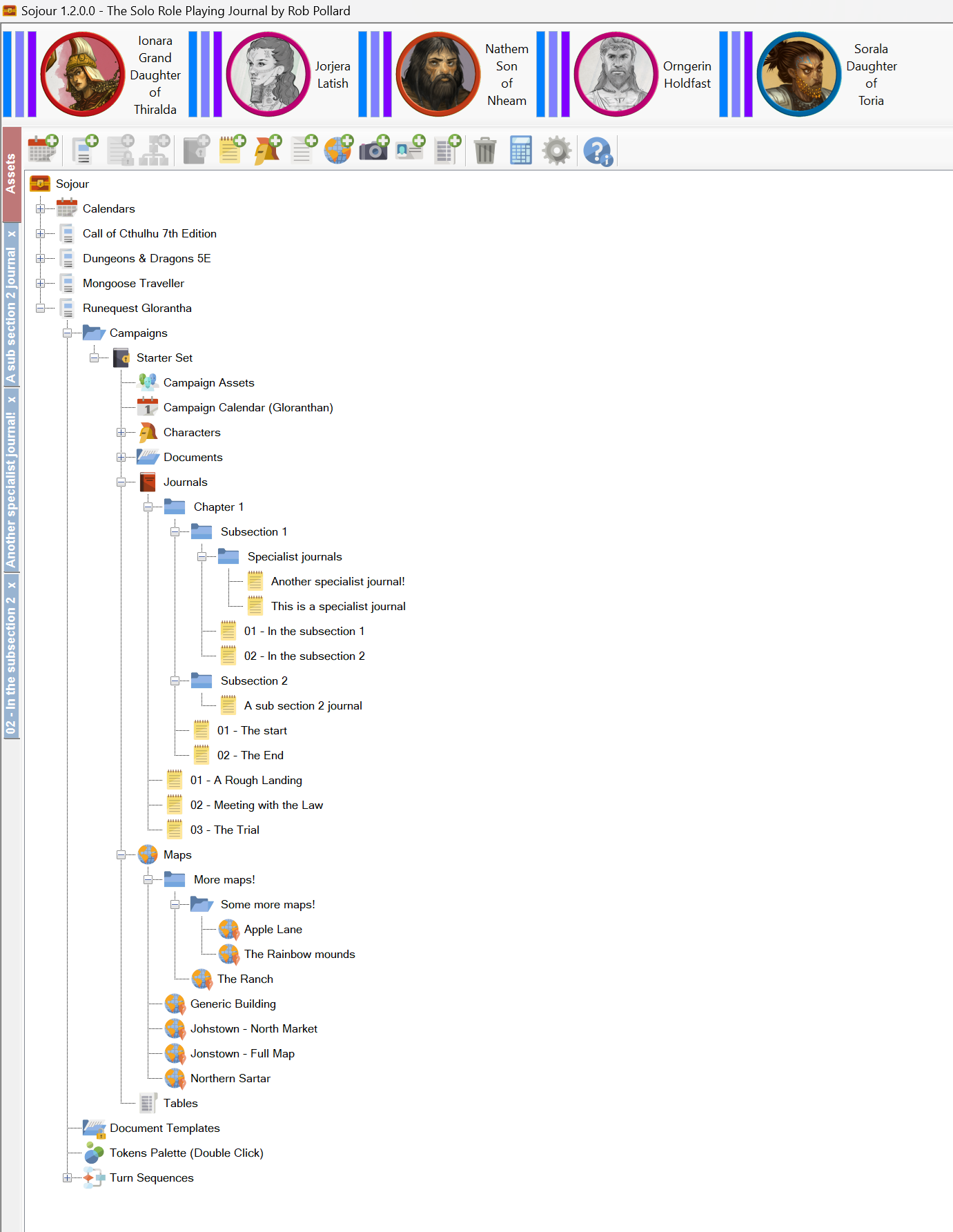
For example, here is a screenshot showing a whole bunch of journal and map folders that I created:
Folders galore! (Click for larger image)
All your existing data and games will work with the new folders system – Sojour will automatically update your data to be compatible. (It will also create a backup of your data too!)
What’s left to do?
Firstly, I need to get the whole thing to work with drag and drop – this can be non-trivial.
Next up, I will be refining the deletion code. Right now there isn’t a lot of warning if you delete a top level folder containing a lot of your precious work. I want to make sure that such deletions cannot happen accidently.
Once that’s done, I’ll need to look at character activations and deactivations, as these got a little more complicated under the new folder structures.
Finally, I’ll need to update the manual and accompany that with a lot of testing.
So a fair bit to go, but the hard stuff is now out of the way!
Alas, I can’t give a release date for this as there are simply too many variables at play, but hopefully, the screenshots above will provide some assurances as to how far along we are.
As many of you know, I have been finding it difficult this year to get the time together to do as much development on Sojour as I would like.
However, progress is being made, and if anyone reports any game-breaking bugs or other general usability issues, I will try and make the necessary time.
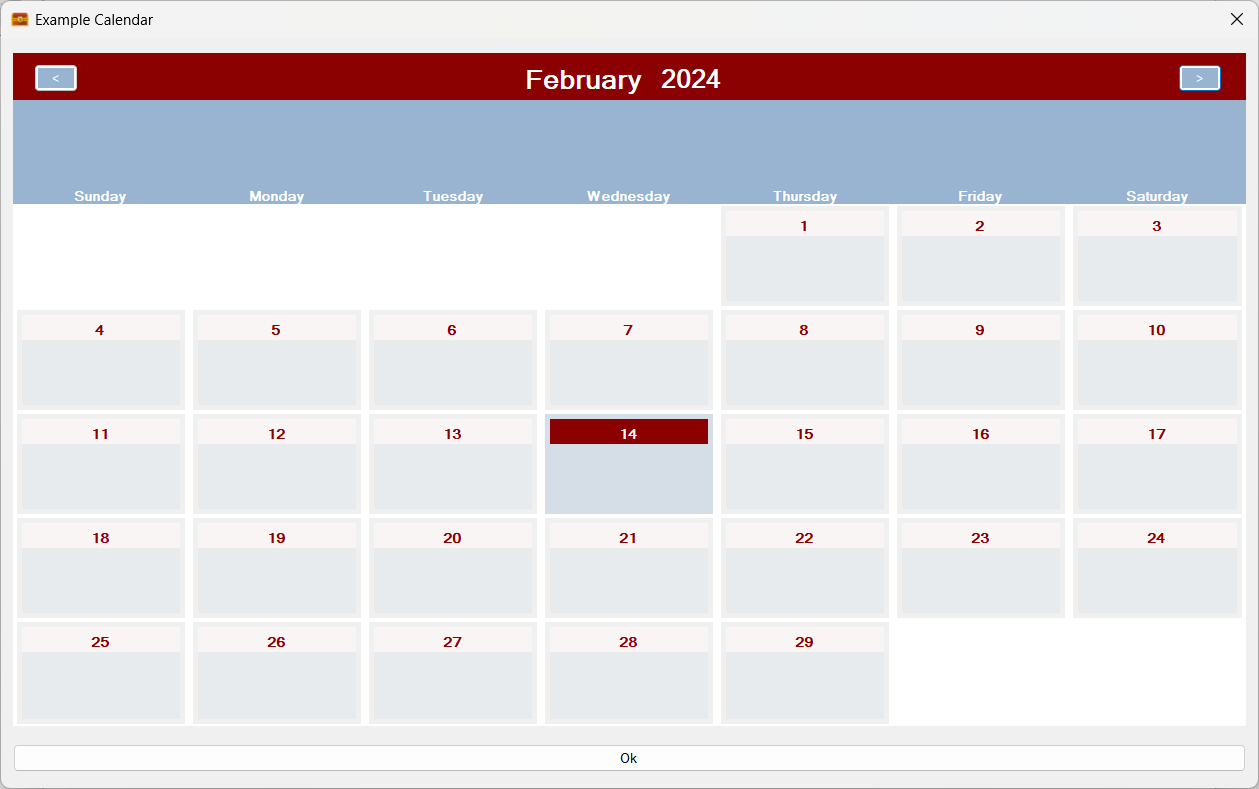
The calendar’s user interface has had a few changes made to it. Here is a screenshot of it displaying a Gregorian calendar designed from first principals using time units:
The new calendar pane! (Click for larger version)
The changes are required to allow the calendar to accommodate the additional information that the Mk2 calendar system can support.
In the future one will be able to get a zoomed in view of a day as one’s mouse cursor passes over it!
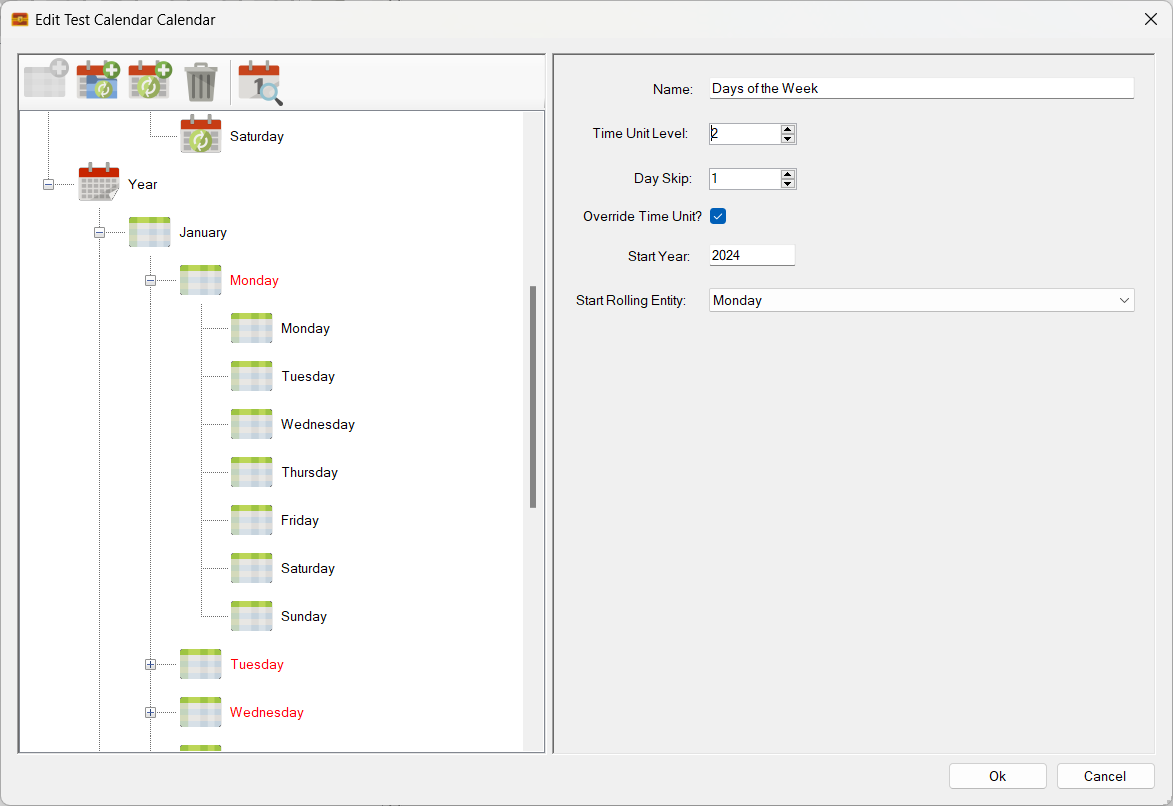
Time Units will now show you when they are being overridden by rolling entities by turning red and displaying a message to that effect. The affected fields also show the overridden values and are set to read-only:
Overridden time units (Click for larger version)
Clearing their overrides or moving the rolling entities to a different level results in the colour’s moving with the changes. Here I have moved the day rolling entities up to the week level (level 2):
The rolling entities are moved up a level! (Click for larger version)
Not a good idea, just demonstrating functionality! Note that there is a new bug in the above image where the original level three values are not being restored. This used to work and will be fixed!
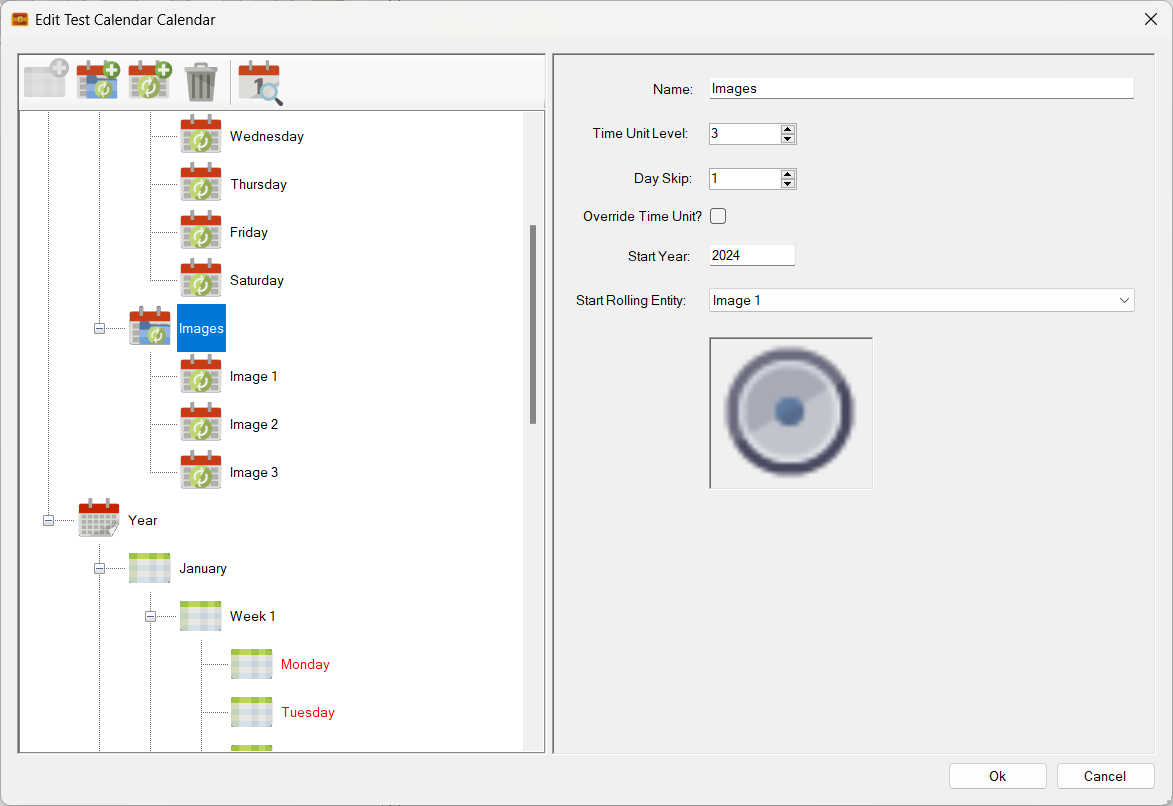
Rolling entities image coding is now mostly done. Here I have created a second rolling entity group just called Images and have assigned three rolling entities to it with three different images (a speaker, a basket ball and a musical keyboard). Here is the speaker one:
Rolling entities now support images! (Click for a larger version)
Here we have assigned the Image rolling entities to level 3 and set the speaker image is the start of the sequence. We have also set a parameter called ‘Skip’ to 1. This means that every single calendar cell will get a rolling entity. (If it had been set to 2, every other calendar cell would have got this rolling entity):
Setting the assigned level! (Click for larger version)
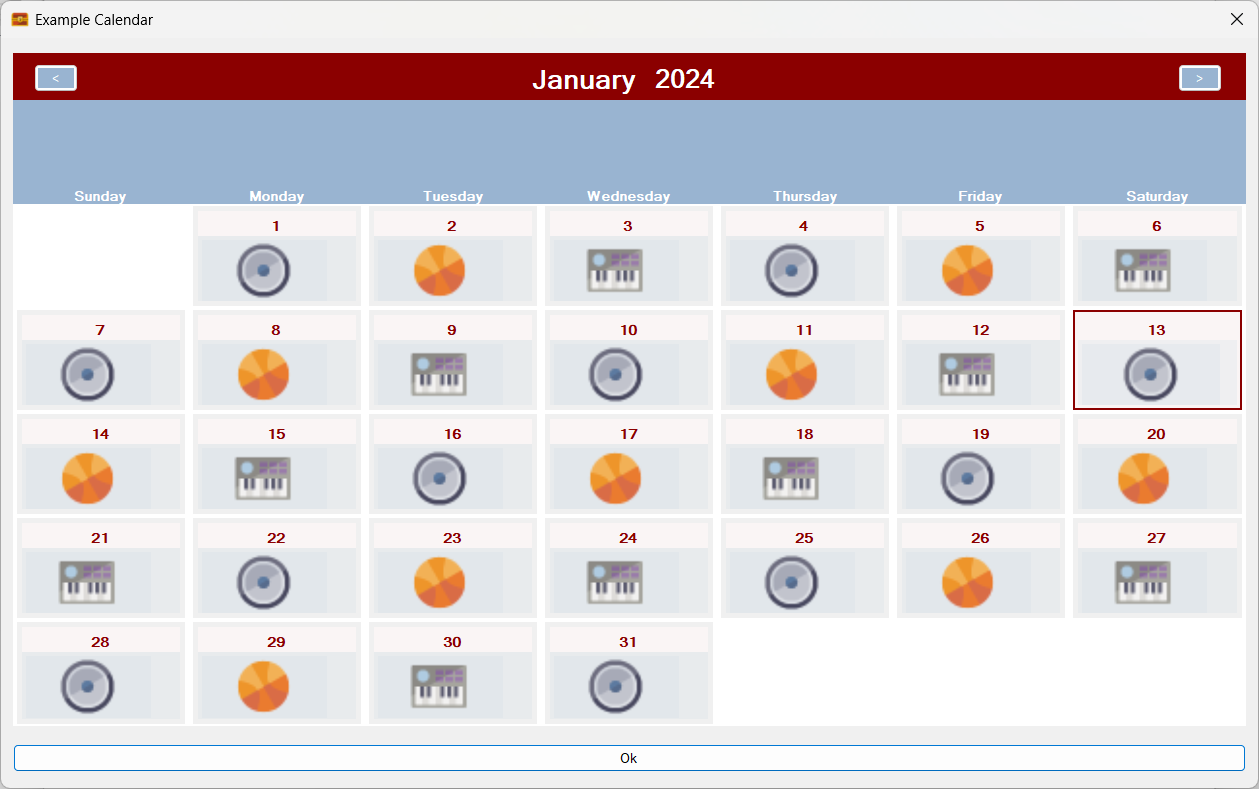
By assigning our Image rolling entities to level 3 we now get this on the calendar pane:
Two sets of rolling entities in action at the same time! Days of the week and Images! (Click for larger image)
The above image is quite significant in that it shows that Sojour can now handle multiple rolling entities, simultaneously, even when assigned to the same level!
The image render code is an early version and is just there to show me the system working. It will be improved as coding continues.
Why support images?
By doing so, one could add an image sets that represent cyclical things such as, for example, the phases of the moon.
That’s about it for the calendar progress. It is slow, but it is getting there!
Now for v1.2.86.0 release notes – (this update will be up very soon):
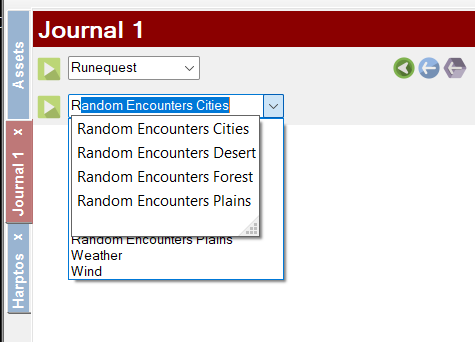
Enhancements RPG-386: The drop down lists in the journal for look-up tables and turn sequences can now be filtered and searched by starting to type the name of the table or turn sequence you are trying to find. It should make finding the required items faster when you have a lot of them!
You can now filter the drop down lists! (Click for large image)
RPG-387: Sojour only used to save data on exit unless the user used the various manual save buttons. The problem with this approach is that if Sojour crashes or your computer dies, you could lose a lot of data.
Sojour has now been updated to be a lot more aggressive with regards to saving your data. It will now auto-save your data for no less than 41 additional activities! Alas, there are some activities that I couldn’t add this for without compromising performance. However, I will keep this under review.
Fixes RPG-388: Fixed a bug where events could end up on the wrong day for years with leap days. Also fixed recurring events so that they take account the origin year’s leap days and all subsequent year’s leap days. This ensures that recurring events now always occur on the same day across all years.
This is a shout out to Lord Gwydion who has started filming some great You-Tube videos using Sojour to run a solo adventure using Ker Nethalas (click to go to its store page).
So far there are three videos, an introduction to Sojour:
And the adventures of Samuel through what looks to be a fairly dangerous dungeon:
Lord Gwydion also created a video demonstrating using Sojour to create a ruleset for Ker Nethalas:
The system is very interesting one in that it is solo focused, but also provides the player with a lot of agency. I highly encourage that you pop over to Lord Gwydion’s channel to follow the adventures of Samuel!
Also, don’t forget to thumbs up Lord Gwydion – producing videos for You-Tube is not an easy task and takes considerable effort!
On the development front, work is happening on Sojour, albeit at a very slow pace as I’m finding it hard to get the time together.
The current plan still stands: A calendar update to version 2, followed by tables enhancements, followed by dice enhancements. Once they are all in, I’ll ask the community what they want to see next!
Sojour has had a good year in 2023 with numerous enhancements added and many bugs squashed. (As an aside, all updates and enhancements are offered free of charge to all existing customers!)
Despite many new features being added, there is still a huge list of enhancements that I want to incorporate!
For those new to Sojour, the key take away from this retrospective is that nothing stands still! Sojour will continue to improve based on customer feedback and my own designs.
Here is a list of some of the major achievements and enhancements that Sojour attained in 2023:
Sojour got released!
This was a huge milestone. It’s one thing to code Sojour for personal use, but quite another to make it ready for commercial use. Over 200 hours of testing and refinement got pumped into Sojour to ensure that it would work under a much expanded use-case regime.
In addition, a manual had to be created – and subsequently re-written to avoid copyright issues – which itself took several weeks of effort. This illustrated manual currently stands at 166 pages!
At that time, everything I did was focused on getting Sojour released and I had naively assumed that once released the journey would be over and I could then re-focus work on my other project Ancient Armies. (Sojour borrowed a lot of technology from Ancient Armies)
But as it turned out, the release marked the start of a whole new journey – one that I hope many of you will join me on! If you are interested, Sojour can be bought at DriveThruRPG for a one off payment of $10USD with no DRM or servers needed.
Map Scale Assistant added!
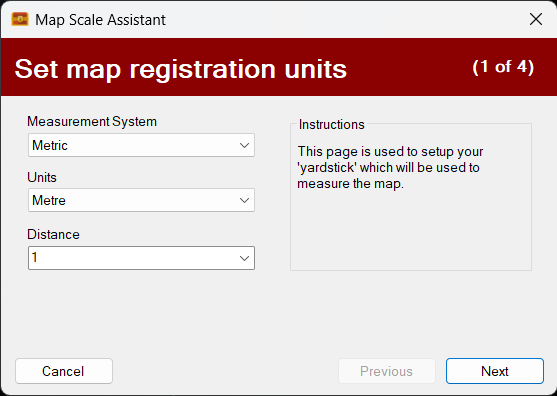
The map registration system got a complete overhaul. It was replaced by a new wizard called the map scale assistant that allows one to directly scale their maps using the actual maps rather than a separate window.
The original blog post covering this new map scaling assistant can be read here. Please note this is an earlier version of the assistant and things have progressed!
Custom Health Bars added!
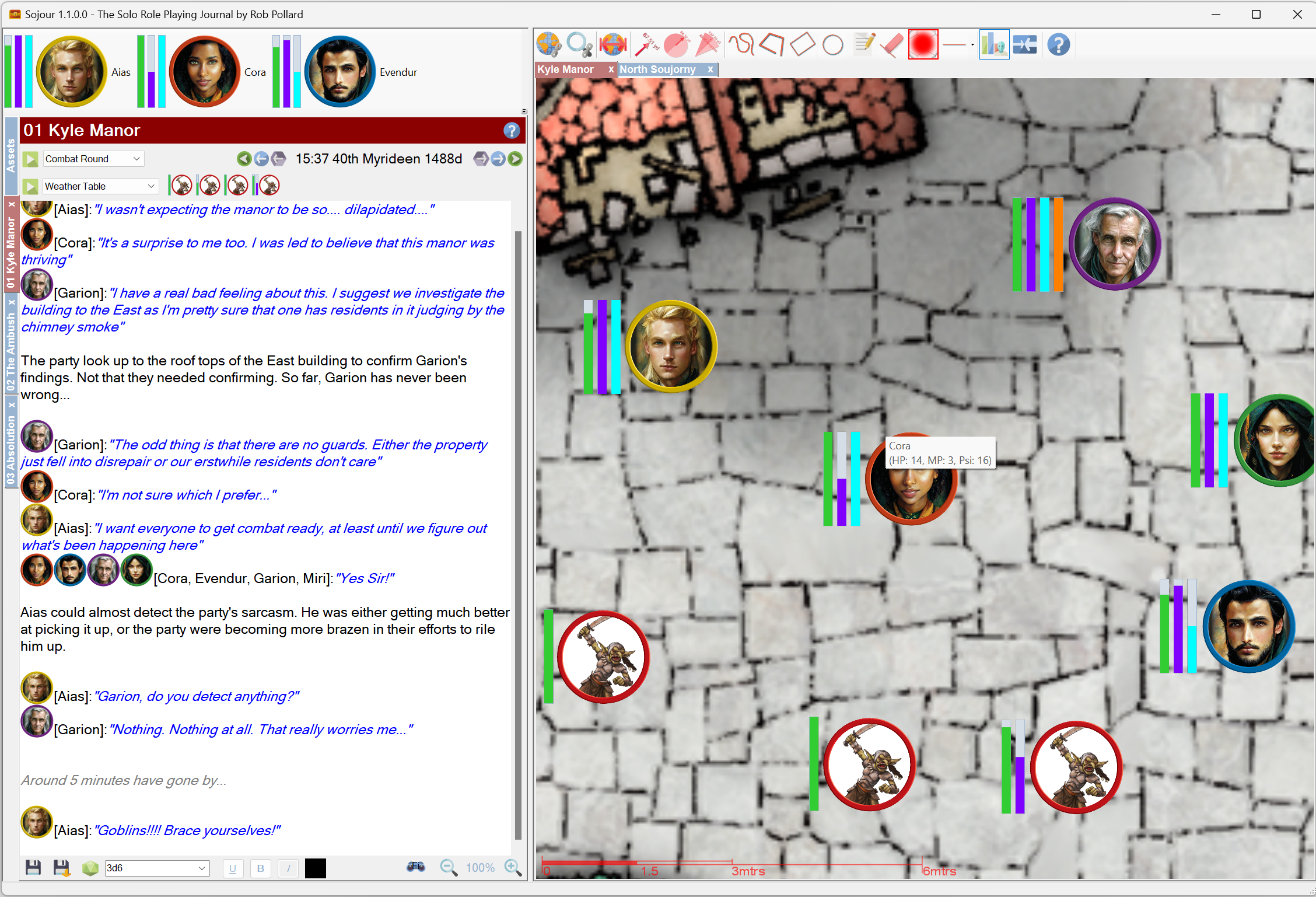
These are known as trackable characteristics and are extremely flexible. The user can create up to four health bars for each token and these can be defined in characteristic sets. This allows one to have multiple health-bar configurations in one ruleset!
The intent is to allow for more health bars in the future. The core technology already supports this. The hold up is figuring out how to make a large number of health bars a practical proposition in the user interface.
This video demonstrates an earlier version of trackable characteristics:
3D Map Tilting added!
Sojour uses a custom graphics engine called Ionian. This engine was originally written for Ancient Armies and one of its hidden secrets is that it is really a 3d engine!
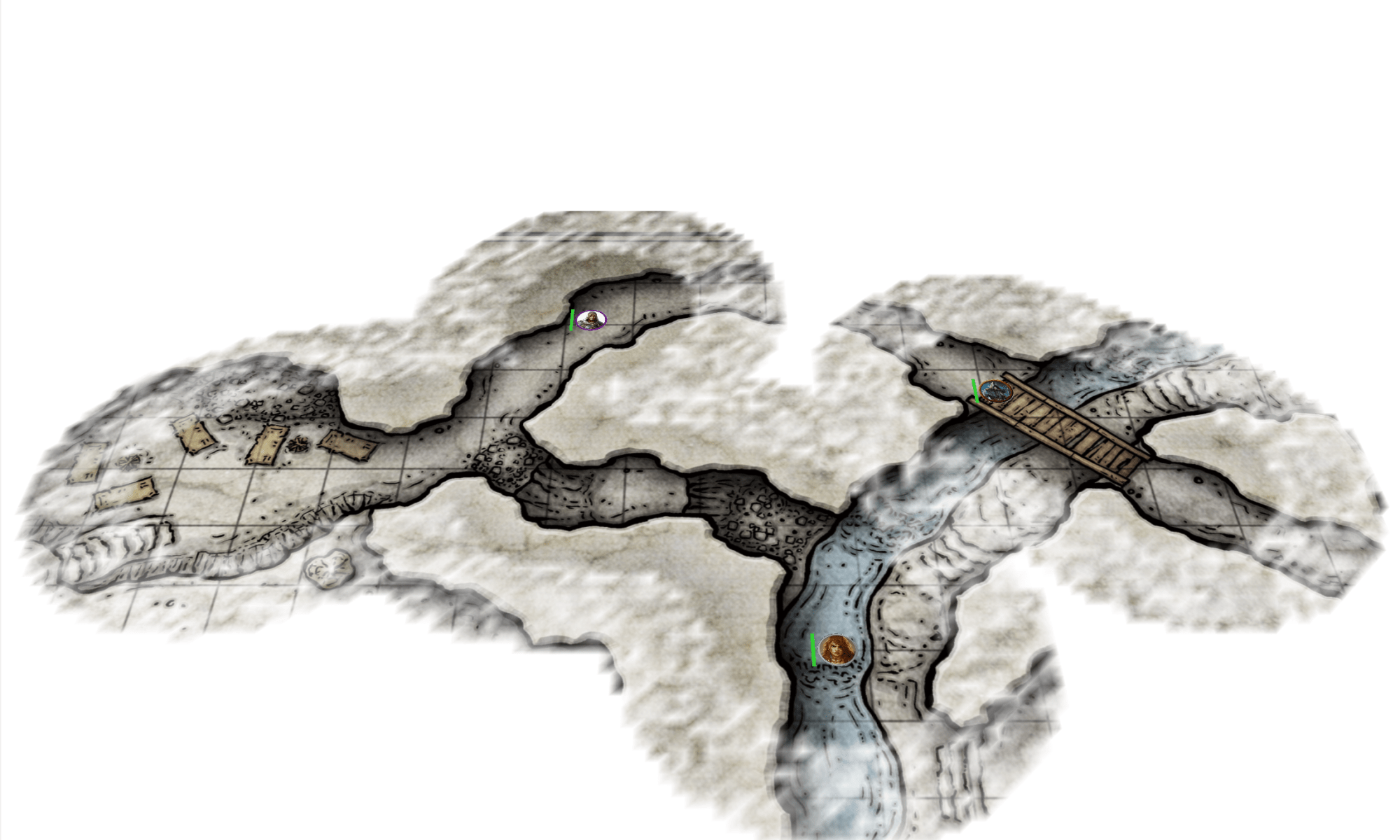
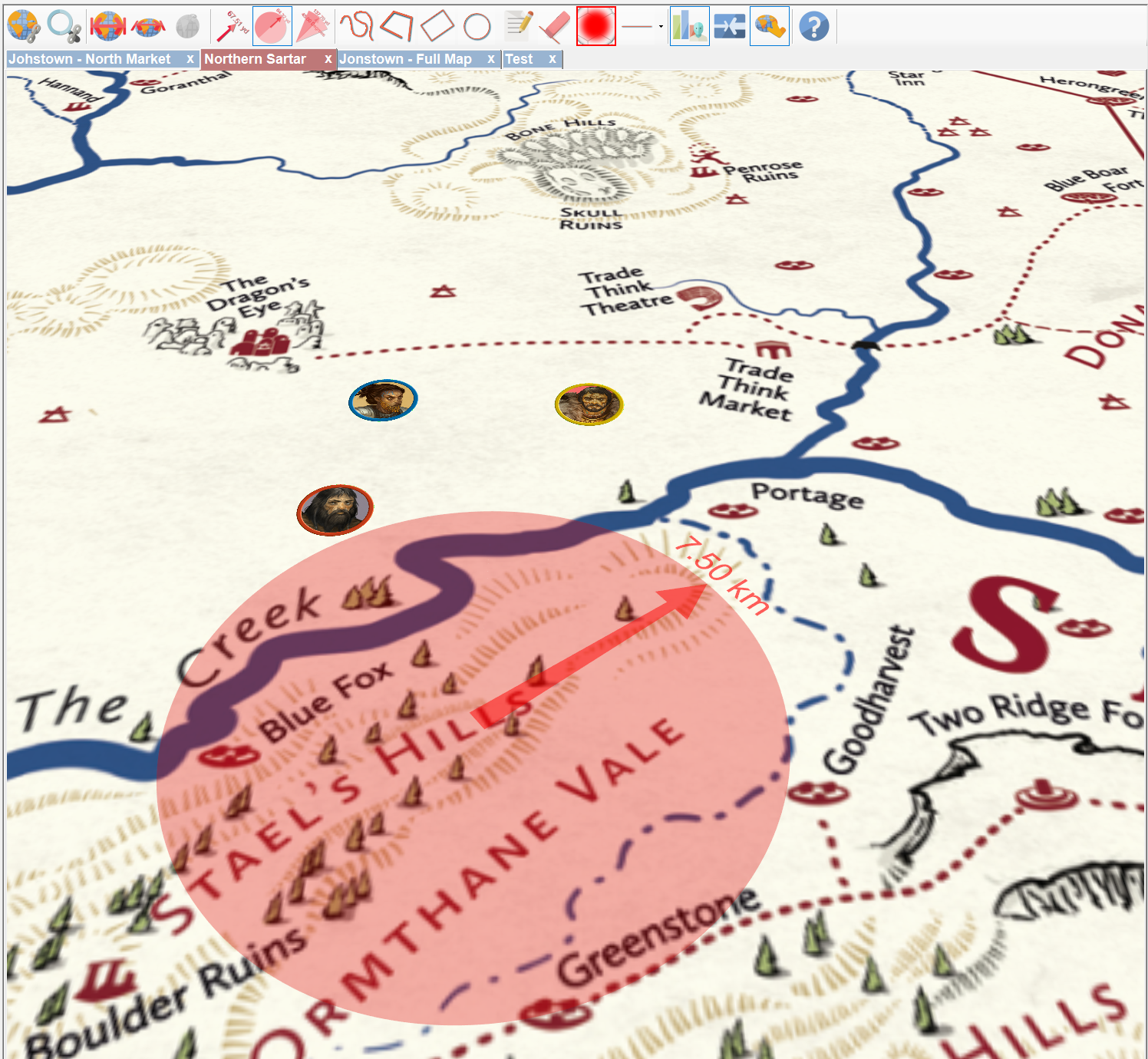
I decided to take advantage of this by offering map tilting which makes many maps really shine.
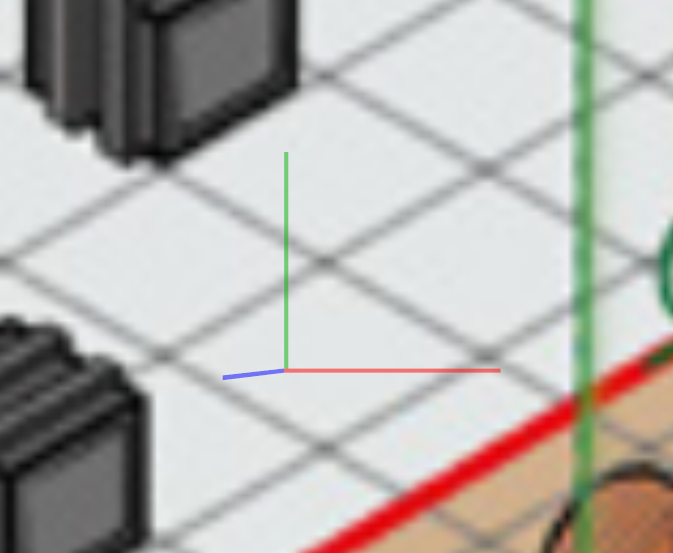
In addition, there is built in functionality to allow the user to accurately align the tilt of a map so that it is in the same plane as a 2d isometric drawing – this results in an uncanny 3d effect!
Here is a video that goes through map tilting:
Fog of War added!
This was a huge piece of new functionality. It enables the user to add fog of war to any map!
The backend code is super configurable. However, only a small proportion of its functionality has been surfaced to the user interface – so expect more enhancements in the future!
There are two videos covering fog of war.
The first is for the original iteration:
Whilst the shorter follow-on video describes some enhancements made to the fog of war system as a direct result of user feedback:
File System Manager added!
This was a major piece of work that provides users with a number of useful functions for dealing with their data. These functions also include the ability to backup and restore games.
A video covering its extensive features can be viewed here:
Tutorial Videos added!
These might seem unimportant, but many users rely on these to gain an understanding on how to use Sojour and how to solo scenarios designed for multiplayer games.
Producing videos takes a lot of effort, but I think the results are worthwhile!
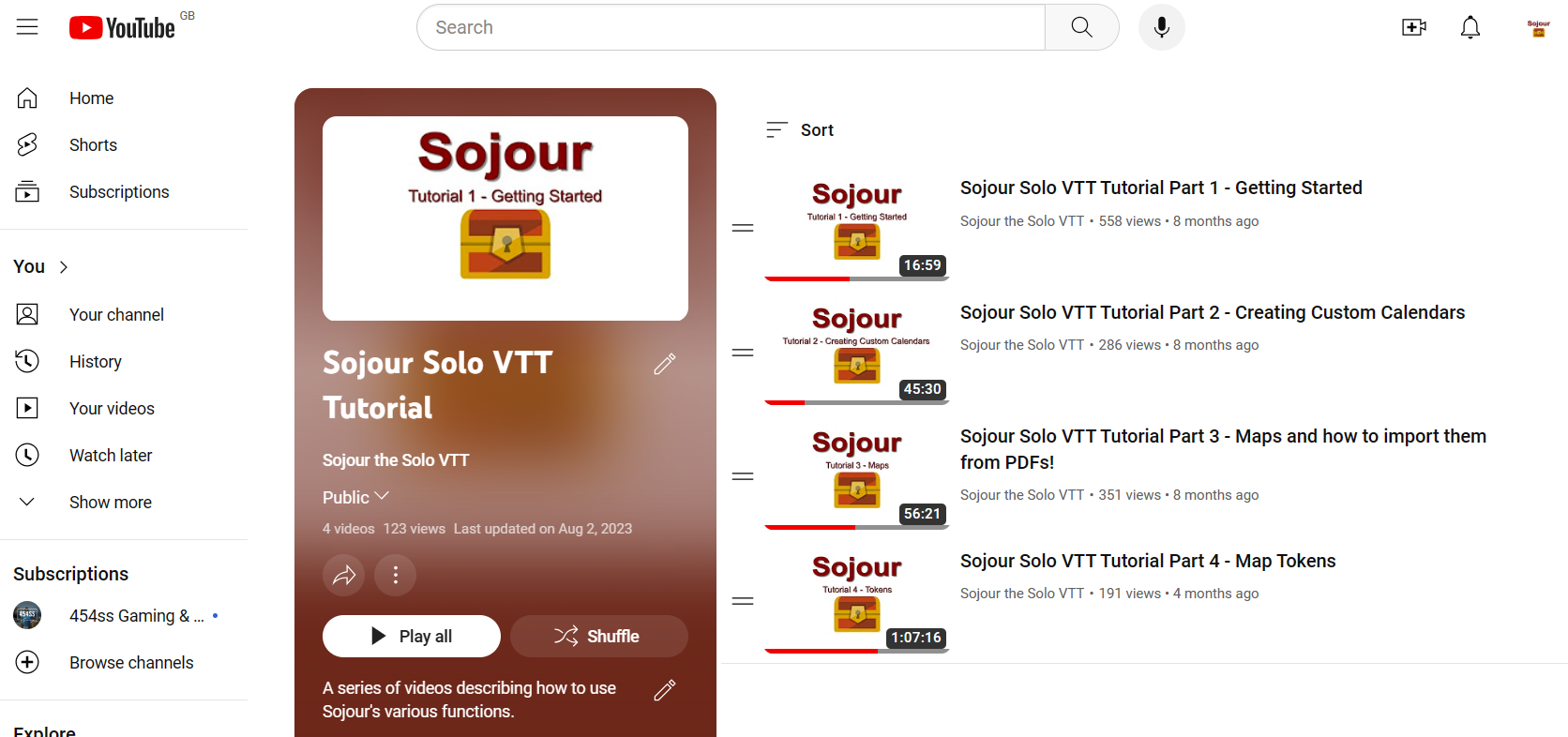
All the tutorial videos can be found in this You-Tube playlist. The playlist is incomplete. There are many more planned videos to come!
In addition to the Sojour tutorials, I also released a handy video describing how to solo multi-player RPGs!
Well over 300 sales!
It would be fair to say that Sojour has sold a lot more copies than I envisioned.
The reason for my low expectations is that I have done no real advertising. I was kind of hoping to make it ‘feature complete’ before really pushing it out there.
This low profile combined with the fact that the product is in a niche of a niche (a solo VTT, in a VTT market), meant that my original sales expectations were generally a lot lower.
In fact, truth be told, Sojour was never really meant to go on sale!
I originally wrote it to satisfy my own personal needs for a VTT. I had tried many of the popular ones out there and each one of them was great for multi-player gaming (their design intent), but not so good for solo play.
As Sojour developed, and I started using it, I got an inkling that many others might have a need for a solo VTT too. That’s when I decided to commercialise it.
I’d like to thank everyone that took the plunge and bought Sojour!
Not forgetting the minor enhancements!
A huge number of enhancements got added to Sojour. Here is an incomplete list of some of them:
Static Campaign Assets. The user can now create tokens that are part of the map – for example discovered caves.
Ability to create on-map custom names for multi-instanced tokens or campaign assets. For example, you could drag 4 goblins to the map and then set about giving them custom names to add more character to them.
Sojour’s default automatic token scaling can now be altered by the user on a per-map basis.
Improved map context menu. It now looks better and is much more context sensitive based on what’s been clicked.
Dead tokens can now be optionally hidden – or not….
Tokens can now be double clicked to view their associated documents.
Sojour’s installer got many improvements, including the ability to directly upgrade an existing installation in-place without needing to manually uninstall it first.
Various improvements to the journal, including the conversation system (now more flexible) and enhanced dice rollers (in fact the original version of Sojour had no dice rollers at all!)
The Failures….
No one likes to talk about failures, but every software project has its share of failures. They are an intrinsic part of the natural evolution of the software. If one doesn’t take the risks, then the software can never hope to improve in any meaningful way.
Sojour suffered from two setbacks in 2023, both of which cost a lot of development effort and ultimately lead nowhere:
Dark Mode
An attempt was made to give Sojour a dark mode. Alas, this ill fated attempt failed because the technology underpinning Sojour doesn’t really support it.
The aim is to re-write Sojour at some point in the future using a more modern technology stack, but this will only occur once the current feature pipeline reduces somewhat.
A re-write would require considerable effort and take me away from general Sojour enhancements and bug fixing – which is why I need the feature pipeline to dry up a little first!
The trials and tribulations of this doomed feature can be read in this blog post and this one.
Custom Folder System
This was to be a system to allow users to completely configure Sojour’s asset browser in any way they saw fit. It even allowed one to create custom views that could show combinations of assets.
The problem with the system is that it was complex and took too long to write and test. Alas, it got to a point where its code base was too far behind the current version of Sojour to make any kind of integration a viable possibility.
I still have the code on its own test branch, so it’s not completely dead. I will probably resurrect this feature as a simpler cut down version sometime in the future.
You can read about my initial aspirations in this blog post.
A final thanks!
Finally, I would like to personally thank each and every customer that took the punt and bought Sojour from an unknown developer. It means a lot to me and helps instil a sense of responsibility that I have to all my customers.
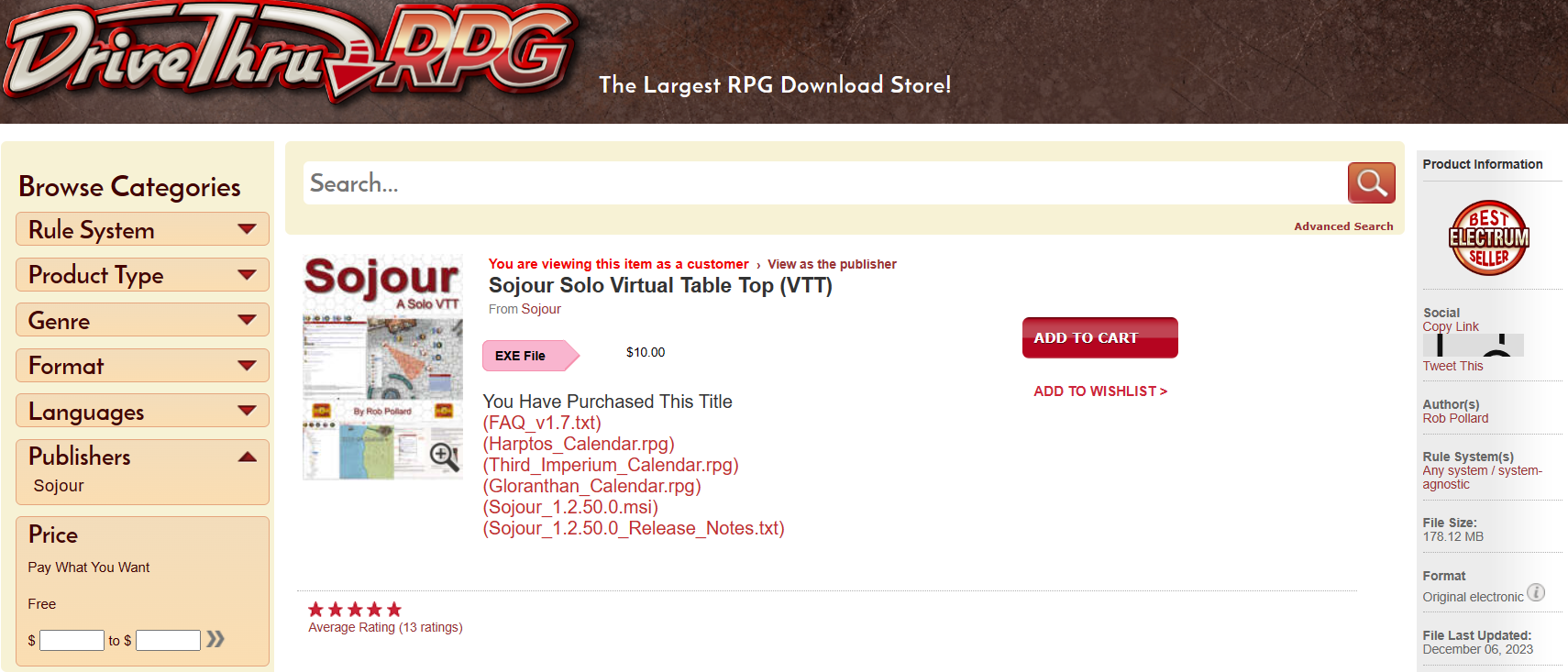
Customer feedback has been really good thus far. Thirteen reviews, all maxed out at 5 out of 5 stars.
One quote that makes me particularly proud is this one from DriveThru RPG:
Overall, Sojour Solo RPG VTT offers a level of functionality and ease of use that is unmatched by any other VTT platform. – David S.
It’s quotes like this that provide some feedback that we are headed in the right direction! 🙂
I hope Sojour has provided for a lot of fun and enjoyment. There is more to look forward to in the future. The version of Sojour that you have in your hands right now is only the beginning!













 Sojour