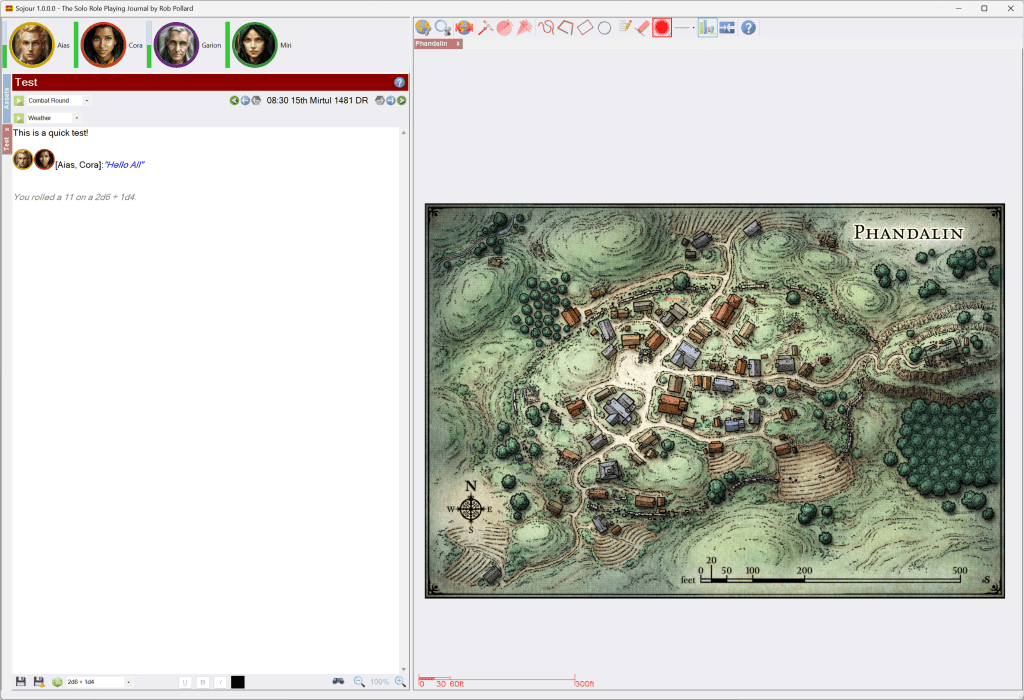
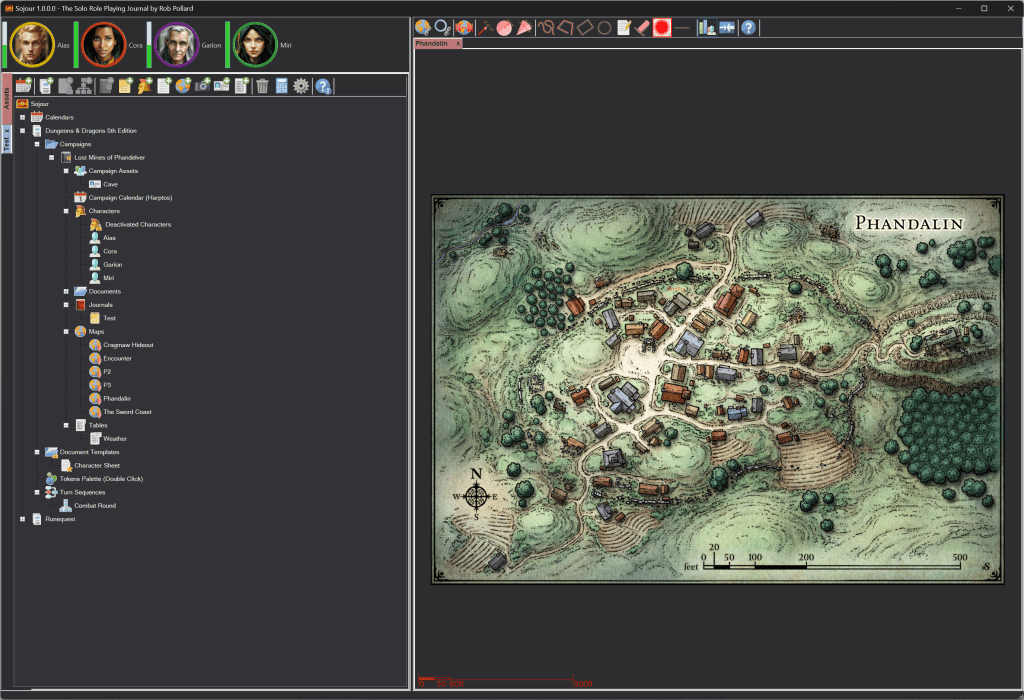
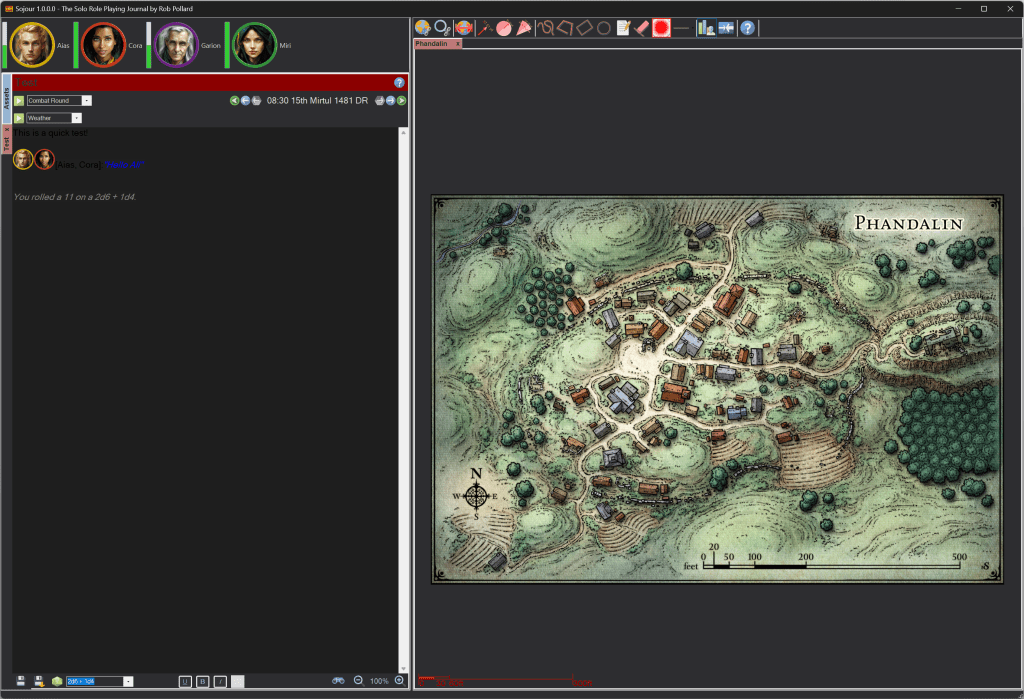
Sojour Solo VTT v1.1 has now been released!

I’m pleased to announce that Sojour v1.1 has now been released! As with all updates, this one is completely free for all existing customers!

The main new feature is trackable characteristics. These are very flexible and impact most parts of the system. I highly recommend watching the video below to get a good overview as to how they work.

It should be noted that I have much more in store for characteristics and many more things Sojour related! Sojour is an evolving product and will only get better with time.

If you aren’t a customer and are interested in purchasing it, Sojour costs a one off payment of $10 USD. There are no servers or DRM – so it’s yours to keep forever and you will get free updates – just like this one – as I release them.

You can purchase Sojour from DriveThru RPG using this button:

In the meantime I’d like to thank my existing customers for purchasing Sojour and also providing me with many great ideas!

Happy gaming folks 🙂

RobP

Hot off the press! – Characteristic Sets!

If you examine the screenshot above you can spot the next enhancement added to trackable characteristics: Characteristic Sets.

Each ruleset can have from zero to as many characteristic sets as needed. Each characteristic set can be built to model a particular thing in a game system.

In the above example I created three characteristic sets for the selected ruleset:

  1. A standard characteristic set with just strength, dexterity and endurance – In this example, Aias is sporting the standard set with three bars.
  2. An enhanced characteristic set for those that are Psionically aware – Arla is one of these – that’s why she has an additional 4th purple bar.
  3. A characteristic set for monsters. These only need one value and that’s hit points. All the monsters are using this one – the tokens with the single green bars.

I also have a red token on the map that I have decided will not have characteristics – so that one sports no characteristic bars.

In addition to characteristic sets, each map can also have its characteristic bars toggled on and off and these settings persist between sessions – It’s the new map tool button, third from the right.

Characteristics can be altered either by mousing over the portraits in the tool bars / journals or mousing over the characteristic bars directly on the map and then using the mouse wheel.

Don’t worry about the specific details, the manual will be updated and a new video will be released to show you folks how to take advantage of the trackable characteristics system 🙂

I’m still on schedule for a release on Sunday! 🙂

In the meantime have fun!

RobP

Trackable Characteristics!

In the previous post I alluded to work being carried out to greatly enhance Sojour’s ability to track characteristics that alter over time. Everything in that post still stands, but we are now a lot further along with the implementation.

Coding wise, it is pretty much done. Just a few loose ends to tie up and a lot of testing to do.

I’m hoping to get this out by the 9th April – but as always this is dependent on free time.

For those that haven’t read the previous post, Sojour will soon allow you to define up to four trackable characteristics for each ruleset:

In the above case I have used up all four trackable characteristics for a Traveller ruleset.

This dialog is pretty much unchanged from the previous post with the exception of the ‘Hex Based?’ checkbox which will allow you to define if these characteristics are displayed in decimal or hexadecimal. Traveller uses hexadecimal based characteristics, so in this case I have ticked it.

Internally the system can handle any number of trackable characteristics but I have limited it to just four for ease of use (see the previous post) and to limit how much toolbar real-estate is taken up.

Each ruleset can be defined with between zero to four trackable characteristics.

Now that I have defined my Traveller ruleset, the next visible change you will see is when you add a new character or token:

The above window has been given an overhaul. In addition to the trackable characteristics fields, the notes field now uses the same component that’s used in the journals, which provides for greater flexibility when writing notes.

Each character, token or campaign asset can choose to either enable the ruleset trackable characteristics, or not. In the above example I have enabled them.

The screenshot clearly shows how the characteristic colour coding carries through. It also shows the use of a hex value in the Endurance field. Everything is validated. So in this case, these fields will only accept valid hex values. A field’s background will change to red to let you know if an invalid entry has been made. The Ok button is disabled until invalid entries are fixed.

In addition to raw values, tokens can also accept a dice expression which is then automatically rolled when the token is dragged to a map.

These characteristics show up as characteristic bars in Sojour:

In the above screenshot we can see the four characteristics that were added for the Traveller ruleset. These are visible for both the characters and the NPC’s.

Each bar is colour coded to match the colours you chose for the ruleset.

Hovering over these bars now produces a new tooltip:

The same tooltip is visible when the NPC portraits are hovered over too.

To alter a characteristic all one need do is wave the mouse over a portrait and then use the mouse wheel. The characteristic that gets modified is based on a keys that are pressed in conjunction with the mouse wheel rotations. These are:

  • No Keys – The first characteristic is altered
  • Ctrl Key depressed – The second characteristic is altered
  • Shift Key depressed – The third characteristic is altered
  • Shit & Ctrl Kyes are depressed – The forth characteristic is altered

As with the current version of Sojour, altering a characteristic displays a floating number over the token on the map. The altered value floats up from the map-token whilst getting continuously more transparent until it disappears.

Each floating number is colour coded based on the actual characteristic that was altered:

The above collage shows Sir Conrad having each of his characteristics altered from left to right. The displayed values respect the number base chosen for the ruleset. In this case, hexadecimal.

Sojour will automatically upgrade existing rulesets and campaigns. Below is an existing Runequest campaign that I have been running. It automatically got upgraded to use the new trackable characteristics system with no input from the user:

The current version of Sojour only has one fixed trackable characteristic called hit-points and only NPCs have them. The above ruleset got auto-upgraded so that the troll NPC’s in the journal are now using hit points that are tracked with the newer system.

That’s it for this post. Feel free to send me feedback with regard to this new feature – just use the email address in the manual. The more feedback I have, the better I can make this new feature 🙂

Have fun, and thanks to all the customers that bought Sojour!

RobP

Characteristics Overhaul Incoming! :)

This week I have got custom folders to the point where it is nearly fully integrated with the rest of the system. That is, Sojour is nearly fully operational with the same functionality it currently has, but using the new custom folder technology rather than the older static views technology.

However, despite the work on custom folders, I have also been working on overhauling Sojour’s characteristics system. The intent is to release the characteristics overhaul first – as this has a bigger impact on gameplay. This will then be followed up by custom folders.

At the time of writing, Sojour’s characteristics system is extremely crude. It can only track hit points and that’s for NPC’s only!

Many RPG’s don’t have hit points. Some RPG’s use a total of several different characteristics to keep track of hit points, whilst others have additional characteristics that also need tracking – such as magic points. Sojour currently has great difficulty in modelling these values unless you do it directly within the journals, character sheets or campaign documents themselves.

The new characteristics system will allow the user to add up to four trackable characteristics for use with NPC’s, PC’s and Campaign Assets.

These characteristics will be defined at ruleset level:

The image above is from the new ‘Add Ruleset’ dialog window. It now allows the user to add zero to four trackable characteristics for the ruleset. Here, I have set it up to model the characteristics found in the Traveller TTRPG.

Sojour will default to giving you a single field called hit points, which if left unaltered will provide similar functionality to what we already have.

When a character, token or campaign asset is created, it will inherit these characteristics from its parent ruleset. At this point you can choose to enable or disable them for the newly created entity.

Characteristics will normally be filled out with numeric values, however, tokens will also allow you to use a dice expression in lieu of a fixed value. Where a dice expression is provided, sojour will automatically roll these characteristics when the token is dragged to a map.

I have restricted Sojour to four trackable characteristics as I wanted them to be easily editable with the mouse wheel. Alas, I can only think of four easy to use mouse wheel combinations: Mouse wheel only, <Ctrl> Mouse Wheel, <Shift> Mouse Wheel and <Ctrl + Shift> Mouse Wheel – hence the limit.

All NPCs and PCs will display health bars, one for each characteristic. These will also be visible on the map – though this will be a toggled feature under Sojour’s settings.

There is still a ways to go. But most of the low level coding is done and the characteristics system is now fully integrated with entities, map-tokens and journals.

Existing games will be auto-upgraded to use the new system. The way this will work is that each existing ruleset will get Hit Points as a characteristic. This characteristic will then be disabled for everything except NPCs, with the current values ported over. In theory you shouldn’t notice any changes to existing games (other than some of the new features).

Once released, I will put up a video too, as this system is very flexible and pretty extensive in scope.

I hope you folks like where the characteristics system is heading. 🙂

That’s it for this week!

Thank you for buying Sojour and have fun!

RobP

Sojour 1.0.46.0 has been released!

This update improves journal conversations (though there are still more improvements down the line for that) It also fixes a bug introduced into the PDF viewer by Microsoft.

Details below:

FIXED! RPG-254 Unbeknownst to me, Microsoft broke the toolbar on the WebView2 component that Sojour uses for displaying PDFs. The toolbar is now visible again and I have also fixed an odd threading issue, where once upon a time, opening a character sheet used to make that character sheet’s window unresponsive for the first click. It’s now responsive from the get-go.

I have also updated the WebView2 component to its latest version. This is a really tricky process and whilst it works on my machine, I would be interested to hear how others fare.

ENHANCEMENT! RPG-256 Anonymous conversations no longer inject a newline when they have finished. This was added because my latest campaign has many anonymous characters in it and I discovered that anonymous conversations tend to have a more complex structure than the standard token based conversations. For example: “Go Away” said the troll, “Don’t bother me!” – all this appears on one line, but the old system’s insistence on adding a newline character simply got in the way.

ENHANCEMENT! RPG-257 Active conversations are now automatically deactivated if the user deletes any part of the conversation’s text prefix, up to and including the first speech mark or any of the portraits. Sojour will remove the whole of the prefix section with portraits and reset the journal to having no active conversations.

The same thing happens for anonymous conversations if the first leading speech mark is deleted.

Note, the above applies to active conversations only. Once completed (and inactive), a conversation can be edited in any way that you see fit.

This was introduced because I’d occasionally go to write a conversation and then change my mind by deleting it. However, the old version of Sojour never detected the deletion, so it stayed in conversation mode which lead to all sorts of weirdness.

That’s it for the changes!

My current coding schedule will be following a philosophy of releasing little important things like the above on a relatively quick cadence and the larger bits of new functionality – like custom views – on a slower in-parallel cadence. If I don’t do this, your updates would be held up by the bigger features, which I don’t want to happen!

I think I have struck the right balance, but if you folks would rather I switched to some other release cycle, then please let me know! (Email address is in the release notes and the manual)

Once again, thanks for purchasing Sojour!

Have Fun!

RobP
Sojour 1.0.39.0 has been released!

This is a minor release that updates the installer only.

Two enhancements have been made to the installer:

  1. The installer is now named Sojour_n.n.n.n.msi by the build server. This is to allow you folk to better identify what the installer is for when you download it.
  2. A shortcut to the 134 page manual is now added to the user’s desktop on installation.

I added the manual desktop shortcut because there was a flaw in my thinking with regard to the manual….

The manual defines within its pages how to access the manual by clicking a specific Sojour toolbar button….. Which you wouldn’t necessarily know about unless you read the manual! 🙄

In the meantime, work is still continuing with the custom views functionality.

Thanks for taking a punt on Sojour!

Have Fun!

RobP
Sojour 1.0.35.0 has been released!

This is a minor release featuring some enhancements and two bug fixes. As of now, the only known issues with Sojour are:

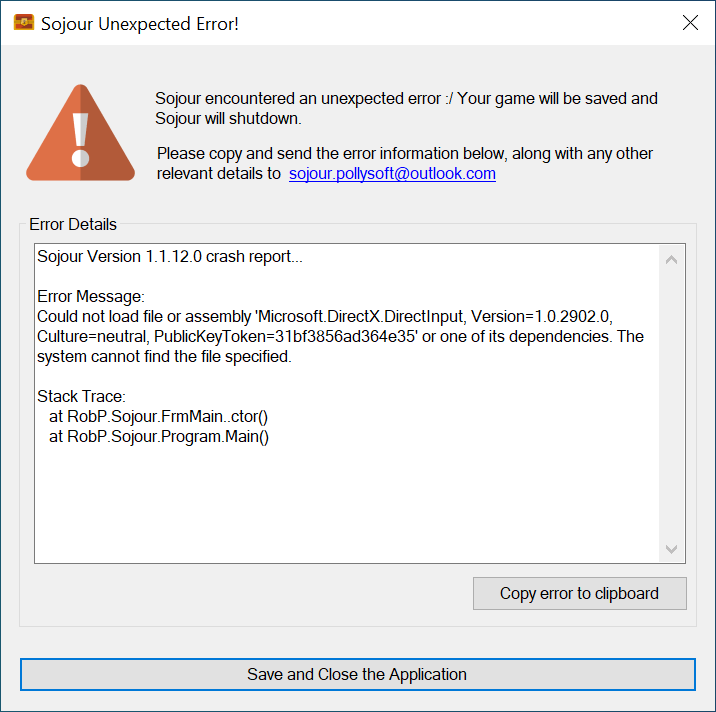
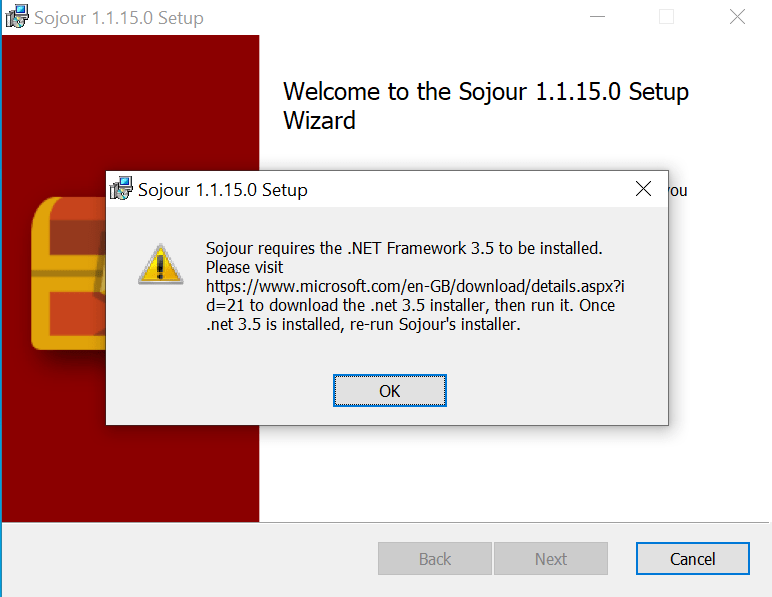
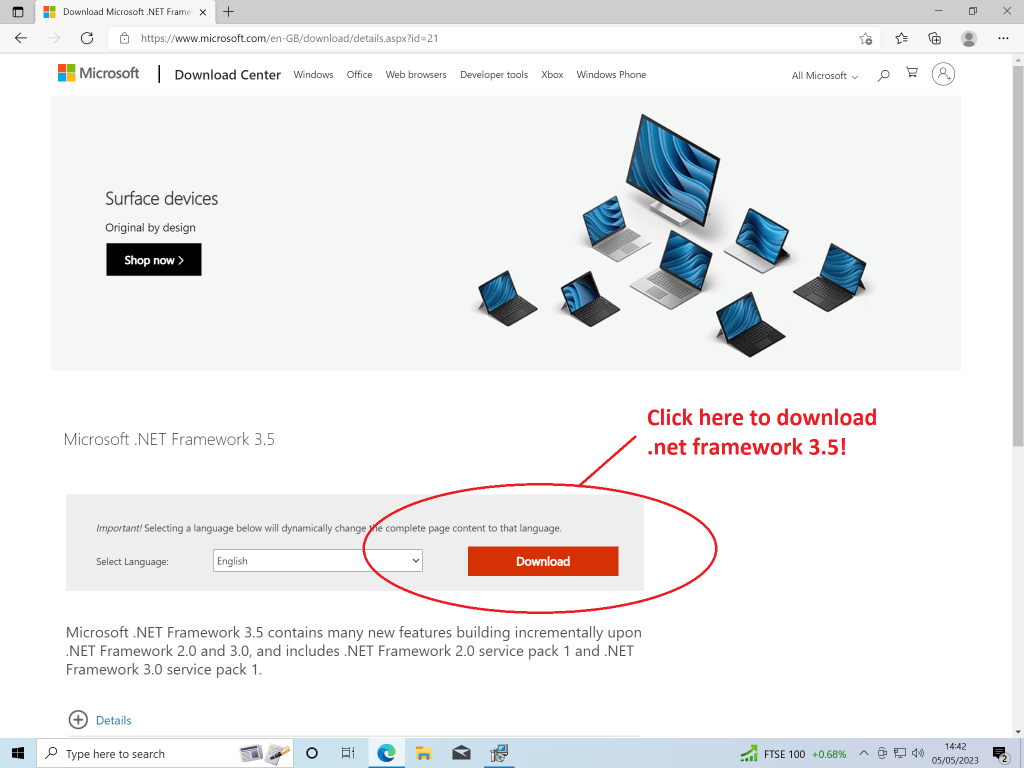
RPG-245 – Installer sometimes fails to install Direct-X. I have only had 2 reports of this one. I can’t fix it until my laptop is at a point where I can wipe it for testing purposes. There is a workaround if you are afflicted by this – download the release notes for further information.

RPG-251 – Sojour crashes when the screen turns off or goes to sleep for an extended period of time. Alas, I have not been able to reproduce this one, either on Windows 10 or Windows 11. However, if you are seeing this please get in contact with the email address in the release notes and try to provide as much information as possible.

Fixes in this release:

Fixed!! PG-246 Changing a character portrait now properly updates maps where the character resides.

Fixed!! RPG-247 The transparency tool now works for images captured using the screenshot utility.

Enhancements this release:

Enhancement!! RPG-248 The journal inline dice roller can now be toggled between showing results only (as usual) or displaying the full dice roller text.

Normally to use the inline dice roller you type [1d6 + 2d10] or {1d6 + 2d10} to get either a result or a detailed result respectively. (Though the latter’s output has been tweaked to make it more usable)

However, you can now also type [[1d6 + 2d10] or {{1d6 + 2d10} (use double brackets/braces up front) which will then replace the dice expression with exactly the same text that you would get if you were using the journal dice roller button at the bottom of the journal.

Enhancement!! RPG-249 Map scale assistant improvements. Better control alignment. More instructions. Other map toolbar buttons now disable when registering the map.

That’s it for this release. If you have any ideas for enhancements or you have spotted any bugs, or perhaps some feature or another is annoying you, then please get in touch with the email address in the release notes and I will see what I can do 🙂

Once more, thanks for buying Sojour and I’ll see you next time!

RobP

Sojour 1.0.29.0 has been released!

This is a bug fix release that addresses inaccurate map scaling that used to sometimes occur when scaling maps.

Remember the map scaling tool?

The old map scaling tool

It is gone! It is no more! This tool has been completely replaced with a new Map Scale Assistant wizard.

The core problem with the above tool was that you never made your measurements directly on the actual map. Instead, you made them on a picture of the map within the scaling window. This was the root cause of the scaling issues.

Why should the above cause problems?

Well, it’s all down to a little secret within the map pane in Sojour…

Don’t tell anyone, but the map pane in Sojour is really a 3d map pane! – I just choose to display the maps in 2d only. (I’m saving 3d for some really cool future functionality!)

3d images – maps in this case – are displayed by using a ‘camera’ to project them into the 2d space of the window that you actually see. The problem I had with the original scaling system was trying unify the measurements on the picture-of-the-map with the measurements of the actual 3d map.

I had some cunning math to do this which was based on recreating the projection matrix of the camera so that I could use this to unify the scaling. But, as it turned out, that tended to produce small rounding errors, which can on occasion, lead to scaling discrepancies.

I had originally thought I could fix the math, but after numerous fruitless attempts I realised that this was proving to be an impossibility.

The only way to fully address this issue was to take a completely different approach. This new approach would hinge on allowing the user to take their measurements directly from the 3d maps themselves! Doing this would eliminate any rounding issues.

Hence the Map Scale Assistant wizard was born.

I’ll now take you through how the new wizard works – more information can be found within Sojour’s manual.

Firstly, the user opens the map that they wish to scale and then clicks the ‘Scale Map’ tool button.

This results in the first page of the wizard being displayed:

This page allows the user to set the ‘yardstick’ that they are going to use to measure the map. It defaults to the map’s associated ruleset’s measurement system. However, this can be changed to match existing map annotations.

In the above example I have set my ‘yardstick’ to 10 km.

Clicking Next results in the second page being displayed:

This page allows the user to set the map annotation colours. It defaults to annotation colours of the selected map – where it is set. Otherwise it defaults to red.

All map annotations, including the map scale and measurement tools will be displayed using the colour picked above. Each map keeps track of its own colours.

For this example I decide to leave it at red as this matches the current map perfectly.

Clicking Next results in the third and final page being displayed:

This is the page where the user will make their map measurements. This time on the actual 3d map rather than a picture of the map.

In the screenshot below I have clicked the ‘Register Scale’ button and have started measuring the map itself:

I have already picked the starting point of my ‘yardstick’ by left clicking the map. All I need do is drag the measurement ruler around until it measures 10 km on the map.

The map can be panned and zoomed whist attempting to take the measurement. This will help assure maximum accuracy.

Once happy, just left click the map once more to register it:

The results of this registration attempt are a map measuring 51.34 km by 25.67 km. If I’m not happy, I can simply click Register Scale to try again or even navigate back through the wizard to change some of the settings.

Once happy with the registration, all one need do is click Finish. This results in a perfectly scaled map! All assets on the map will automatically be rescaled to fit the new map scaling.

The scaled map now shows it’s properly scaled map scale in the bottom left in the chosen colour. This scale will auto-size as the map is zoomed in or out:

That’s it for this post. I hope you all find this new wizard a vast improvement over the original scaling tool!

PS: I’m still working on the custom views functionality too 🙂

In the meantime – thanks for buying Sojour and happy gaming!

RobP