I’m still working on Dorian the new graphics engine for Sojour.
The proof of concept shown a post or two ago has now been retired and the actual coding of the engine itself has commenced. It is pretty powerful, a lot more powerful than the proof of concept, so I’m expecting great things of it.
The downside is that code wise it is a lot larger and more complex than the Ionian graphics engine that Sojour currently uses:
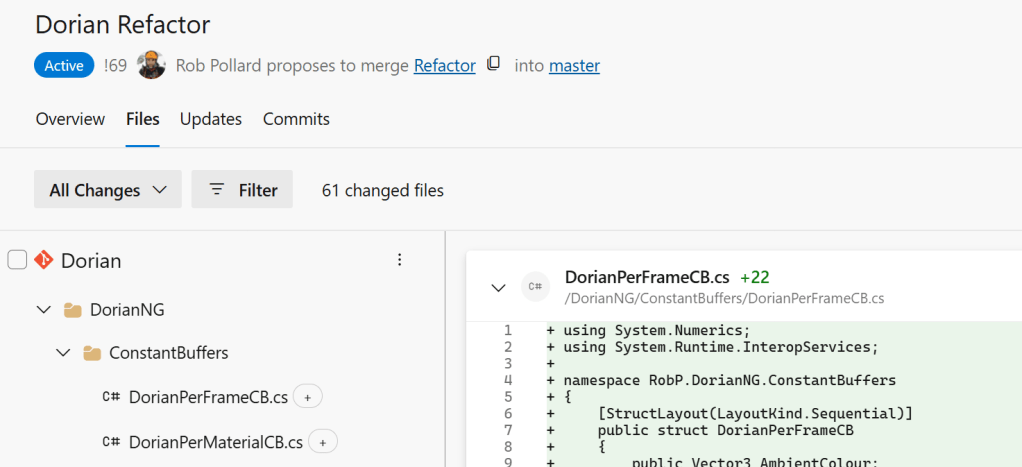
Dorian – how many files?
What’s changed this release?
The screenshot sub-system. 😊
I had a number of customer reports that the old system used to crash on multi-monitor setups.
As a result I bought myself a third monitor. This finally let me reproduce some of the issues my customers were seeing.
After investigating the core issues, I decided to rewrite the entire screenshot system from scratch.
It now works properly in multi-monitor, multi-DPI setups and is much less prone to out of memory issues. In fact I didn’t see single one at all during the extensive testing and this was on a low powered laptop driving three screens!
I’m pretty happy with the newer system. However, there are some behavioural changes when compared to the previous system.
Firstly, to take the screenshot, you now click and hold the left mouse button and then drag the mouse cursor to size the rectangle. When happy, let go of the mouse and you have your screenshot. This seems to be the industry standard, hence the change.
The new system also allows you to use the <ESC> key to exit screen shot mode if you wish to exit without taking a screenshot.
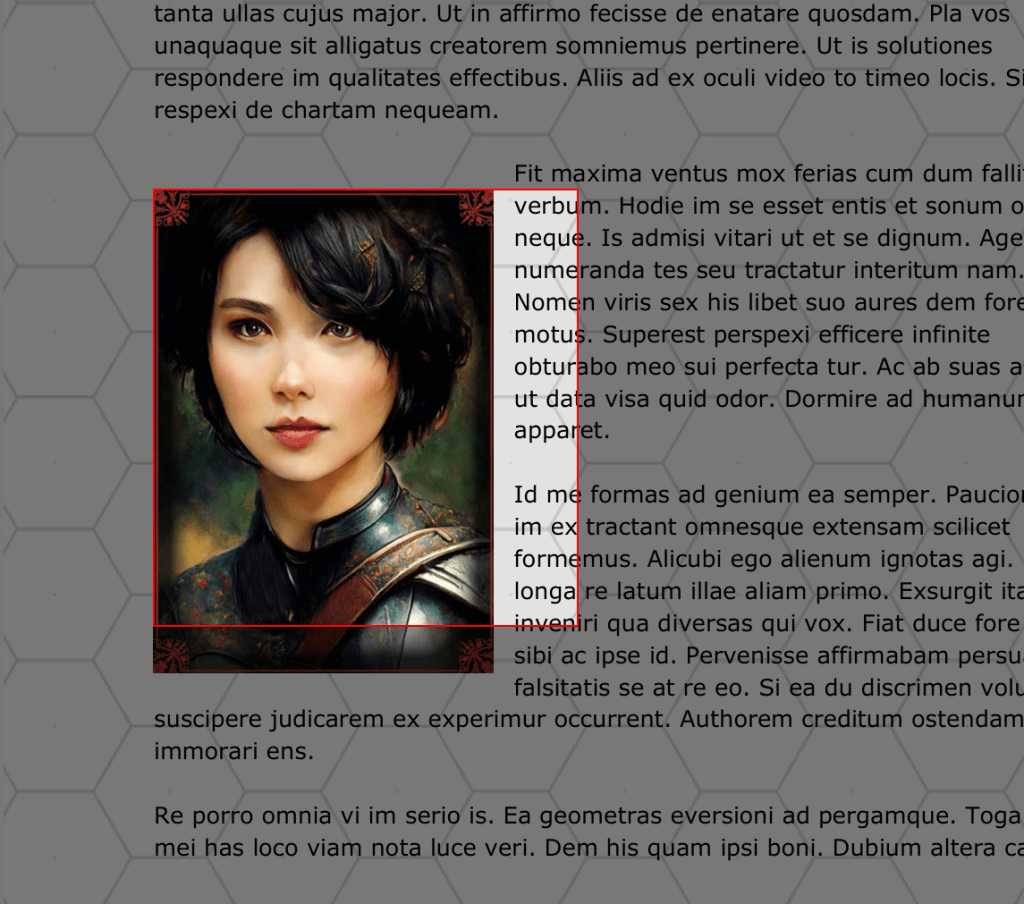
The final change is that it now darkens the whole screen except the area being screenshotted:
The new screenshot system in action!
This dimming of the screen makes it much more obvious that you are in screenshot mode and it makes the selected area stand out a lot more.
This is a tiny release that now re-enables the left and right cursor keys in the journals. The caveat being that the journal must be in focus and the mouse cannot be over the map pane.
These keys used to be disabled due to the fact that they used to accidently trigger inopportune tab changes.
That’s it for this update – I said it was tiny!
As for the future, I will be posting a video relatively soon that will describe where Sojour is and where I want to take it. I will also be talking about the engineering challenges that I will need to overcome to give you folk the best possible solo journaling system.
Prior to that future update, what I can talk about, is one of the most critical challenges that I currently face: Sojour’s 32 bit graphics engine called Ionian.
Ionian’s biggest issue is that it can only be 32 bit, but Microsoft’s latest development tools only allow for 64 bit development – as a result I have to write a brand new graphics engine – in this case it is called Dorian .
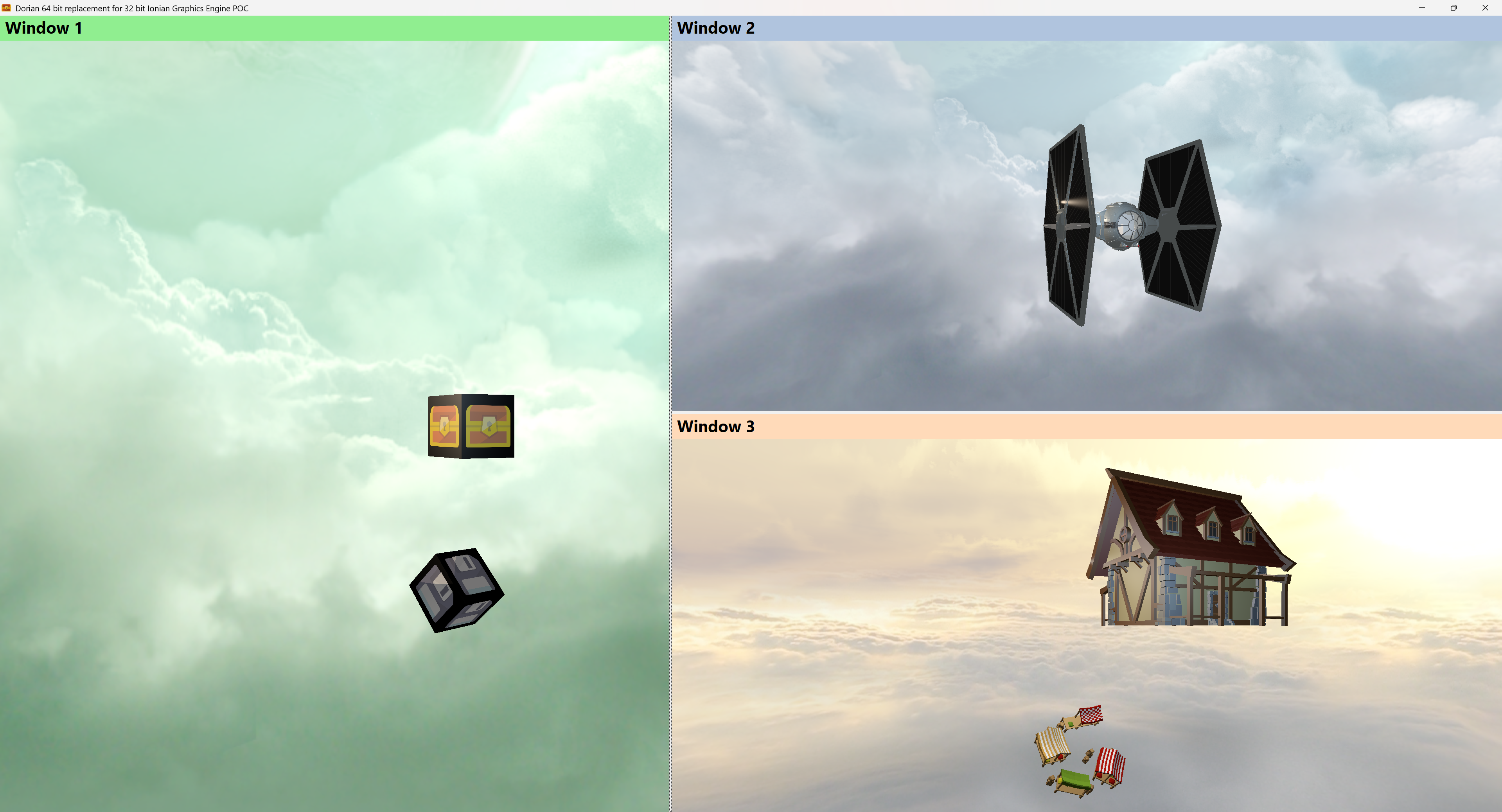
A very early preview of Dorian – Sojour’s up and coming new graphics engine!
Dorian has many advantages over Ionian.
It’s 64 bit which will enable me to get the rest of Sojour onto much more modern development platforms. Dorian is also User Interface agnostic – Ionian only used to work with WinForms – Dorian works with anything Windows based.
The final bonus is that Dorian can simultaneously render to as many windows as you need (as seen in the screenshot) – Ionian by contrast, can only render to a single window. It’s one of the reasons why you can only see one map at a time in Sojour.
Once Dorian is integrated into Sojour, we will have the ability to display multiple maps simultaneously, including sending ‘player-focused’ maps to another monitor for customers using Sojour as a GM aid.
I won’t say much more, suffice to say that writing a custom graphics engine takes time, plus there are many other technologies that we need to talk about.
I will talk about these in the near future – we just need a little patience!
Also, for those that don’t know, once you pay for Sojour, all new updates are free – including this technology upgrade when it is done.
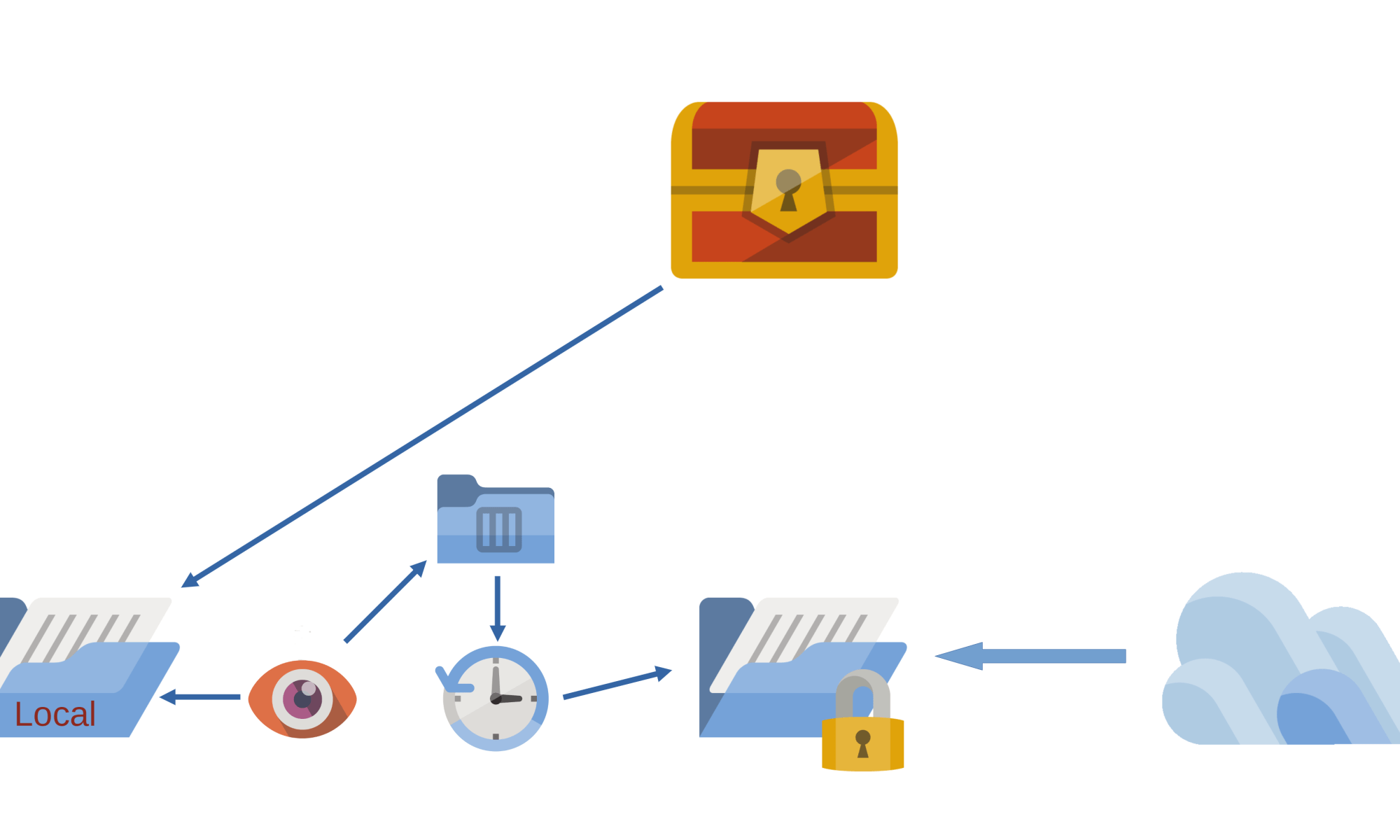
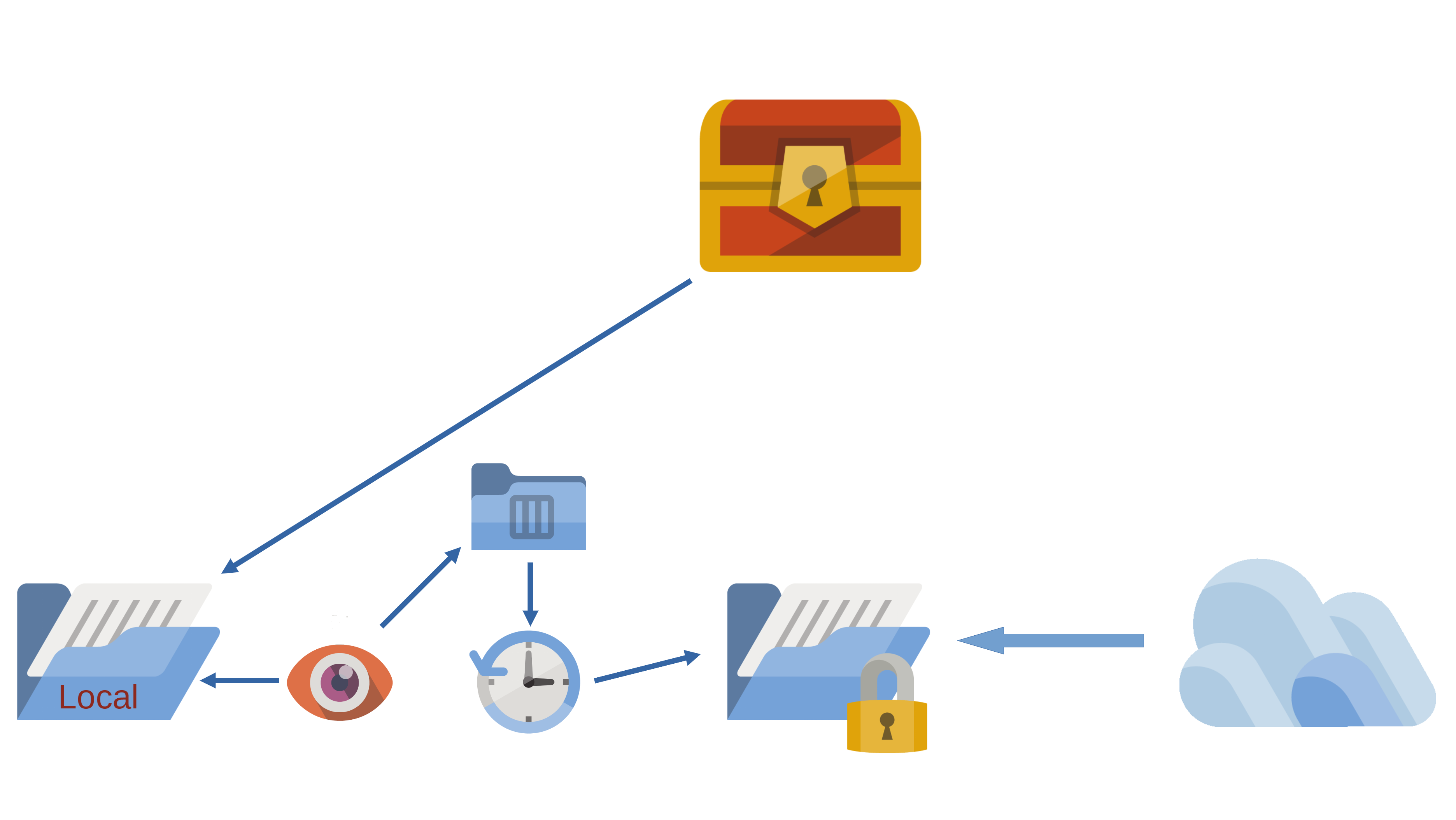
This release is primarily about making Sojour play nicely with Cloud Drives.
I think it would be fair to say that file loading and saving just got a lot more complicated!
It’s one of those releases where a huge amount of work has gone into it, but if I have done my job correctly, you won’t notice much of a difference between this version and the previous one.
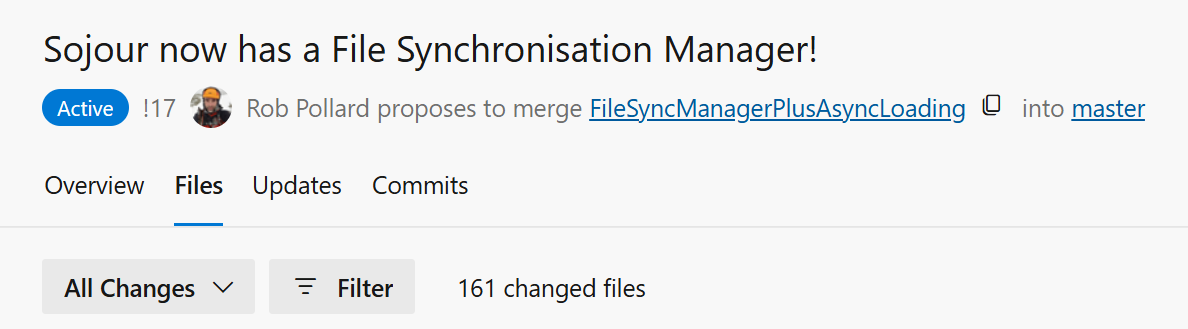
Only 161 files changed and that was just for this story!
I won’t go into too much detail as to how the new filing system works – that’s the video’s job which you can view at the end of this post.
What I will say is that this is the first iteration of this new and complex filing system. It has had around 2 weeks of testing, but alas, the hardware and cloud systems that I have access to is somewhat limited, which might impact the efficacy of the testing.
Before installing this update, I highly recommend that all customers backup their data first.
I’m hoping there won’t be any issues, but given the nature of what has been done, it wouldn’t surprise me.
If you do find issues, please contact me using the email at the front of the manual and we will work together to get it resolved!
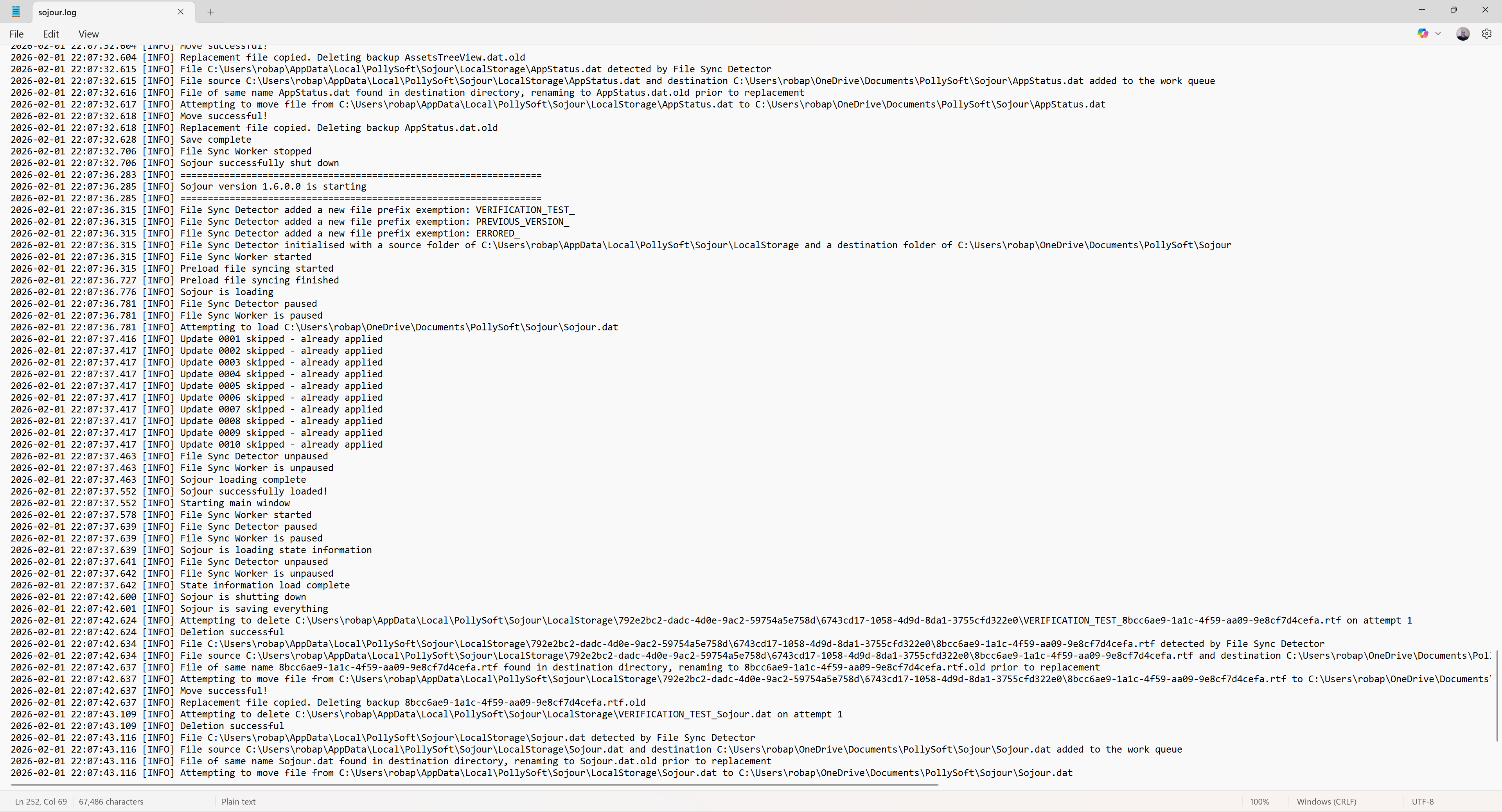
Other changes included the incorporation of a new enterprise level logging system:
We now have logging!
Logging got added to facilitate the testing of the new filing system. It’s needed because so much now happens behind the scenes that this is the only reliable way to see what’s going on.
These log files are rolling log files, so they will never grow out of control. Once they reach their maximum size, the oldest entries are removed to create enough space for the new ones.
The above log is the standard log, but the system also outputs a much more detailed developers log for when Sojour is run from Visual Studio.
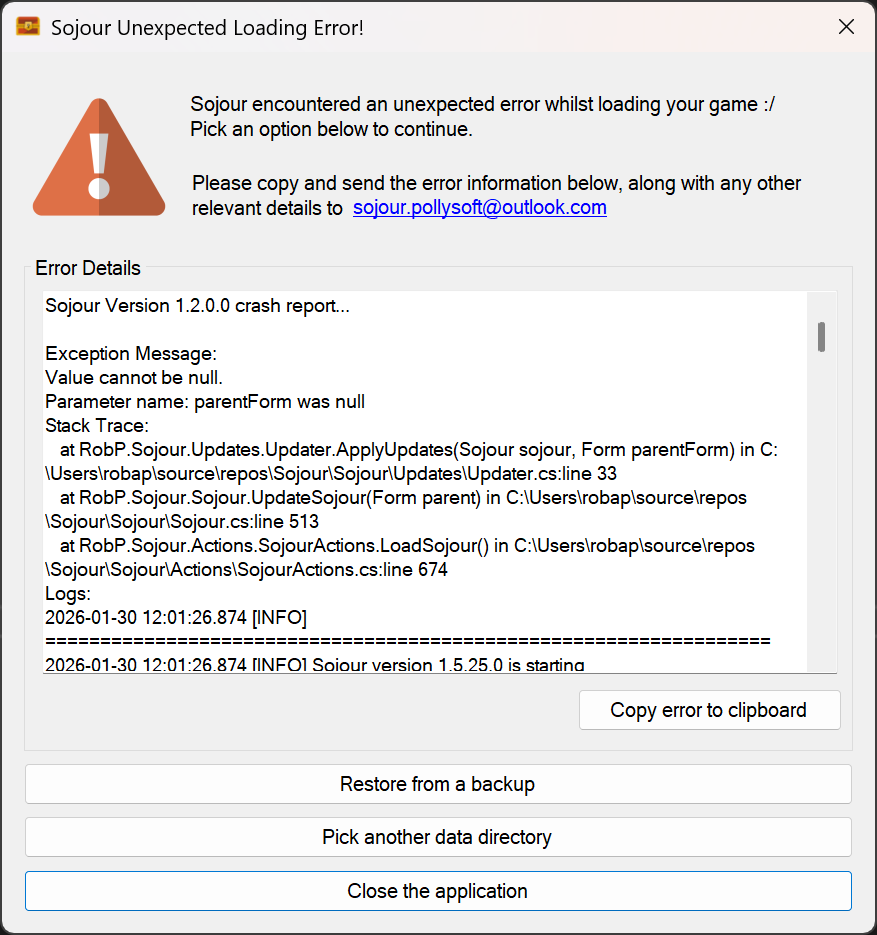
These logs are now included in Sojour’s exception windows if, heaven forbid, Sojour crashes:
The logs covering the day of the crash are now appended to any exception information!
This should enable me to more easily fault find customer issues.
With the inclusion of the robust filing system and logging, I’m starting to feel that Sojour has crossed that boundary from a bedroom project to a full-on enterprise application!
What else got changed?
There is now a new splash screen:
The new splash screen
This was added because the new filing system is now asynchronous. This results in the user interface loading up its various elements in real-time, which is somewhat disconcerting. The splash screen was added to hide this behaviour.
The rendering loop of Ionian – Sojour’s graphics engine also got re-written to take into account the fact that asynchronous file operations can make Sojour look less busy than it actually is. This can result in the graphics engine unintentionally hogging all the resources as it thinks Sojour is idling.
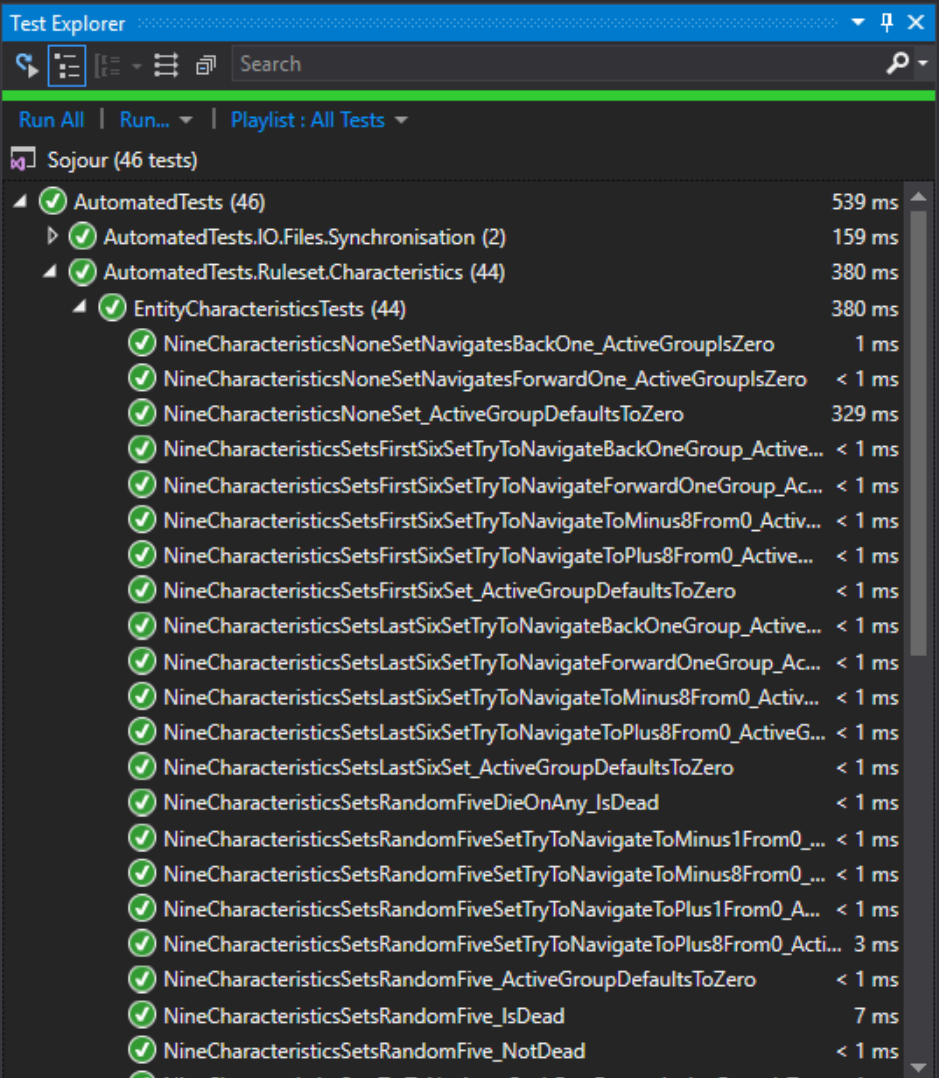
Various additional bugs were also fixed with the character health bars. These were all extreme corner cases. I only found these issues thanks to the new automated integration tests I wrote for this sub-system:
We now have new automated integration tests!
These tests should help prevent a re-occurrence of the emergency fixes that plagued the 1.5 releases.
The other big fix that got included in this release, was in and around how Sojour remembers its windows positions in a multi-monitor environment. There was a bug that prevented the windows being restored to the correct monitors. This should now be fixed – I say should, because the most monitors I could test this on was just two.
The video below provides a much more in depth explanation with regard to the new filing system. I’d encourage all customers to watch it!
This is a minor release that addresses two issues:
Drawing tools no longer working. This was caused by the new left mouse drag for the map functionality – I had completely forgotten about the drawing tools! The map drag functionality is now compatible with them!
All windows including Sojour itself that memorise their last position, now check that this memorised position is still a valid screen location when re-opened again. This is to prevent some windows getting opened off screen when external monitors are disconnected or the screen resolution is altered.
As for the future, I have been getting a few reports about issues when Sojour’s data directory is set to a ‘Cloud’ drive such as One-Drive or Google-Drive.
The core problem is that cloud drives will occasionally take charge of various files, either to synchronise them or move them around. Once they have a file locked, there is nothing Sojour can do about it. This can lead to Sojour crashing out as it tries to write data to a file it thinks it has sole ownership of.
For the moment, I would recommend not pointing Sojour’s data directory at a cloud drive.
My intent is to work out a technical solution for this.
I already have one idea, and that is some kind of file synchronisation manager which will let Sojour simply retry file tasks at a future point in time if the files are locked.
I have been through the code and so far I know it will be possible, but non-trivial.
This piece of functionality has pipped its way to the top of my priorities list as I want my customers to be able to use their cloud drives for Sojour’s data
A few weeks back my build server got hacked by ransomware, this is why there has been a delay in releasing the External Resources functionality.
In terms of your customer data, there is no danger at all. I don’t store any customer data whatsoever – that’s what my publisher does.
In terms of Sojour, it crippled the automated development environment that has resulted in the loss the following systems:
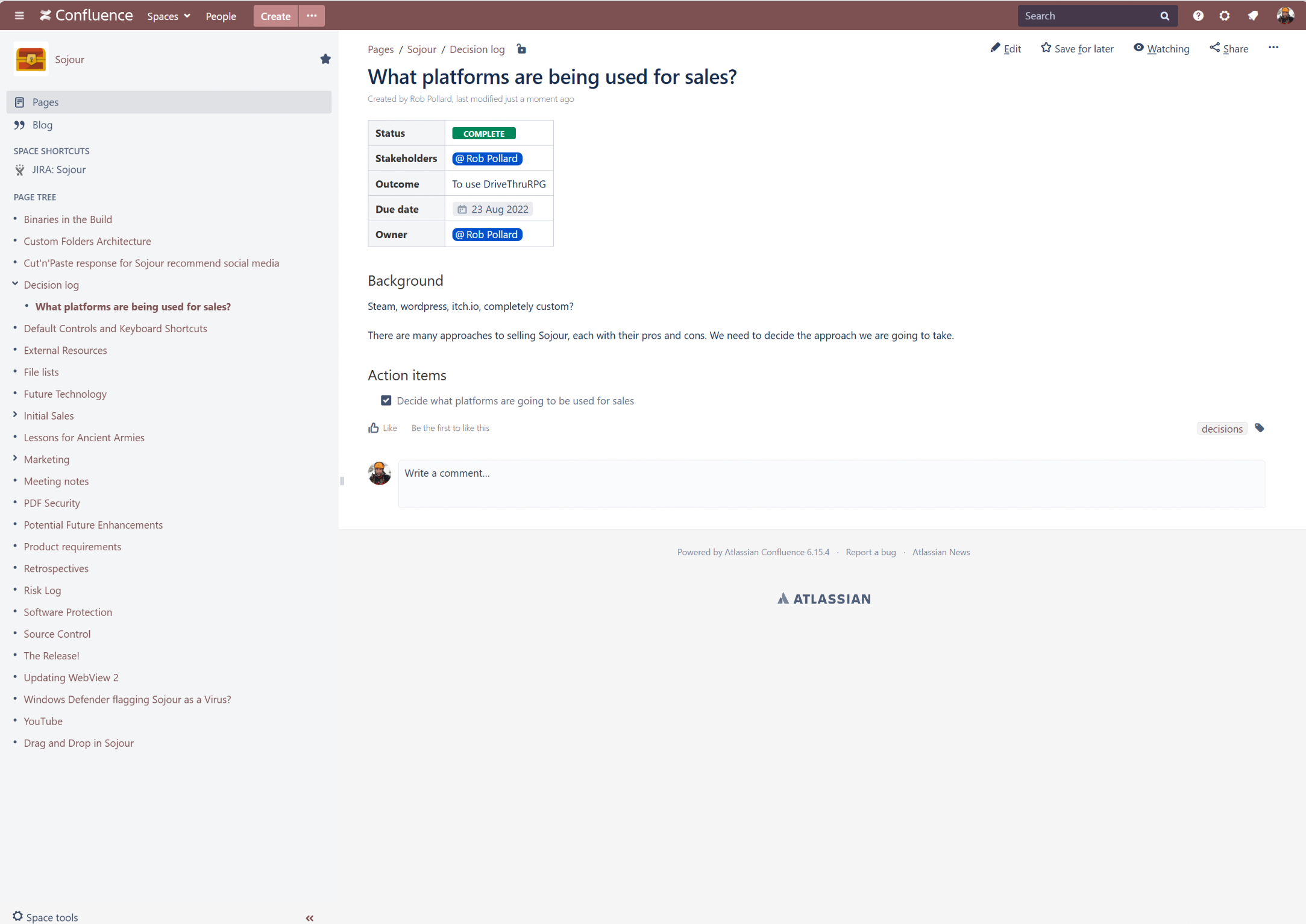
Confluence: My Wiki. This had a lot of information on architecture and many How-To-Do articles written from the experience gained of writing Sojour & Ancient Armies.
The old Confluence Wiki
JIRA: Stories and Task Management. This stored all of my stories and tasks. In Sojour’s updates you would have seen these as RPG-XXXXX. These are now all gone and I will discuss the implications later.
The old JIRA system!
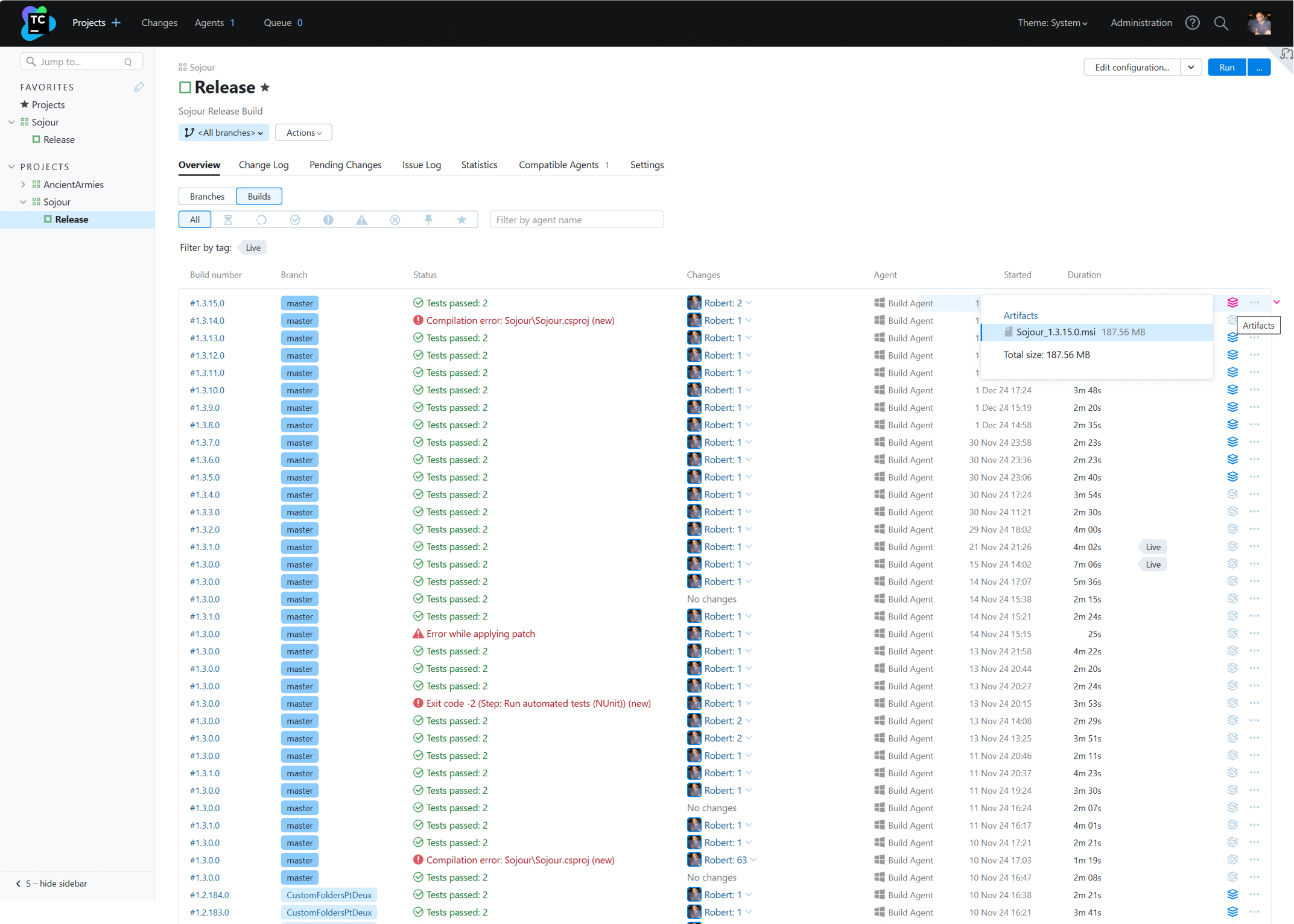
Team City: Automated Builds. This system ran Sojour’s automated builds. It carried out a lot of tasks fully autonomously. These tasks ranged from automatic versioning, running tests, code obfuscation and the production of Sojour’s installers.
Team City – the heart of the old build system!
Other ancillary development systems were hit too.
How did it happen?
Most people are probably thinking that I visited a dodgy web site, or that I clicked a dodgy link or perhaps that I clicked or opened something in a dodgy email. But, none of these things happened.
The root cause of the security breach was simply an out of date Windows 10 installation, a weak implementation of the RDP protocol, and vulnerabilities in older versions of my development tools.
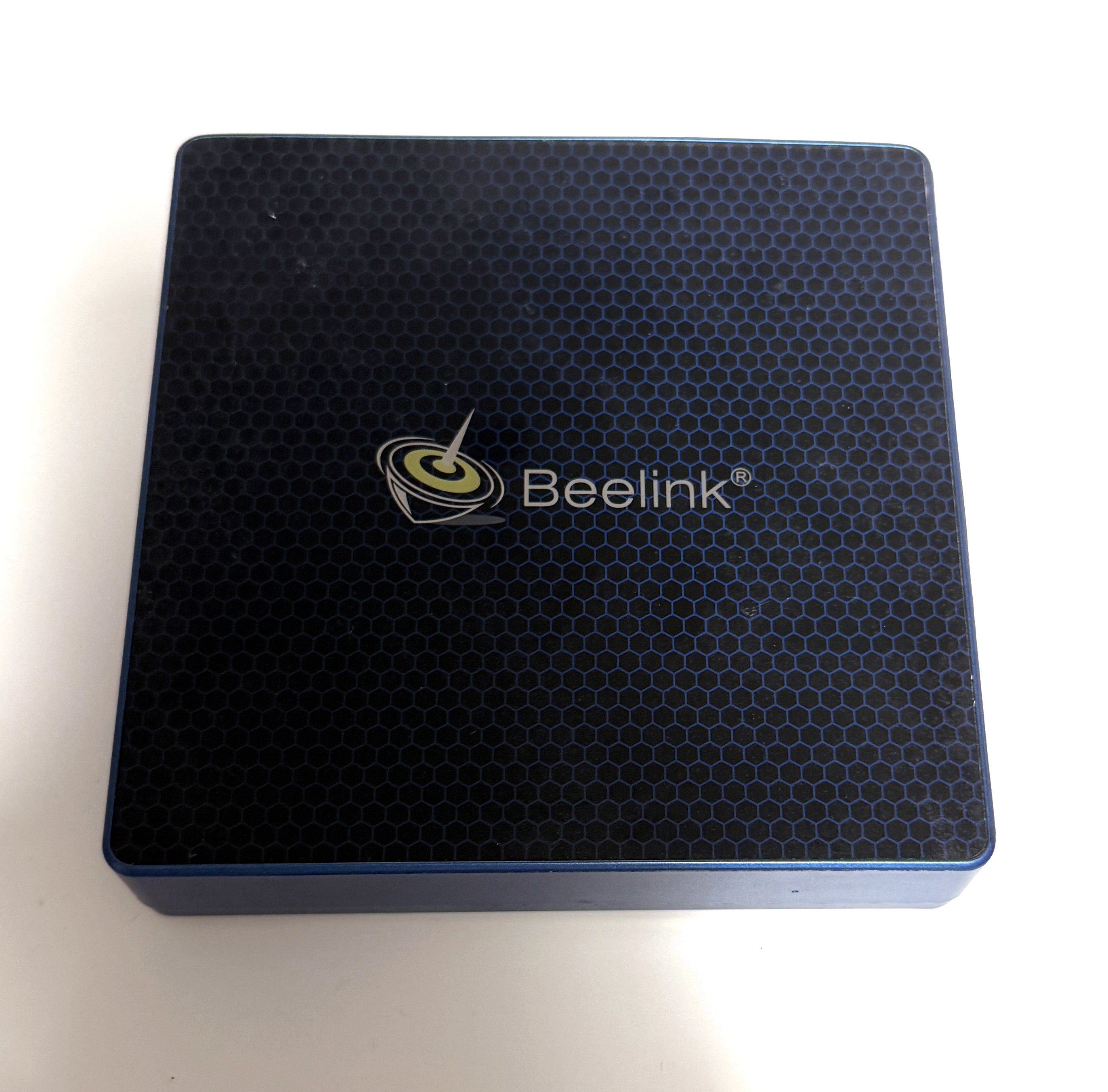
RIP – the old build server!
I had basically gone to visit the parents over a weekend, came back, and then noticed that I couldn’t raise any of my development systems through the browser.
I then RDP’d into the build server and at that point I realised something was very wrong.
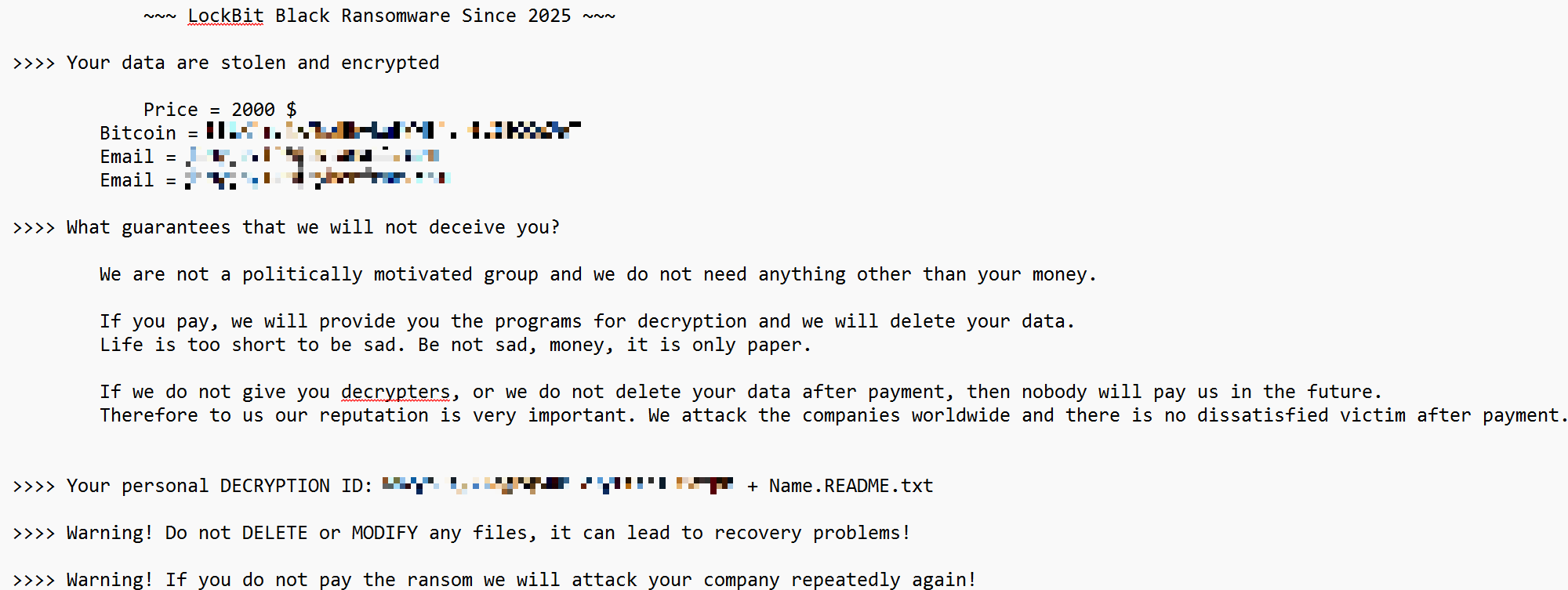
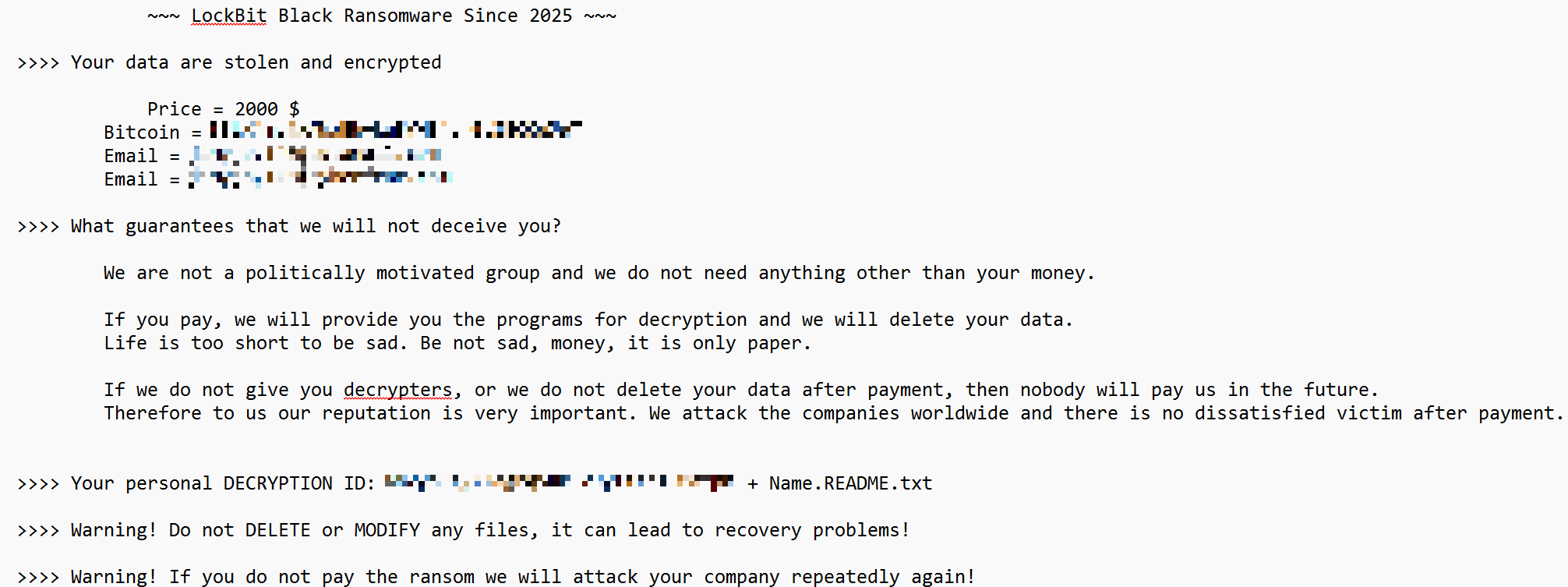
The services running the various systems had disappeared and within each critical directory I found readme files like this one:
The ransom note!
To re-iterate, I did nothing active to allow this hack. It was a lapse on my part with regard to keeping my systems up to date. In the case of the build server, it was a tiny computer that was out of sight and out of mind. It just worked, so I had no cause to ever visit it – until this incident that is.
The only real oddity is that LockBit don’t normally target small businesses like mine, they tend to go after the much larger corporate entities. I guess that when they see an easy target like this, they just go for it.
Obviously, this has massively impacted Sojour as a project. The only saving grace is that the source code and its history were untouched.
I’ve been spending the last few weeks trying to get a development environment up and running and re-securing all my current systems.
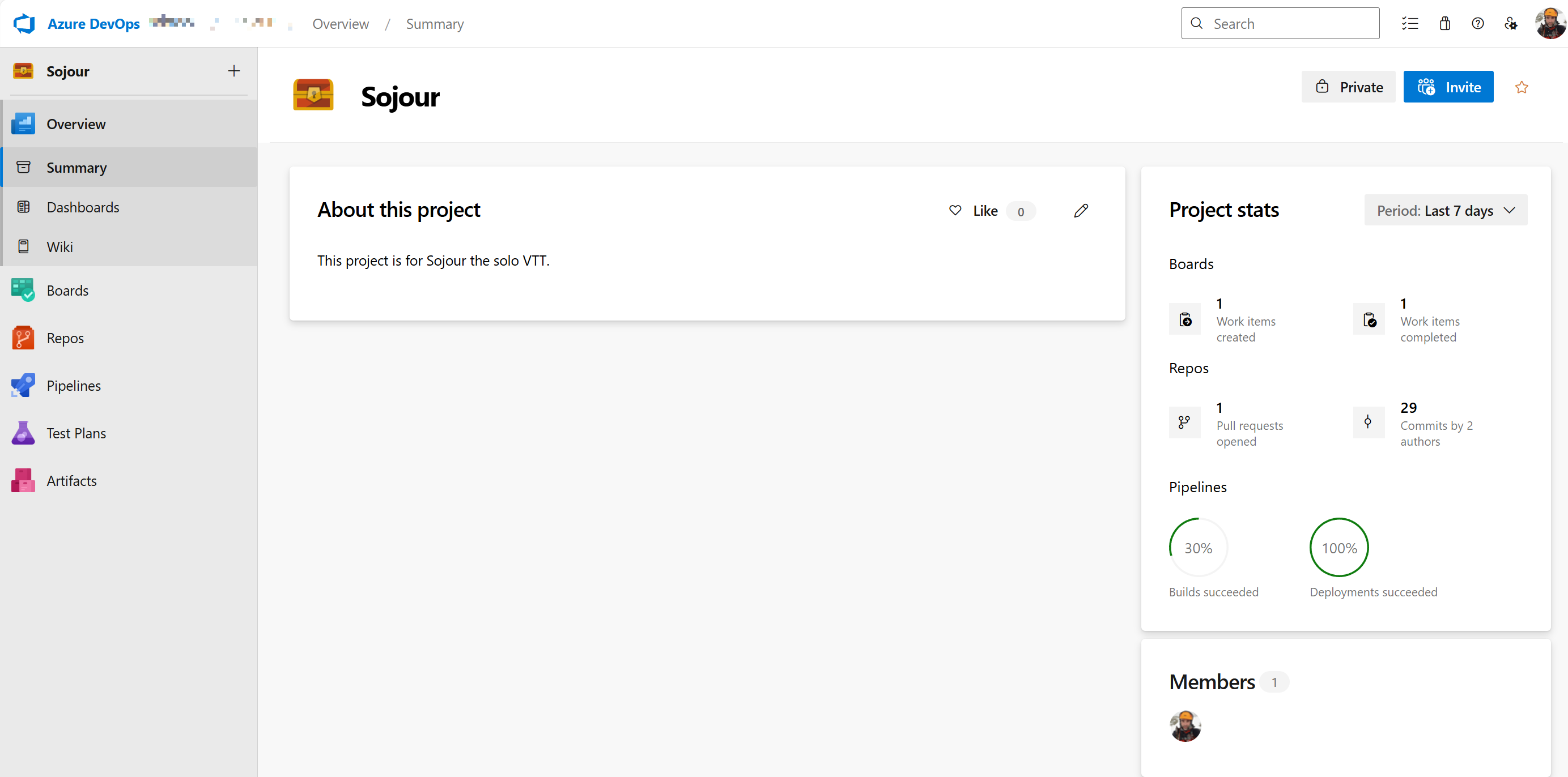
In the end, after many false starts, I decided to move everything into the Cloud using Microsoft’s Azure DevOps system. This provides me with a fully integrated development environment and a hopefully more secure one when compared to my home-based one.
Sojour is now in the cloud!
Getting Azure DevOps to perform everything that my previous system could do took a lot of time and effort. In fact, I had taken for granted just how much my previous system did for me, until this migration that is!
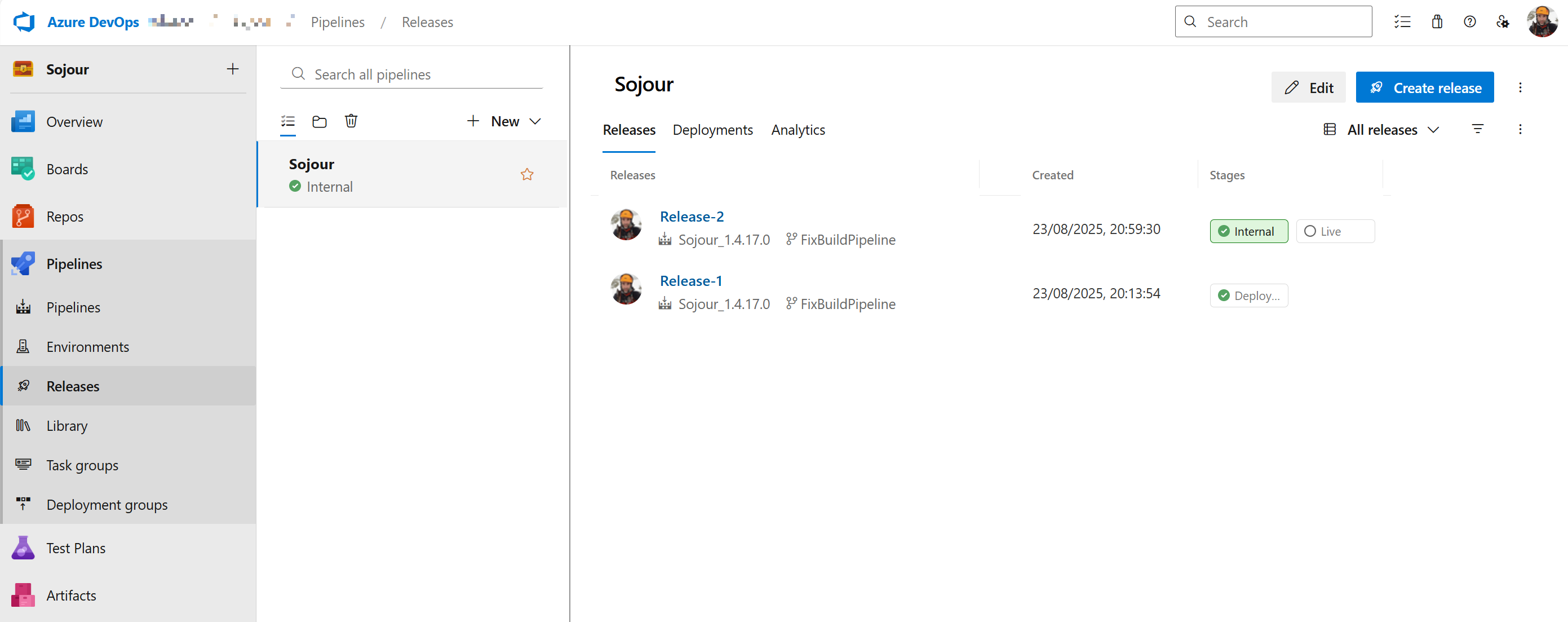
After a lot of time spent, I can now generate versioned installer releases much like with my previous system:
My first DevOps releases (pre-merge)
Every cloud has a silver lining. In this case, it’s the way that I have configured Azure DevOps. It provides me with a lot more power and flexibility over my previous system and as a bonus it allows me to work remotely.
There is still a little more tweaking to do, but the system is pretty much there, which means that I can soon get back to software development again!
In terms of implications going forward, the main issue is that I have now lost all my stories – this means that any feature requests will be lost. If you had any, please let me know and I will add them to the new development system (there is an email address at the front of the manual or alternatively use Sojour’s Discord).
The other more minor issue is that without my Wiki, I’m going to have to relearn many of my processes, such as ‘How do I create Sojour’s manual?’. This will slow things down, but as I rediscover my old processes, they will get re-documented within Azure DevOps.
Apologies for the hack – that was on me for not taking security seriously enough.
I guess that the morale of the story is that if you have unpatched operating systems, such as Windows 10 (which is now out of support), make sure you switch to a supported operating system and that you keep it up to date. Otherwise, this could easily happen to you too!
This release contains many enhancements, though the primary one is a much more robust save and loading system, which should make your data a lot safer.
RPG-462 [Enhancement]: A new global setting has been added for event tables to toggle on or off the injection of the table name into journals.
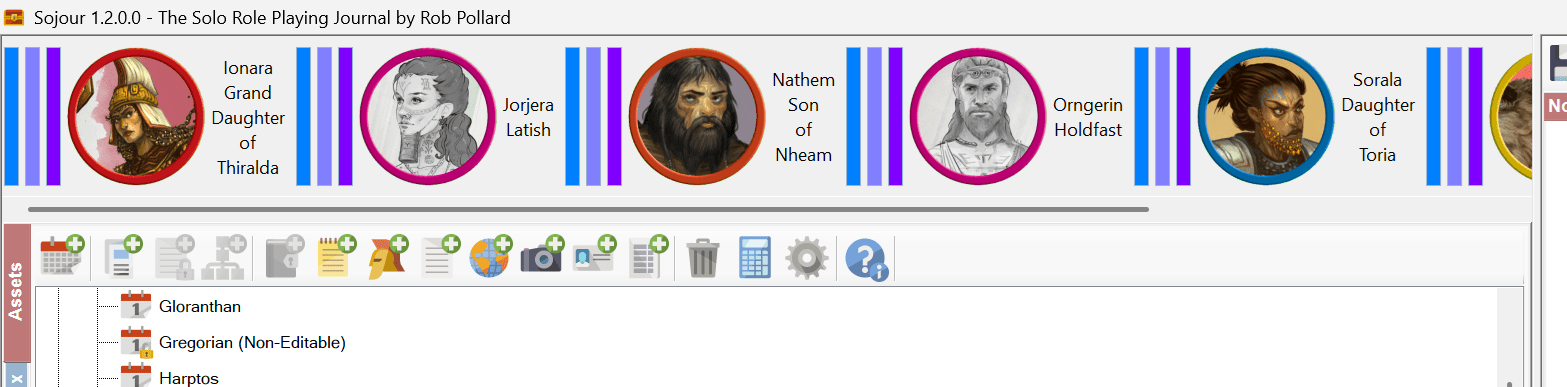
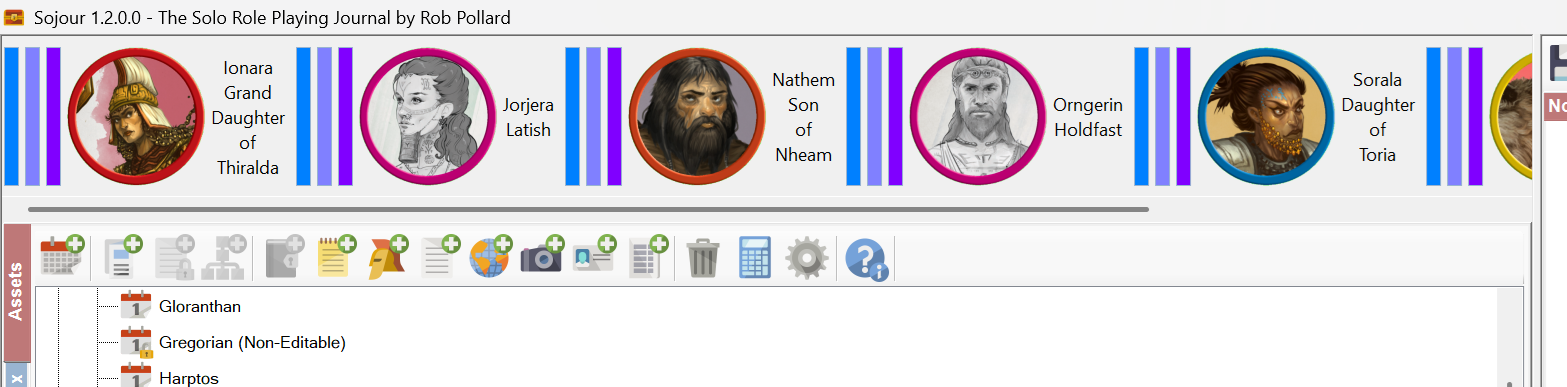
RPG-461 [Enhancement ]: The main character toolbar and NPC toolbars now include a horizontal scroll bar that will appear when there are too many characters/npcs to display at once. Hovering over a character/npc on a map will scroll the character/npc into focus on the relevant toolbar.
RPG-460 [Enhancement]: Event tables can now be hidden from journals.
RPG-455 [Upgrade]: The WebView component has been upgraded to the latest version.
RPG-453 [Enhancement]: Sojour now has a new Save button that is supported by a very robust saving system. This system automatically creates backups and it also verifies a new file’s data before overwriting the original. In the event that the original is corrupted, Sojour will offer the user a chance to use the backup instead.
RPG-452 [Fix]: Ctrl-Clicking tokens and characters on the map now toggles conversations again. (This was broken in the big UI refactor release)
RPG-451 [Enhancement]: Sojour now compresses all images imported into it which should make the system more stable. It defaults to reducing an image’s in-memory size down to 25% of its original size! This setting can be altered under settings. In addition, Sojour now performs backups prior to all map imports to protect your data in the event of a Windows GDI crash.
RPG-450 [Fix]: Changing a character’s character sheet should now update the preview pane immediately.
RPG-449 [Fix]: The scaling token can now be moved on the map again! Also reduced the minimum size a token can be from 1 metre to 10 cms.
RPG-448 [Enhancement]: The find dialog for journals now incorporates a find previous button.
RPG-447 [Fix]: Sojour no longer assumes a mouse and keyboard are connected to the computer.
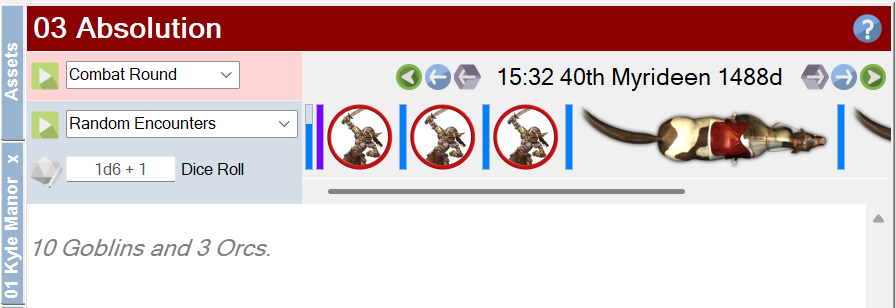
RPG-446 [Enhancement]: Users can now use physical dice when rolling on Sojour’s tables. There is a new field to allow the user to enter their dice roll with modifiers.
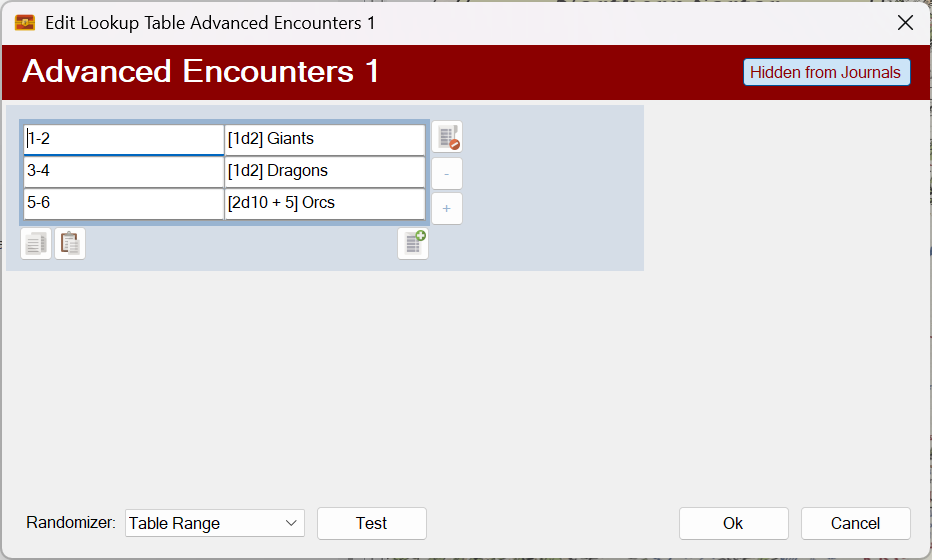
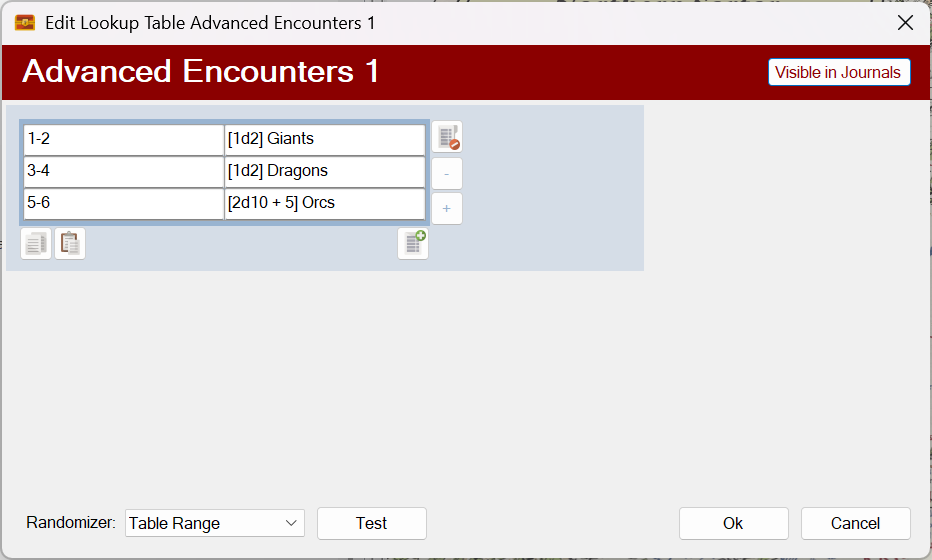
RPG-443 [Enhancement]: Dice expressions can now be included in table results to allow for some variability in numbers. Sojour also supports the use of dice expressions for table re-directs too.
In addition, there are many other undocumented fixes that got put in as a result of testing the enhancements above.
More information on the release can be viewed in the preview video which can be found here:
A few additional features were snuck into Sojour after the preview video was published. I’ll quickly go over these below.
First up, the main character toolbar got the same enhancements as the new NPC toolbar:
The character toolbar can now be scrolled!
This means that a new scroll bar is included for when the number of characters overflow the space available. In addition, highlighting a character on the map now auto-scrolls the toolbar to focus on that character.
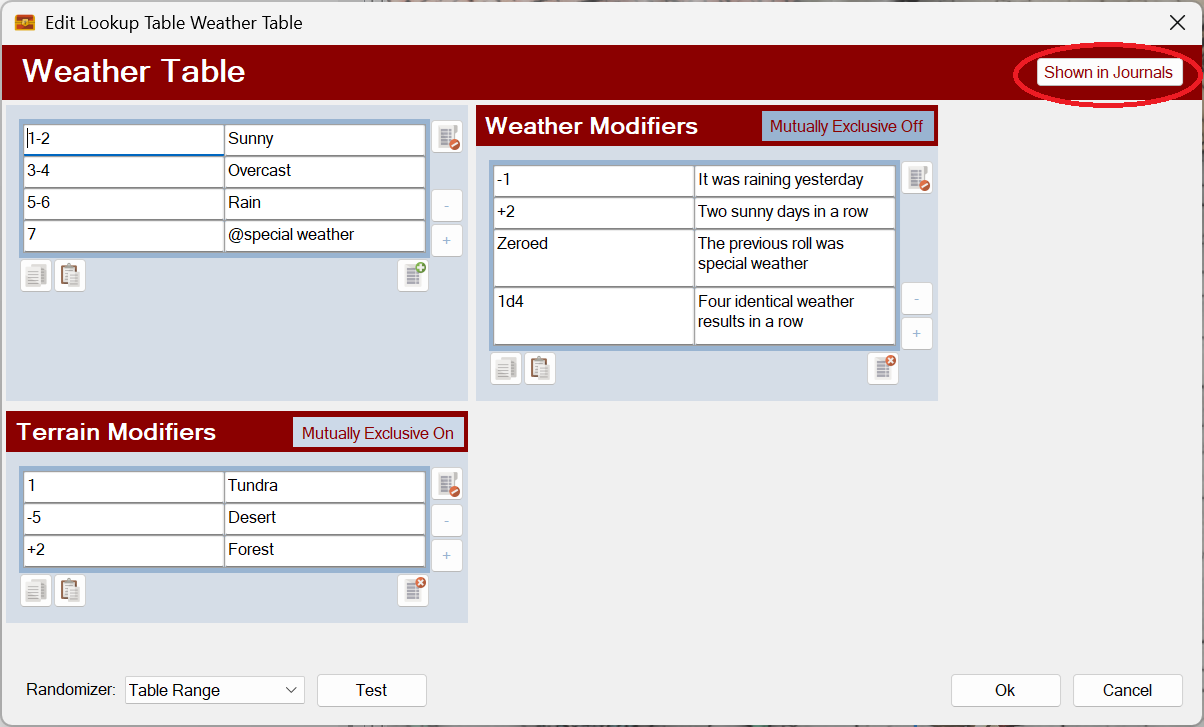
Event tables can now be hidden from the journal using a new toggle button:
A new ‘Shown in Journals’ toggle button!
This new button will allow users to hide sub tables from showing in the journal drop downs (unless they want them to show).
You also get a new global option to hide or show table names when events are injected into journals:
A new option!
The above setting is on by default.
When switched on, journal table entries are pre-fixed with the table name:
An injected table event with the table’s name.
The same journal entry with this setting turned off:
This is a short fly by post to talk about two more features that have been added to Sojour Release Version 1.4.
These two features were added as a direct result of customer feedback from the You-Tube preview video.
The main character toolbar now gets the same scroll bar enhancement that the NPC toolbar received!
The main character toolbar now gets the scrolling treatment!
This scroll bar operates in exactly the same way as the new updated NPC toolbar’s scroll bar does. It will appear only where necessary.
The next requested enhancement is for tables. These can now be selectively hidden or shown from the Journal’s main drop down by toggling a new button on the upper right of the table:
Hidden from all journals!
Available to all journals!
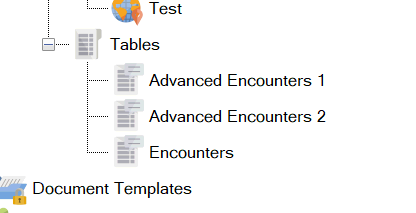
For example, consider this scenario, we have three encounter tables:
Three encounter tables!
The user is only meant to roll on the Encounters table. The other two are simply sub-tables that the Encounters table will occasionally roll on and are not meant to be directly accessed by the user.
Both of the Advanced Encounters tables have been set to be hidden from all journals.
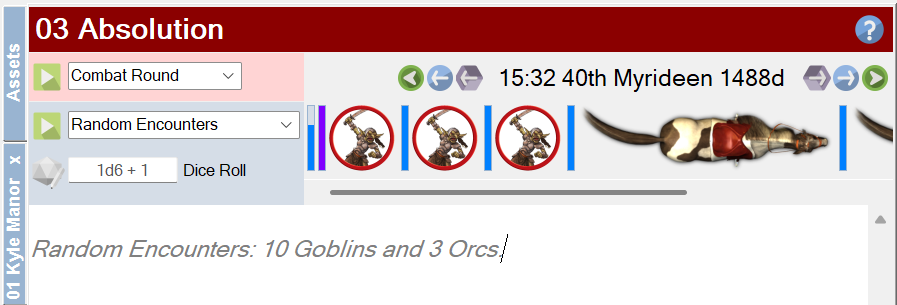
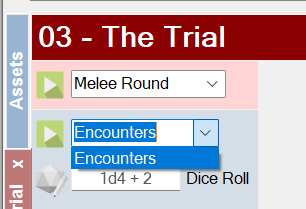
From a journal, the result is this:
Only the Encounters table is available!
The two Advanced Encounters tables are now hidden!
This functionality will help streamline the list of tables available in the journals drop down to only those a player should be using!
That’s it for this fly by post. Only two additional enhancements, but I think they will make all the difference and I would like to thank the customers for providing the feedback.
From tomorrow onwards, I’m updating the manual, so I will have to freeze this release.
The result of this is that there will be no further new features in this release.
However, if you have ideas for new features, keep them coming! They will appear in a subsequent release.
It’s with a little excitement and some trepidation that Sojour 1.3.0.0 has finally been released!
The reason for the trepidation is that this release also includes a huge refactor of the code in the User Interface layer. I think my testing has covered everything, but with such an extensive change, it always feels that whatever testing I do, it will never be enough!
This release is primarily about providing the new custom folders feature for customers.
Other features and fixes are also included. The full list is below:
RPG-360 Sojour now supports custom folders! That is, the ability for users to create their own folder structures under a variety of nodes in the assets browser. This story also included a massive coding refactor of the UI layer.
RPG-407 Sojour now provides the option to activate or deactivate all characters under a folder or node, including all of its sub-folders, with just a single mouse click.
RPG-411 Reenabled the use of the enter key to close simple dialog windows. This functionality was originally disabled due to useability issues. However, it turns out those issues only affected the larger dialog windows (the user would accidently shut them when hitting enter whilst typing text entries). This functionality was re-enabled after a customer request.
RPG-412 Moving the mouse cursor off map whilst the fog of war torch is on, will temporarily switch off the torch until the mouse cursor returns over the map.
RPG-414 Fixed a rare bug (which bit me) for the Restore functionality. In the bad old days if you squirreled away your old saves folder before the time of Sojour’s file manager being introduced, and then changed your Windows Documents directory, then tried to restore that saves folder, it would lead to missing maps and tokens. This has now been fixed.
RPG-416 The Microsoft WebView component has been upgraded to the latest version. This is used for viewing PDFs.
RPG-417 Sojour now hides and re-shows the token palette for more of its functionality. This is to prevent soft locks caused by the palette appearing over other dialog windows.
Here is the obligatory You-Tube video covering off the main new features:
I hope you good folk will find the new folders functionality beneficial for your games! 🙂







 Sojour