

Most of my focus is to get Sojour ported to 64 bit and running on a .net 10 platform.
If I pull this off, you get extra performance and I will get access to additional tools that will allow me to do things with Sojour that I have always wanted to do!
The big hold up has been Ionian, Sojour’s custom graphics engine. I wrote it a long time ago for another project of mine called Ancient Armies. It’s not a bad engine, but it is 32 bit and it can only render to one window at a time.
A few posts back I showed off some of my work with Dorian – Ionian’s replacement.
What was probably not made too clear, is that it was a POC:
What’s a POC?
A POC is a Proof Of Concept. The idea being that for complex tasks – like a graphics engine – you knock up a quick and dirty system purely as a learning exercise. That way when you work on the real thing, you will have a lot more relevant experience under your belt.
The key point of a POC is that you learn what you need to learn, de-risk what needs de-risking and then you effectively throw it away. 🫨 The lessons learned are then applied to creation of the full enterprise system.
For the last month or so I have been doing just this – working on the real Dorian Engine and not the POC.
The actual engine is way more powerful, expressive and scalable when compared to the POC. It doesn’t look as good – at least not yet – simply because it is at an earlier point in its life cycle.
The biggest difference between Dorian and the POC is that Dorian uses an enterprise grade architecture known as ECS (Entities, Components & Systems).
I think it would be fair to say that ECS takes a bit of getting used to. However, it is massively scalable, simple to use and expressive in ways that are only limited by your own imagination.
I should probably warn you that the next section of this post is going to be taken up to geek factor 100! Those of a nervous disposition might well want to bail out about now 😊
I need to go technical in order to show you the main highlights of Dorian’s ECS system.
Dorian is now at a point where its architecture is all in place – all I need to do is keep adding features to it – which the new architecture makes exceedingly easy to do.
Here is a short video of me testing three different cameras all pointed at the same world using Dorian:
What the video shows are three dynamically resizable windows (Ionian in Sojour can only render to a single window) where each window is pointed at the same world. Dorian allows a lot of flexibility here. You could for example have a few windows rendering world number 1 and another few rendering world number 2 and so forth.
The left hand pane in the video shows the cubes actual movement because the camera is not moving. The ones on the right show things from the perspective of the treasure chest cube – one is a follow camera, the other is a first person camera.
In a standard engine like Ionian, coding the animation of all the cubes and the advanced camera behaviours such as the chase camera would have been quite difficult. But, with Dorian’s ECS system it is almost trivial.
What is ECS precisely?
It’s a system where you have Entities and that these entities can represent anything – cameras, models, sound, AI, animations, environments – absolutely anything you can think of.
The key concept of ECS is that they are all treated the same.
The way it works is that the entities are just an Id and that’s it!
Id’s alone don’t do much. However, ECS allows you to dynamically attach (or detach) Components to any entity and these components contain just data. The idea being that if your entity needs to store some specific data, you just attach the appropriate component to it that can store that specific data.
Ok, so you now have entities with data. How is that useful?
Well, the next thing you can do is attach or detach behavioural tags to an entity. Systems within Dorian look out for these tags and operate on the entities that have them using the data stored in the attached components. (I told you we were getting technical!)
This makes the engine very simple to use and incredibly expressive. If you want something to behave in a certain way, I just attach the appropriate tag! And that’s it. Very, very simple, but very very powerful.
I don’t normally show my code because it is closed source, but I will make an exception here so that you can see how clean and easy Dorian is to work with – please bear in mind these are very early days!
First up initialisation:
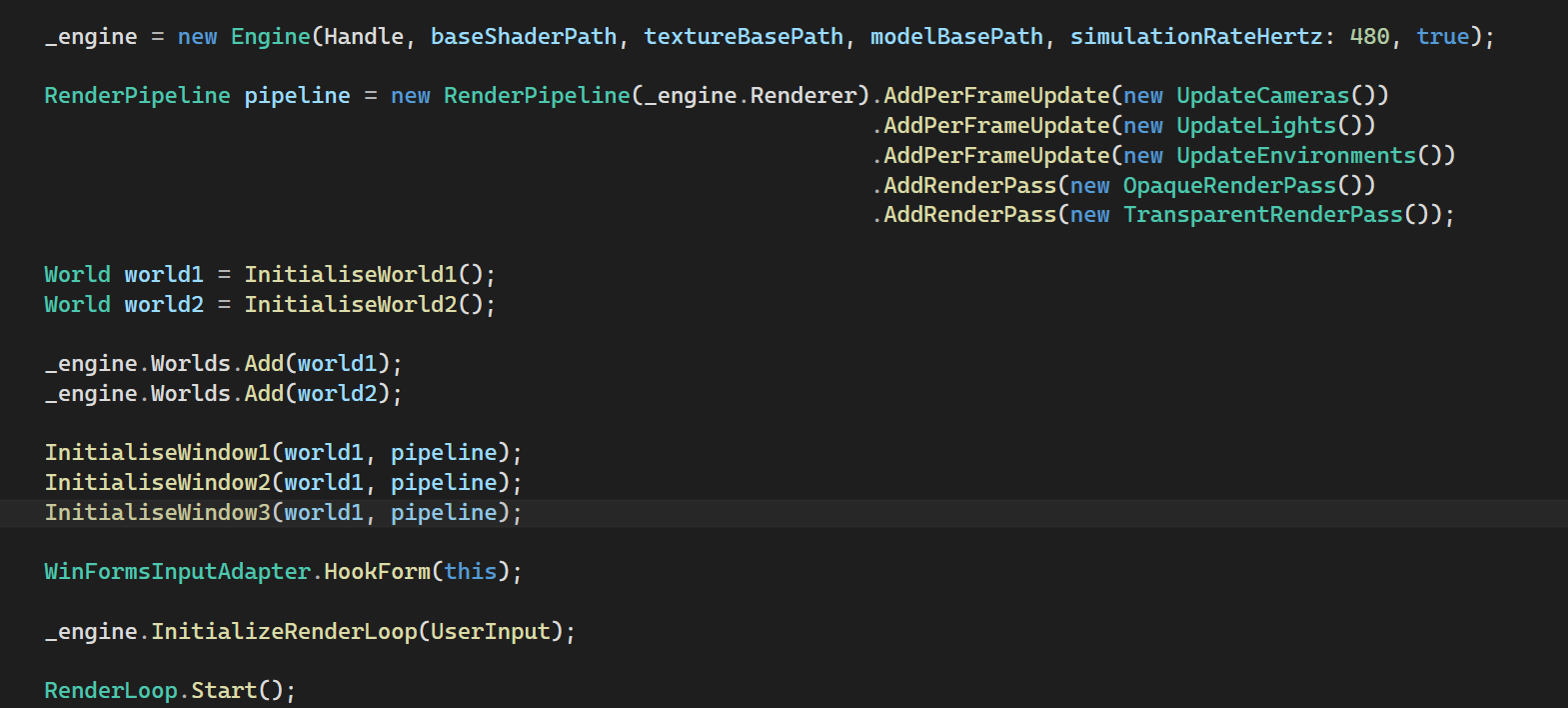
Dorian is incredibly flexible. Rather than offering a fixed rendering pipeline, it allows the caller to precisely define their own rendering pipeline and they can create as many as they need – though in this example I use the same pipeline for all three windows.
This means that developers can precisely pick what they need to go into their pipeline and they can precisely order it how they want. They can even add their own custom pipeline systems – they are not constrained by what Dorian provides.
It’s flexible in that if I wanted Shadows for instance, I could just dynamically add a ShadowsRenderPass and the whole thing would just work!
The other thing Dorian provides that neither Ionian nor the POC offer are simulation pipelines. These run independently of the rendering pipelines and are just as configurable:
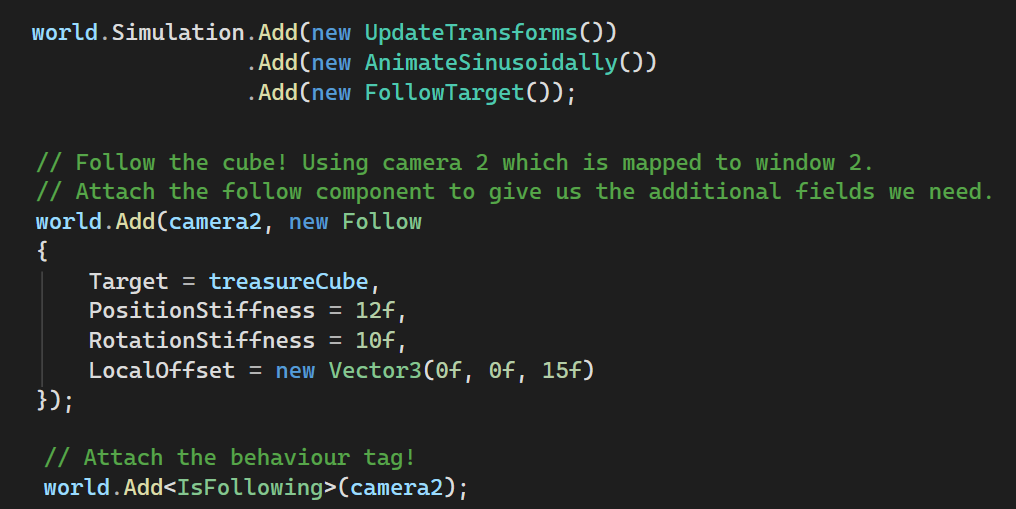
The code above sets up a simulation pipeline precisely the way I want it. One of the features I added to it was the ability to process ‘Follow’ behaviour – that is to have one entity follow another.
I use this system by attaching a ‘Follow’ component to camera2. I have attached this component to the camera as I want the camera to obtain the additional parameters it needs to allow it to follow another entity (the camera itself is an entity)
Finally the last line adds a behaviour tag to the camera which tells the system it is now following something!
That’s it! That’s all the coder has to do to make any entity in Dorian follow any other entity, no matter how complex the movements. It makes the system incredibly easy to use.
If you want the camera to stop following, just remove the tag. You could even change what it’s following and do this all dynamically.
The beauty of the system is that each entity can have as many behaviours as you want and that these behaviours can be dynamically attached or removed whenever you want and that the same behaviours can be applied to any entity.
For example, you could pretty much use the same code as above to make one model follow another…
Here is another example of Dorian’s ECS system in action:
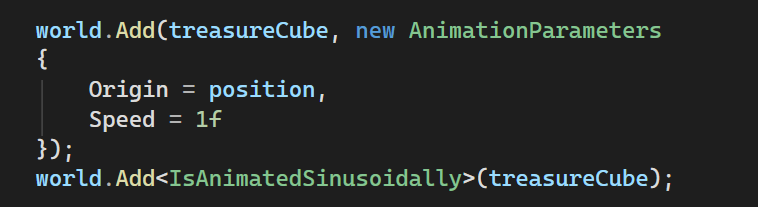
Here we have another entity, this time the cube you see floating in the demo with the treasure chest on it.
Once more we attach a data component to give the entity (the treasure cube) the additional parameters in needs to support animations.
Next we tag it with the IsAnimatedSinsoidally tag to make it rotate and move. That is all I need to do do!
If I want the cube to stop moving I remove the tag.
To top it off, that particular animation is a custom one that I added as a developer using Dorian (as opposed to being the developer coding Dorian).
Dorian allows you to add custom Systems, Tags and Components, so you are not limited by what Dorian can do out of the box.
Dorian is an entity based system, so I could just as easily tag a camera with the same tag and have the camera automatically move around like the cube! No additional code required.
It’s this feature that makes Dorian so expressive and so powerful.
Finally, one more code example, but this time it is a structural attachment:

Dorian allows you to attach (and detach) any entity to any other entity! Here it happens to be a camera to a cube model, but that’s just a coincidence.
I could, for example, attach one of the cubes to another cube! If that other cube was the parent, the cube we just attached would automatically move along with it. That is the expressive power of Dorian.
Dorian also features its own querying system to allow a developer to easily get at any type of entity that they want. For example, maybe they want Dorian to return all entities with Follow Data, marked with the IsFollowing behavioural flag and that is in possession of the matrices and vectors to position it in space. This is all you would need to do:

It is an odd architecture to work with until you get used to it.
For example in Ionian and in the POC you had an actual camera class, whereas Dorian doesn’t have cameras. It just has entities that have a camera tag, local transforms and world transforms attached to it and that’s it. Together this composition makes a camera – along with the associated system to operate on its data.
I know this post won’t make a lot sense to most people, but hopefully it gets across two things:
Firstly, I’m still hard at work!
And Secondly, that what I’m creating – Dorian – is something of an architectural marvel. It will be the jewel in Sojour’s crown.
Dorian will allow Sojour to have multiple map panes open and visible at the same time. You could even use it to send a ‘players’ map to another monitor when using Sojour as a GM assistant.
The possibilities are endless!
That’s enough from me.
Have Fun!
RobP
 Sojour