


As many of you know, I have been finding it difficult this year to get the time together to do as much development on Sojour as I would like.
However, progress is being made, and if anyone reports any game-breaking bugs or other general usability issues, I will try and make the necessary time.
The calendar’s user interface has had a few changes made to it. Here is a screenshot of it displaying a Gregorian calendar designed from first principals using time units:
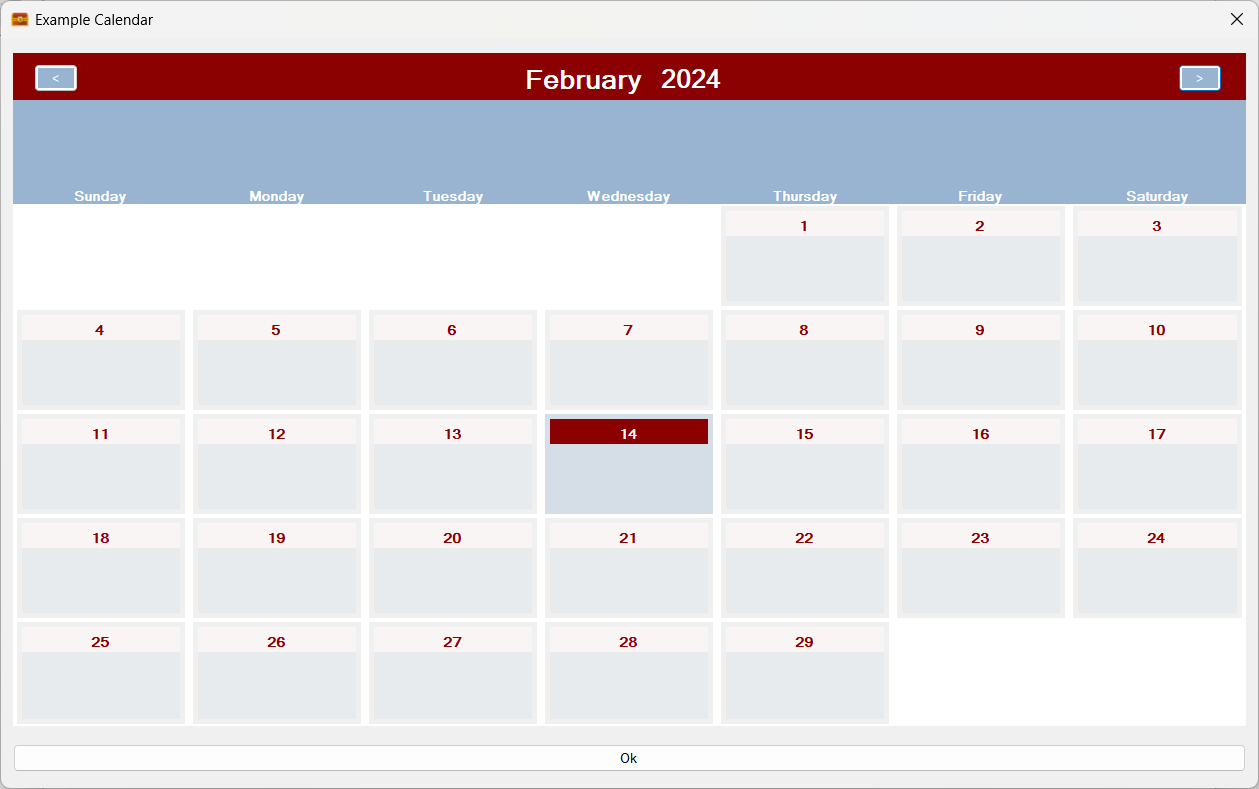
The changes are required to allow the calendar to accommodate the additional information that the Mk2 calendar system can support.
In the future one will be able to get a zoomed in view of a day as one’s mouse cursor passes over it!
Time Units will now show you when they are being overridden by rolling entities by turning red and displaying a message to that effect. The affected fields also show the overridden values and are set to read-only:

Clearing their overrides or moving the rolling entities to a different level results in the colour’s moving with the changes. Here I have moved the day rolling entities up to the week level (level 2):
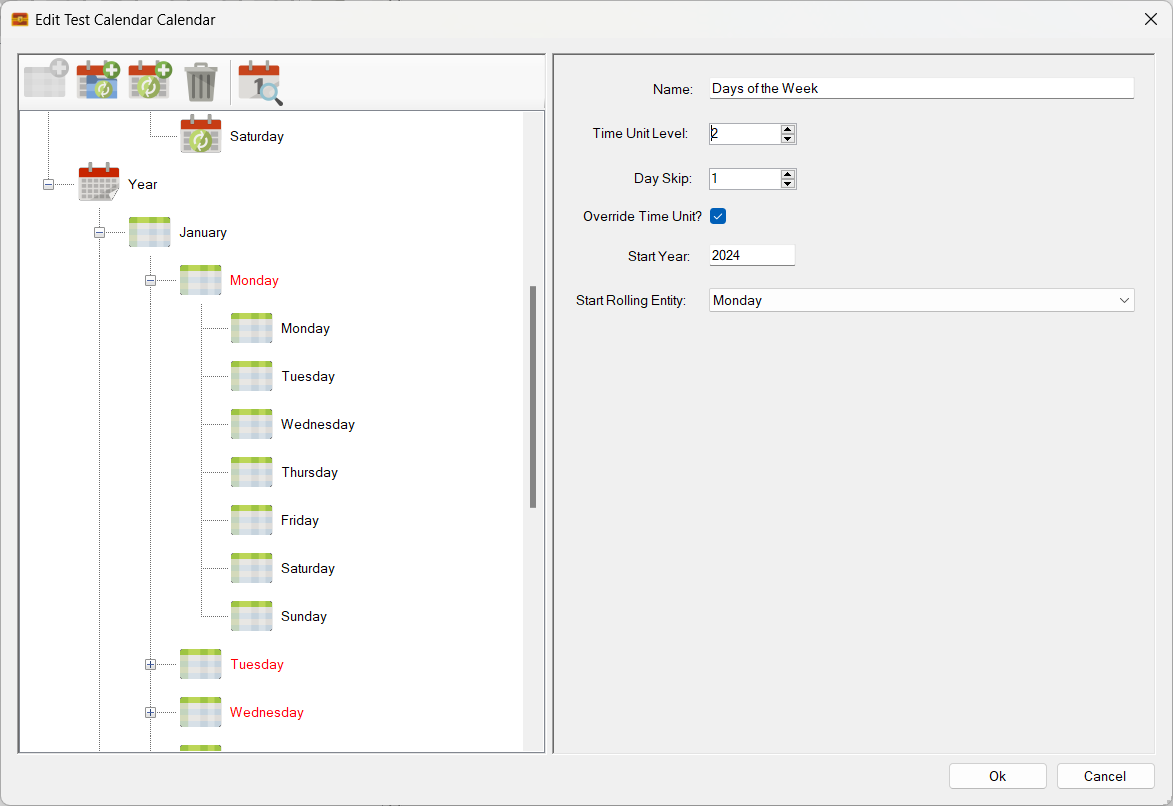
Not a good idea, just demonstrating functionality! Note that there is a new bug in the above image where the original level three values are not being restored. This used to work and will be fixed!
Rolling entities image coding is now mostly done. Here I have created a second rolling entity group just called Images and have assigned three rolling entities to it with three different images (a speaker, a basket ball and a musical keyboard). Here is the speaker one:

Here we have assigned the Image rolling entities to level 3 and set the speaker image is the start of the sequence. We have also set a parameter called ‘Skip’ to 1. This means that every single calendar cell will get a rolling entity. (If it had been set to 2, every other calendar cell would have got this rolling entity):
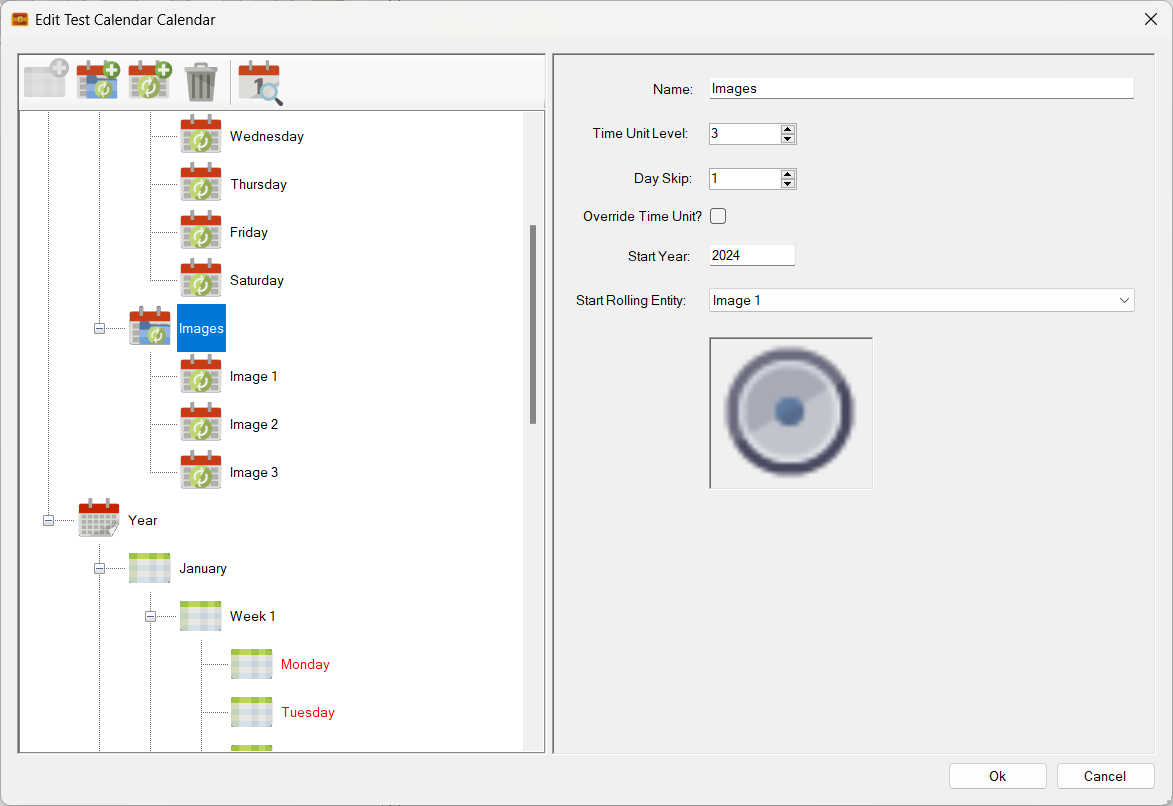
By assigning our Image rolling entities to level 3 we now get this on the calendar pane:
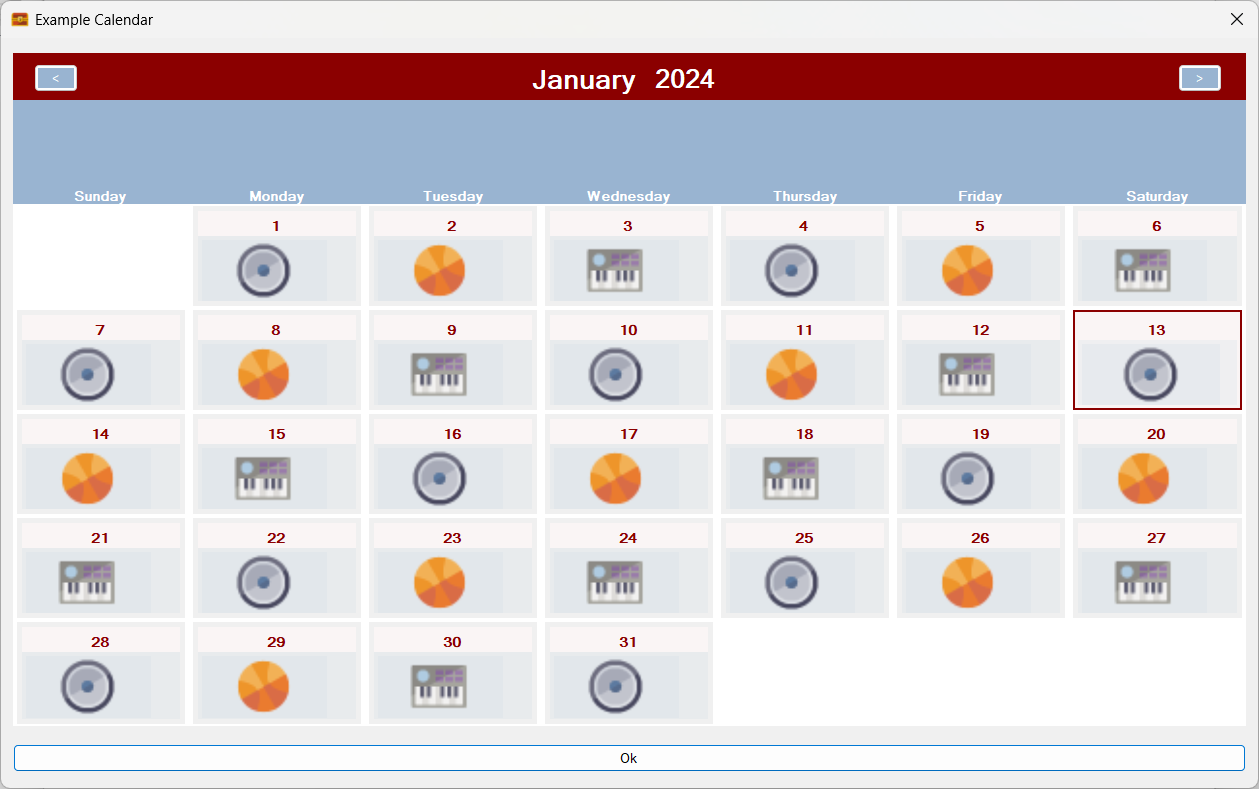
The above image is quite significant in that it shows that Sojour can now handle multiple rolling entities, simultaneously, even when assigned to the same level!
The image render code is an early version and is just there to show me the system working. It will be improved as coding continues.
Why support images?
By doing so, one could add an image sets that represent cyclical things such as, for example, the phases of the moon.
That’s about it for the calendar progress. It is slow, but it is getting there!
Now for v1.2.86.0 release notes – (this update will be up very soon):
Enhancements
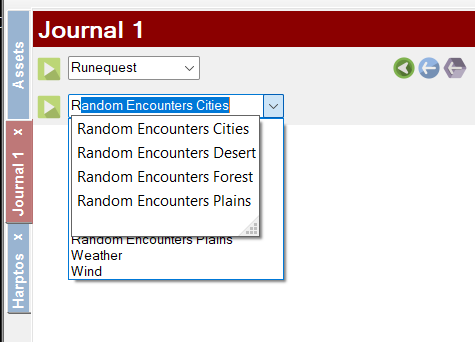
RPG-386: The drop down lists in the journal for look-up tables and turn sequences can now be filtered and searched by starting to type the name of the table or turn sequence you are trying to find. It should make finding the required items faster when you have a lot of them!
RPG-387: Sojour only used to save data on exit unless the user used the various manual save buttons. The problem with this approach is that if Sojour crashes or your computer dies, you could lose a lot of data.
Sojour has now been updated to be a lot more aggressive with regards to saving your data. It will now auto-save your data for no less than 41 additional activities! Alas, there are some activities that I couldn’t add this for without compromising performance. However, I will keep this under review.
Fixes
RPG-388: Fixed a bug where events could end up on the wrong day for years with leap days. Also fixed recurring events so that they take account the origin year’s leap days and all subsequent year’s leap days. This ensures that recurring events now always occur on the same day across all years.
That’s it for this post!
Have Fun!
RobP
 Sojour
Very happy to see more being done on Sojour! 👏
LikeLiked by 1 person
Thanks – I do have an incentive too, as I use it for my own campaigns too!
LikeLike
Glad too see sojour is still alive!
LikeLiked by 1 person