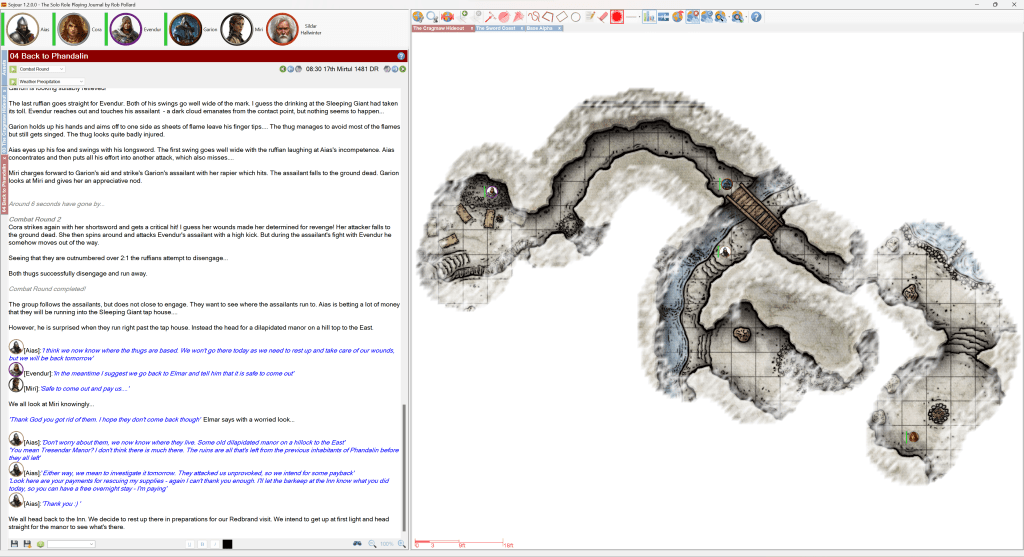
The coding is done, as is most of the testing. The only things left to do are updating the manual and creating a new tutorial video that will take you all through the new Fog of War system.
Not long to go!
Have Fun!
RobP


Sojour is the premier solo virtual table top (VTT)
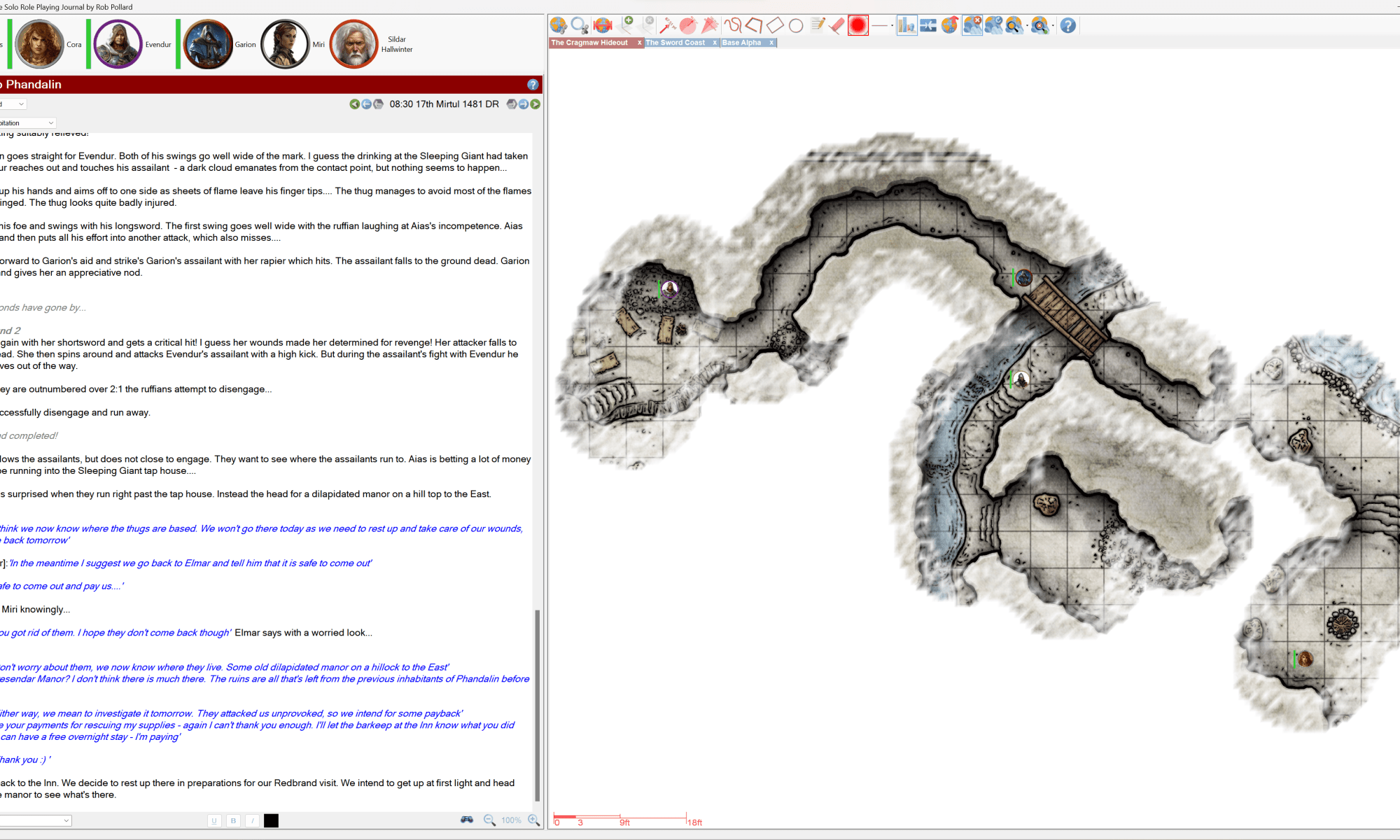
The coding is done, as is most of the testing. The only things left to do are updating the manual and creating a new tutorial video that will take you all through the new Fog of War system.
Not long to go!
Have Fun!
RobP
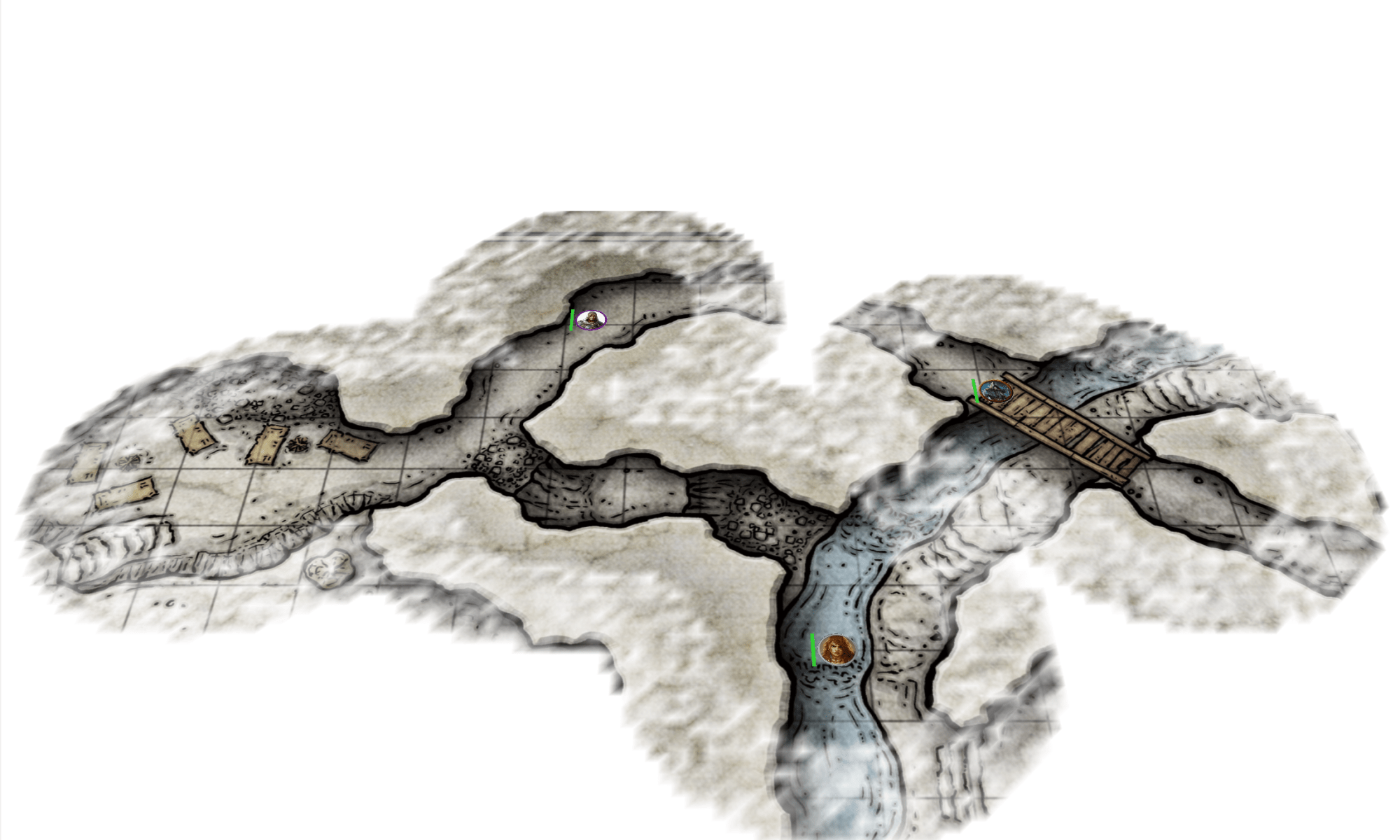

Here is a video showing it working on a map with max fog density:
And here is a video with the fog set to minimum density. This video shows off the fog animations (you will need to look carefully as they are subtle):
Remember, it’s still early days, and “Mum’s” the word!
RobP
This is a hotfix that fixes an issue identified by a customer in the campaign calendars. It also fixes an issue that I noticed this morning whilst using it.
I have a zero tolerance policy to bugs – so if you find any, please report them and I’ll do my best to get fixes out as soon as possible.
You will need to pop into your DriveThruRPG accounts to download this update.
Have Fun!
RobP
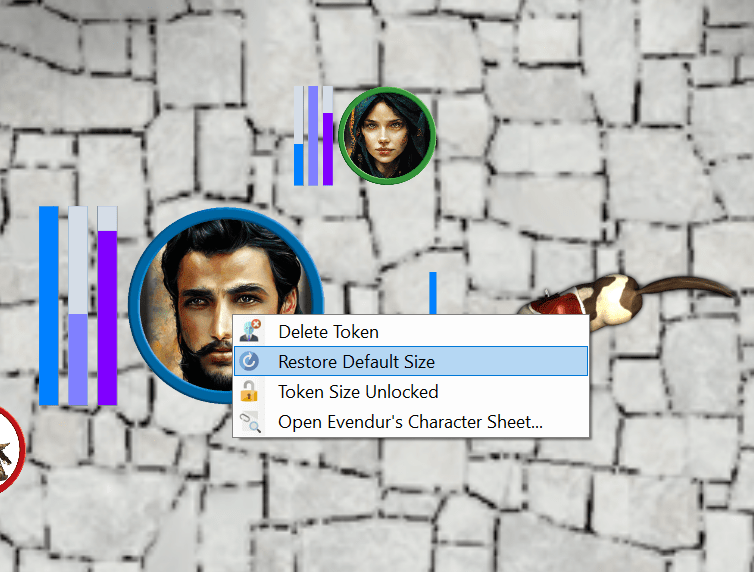
This release fixes a number of issues and also adds token size locking to prevent accidental token resizing.
With this version you must unlock a token before you can resize it with the mouse wheel.
Tokens are unlocked by right clicking on them and toggling the ‘Token size locked :
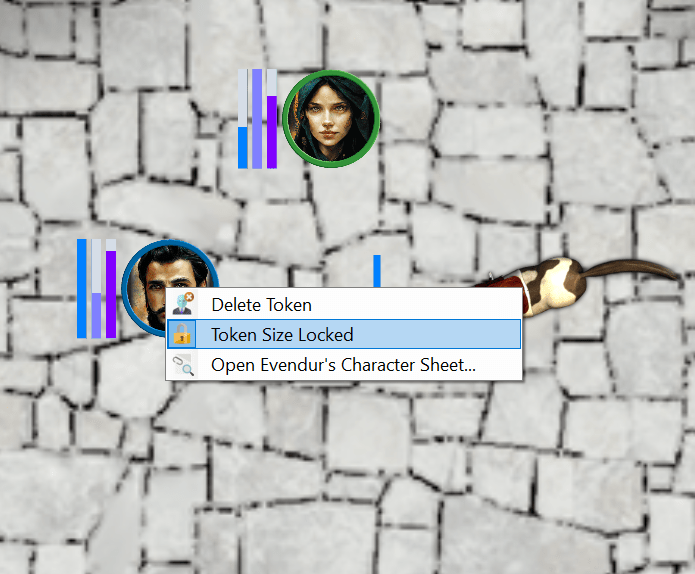
Sojour remembers this setting for each token on each map.
Tokens that have their default sizes changed by the user can now be reset back to the map’s default token size by right clicking on them and selecting ‘Restore Default Size’:
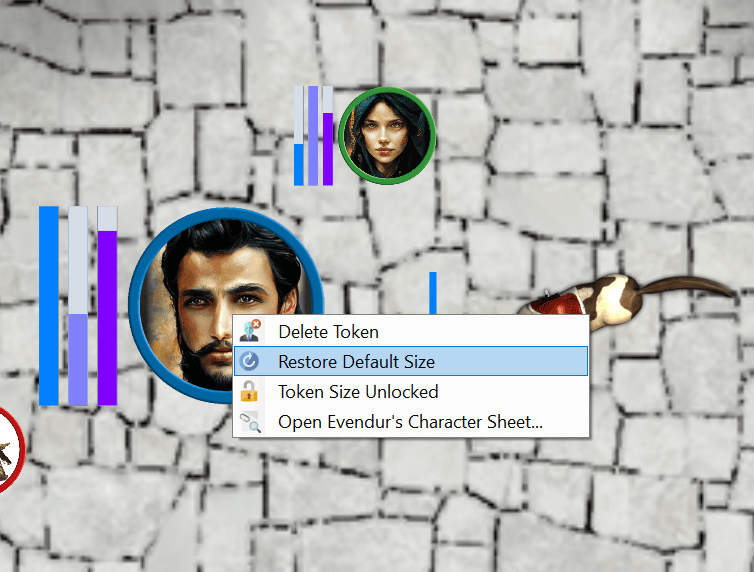
These two enhancements should make token size management a little less fiddly 🙂
Here is the full list of changes and fixes in this release:
As usual all updates are free for paying customers! Just pop to your DriveThruRPG accounts and download the latest version!
That’s it for this post!
Have Fun!
RobP
Have Fun!
RobP

I have to say that I’m very pleased with Microsoft’s swift conclusion to this issue.
They have determined that Sojour is not a virus and will be removing it from their definitions.
Here is a screenshot of the feedback:
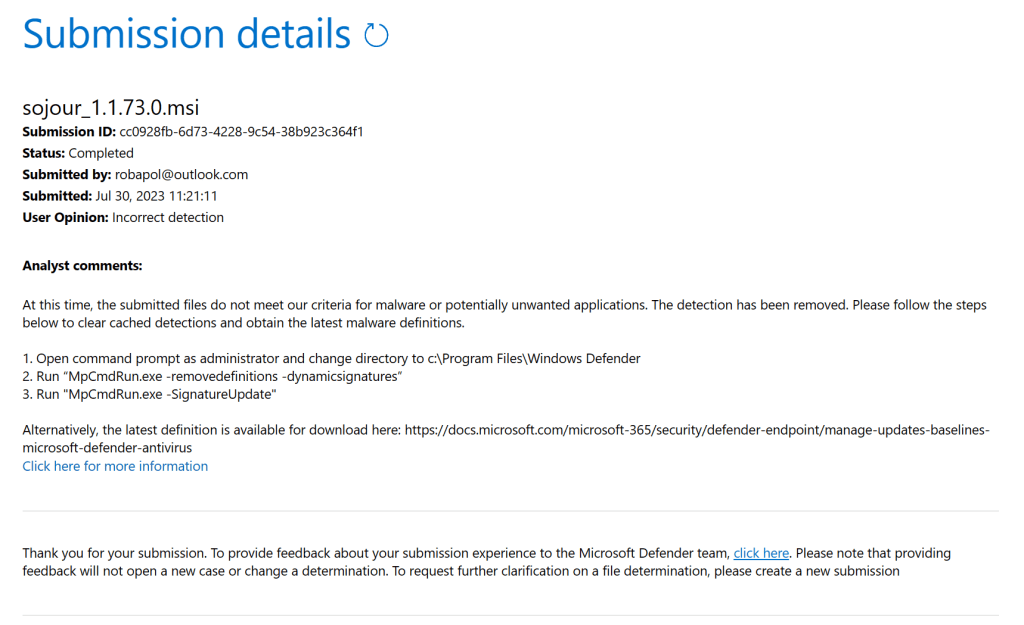
I guess that once your Window’s Defender apps get the latest definitions, Sojour will be back to being treated as a normal application 🙂
Have Fun
RobP
I have just had a report that Sojour’s installers, including its earlier versions are now being flagged as a virus by Windows Defender. Anyone having installed the earlier versions will know there is nothing untoward.
However, I have now managed to replicate this myself:

This is as a result of a false positive from, I suspect, the obfuscator that I’m using to obfuscate the code.
Sojour is safe, it’s just standard .net code – in fact, Sojour doesn’t even have any DRM, so I’m unsure why its suddenly getting flagged.
I have submitted Sojour’s latest installer to Microsoft for evaluation to get them to white list it again:
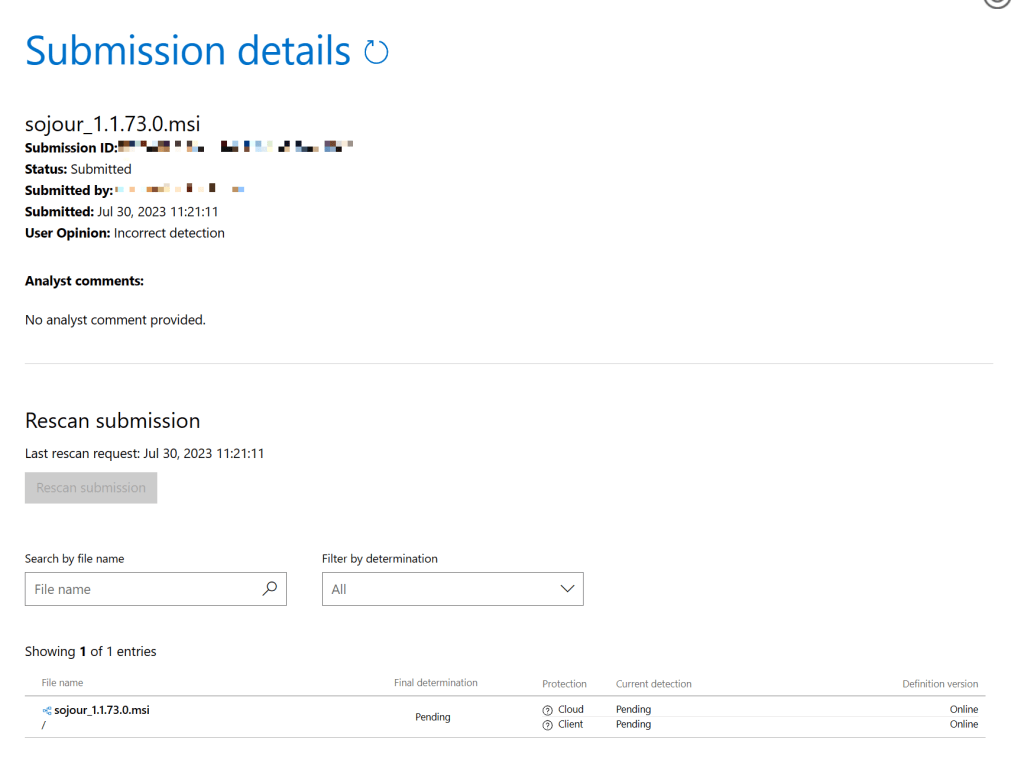
Alas, it is now a waiting game for Microsoft to perform their analysis.
I’ll let you good folk know when this is done.
Regards
RobP
This version contains a number of fixes and enhancements.
The biggest enhancement has been the provision of custom token sizes on a per map basis (as opposed to relying on Sojour’s in built auto-sizing mechanism).
To achieve this the Map Scale Assistant has had considerable under-the-hood changes made to it. These changes should make it easier to use. Any alterations are now seen in real-time on the map, the cancel button will now undo all alterations, and each registration pane will now automatically update its defaults with information from the current map.
In addition, all the drag and drop code for map tokens has been significantly reworked to make the dragged tokens better represent their originating tokens. For example orientation and custom scaling are now taken into account!
Here is the full list of fixes and enhancements:
RPG-300 Occasional crash when using the drawing tools.
RPG-301 Give users the ability to pick a default token size for a map.
RPG-302 The tilt registration button (and others) need to be disabled during registration.
RPG-303 Maps were initialising an unnecessary vertex buffer – this should increase the max map size that can be imported! (This was a hold-over from Ancient Armies)
RPG-304 Resized tokens drag image is not the same size.
RPG-305 Alt GR and other modifier keys are being mis-read by Sojour due to Windows mis-reporting them. I got this fixed by replacing the Windows code with Direct-X. This should help non-English customers to be able to access their Nation’s custom characters without triggering many of Sojour’s auto-formatting features.
RPG-306 Rotated drag cursors don’t match token orientation
Another minor enhancement has been to the iconography for some of the mapping toolbar buttons – can you spot the differences? 🙂
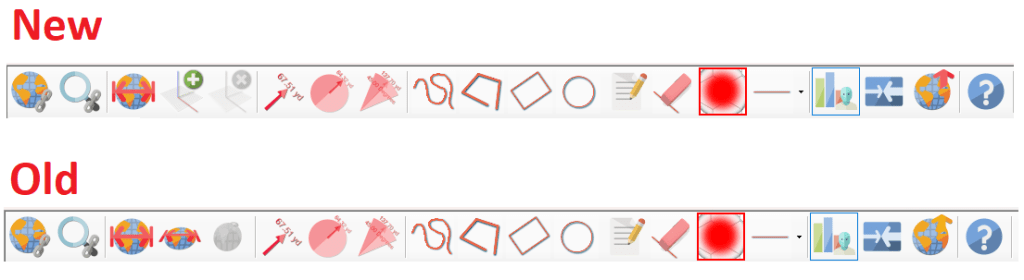
Hopefully, you’ll agree that the new buttons look better!
Alas, I have had to make a slight change to one of the map’s mouse wheel commands. Something I don’t like to do as users get to learn the shortcuts and automatically apply them. Changes such as this can trip them up.
In the past you used <ctrl> mouse-wheel over a token to resize it, and the mouse-wheel over a token to change its heading. These two have now been swapped around. So, mouse-wheel to resize and <ctrl> mouse-wheel to rotate.
This change was necessary to make the token size adjustments in the Map Scale Assistant flow more smoothly and I’d rather that the assistant and the map used the same shortcuts, hence the change.
I won’t go through the changes of the Map Scale Assistant as they are extensive. Instead, I have provided a video that has been uploaded to You-Tube that covers off the new functionality :
I hope you all like the enhancements and fixes
Have Fun!
RobP
Sojour, by default, automatically sizes tokens based on the map’s scaling. For smaller maps the chosen scale is generally a 1 metre radius for the token – or its imperial equivalent for imperial maps.
As your maps get larger, Sojour automatically increases the size of the tokens to ensure that they are always easily visible.
If Sojour didn’t do this, your tokens would be almost invisible on a larger map. For example, imagine a 1 metre token on a map measuring 100km by 100km – you’d never see the token, unless you zoom right in!
Whilst the token auto-sizing works for the most part, there will be occasions when users will want very specific token sizes. A typical use-case would be where an imported map had hex sizes that don’t quite gel with Sojour’s auto-sized tokens.
Sojour has always had the ability to allow users to manually change individual token sizes after they are dragged to the map, but this can be a hassle. To that end I have added a feature where you can optionally choose to register a specific token size with a map!
This new feature has been added to a greatly enhanced map registration assistant.
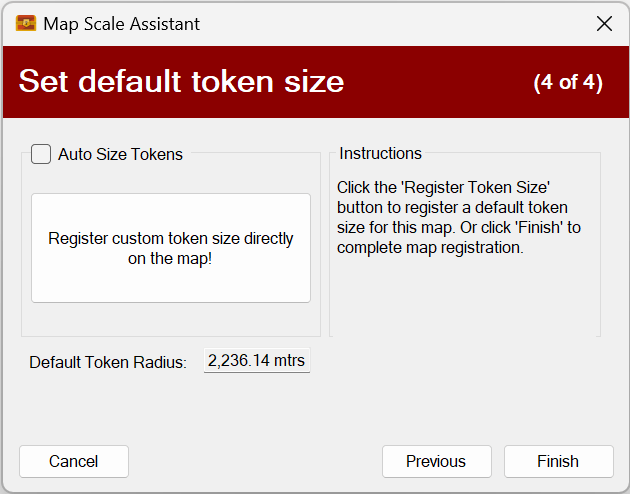
The assistant now features an additional 4th page right at the end called ‘Set default token size’:

This forth page is set to use Sojour’s default token auto-sizing as the majority of users will want to use this feature.
However, you are now offered the choice of registering your own token sizes by switching off ‘Auto Size Tokens’:
Clicking the ‘Register custom token size directly on the map!’ button results in this:
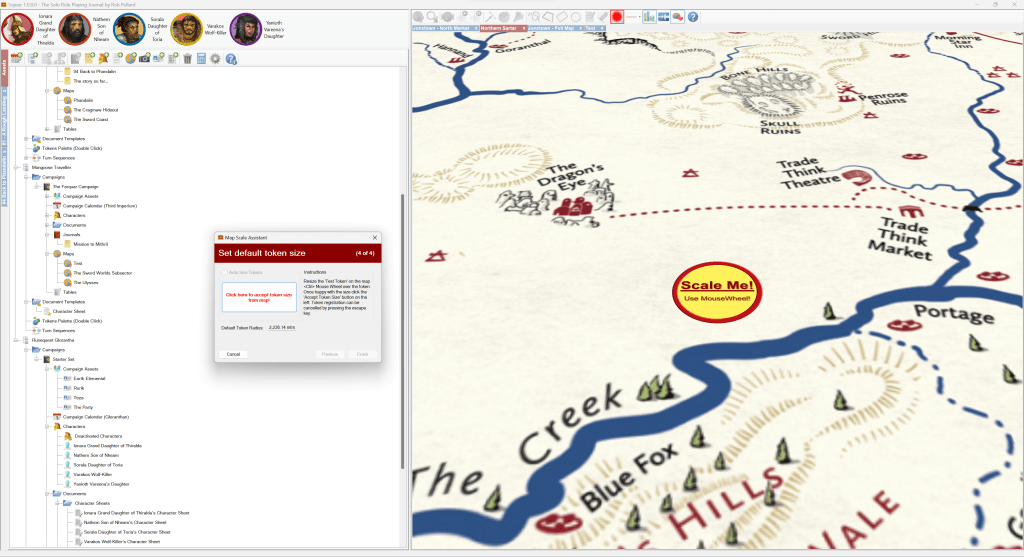
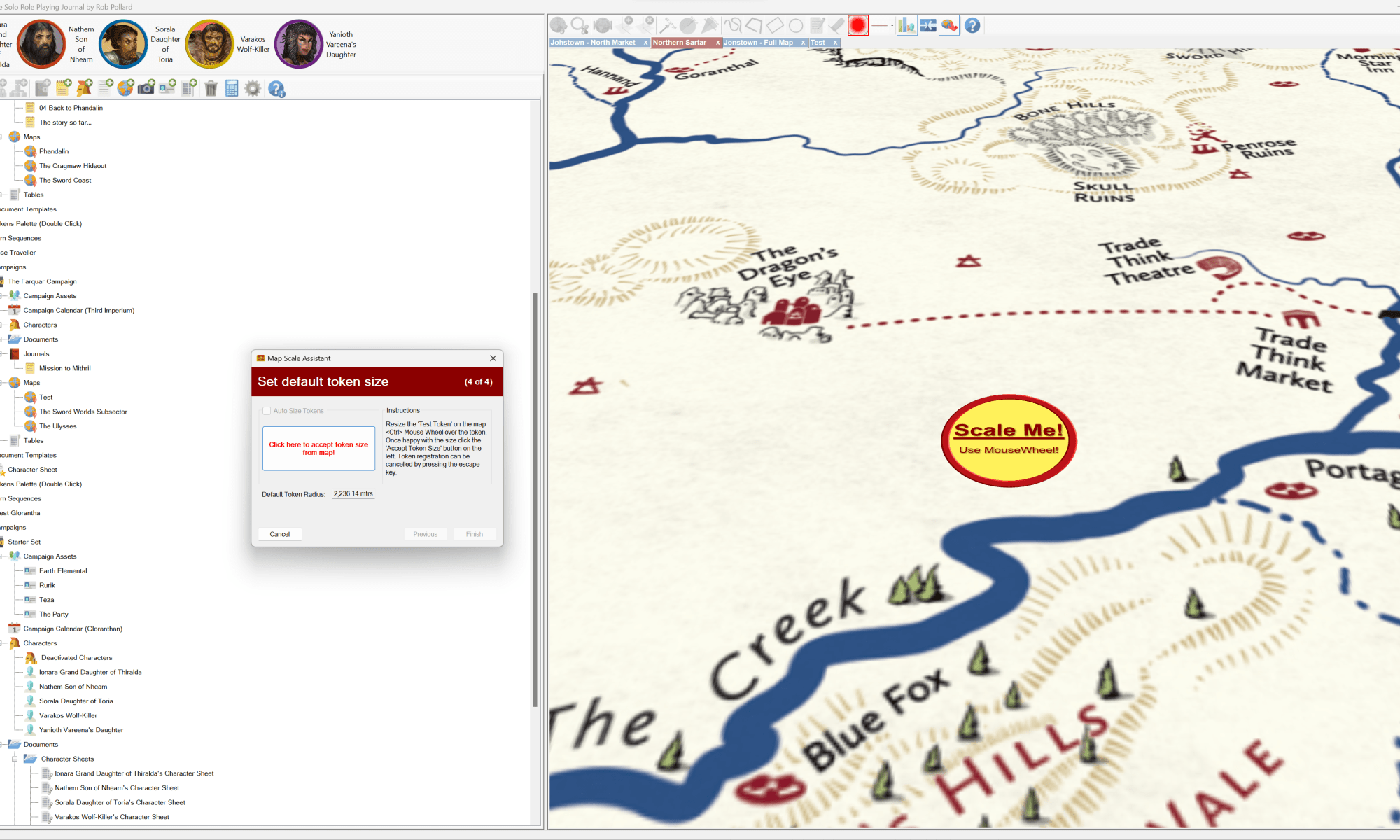
Existing tokens are hidden and a ‘Scale Me!’ token is added to the map. This token can be resized with the mouse wheel and it can also be moved around if you need to accurately place it before scaling it.
Once you are happy with the size of your token, just click the red ‘Click here to accept token size from map!’ button on the assistant. This will hide the test token and re-show the existing tokens at their new size. It will also update the assistant page with the new token size:
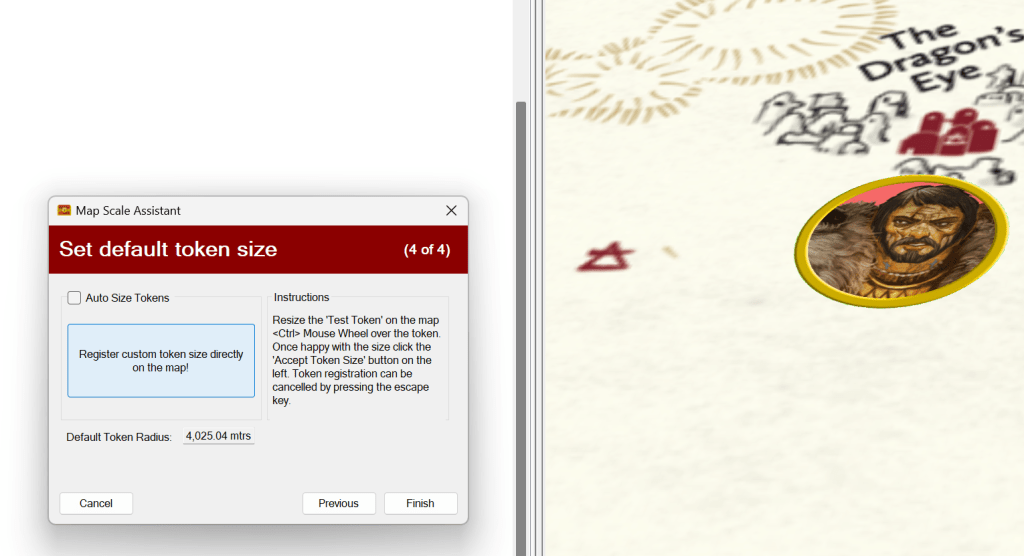
In this example I have made the default token size considerably larger. If you are not happy with the size, simply take another measurement or re-tick the ‘Auto Size Token’ checkbox to re-enable automatic token sizing.
Custom token sizes are bound to a specific map, so each map can have its own sizes.
Newly dragged tokens will automatically adopt your chosen custom size.
Relative sizes work too. If you have a token that’s set to twice the relative size, it will be twice your custom size when dragged to the map!
There have been many more under-the-hood changes to the ‘Map Scale Assistant’ including the ability to default all assistant pages to the current map’s existing registration settings (if registered) plus all changes in the assistant are now immediately shown on the map for instant feedback. Clicking ‘cancel’ will revert things back to the way they were before you opened the assistant.
There’s still a few more things to do, like tidying up the UI and doing a lot of testing to make sure custom token scaling works in all scenarios – but we are nearly there! I’m guessing this new feature (plus other fixes) will be out in the next week or two.
In the mean time, have fun!
RobP

This version of Sojour starts to take advantage of Sojour’s 3d mapping engine.
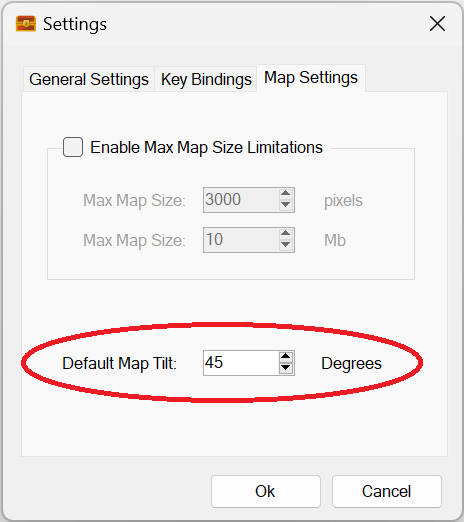
With it you can choose to toggle the tilt of any map by the number of degrees set in Sojour’s Map Settings:
Tilt can be toggled on and off using this button:

Here is Runequest’s Sartar map with tilt turned on:
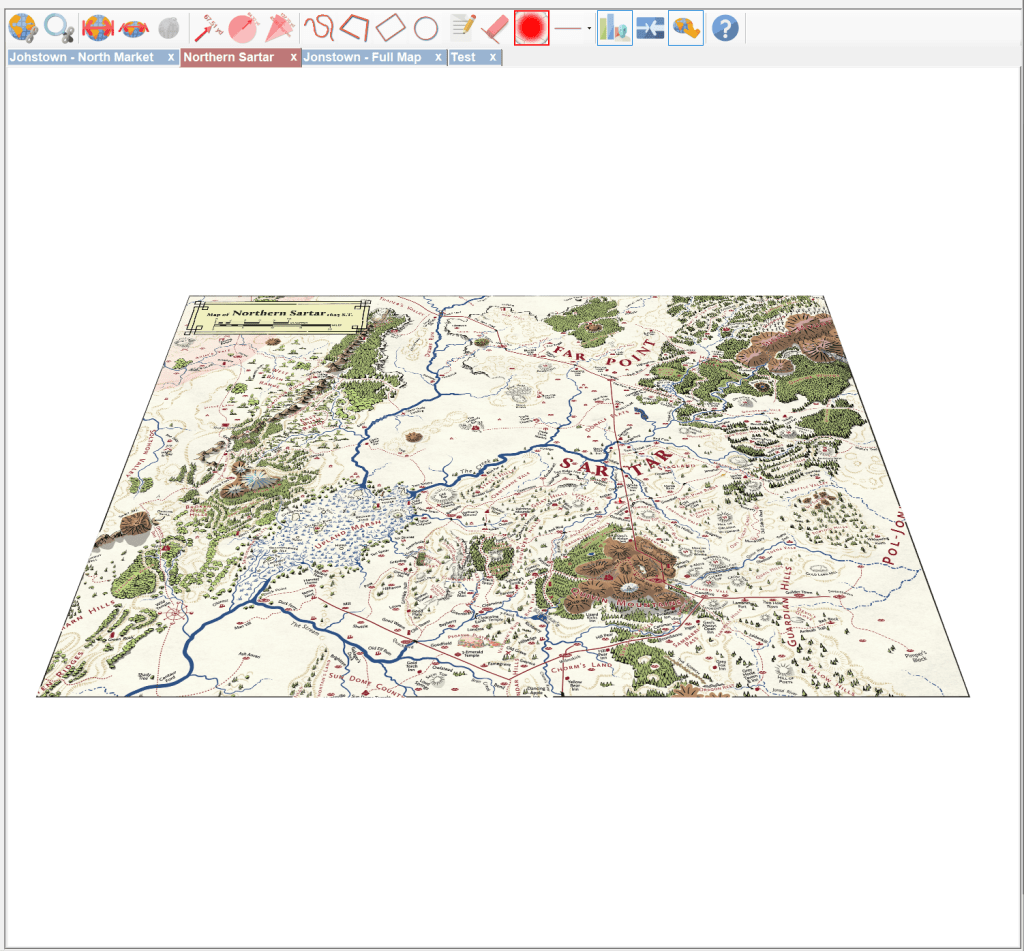
With the tilt on, you can zoom in and travel over the map, which almost feels like you are flying across the map. In addition, all tokens and map markers are projected into that 3d space:
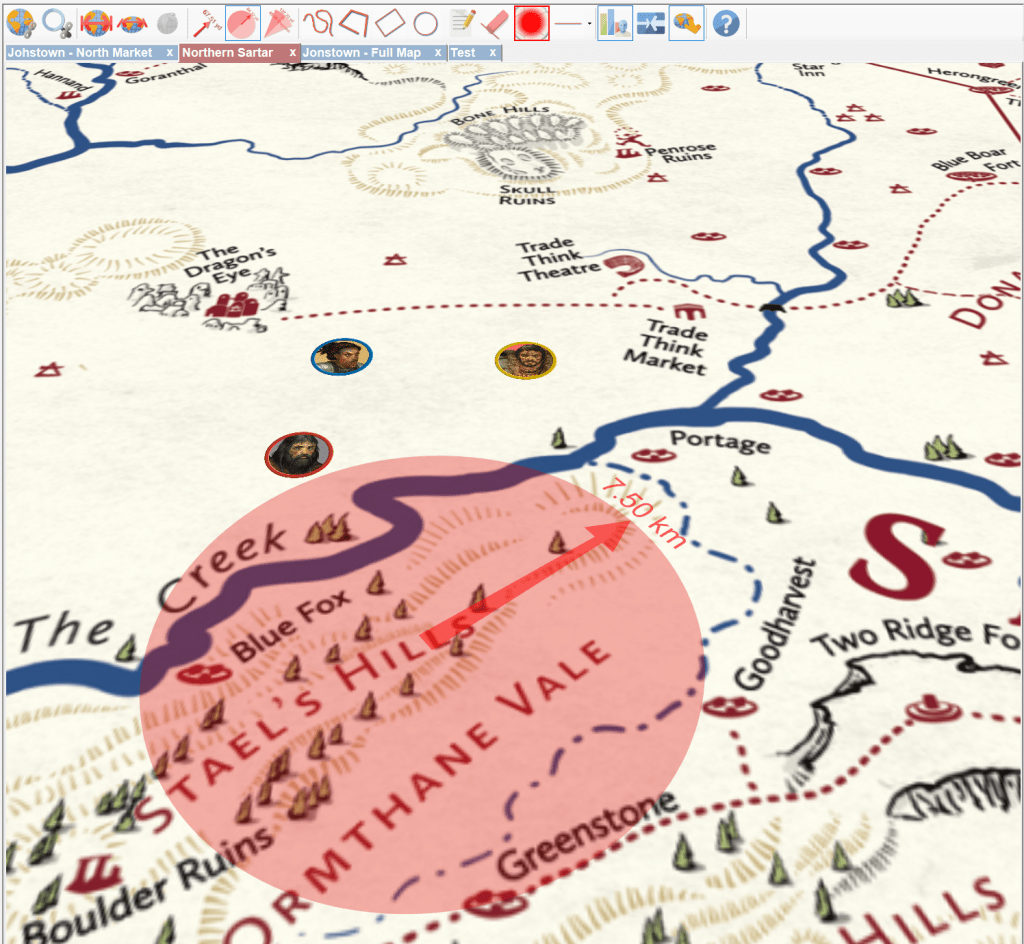
Tilt can be toggled independently for each map and Sojour will remember if that map was tilted. eg If you reload a tilted map it will appear tilted.
Sojour’s tilt system has one more cunning trick up its sleeve and that’s the ability to register precise custom tilts. These enable you to define per-map custom tilts that are remembered by Sojour.
Maps with custom tilts are not affected by the global tilt settings. Once a custom tilt has been allocated to a map, it stays with that map until cleared. These maps can have their tilts toggled on and off just like other maps, the only difference is that it will be to their custom angle rather than the global one.
So why would one use custom tilts?
One of the main reasons to use custom tilts is for 2d isometric maps. Consider this one from Mongoose Traveller:

These kind of maps can be quite hard to role play on. Luckily Sojour provides a solution! All you need do is register a custom tilt for this map! To do this click this button:

Clicking it results in this 3d alignment cursor appearing:
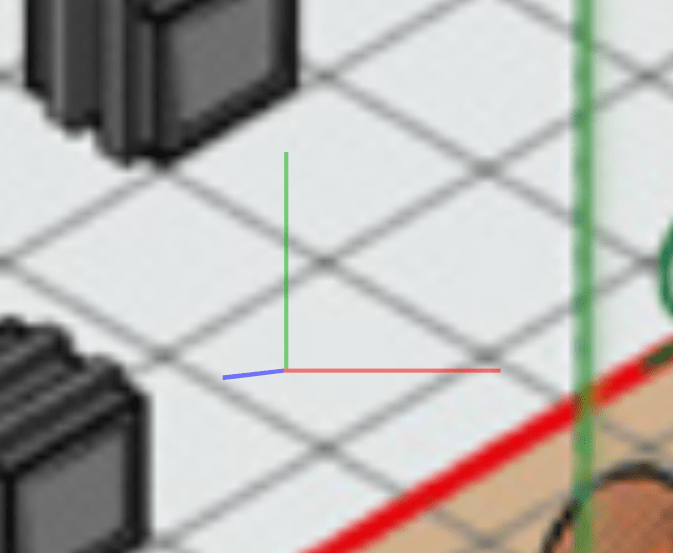
Blue is ‘Up’ and the red and the green lines have to be aligned with your map’s grid using either <Shift> Mouse wheel or <Ctrl> Mouse wheel. The 3d alignment cursor looks like this when properly aligned:
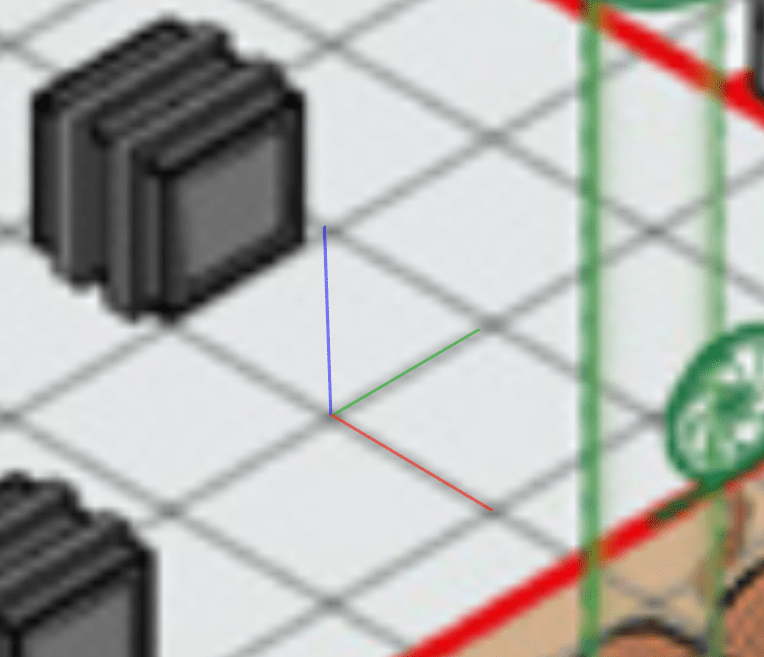
Once the cursor is aligned like this, simply left click the mouse button. Sojour will then calculate the exact tilt required to work with the isometric drawing of this map. It will then tilt the map accordingly:
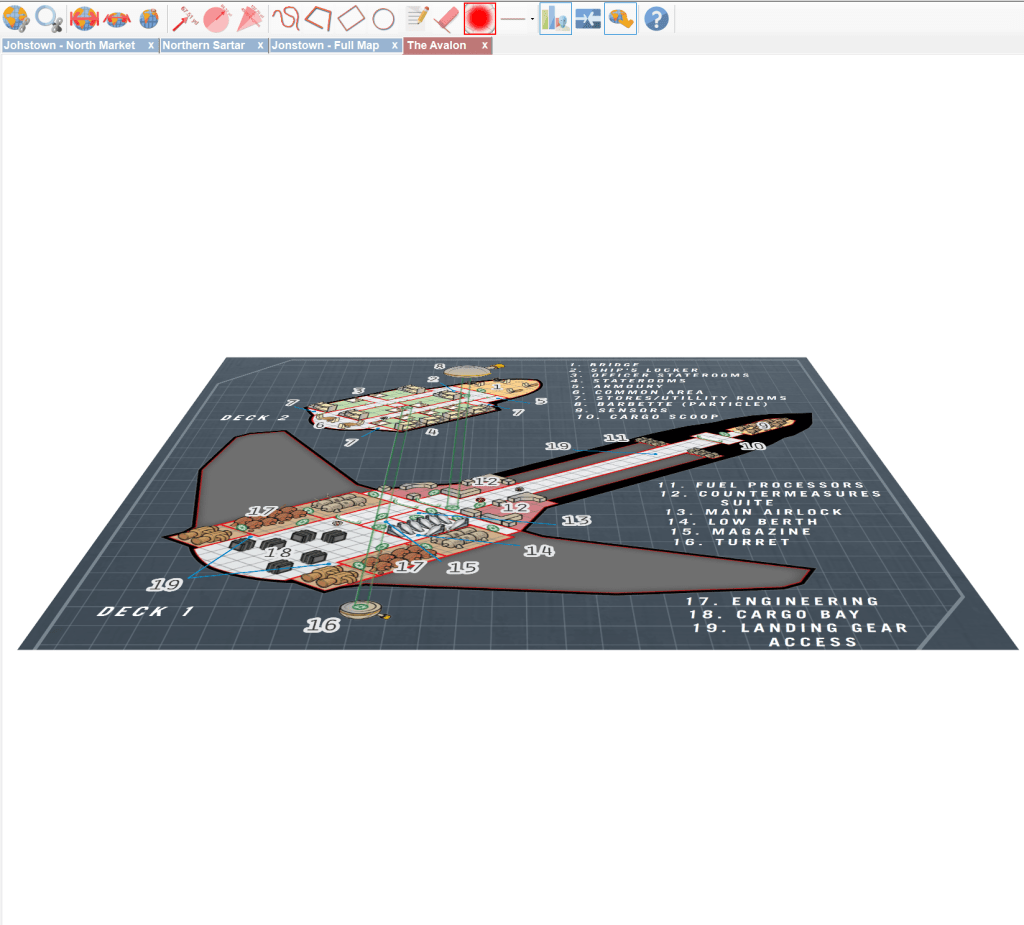
When one zooms in and moves around the map, the tilt of the 2d isometric map creates an uncanny 3d effect – almost like it is a real 3d map!
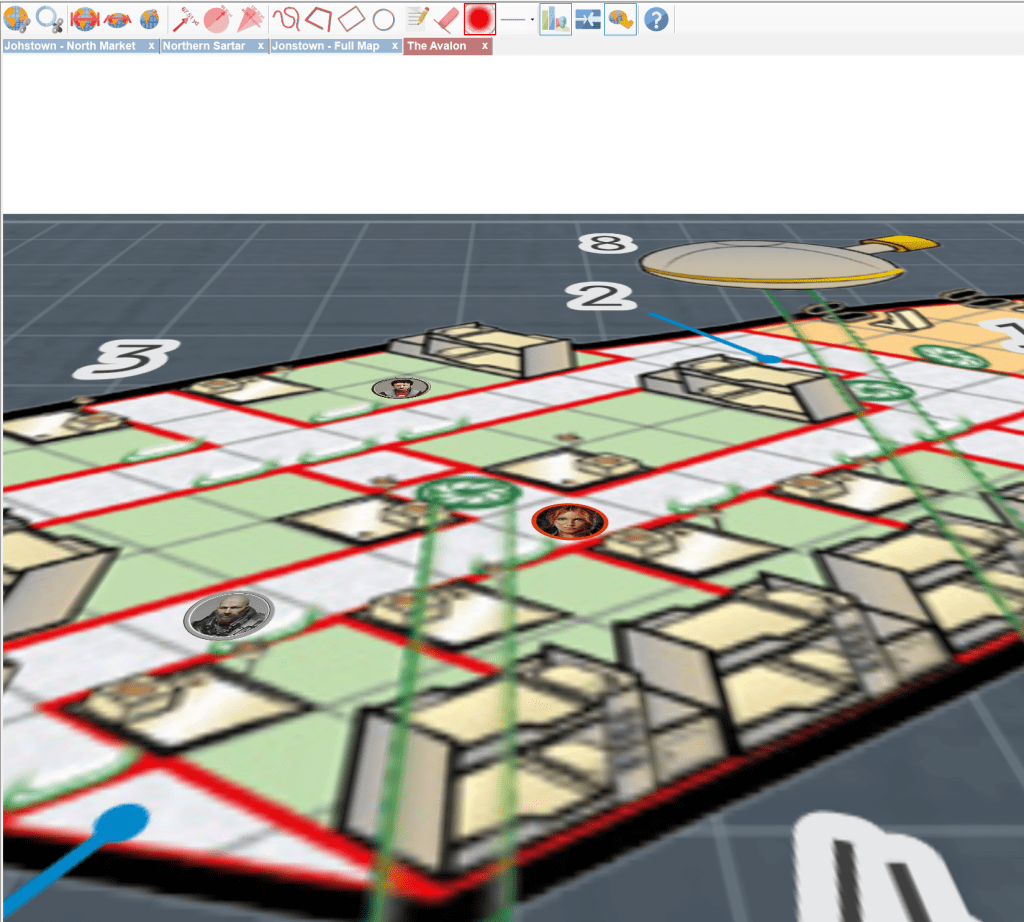
It doesn’t show up very well in this still image, so I recommend you watch the You-Tube video at the end of this post!
Custom tilted maps can have their tilts toggled on and off like other maps. But unlike other maps, their tilt angle will always be the one that’s registered for them and not the global one.
Custom tilts can be removed either by re-registering another tilt or by using the ‘Clear Map Tilt’ button below:

This button will be disabled for maps that don’t have custom tilts allocated to them.
To fully appreciate tilted maps, you need to see them moving. To that end, I highly recommend watching this video below:
That’s it for this update!
Have Fun!
RobP
 Sojour