-
Work has been underway on Sojour 2.0 for quite some time now — most of it focused on the new 64‑bit graphics engine, Dorian.
The video linked above walks through the high‑level plan for Sojour 2.0 and should give you a clearer picture of what’s coming next.
Key Points
- Development has been ongoing for a while, with the majority of work centred on the new Dorian 64 bit graphics engine.
- This is a full rewrite, so it won’t be quick — current estimates put the timeline at around two years.
- When Sojour reaches version 2.0, the price will increase to a one‑time cost of $20 USD. The video explains the reasoning behind this.
- Until 2.0 is released, Sojour will remain at $10 USD.
- Existing customers will receive Sojour 2.0 for free.
- The 1.6.x branch will continue to receive bug fixes and small quality‑of‑life improvements.
- Bug fixes for 1.6.x will take priority over 2.0 development.
If you have any questions, feel free to post them here, on Reddit r/Sojour, or on the YouTube video — I’ll do my best to answer everything.
That’s all for now.
Have fun!
RobP
-
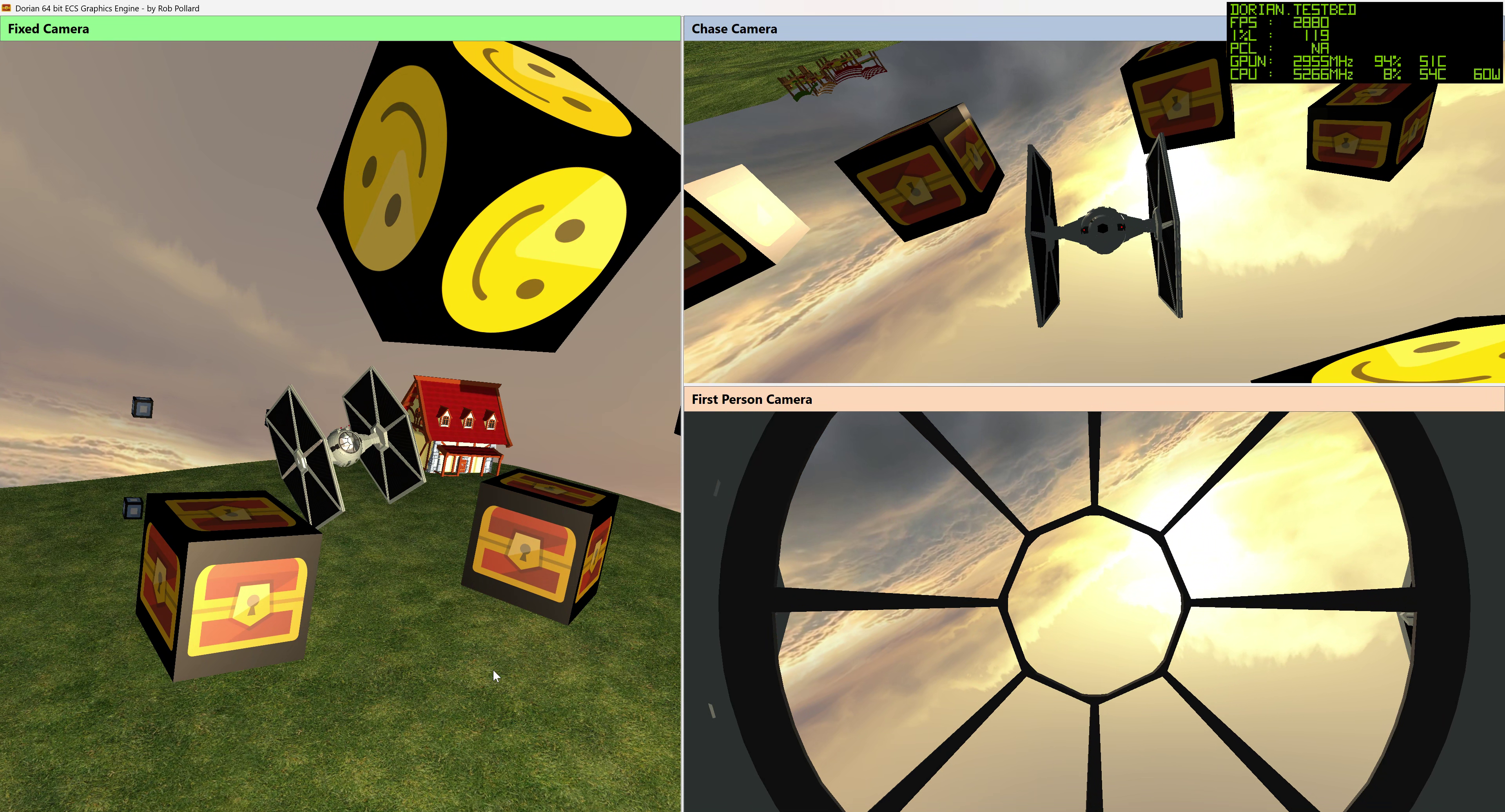
Dorian being put through its paces! I took a month off to pursue other hobbies and have now returned to continue work on Dorian, Sojour 2’s new graphics engine.
Dorian is needed because Sojour 2 will use Microsoft’s latest .NET framework, and that framework comes with a development environment that can only compile 64-bit applications. Alas, Ionian, the graphics engine used in Sojour 1, is only 32-bit, hence the need for a new engine.
On the plus side, Dorian can render to multiple windows simultaneously, which has huge implications for Sojour 2, including the ability to project a DM-only view of a map during in-person games.
During this development tranche, the ECS engine received a major overhaul. I now have a much deeper understanding of the ECS architecture, which enabled me to make some significant performance improvements.
I’ve also added the ability to import external 3D models, giving the engine feature parity with Ionian.
Finally, the lighting engine has been improved, although there is still a long way to go.
Here is a video showing the current version being put through its paces. The measured frame rate is accurate, as verified using NVIDIA’s FrameView tool.
I’m running Dorian with VSync disabled and letting it run flat out, which explains the rather high frame rate.
Unfortunately, game engine videos on YouTube never look quite as smooth as they do in person, but the engine itself is ultra-smooth. You can watch the video here:
There is still a great deal more to do, but once Dorian is complete, I can turn my attention to developing Sojour 2 itself, which will incorporate this graphics engine.
As noted in previous posts, Sojour 2 will be free for all existing Sojour customers.
Have fun!
RobP
-
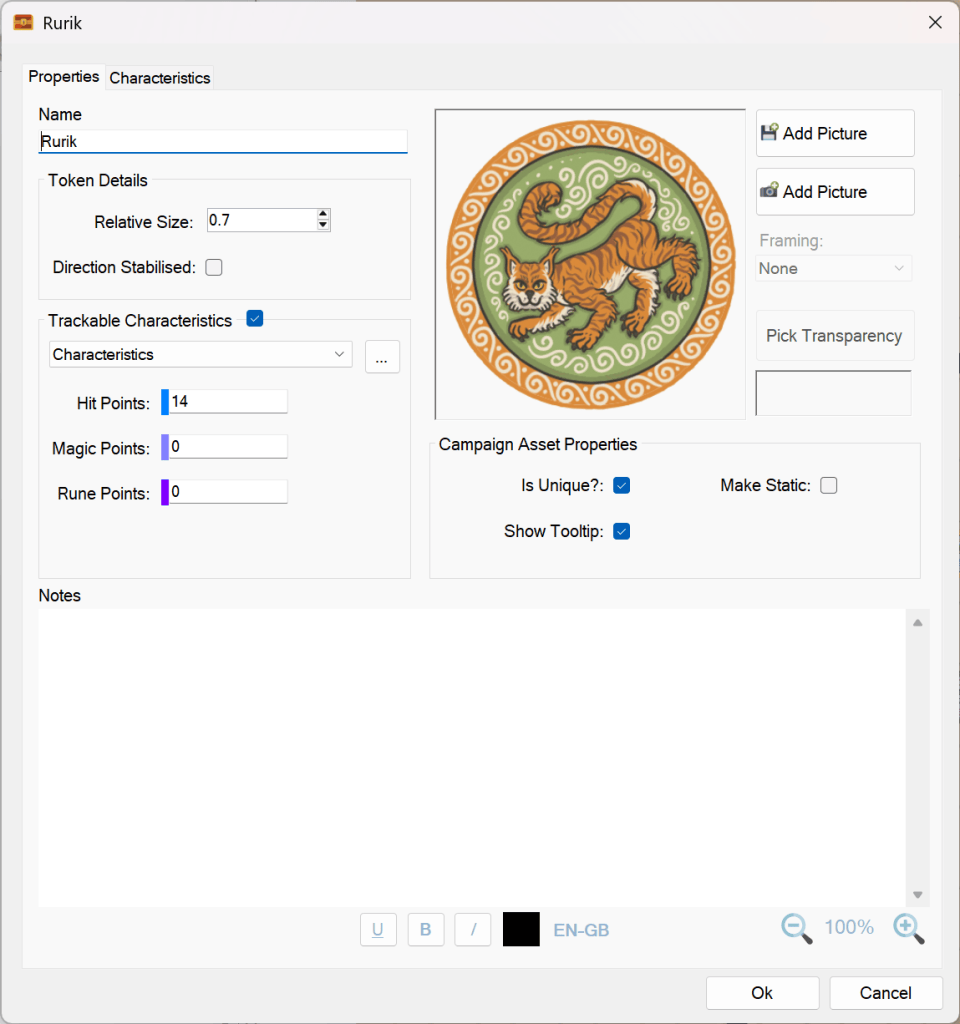
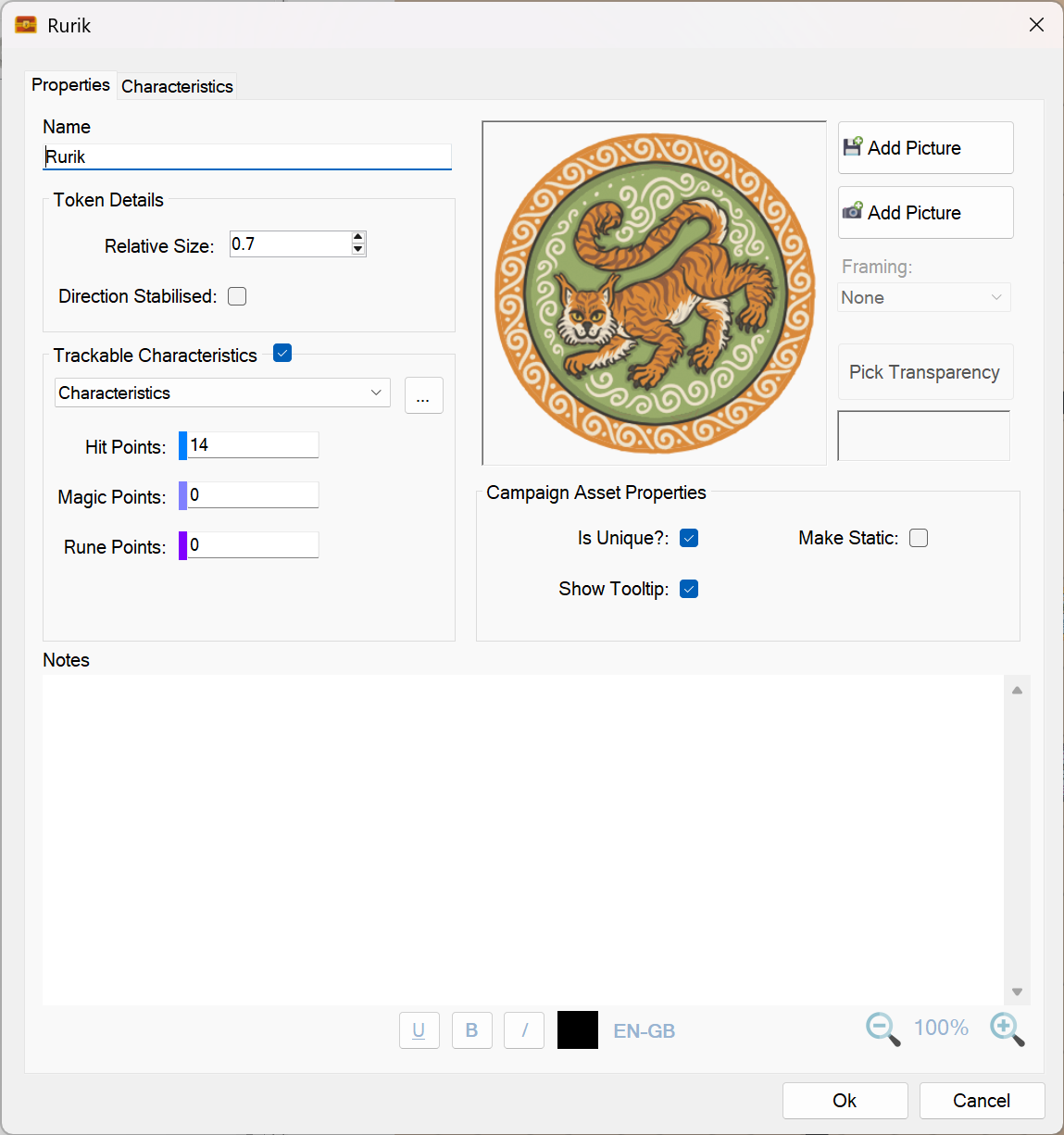
A campaign asset! This release fixes a number of issues in and around the characteristics of campaign assets.
Campaign assets are quite complex in that they can either be unique or non-unique (see the screenshot above). This setting has a direct impact on how characteristics work for a campaign asset.
In general, unique campaign assets can only have one instance per map. When its characteristics are altered, the same alteration will propagate to all maps and journals.
Non unique campaign assets have characteristics that are completely independent and will never change because of an alteration made to another on-map instance.
Here is a list of the actual fixes that were implemented:
- Changing the characteristic of a unique campaign asset will now affect all maps equally. For example if you have a unique spacecraft and reduce its hit points from 20 to 14 on one map, all other maps will be updated to reflect that spacecraft’s new hit point total.
- Non-Unique campaign assets are all completely independent and can have multiple instances per map. Changing their characteristics never alters the characteristics of other instances.
- Editing campaign assets no longer resets their on-map characteristics. Note, this fix will only kick in for existing on-map campaign assets after their on-map characteristics have been altered by the player with version 1.6.20.0 of Sojour**.
- Editing the maximum value for a characteristic of a non-unique campaign asset will only affect newly dragged campaign assets to a map. Existing on-map campaign assets retain their current values. (This is the same behaviour as tokens)
- Editing the maximum value for a characteristic of a unique campaign asset will alter all on-map versions to the new maximum value, regardless of which maps they appear on. (Again, the same behaviour as tokens)
** I did think of adding a data updater to update internal campaign asset values so that this fix would kick in right away. However, I decided against this approach as older versions of Sojour could have unique campaign assets on multiple maps, each with differing characteristic values. For that case, which value would the updater use? It would have to pick one at random, which might make on-map alterations that the user does not want – hence why I abandoned this approach.
That’s it for this release!
Have Fun!
RobP
-
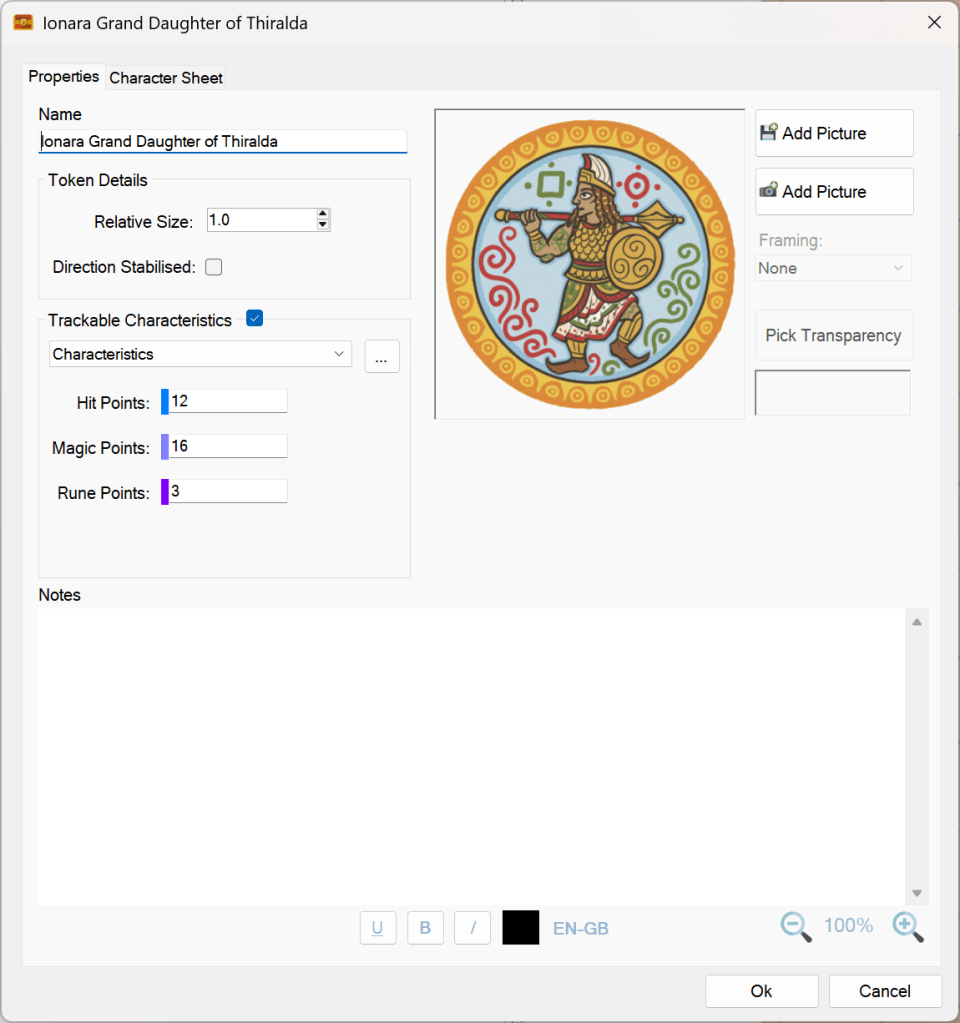
A character page! This update includes a single critical fix, and all customers are strongly encouraged to upgrade.
The issue affected character, token, and campaign‑asset images when Sojour’s data folder was located on a network drive or a cloud‑synced folder such as OneDrive.
In earlier versions, if that drive was slow to update, Sojour could crash when you changed or added an image for a character, token, or campaign asset.
This behaviour has now been fully resolved.
Have Fun!
RobP
-
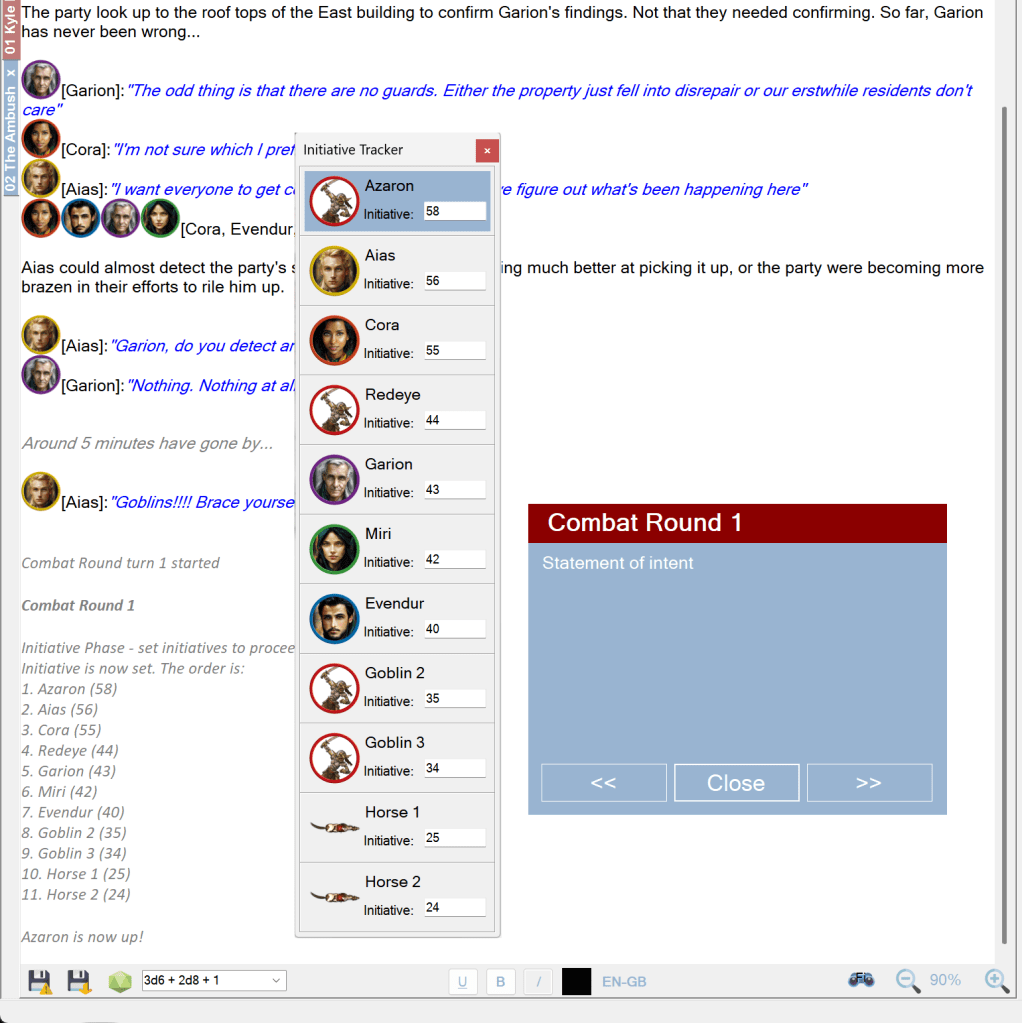
Turn Sequences! This is a small release that fixes an issue with Turn Sequences when they are used in various environments with different monitor counts.
The older system would try and restore the Turn Sequence windows to their last saved positions without taking into account the number of available monitors.
This could result in the Turn Sequence windows being restored off screen where a newer environment has fewer, or smaller monitors.
The fix now checks if the saved coordinates are off screen. If they are, it will restore the Turn Sequence windows to the main monitor.
That’s it for this release!
Have Fun!
RobP
-
This release focuses on giving users the ability to change the language Sojour uses when spell‑checking journals and documents.
Until now, Sojour has always defaulted to Windows 11’s system language — and there was no way for you to change it. Now you can!
There is one caveat: you can only choose from languages that are already installed on your operating system. For example, I currently have English (United Kingdom) and English (United States) installed:
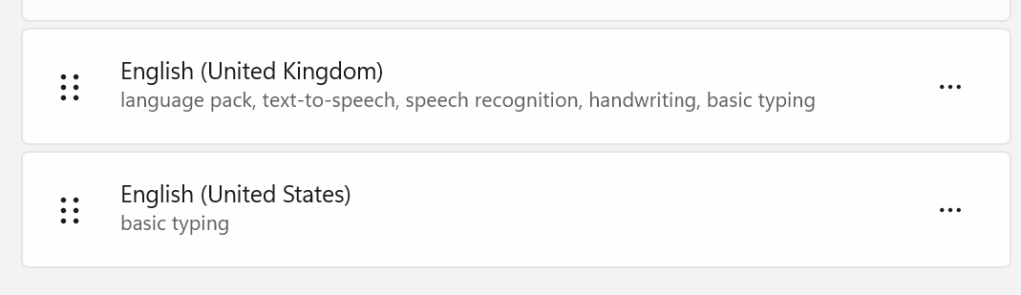
My installed languages Most Windows 11 installations allow you to add as many additional language packs as you need.
If you open Sojour’s Settings, you’ll now see a new option:
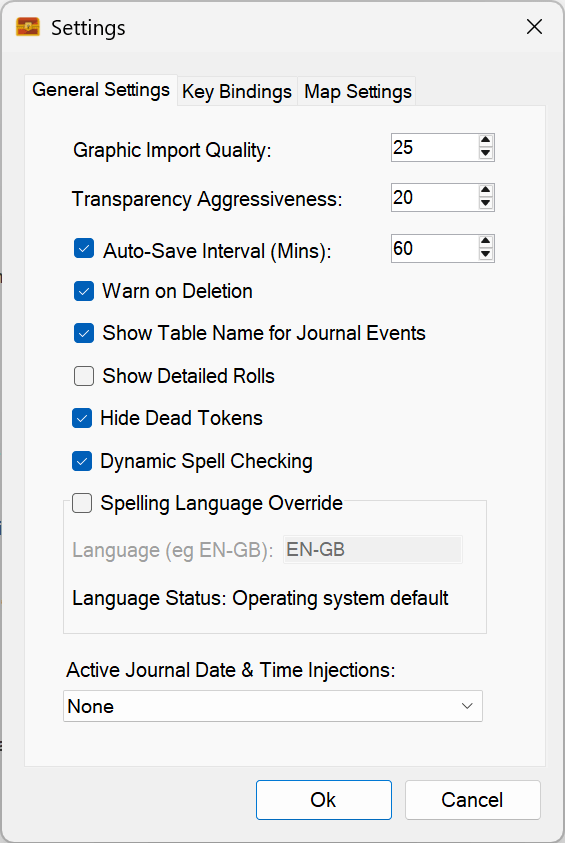
We can now override the default spelling language! A new setting called “Spelling Language Override” has been added. It defaults to using the operating system’s language, and it will tell you which one that is — in my case, EN‑GB (English – Great Britain).
If you want to change the language, simply tick the checkbox:
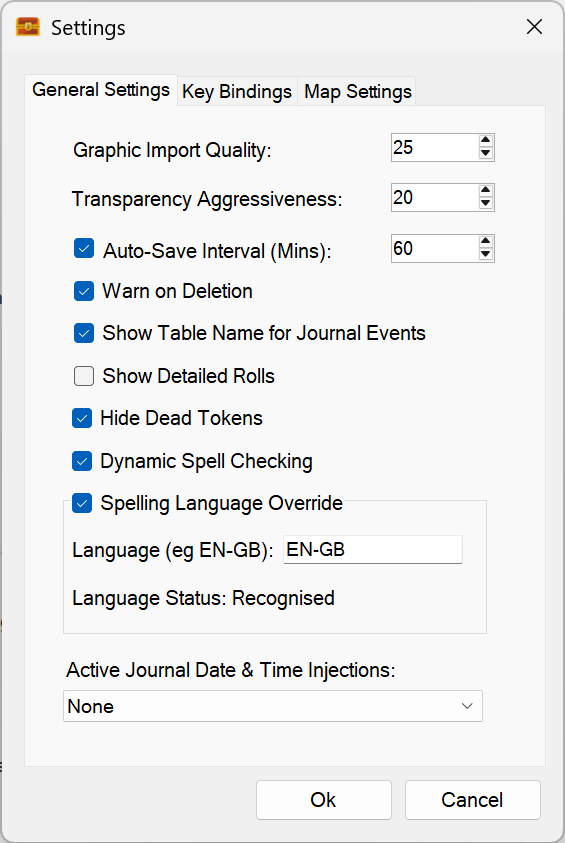
Override ticked! – We can now type in the language we want to use. Once enabled, you can type in the shorthand name of the language you want to use.
Unfortunately, .NET provides no reliable way to detect which language packs are installed, so the best I can do is give you a text field. To help, Sojour will tell you whether the language you typed is recognised.
In the screenshot above, EN‑GB is recognised. If I type “DE-DE” (German), it fails on my machine:
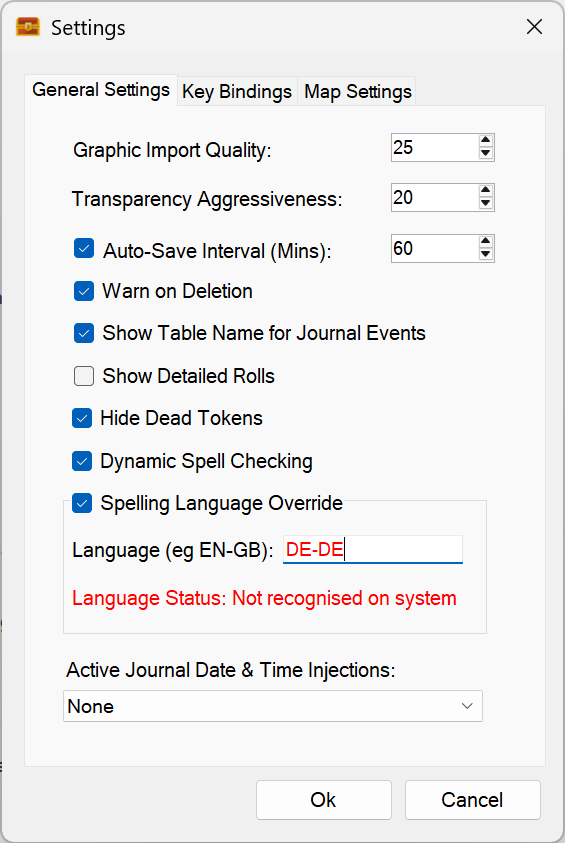
Sojour does not recognise the language! This isn’t because the name is wrong — it’s because I don’t have German installed. Windows reports that the language isn’t available, and Sojour highlights the field in red to let you know.
If you select a language that isn’t recognised, spell checking will be disabled. You’ll see this when viewing a journal:
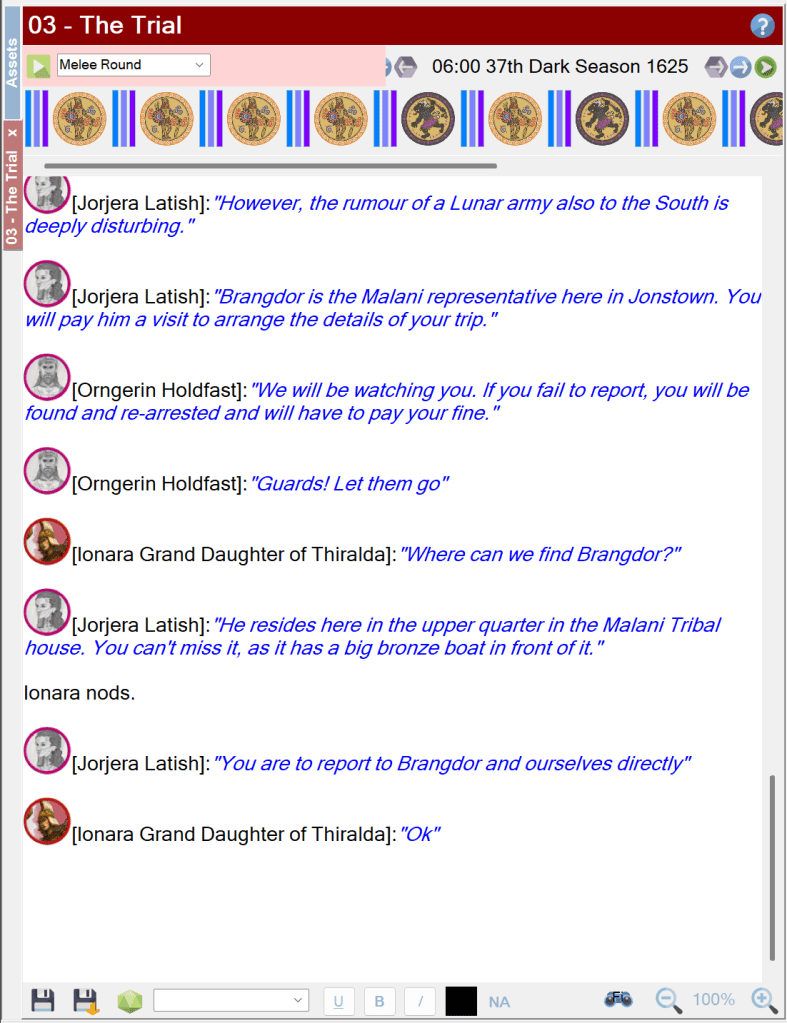
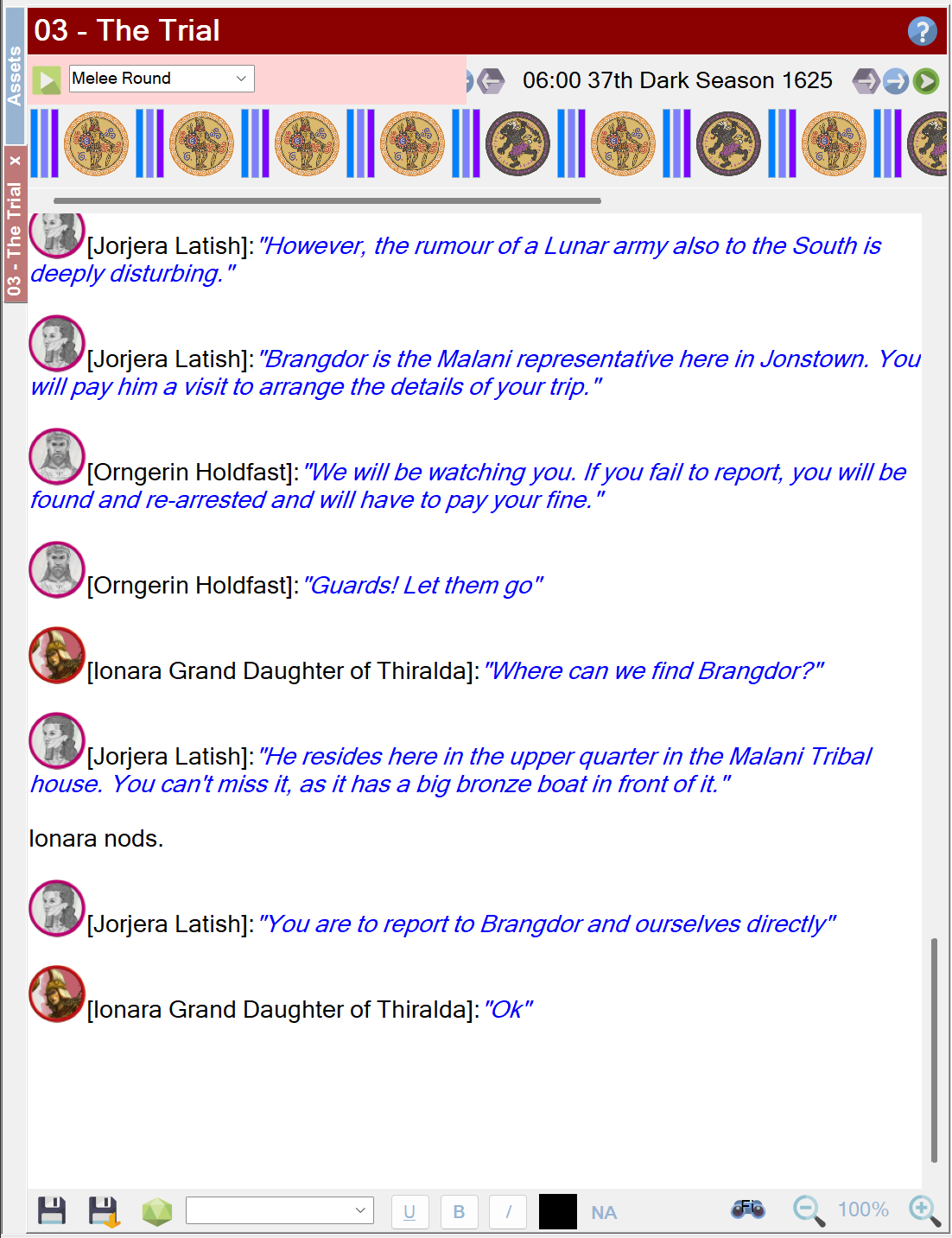
No valid spell check language! – this is represented by NA (Not applicable) in the lower pane. Once a valid language is selected, the indicator at the bottom of all RTF panes will update to show the chosen language:
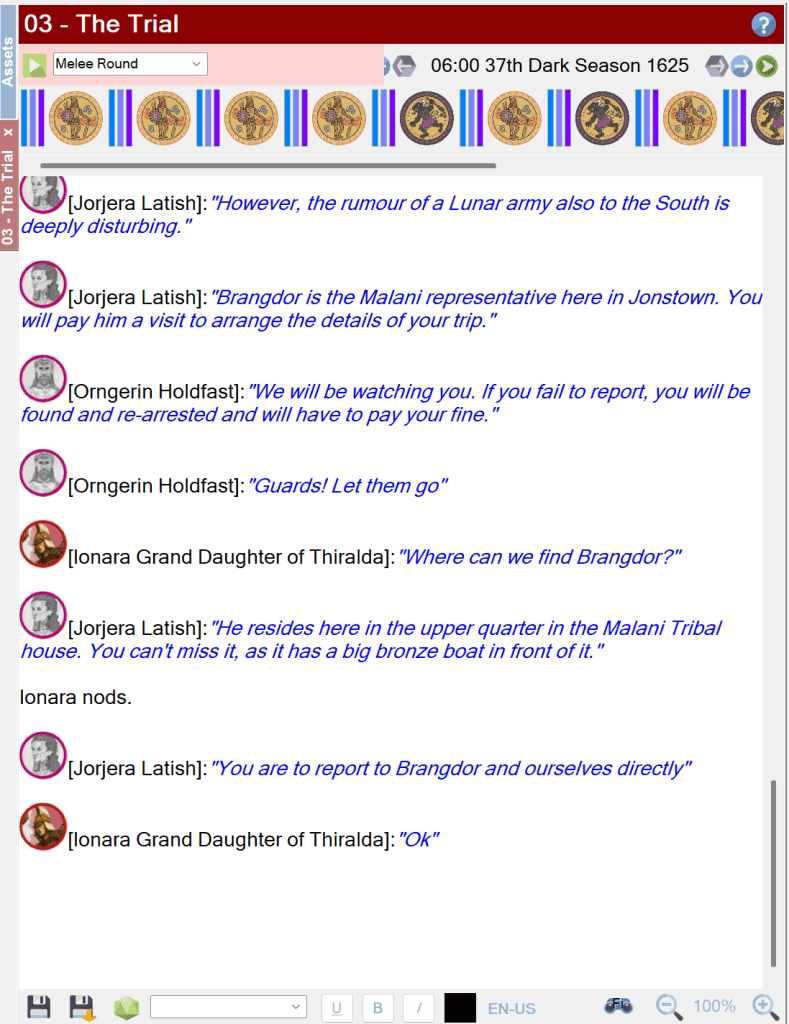
I have now selected English US. If you untick the override checkbox, Sojour will revert to the operating system’s default language.
Other small changes
- A spelling fix in the helper windows
- Updated to the latest version of WebView2 (used for PDF viewing)
That’s it for this release. Have fun!
RobP
-
Version 1.6.9.0 is now out! This release fixes a few bugs:
First up, a customer has reported issues with Sojour starting to crash on them. An investigation of their sent logs seems to indicate a potential failure mode in the tooltips system for characters and NPCs. I have made a number of code changes which should fix this, but, alas, I cannot reproduce the issue locally, so I’m coding a little blind. Will await customer feedback for this one! (Update! Customer has just got back to me and it did fix the issue! 😊 )
Speaking of which, if any customers are experiencing bugs, please contact me at the email address at the front of the manual and I’ll queue up your issue in my issue management system. 😊
Next up, Sojour has always allowed you to drag characters and tokens onto maps that don’t belong to that character’s or token’s ruleset or campaign.
This works fine and this functionality has been retained. However, deleting characters or tokens would initially remove them from maps that belong to that character’s campaign (or token’s ruleset) – you would then need to manually reload the other maps to get the token removed. This has now been fixed. Deleting a character or token removes it from all maps, irrespective of map ownership.
Finally, I have been noticing a few issues with Windows 11 which can impact Sojour’s file-sync system. Sometimes moving a file between two folders that you own, even when not on a network, can result in a ‘Unauthorised Access Exception’.
If this happens when creating a new token or character, there is a chance that their images will disappear from Sojour’s user interface. The cause being Windows 11’s file copying attempts failing. Sojour does provide a generous 36 re-attempts of all file operations. However, I have seen these file operations fail for all 36 attempts! (No data is lost, these are file operations from local to your chosen data directory.)
To get around this issue, Sojour now looks for character or token images in Sojour’s data folder location. If the image is not there due to a file sync issue, Sojour will grab the image from local storage instead. This ensures that the image file is aways available, no matter what Windows 11 is doing.
That’s it for this update!
Have Fun!
RobP
-
Dorian is now almost on par with it’s POC (Proof of Concept) in terms of outward functionality.
It now supports skyboxes – that is the sky domes that you see in games.
Unlike the POC, Dorian’s skyboxes can be rotated and Dorian can detect where the sun is and automatically setup the appropriate directional lighting!
For those that don’t know yet, I have had to write this new graphics engine because the one currently in Sojour is no longer supported by Microsoft’s development tools because it is 32 bit only.
This is why producing a new 64 bit graphics engine is critical to taking Sojour forward, even if it seems like a diversion.
Dorian now supports skyboxes and auto-light source detection! (Best watched on You-Tube at 4k) That’s it for this post! Nice and short!
Have Fun!
RobP
-
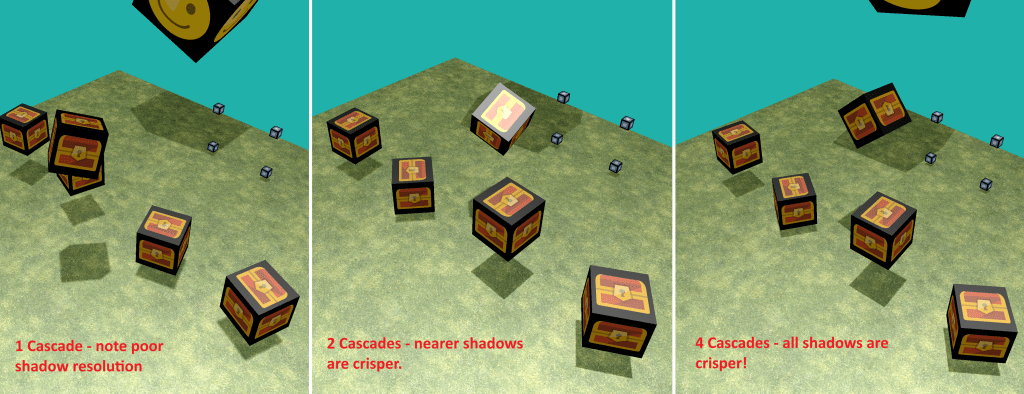
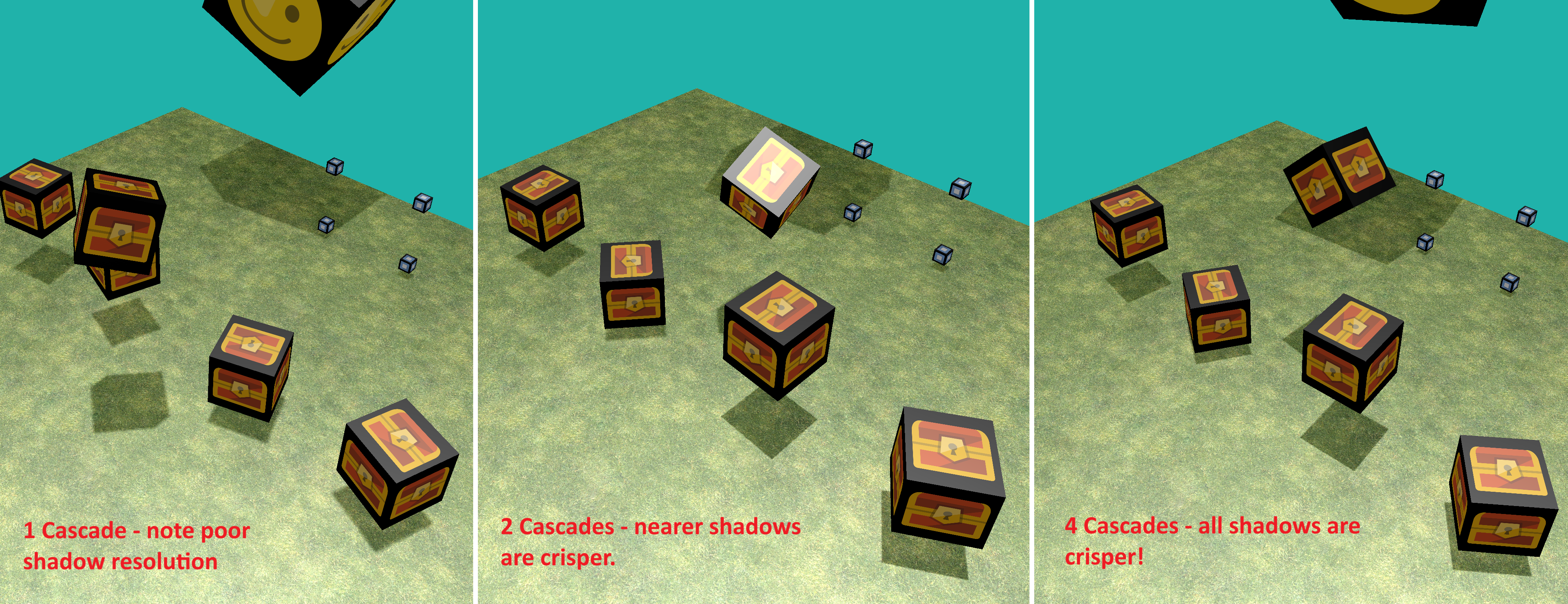
Dorian now supports cascading shadow maps for better quality shadows! (Click to see full size!) What are Cascading Shadow Maps (CSM) and what does it achieve?
Shadow map based systems create a depth texture representing the scene depth from a light source’s point of view. This depth texture is then sampled across a whole scene from the camera’s point of view to work out what’s in shadow and what isn’t.
The issue with shadow maps is that the greater the range of depth that you are dealing with, the more the depth texture has to be stretched in terms of its depth to cover all possible values. ie you are trying to squeeze larger ranges of depth information into the fixed number values that a single pixel can hold. This can then lead to sub-par shadows.
You’ve probably seen these low resolution shadows in some commercial games where the shadows have jagged triangular looking edges.
Dorian’s CSM system gets around this by creating multiple depth textures that are range dependent. These are called cascades. Each cascade is responsible for creating shadows over a specific depth range.
Having multiple depth textures in cascades reduces how much each one is stretched out to fill the scene depth. What’s more, these cascades are tuned so that the nearer cascades have smaller overall depth ranges (less stretching). This results in pin sharp shadows!
Medium to long distance cascades have larger depth ranges which results in fuzzier shadows, but in these cases the objects are far enough away that a player won’t notice.
The overall impression that the player gets is one of pin sharp shadows!
The image at the top of this post shows the effect of ramping up the cascades – Dorian supports differing numbers of cascade on a per light source basis.
The one cascade image on the left is what a typical shadow mapped engine looks like. The shadows don’t look too bad in that example, but the bigger the world, the worse it gets – and the demo world above is very small.
Note that as I add more cascades, the shadow quality improves

I’m happy with the shadows system but I still have a lot more work to do and this work should be done now whilst the iron is hot.
Why?
I tend to forget hard won knowledge unless I continually work at it. I had the same issue with Ionian – the previous graphics engine. That graphics engine lasted over twenty years – but it was so reliable that I rarely had to look at its code, which resulted in my graphical knowledge draining away.
It’s the driving reason why Dorian’s capabilities will be taken to a much higher level than Sojour needs, as the expectation is that once it’s done, I’ll rarely touch the actual code again – which means lost knowledge. Hence my determination to strike whilst the iron is hot!
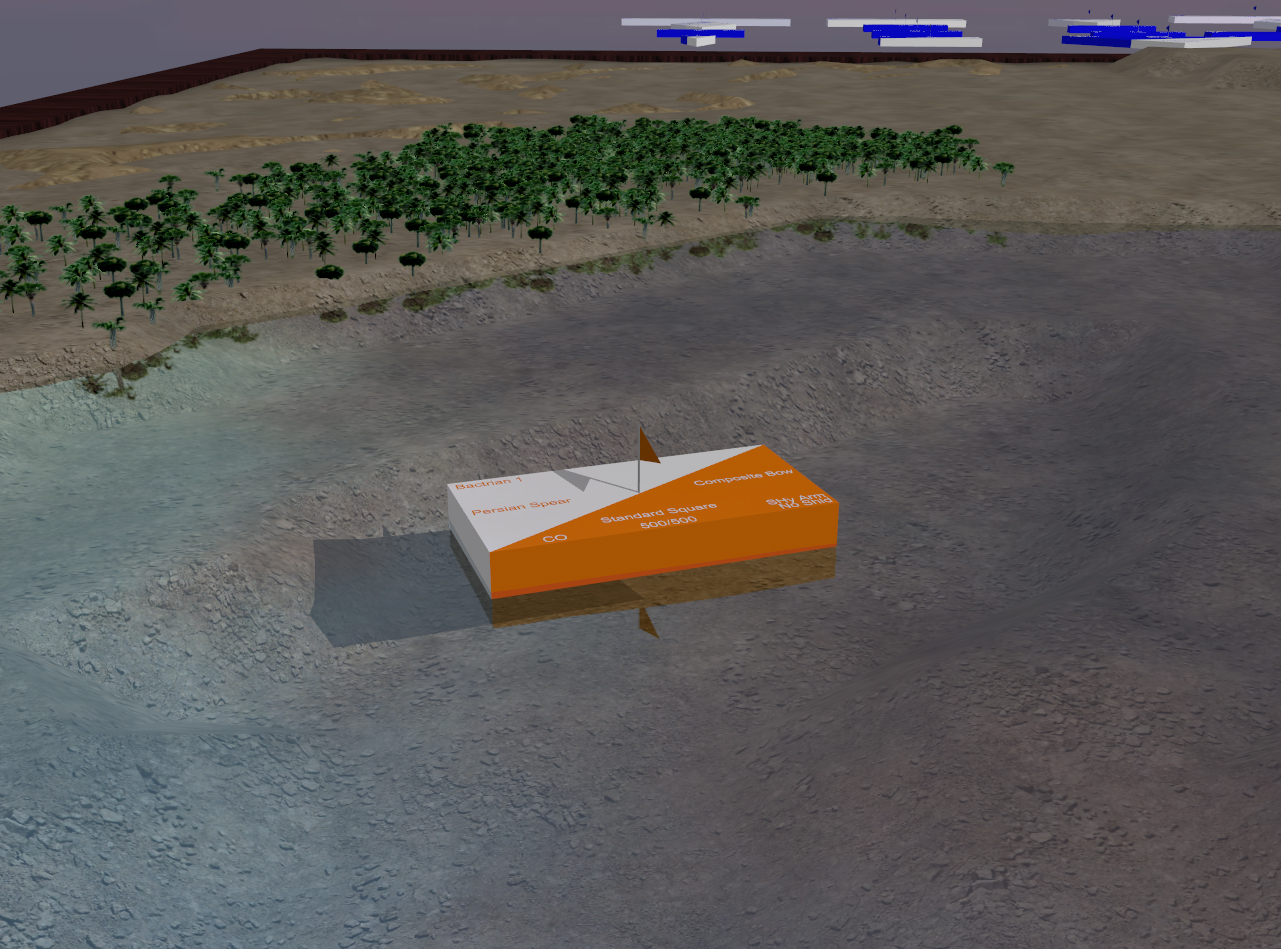
That said, Ionian which is currently used in Sojour is no slouch. It can do real-time shadows – using shadow volumes, real time reflections, skyboxes and bill-boarding:
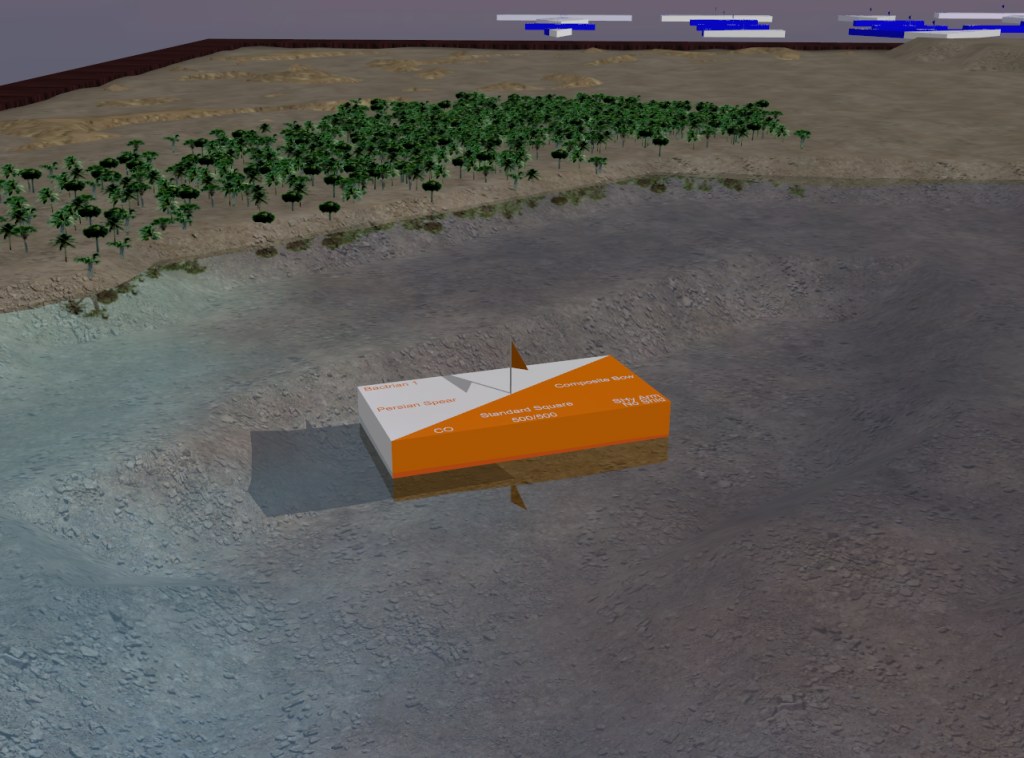
Ionian – Sojour’s current graphics engine as used in an early version of Ancient Armies (circa early 2000’s). 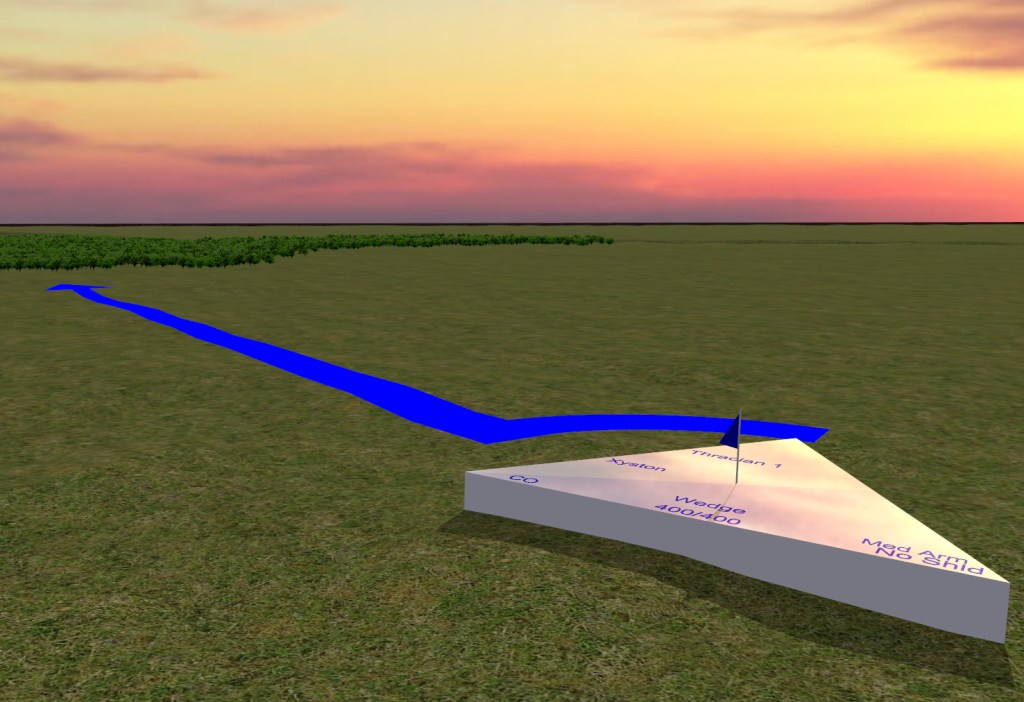
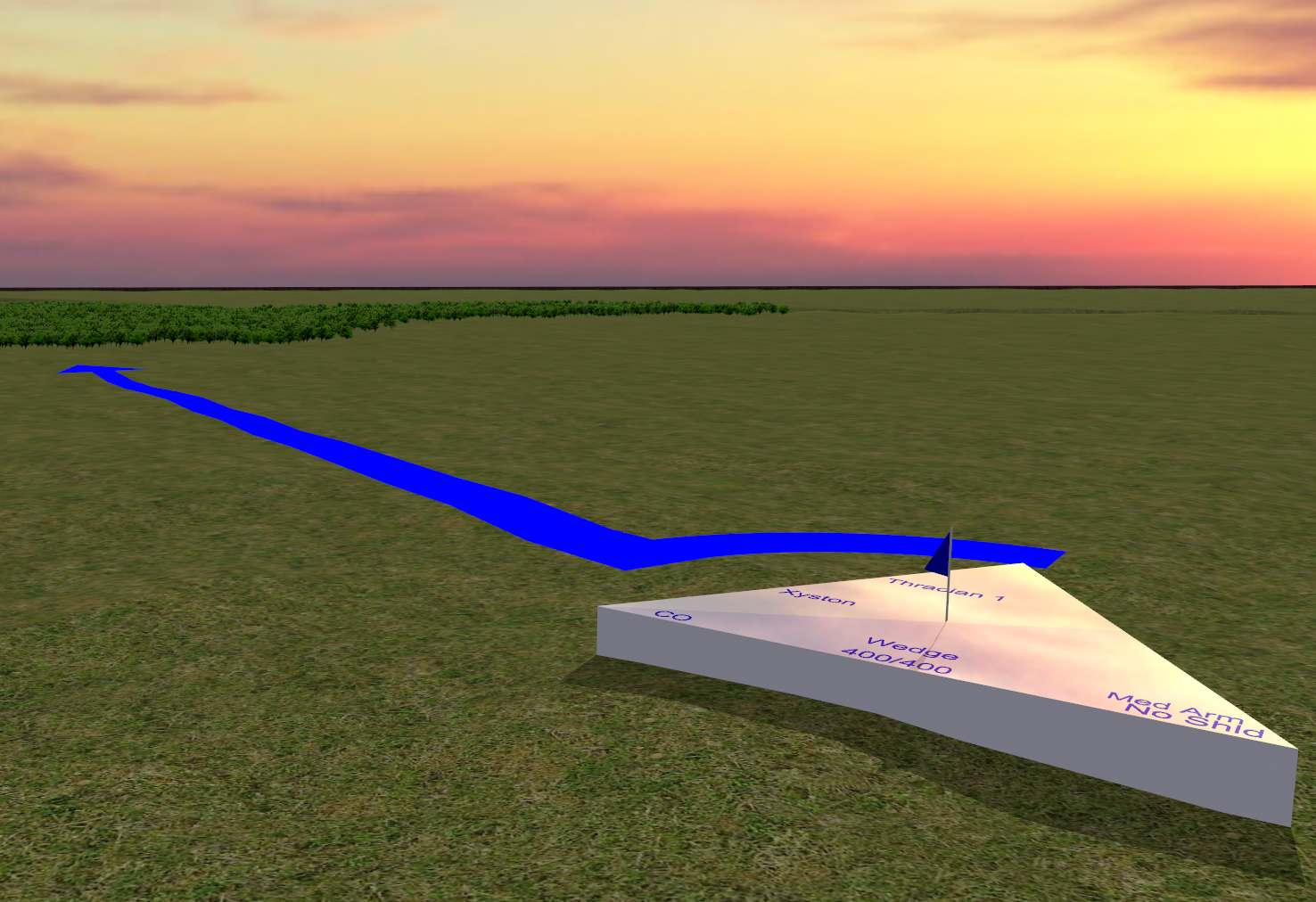
Another shot of Ionian in action. The real-time shadows and reflections are especially apparent here. I will need to get Dorian to a point where it can do everything that Ionian can do at the very minimum. Though my plans are for a lot more!
Please have patience!
Have Fun!
RobP
-
There’s going to be quite a few of these – sorry!
Working on a graphics engine seems like a diversion but it is critical for Sojour as the latest Visual Studio will not build 32 bit apps. Alas, Sojour’s current graphics engine, Ionian, is 32 bit only – hence the re-write.
On the plus side, Dorian is way more powerful 🙂
Dorian strutting its stuff! (Best viewed on You-Tube in 4K) The ECS system in Dorian makes all the animations and camera movements completely trivial. It really is a joy to work with!
This is a video of the first version of it’s shadow system. It has one more iteration which is to make it use Cascading Shadow Maps then we are done with shadows and can then work on the next features!
Have fun!
RobP

Sojour
The solo virtual table top